Puma Men’s Fashion on Noon UAE: warranty and support — final price comparison
Noon UAE final price Men’s Fashion Puma warranty and post-purchase support: Discover how to pinpoint the true cost of a Puma men’s fashion piece on Noon UAE by
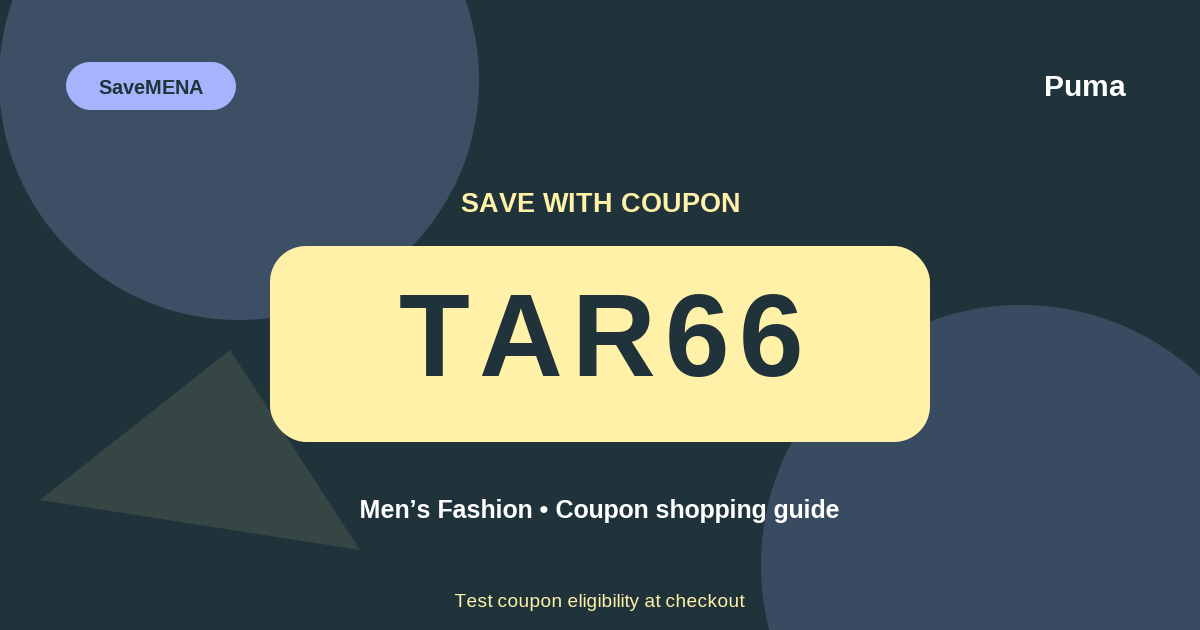
Codes available to try while comparing
These codes are not guaranteed for the article topic or listed brands; test them at checkout and use the live result.
1. Decode Every Line of the Final Price
Most retailers display a base price, a VAT charge, a delivery fee, and a potential discount before the final amount appears. On Noon UAE, the “final price” image you see on the product page is a snapshot before you add the item to the cart. To see how much you’ll actually pay, add the product to your cart, proceed to the cart page, and watch the breakdown. This is where the VAT and shipping costs add up, and where the TAR66 coupon will adjust the subtotal, if it applies. Keep an eye on the “final payable total” on the checkout screen; that figure is definitive.
It’s easy to be misled by promotional banners that promise “up to the discount shown at checkout off.” Those messages often obscure the app‑only or time‑limited nature of the offer. The real test is the number that the system presents after you have entered the code. By comparing the base price plus taxes to the actual checkout amount, you can identify exactly how much the coupon contributed and whether any hidden fees creep in. Remember that this amount is the one you’ll actually pay with your chosen payment method.
2. Confirm the Warranty Details Covered by the Seller
When shopping for Puma men's fashion, warranty coverage is a crucial decision lens. The product description on Noon UAE usually lists the manufacturer’s warranty, often stating a one‑year coverage against defects. However, this information is printed at the time of listing; it may not reflect any seller‑specific guarantees or insurance plans. To verify, look for a “Warranty” or “Return Policy” section beneath the product title or in the long‑form description. Note the exact wording, such as “1 year limited warranty against manufacturing defects.” Sometimes newer models carry extended warranties; that will be clarified here.
Beyond the manufacturer’s guarantee, some sellers offer a “return for change of mind” period, often 7–15 days. This period applies irrespective of the warranty. Check whether this return window is shown in the product listing or in the cart sidebar. If it’s not prominently displayed, note that you may need to query the seller or the Noon platform directly for clarification. This proactive check prevents surprises when you try to exchange or return a product after purchase.
3. Examine Post‑Purchase Support Offerings
Post‑purchase support extends beyond warranty into how a seller handles returns, refunds, and exchanges. On Noon UAE, the support tier may vary between shop units and the platform’s own fulfillment. Check the “Seller Information” popup for an Express return policy, a contact email, and a dedicated helpline if available. A clear, responsive support channel signals a commitment to customer satisfaction. Also look for any mention of dispute resolution, especially if the seller is a third‑party vendor.
When you see a statement like “30‑day return for any reason,” remember that the actual process can differ; you might need to use a return request form, pack the item to specific specifications, and wait for a refund timeline. Confirm these details in the help center or by clicking the seller’s support link. This level of scrutiny ensures you’re not only covered by a warranty but also have a reliable pathway if you need to reverse a purchase.
4. Apply the TAR66 Coupon Methodically
The TAR66 code is a variable coupon that may or may not be eligible for a particular listing. To test its viability, simply enter it in the coupon field during the checkout process before finalizing the payment. If the system accepts the code, you will receive a visible deduction beside the cart total. If the code is inapplicable, the system will typically display an error message; at that point, you must choose another coupon or proceed without a discount.
After applying the code, re‑calculate the final payable total. Note how the deduction impacts the overall price of the product, especially when comparing between different sellers offering the same Puma item. Document the amount saved, if any, by storing a screenshot or writing down the numbers, so you can evaluate the true value of the coupon against other promotions.
5. Vet the Seller’s Identity and Credibility
Online marketplaces list sellers by a unique ID and separate their ratings from product reviews. On Noon UAE, inspect the listed seller’s name, star rating, and years of operation. A higher rating or a longer track record can reduce risk. However, a top rating does not guarantee perfect post‑purchase care; it might only reflect delivery punctuality or packaging quality.
To confirm the seller’s authenticity, look for a verified seller badge or a “Noon Prime” label. While these badges indicate a certain level of quality control, they do not directly speak to warranty or returns. If the listing lacks these badges, you can still review the seller’s response rate and customer feedback in the dedicated “Seller” section. This helps you judge whether they are responsive to support queries.
6. Compare Listings Across Multiple Sellers
Even for the same Puma product, prices can vary across vendors on Noon UAE due to shipping differences, handling fees, or exclusive promotions. Open each listing’s price card, note the base price, shipping cost, and any listed discount. Track possible variations in warranty lengths or return periods between sellers.
To streamline the comparison, create a simple spreadsheet or note where you record each seller’s final price after the potential coupon application. Compare the totals along with the warranty and support details. This side‑by‑side view allows you to pick the seller offering the best overall cost‑to‑value ratio, not just the lowest headline price.
7. Align Payment Method With Final Price Impact
Some payment methods bring extra fees or benefits that affect the final amount. On Noon UAE, credit card payment can affect shipping billing or trigger a points or cashback offer immediately at checkout. Examine the “Payment Options” section: does the system show a different final price for varying methods? If so, factor this into your overall cost analysis.
For example, a debit card might waive a small service fee but not trigger loyalty points, whereas a Noon reward card might compensate with cashback. Because the final price displayed during checkout includes the chosen payment method, the best decision is to select the one that yields a lower net payout while still fitting your wallet.
8. Confirm the Final Price and Warranty Before Locking In
When you reach the final checkout screen, a definitive “Final Payable Total” appears. This is the amount you will actually charge, inclusive of taxes, shipping, coupons, and any payment‑method fees. Double‑check that the total matches your expectations from earlier calculations. Also reconfirm that the warranty listed in the product description still applies and that the seller’s support info remains unchanged.
Only after you have verified these two pillars should you complete the purchase. If any inconsistencies arise—such as a discrepancy in the warranty label or an unexpected fee—contact Noon customer support or the seller immediately before submitting the transaction. This last line of verification protects you from overpaying or losing warranty coverage after the fact.
Related SaveMENA pages
Related articles
Official sources to check
Frequently asked questions
How does the TAR66 coupon affect the final price on Noon UAE?
The TAR66 code is entered during checkout; if it’s applicable, the system subtracts the coupon value from the subtotal. The resulting final payable total then reflects any price reduction, plus taxes, shipping, and other fees. Always review the updated amount before confirming payment.
Can I rely on the warranty information listed on the product page?
Warranty details on the listing represent the manufacturer’s coverage, usually a one‑year defect guarantee. However, seller‑specific policies may add or modify terms. Confirm via the “Warranty” or “Return Policy” section, and, if uncertain, contact the seller for clarification.
What if the TAR66 coupon does not work on a particular Puma item?
If the code isn’t accepted, you’ll see an error message. In that case, you can try other available coupons or proceed without a discount. Be sure to review the final total after discount attempts to ensure you’re still paying a fair price.
How can I ensure the seller offers reliable post‑purchase support?
Check the seller’s rating, years of operation, and any verified badges. Look for detailed return and support policies in both the product listing and the seller’s information. A responsive support channel and clear return procedures are key indicators of trustworthy post‑purchase care.