Puma Women’s Fashion on Noon UAE: warranty and support — final price comparison
To determine the true cost of a Puma item, slide the product into your cart and proceed to the checkout screen.
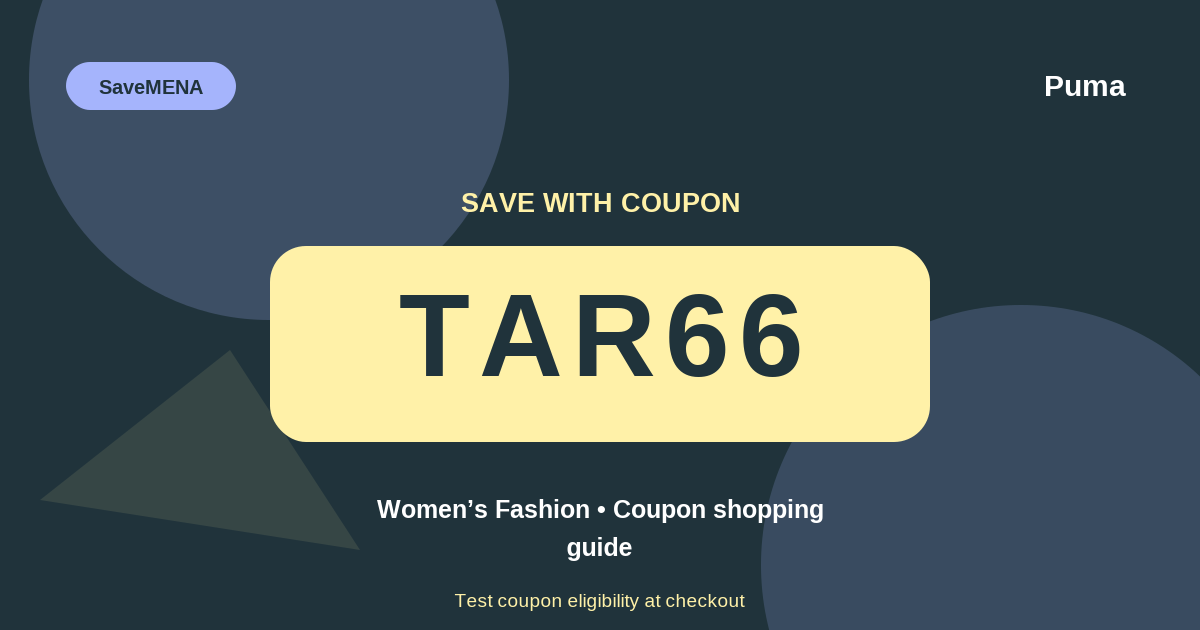
Codes available to try while comparing
These codes are not guaranteed for the article topic or listed brands; test them at checkout and use the live result.
1. Verify Coupon Application at Checkout
To determine the true cost of a Puma item, slide the product into your cart and proceed to the checkout screen. Enter the code TAR66 in the designated field and watch the total recalculate. Only the final figure shown after this process is the price you’ll pay. If the application either fails or shows no reduction, the coupon was ineffective for this particular listing. Some sellers may restrict coupon usage, so it is essential to double‑check at this stage and retain the final printout for future reference.
When you see the new total, note whether any additional fees, such as delivery or handling, appear. If the coupon applies only to the product price and not to shipping, the overall savings may be less than expected. For rigorous budget control, keep a screenshot or copy of the final amount so you can verify it after the order is confirmed and ensure you were not surprised by an unseen fee.
2. Understand Puma Warranty Terms
Puma typically offers a limited warranty on its women’s fashion items, covering manufacturing defects for a specified period. However, warranty specifics can differ by product type and seller. At Noon, warranty details are usually available in the product description or under the “Seller Information” tab. It is crucial to read those terms carefully to know what is covered, how long the coverage lasts, and whether it is transferable or limited to the original purchaser.
If the listing provides a direct link to Puma’s standard warranty policy, follow that for comprehensive information. Some sellers may add their own warranty or service guarantees, which could extend or complement the manufacturer’s coverage. Compare these on the listing page before finalizing your purchase, as a longer warranty period often reflects higher confidence in product quality and can affect your long-term satisfaction with the item.
3. Examine Post‑Purchase Support Options
Beyond the warranty, consider the seller’s policies for returns, exchanges, or refunds. Noon’s standard return window typically allows you to initiate a return within a set number of days, but individual sellers may list different timelines. The modal that opens when you click on “Return & Refund Policy” for the product will clarify the required steps, any fees, and whether the item must be returned unopened.
It is also useful to search for any “Customer Support” or “Service Center” contact details included in the listing. A reliable seller will provide clear channels to enquire about issues or claim warranties. Having easy access to support can save time and frustration if you encounter a defect or mismatch after purchase.
4. Check Seller Reputation and Tracking Responsibilities
Seller performance is a vital factor in determining post‑purchase experience. On Noon’s product page, look for the seller’s rating and the number of orders completed. While a high rating can be reassuring, confirm that the seller has a history of timely delivery and responsive customer service in their reviews.
Additionally, note whether the seller uses Noon’s standard tracking system or offers separate tracking keys. Tracking reliability gives you peace of mind that your Puma item will arrive as promised and that you can easily monitor the courier’s status. If the seller’s tracking is not integrated, you may need to rely on external confirmation codes, which can complicate later claim processes.
5. Compare Multiple Listings for the Same Item
In cases where several sellers list the same Puma product, launch a side‑by‑side comparison of their final prices after applying TAR66. Pay close attention to the final total displayed after coupon application, as it may differ from the listed price if sellers apply distinct delivery fees or coupon restrictions.
Beyond price, verify that each listing provides transparent warranty and return policies. A lower final price is attractive, but if the seller’s policy is restrictive or unclear, a higher price that offers comprehensive support could prove more valuable in the long run. Build a quick note sheet comparing each item’s price, warranty duration, return window, and customer feedback for an objective decision.
6. Time Your Purchase with Price Movements
Even when using a coupon, be aware that Noon’s listing prices can fluctuate due to internal promotions or stock changes. If you’re not in a hurry, set a watch or revisit the product page over a few days to see if the base price drops before the coupon’s potential expiration, which is not guaranteed to remain fixed.
When the price changes, recalculate the final amount with TAR66 as the new list price applies. If the coupon’s benefit reduces or disappears with a new price, weigh whether the lower base price offers similar value without the coupon. Keep the final checked amount in mind when deciding whether the coupon’s incremental savings are worth the extra watch time.
7. Prepare for Unexpected Coupon Outcomes
Coupons on Noon can fail for a variety of reasons, including seller-imposed restrictions or platform-wide limitations. If TAR66 does not apply to a particular listing, the listing will show the original total. Record the final amount anyway so you can compare the raw price with any alternative listings that accept the coupon.
Consider setting a budget threshold based on your expectations. If the non‑coupon price exceeds this threshold, you might choose to postpone the purchase, search for another seller accepting the coupon, or wait for a future promotion that would bring the price within your desired range without ignoring warranty and support considerations.
8. Leverage Noon’s Customer Service After Purchase
After confirming your order and paying the final amount, maintain a copy of the receipt and the final price header. Should you encounter issues—whether the product arrives damaged or the warranty claim process appears unclear—contact Noon’s customer service through the app’s help center or hotline. Provide the order number, exact purchase date, and any supporting evidence.
If repeat attempts to resolve the issue with the seller fail, Noon’s mediation policy can be invoked. Document each interaction and retain screenshots of conversation logs. Knowing the specific steps to trigger mediation ensures that, should the warranty or post‑purchase support fail, you can access a resolution pathway backed by Noon’s platform policies.
Related SaveMENA pages
Related articles
Official sources to check
Frequently asked questions
How do I know if the coupon applies to my chosen Puma item?
Check the “Coupon” field at checkout and confirm the recalculated total. If the amount changes, the coupon worked; if not, the code didn’t apply or was restricted for that seller.
What is the typical warranty period for Puma women’s fashion items sold on Noon?
Warranties vary but usually cover manufacturing defects for 1–2 years. Exact terms are listed in the product description or seller information; review these before purchase.
How can I verify the seller’s return policy?
Click on “Return & Refund Policy” on the product page. This section details the required time frame, condition of items, and any associated fees for returns.
What should I do if my order arrives damaged?
Take photos, then open a return or claim ticket in your Noon order history. Provide evidence and follow the seller’s outlined procedure for warranty or refund.