Sony Electronics on Noon UAE: item availability — correct shopping market
Noon UAE coupon market Electronics Sony exact item or variant availability at purchase time: Choosing the right Sony electronics on Noon in the UAE requires careful
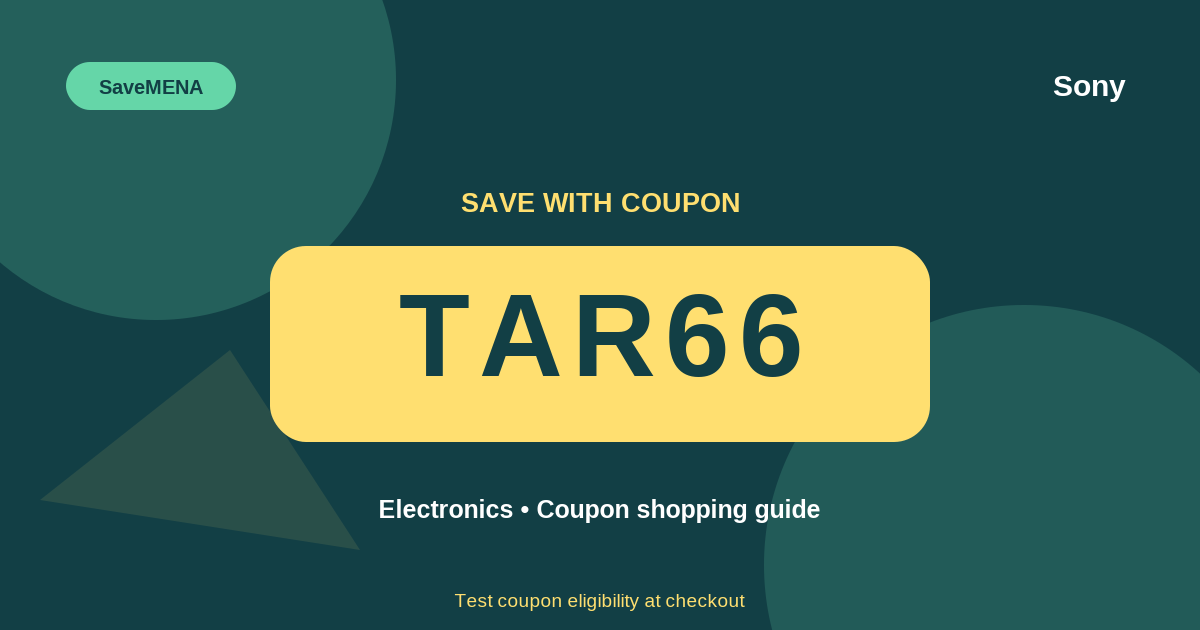
Codes available to try while comparing
These codes are not guaranteed for the article topic or listed brands; test them at checkout and use the live result.
Understand Sony Variant Landscape on Noon UAE
When you first land on the Sony electronics page, notice that each product listing often displays multiple variant selections under the “Choose your model” drop‑down. These options usually highlight color, internal storage, and sometimes additional features such as enhanced speakers or bundled accessories. Selecting the intended variant is crucial, because the price peg and the available stock are tied to that specific configuration. A change in any attribute instantly shifts the underlying SKU and could alter the pricing or the availability trigger used by the marketplace.
Spend a moment comparing the variant grid against your own preference checklist—whether you need a larger storage capacity, a specific color, or a particular feature set. Note that Noon’s interface occasionally groups similar variants under one title, but only the exact match will be delivered. Checking the variant details before adding to the cart ensures the next steps deal with the real inventory, not a placeholder request.
Check Live Stock Before Adding to Cart
After you’ve chosen the variant you want, scroll down to the “Availability” section directly beneath the pricing. Noon typically presents a real‑time indicator showing the quantity left or confirms that it’s available for delivery within a set timeframe. Certain Sony models can run low during peak periods, so seeing a precise number—like “3 left in stock” or “in stock”—provides a tangible cue on current inventory status at the seller’s warehouse.
If the indicator reads “Limited stock” or simply “Available,” add the item to your cart while you’re still on the page. Most marketplaces keep the selected SKU locked in your cart until checkout, but refreshing the cart or navigating away can sometimes reset the variant. Double‑check the variant in the cart, ensuring it matches the one you selected earlier, before moving forward to the seller details.
Compare Seller Ratings and Return Policies
On the product detail page, Noon lists the seller ID aligned with the Sony listing. Tap the seller name to access a profile that reveals the overall rating, number of reviews, and any seller badges. Higher ratings often correlate with smoother fulfillment, but a single negative review can highlight a pattern that may affect your experience, especially for high‑value electronics.
Also locate the “Return Policy” or “Warranty” information linked to the seller. Electronics generally carry a standard manufacturer warranty, but the seller’s return window can differ. Check whether the policy covers defects, shipping damage, or simply a change of mind. A seller offering a longer return period often signals confidence in product condition and delivery accuracy.
Verify Digital Fulfilment Options for Electronics
When selecting a Sony device, you might notice a “Digital Fulfilment” option listed under the order details. This option indicates that the product will be delivered electronically—such as download codes, digital warranties, or firmware updates—rather than physically shipped. Confirm this status on the product page; it may affect delivery times and the handling of any warranty claims.
For physical products, ensure that the “Physical Delivery” option is shown instead. Pay attention to the estimated shipping date and the carrier type displayed. This clause confirms that the seller will dispatch a tangible item from their inventory rather than relying on a digital pipeline, which could raise discrepancies if the variant is instant or subject to licensing restrictions.
Calculate Shipping and Delivery Fees
Proceeding to the cart, Noon will enumerate the shipping fee next to the subtotal. Shipping costs can vary based on seller location, delivery speed, and your chosen pickup address. A higher fee often corresponds to expedited shipping, which is useful if you need the Sony device urgently for an upcoming event.
To avoid surprises, preview the final order summary before confirming. The summary displays the total price, the shipping fee, any applicable taxes, and an empty space for promo code entry. As this is the last point to see the aggregate cost, ensure the shipping fee aligns with your expectations and that no additional freight charges appear after checkout.
Plan Payment Options and Security
Noon offers multiple payment methods—including credit/debit cards, UAN Pay, and cash on delivery—for Sony electronics. Choose the method that offers the best combination of speed and security for you. Credit cards usually provide buyer protection in case of technical issues with the delivery or payment reversal.
Before entering your payment details, confirm that the checkout page redirects to a secure HTTPS connection and the domain matches Noon’s official URL. A consistent, encrypted flow reduces the risk of data interception, particularly when purchasing higher‑priced electronics from third‑party sellers.
Test the TAR66 Coupon at Checkout
Once the cart reflects the correct variant and shipping fee, type the coupon code TAR66 into the field provided at the checkout page. Notice whether the system accepts or rejects the code; a successful entry will adjust the total price instantaneously. Even though the coupon is labeled as “available to try,” its application depends on current campaign eligibility, which Noon may modify without prior notice.
Verify that the discount appears under the “Promo code applied” line and that the adjusted subtotal matches the pre‑promotion amount less the coupon value. If the coupon is not accepted, proceed to place the order without it, but keep the coupon code noted for future use when conditions align.
Review Final Confirmation and Next Steps
Before finalizing the purchase, review all order details: the Sony variant, seller name, shipping method, total cost, and payment method. Double‑check that the variant listed in the order summary matches the one you added to the cart, including color, storage, and additional features.
After confirming, click “Place Order.” The order confirmation page will show an order ID and a link to track shipping status. Save this information in a dedicated folder or bookmarking it in your browser. Tracking status updates will allow you to monitor the package heading to your door and will provide alerts if any delays or issues arise.
Related SaveMENA pages
Related articles
Official sources to check
Frequently asked questions
How can I verify Sony variant availability on Noon before buying?
Check the real‑time stock indicator on the product page, confirm the exact color, storage size, and feature set match your needs, then add to cart while still on the page. Re‑view the cart to ensure the correct SKU is locked before checkout.
Will the TAR66 coupon always apply to Sony electronics?
The coupon is available to try, but its application depends on current promotion thresholds and eligibility rules set by Noon. The code may not activate if the order doesn't meet specific criteria or if the promo has ended.
What should I do if a Sony variant runs out of stock during checkout?
Immediately refresh the product page or return to the cart to see updated availability. If “Out of stock” appears, select a different variant or a different seller listing that still offers your desired configuration.
How can I ensure my Sony purchase is protected with a return policy?
Click the seller name on the product page to view their return window and any warranty clauses. A longer return period or a detailed warranty usually indicates the seller’s confidence in product quality and fulfillment reliability.