Puma Women’s Fashion on Noon UAE: checkout message — correct shopping market
Noon UAE coupon market Women’s Fashion Puma the live coupon message at checkout: When shoppers search for benefits in a specific market niche—like the new Noon UAE
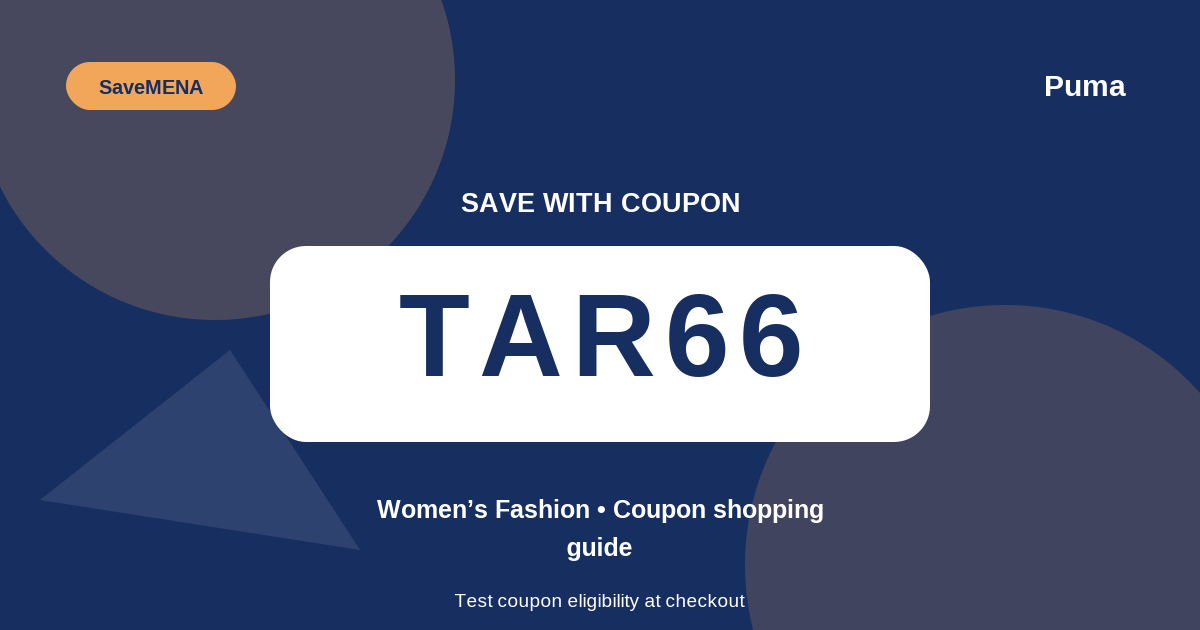
Codes available to try while comparing
These codes are not guaranteed for the article topic or listed brands; test them at checkout and use the live result.
Understand the Coupon Messaging Features at Noon
In the Noon UAE coupon market, the platform automatically monitors each cart for eligible offers. When a code might apply, a banner or dialog appears during checkout, informing the shopper of the discount amount or flat reduction. This live coupon message is the platform’s only real-time indicator that a coupon is active; it updates instantly as you add or remove items, shift categories, or change sellers. When this message disappears or turns “not applicable,” it reflects a mismatch between your cart and the coupon’s specified conditions.
Because the message is generated by the system, the developer cannot rely on it to guarantee savings. The message simply verifies that the coupon is technically usable for the selected items. It is therefore a crucial checkpoint: if you still see the live coupon notice, you can feel confident the system recognizes the coupon. If the notice is absent, proceed to investigate the potential reasons, such as category mismatch or seller restrictions.
Confirming the Women’s Fashion Category Alignment
Women’s fashion is a broad category that can be subdivided into apparel, shoes, accessories, and more. To trigger the live coupon message, you must place items squarely within the “Women’s Fashion” segment specified by Noon for the coupon’s eligibility. Double‑check that the product listing’s primary category is indeed Women’s Fashion and not a subcategory that the coupon excludes. This step is mandatory because coupons often filter by main category instead of every possible sub‑line item.
Once you verify the category, add the desired Puma item to the cart. The live coupon message should then appear on the checkout page if the coupon is valid for that category. Should the message not surface, it is a clear signal that the coupon’s category rule does not include the exact product you selected. At this point, test a different Women’s Fashion item or buy from another seller that lists the same product under the correct category.
Ensuring the Item Is from the Specific Seller
Many coupons in Noon’s UAE market allow use only from designated sellers or marketplaces. Because the TAR66 code is still in the trial phase, you should confirm whether your chosen Puma item is offered by a seller that has granted the coupon. Seller listings on Noon display a “Seller” tag; cross‑reference this tag with any coupon restrictions mentioned in the product description or the coupon’s details section.
If the seller matches the required listing, a live coupon message will appear on the checkout screen. Conversely, if the seller is outside the allowed network, the message will be omitted, and the coupon will not apply. Thus, verifying the seller before adding the product guarantees that any subsequent live coupon message is accurate and not a system glitch caused by seller mismatch.
Adding the Product to Cart and Watching the Live Message
After selecting the Puma item and inspecting category and seller compliance, add it to the cart. Proceed to the checkout flow. Noon’s system will automatically display the live coupon message just before you enter payment information. Check that the banner references TAR66 and that it shows a clear discount amount. This visual confirmation is your first real-time proof that the coupon is recognized for your exact cart.
Watch for any error or fade‑out effect on the banner. If the message disappears after a short period, it may indicate that a cart update (e.g., quantity change, additional item) caused a re‑evaluation. Always re‑visit the message after any change, ensuring consistent visibility before proceeding to personalize shipping or payment details.
Trying the Code TAR66 at the Checkout Prompt
Even though the live coupon message confirms eligibility, you still need to enter TAR66 into the coupon code field. Many shoppers skip this step, assuming the message will apply automatically. Enter the code during the checkout checkout section dedicated for coupon codes; the platform will re‑evaluate the cart and update the total if the coupon applies.
Do not write in any additional characters or cheat codes. The platform explicitly requires the precise code TAR66. After inputting it, observe the changes in the order summary. If the code fails to apply, the platform will usually display a “code not applicable” or “not found” message. In such cases, double‑check the code spelling, and ensure there are no trailing spaces or punctuation.
Reviewing the Live Coupon Effect in the Order Summary
Once the code is accepted, the order summary should recalculate the subtotal, shipping, and remaining taxes. The coupon discount will be listed as a separate line item. Because the coupon is in trial, it might show “TAR66 – re‑evaluate at checkout” or a placeholder amount. This is normal, but the existence of the line confirms that the coupon is ready to reduce the total.
At this turn, verify that the final payable amount considers all applicable fees and taxes. The platform does not disclose discount percentages until the coupon is applied. Therefore, you shouldn’t expect a disclosed discount value; focus instead on whether the total decreases relative to the pre‑coupon subtotal.
Checking Total Including Delivery Fees and Fair Conditions
The final payable figure includes product price, applicable shipping charges, and any taxes. Not all coupons cover shipping; therefore, the live coupon message may not reduce delivery fees. Verify that the shipping penalty remains unchanged after the code application. If the shipping fee carries over, note that the coupon only applies to the product total.
It is also important to verify no hidden minimum spend or purchase limit is enforced at this point. The coupon might still be valid even if your cart is under a threshold, but the system will prompt you if a minimum spend is required. In such cases, add an additional item or dosage to meet the requirement before finalizing the order.
Final Verification and Keeping the Record for Later
Before confirming the payment, scroll to the bottom of the checkout screen. The live coupon message should remain visible, confirming the coupon remains active in the transaction. Double‑check the payment gateway details, net amount, and any post‑purchase confirmation email that references TAR66. If these details all align, you’ve successfully verified the coupon’s presence during the final purchase steps.
After order completion, keep a printout or screenshot of the order confirmation that lists the coupon. This evidence is useful in case of post‑purchase disputes, particularly if the coupon seems unapplicable. Since the coupon is still in trial, store the confirmation for at least thirty days, allowing the platform to reflect any late adjustments if the system later confirms the discount application.
Related SaveMENA pages
Related articles
Official sources to check
Frequently asked questions
What does the live coupon message indicate in Noon’s checkout process?
The live coupon message is Noon’s real‑time notification that a coupon code like TAR66 is technically eligible for the items currently in your cart, given the category, seller, and item conditions. It shows up before payment and confirms system recognition of coupon applicability.
Will the TAR66 coupon automatically reduce shipping costs?
Not necessarily. The Coupon’s scope typically applies only to the product subtotal unless specifically stated otherwise. Shipping fees usually remain unaffected unless the coupon terms expressly include delivery discounts.
Is the TAR66 code applicable to all Puma items in women’s fashion?
Only if the specific Puma product is listed under the Women’s Fashion category and sold by a seller that has granted the coupon. Check category and seller tags before adding to cart to confirm eligibility.
After I apply the TAR66 code, what should I do if the discount seems absent?
Re‑review the order summary for a deduction line. If no deduction appears, ensure you entered the code correctly and that the product meets category/seller requirements. If still unclear, contact Noon customer support for clarification.