ASUS Laptops on Noon UAE: final total — correct shopping market
The first step for any buyer is to locate the listing that genuinely belongs to Noon UAE. Each seller’s page displays a store name, product photos, and a brief
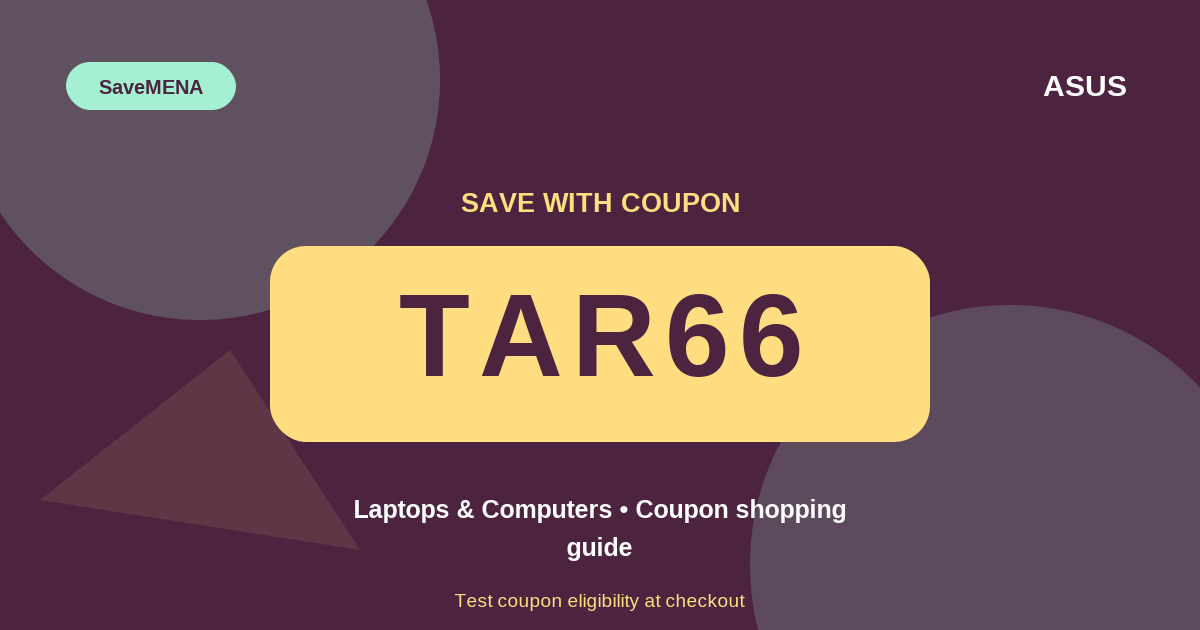
Codes available to try while comparing
These codes are not guaranteed for the article topic or listed brands; test them at checkout and use the live result.
Select the Appropriate Laptops Seller on Noon UAE
The first step for any buyer is to locate the listing that genuinely belongs to Noon UAE. Each seller’s page displays a store name, product photos, and a brief description. Look for the Noon logo or a “UAE” location tag to confirm the seller’s authenticity within the UAE market. This matters because coupons like TAR66 are frequently tied to specific sellers, and a mismatch can invalidate the offer even before you reach the checkout screen. Always double‑check that the seller’s address is in the UAE, not a foreign warehouse, as overseas dispatch can alter the final payable total due to additional handling fees.
When comparing several ASUS laptop options, note the price listed under “In Store” versus “Online.” The “In Store” price reflects local currency and taxes, while the “Online” price may include additional digital services or promotional hold fees. Selecting a seller with a transparent listing reduces the risk of hidden costs that could inflate the final payable total. After identifying the right seller, proceed to add the product to your cart and keep the focus on the printed price before any operative discounts are applied.
Confirm Base Price Before Applying Coupons
Once the ASUS laptop is in your cart, pause to verify the base price displayed. The base price should reflect only the product’s sticker value, devoid of taxes, shipping, or coupon adjustments. In the Noon UAE marketplace, you will find subtotals for product cost, shipping, and each applicable tax. It’s crucial to read these line items carefully because some sellers bundle a GST or VAT into the base price while others apply it at checkout, impacting the final payable total. Record the base price in a separate note to compare with other sellers before you move forward.
At this stage, the first place to test the TAR66 coupon is under the coupon box in the cart, where you can enter the code to see if it’s instantly applied. The system will display a new subtotal after the coupon if it’s applicable. Compare the two subtotals: the one with the coupon and the one without. If the difference is subtle or disappears, it may indicate the coupon was not accepted because it’s not valid for this seller or product variant. Knowing the base price and the coupon effect helps you compute the accurate final payable total you will actually see in the checkout process.
Review Shipping and Handling Charges
Unlike some marketplaces that auto‑add shipping fees, Noon UAE often displays shipping charges as a separate line item before you proceed. Be sure to read whether shipping is free, or if it’s a fixed fee or a percentage of the product price. Some special promotions waive shipping fees for certain categories or ranges of spend, but these are communicated in the product description or the cart summary. A hidden shipping fee can dramatically alter the final payable total, especially for heavy laptop models that accrue higher dispatch costs.
After noting the shipping fee, check the delivery window specified on the product or cart page. A longer delivery time might seem attractive, but some sellers add a service charge for expedited shipping that isn’t apparent until checkout. For the most accurate estimate, enter your residential address in the cart. This updates the shipping calculation to reflect the exact fee you will pay. Once you have the final shipping sum, add it to the base price and any coupon adjustments to aid in calculating the precise final payable total.
Investigate Coupon Applicability at Checkout
Coupons can behave differently depending on the seller’s configuration. The TAR66 code may yield a discount for more than one buyer, but it might only be effective on certain SKU variations, seller stores, or at a minimum cart value that isn’t explicitly disclosed in the listing. In real-time, the store’s backend decides if the coupon is eligible. To confirm, proceed to the checkout stage where the system typically verifies coupon validity again. If the code is rejected, the system may provide a generic invalid message, but it won’t spell out why it failed—this omission reinforces the importance of checking the exact final payable total.
In some cases, the coupon is applied by adding an extra shipping discount or a special promotional item. Such nuances will be reflected as a new line item after coupon verification. Depending on the seller’s settings, the discount could be displayed in the final payable total as a negative amount. Record any coupon deductions here and note how they modify the subtotal. Adding this figure to the shipping fees gives the definitive number that will be charged to your credit card or payment method.
Analyze Payment Options and Final Payable Total
When you reach the payment screen, Noon UAE will present a breakdown of the amount that will be charged to your chosen payment method. This figure is the final payable total that includes the base price, shipping, tax, and any coupon deductions. If you have multiple payment options—such as a credit card, debit card, wallet, or installment plan—the displayed amount will vary slightly because of processing fees or promotional free‑installment offers. Verify the amount across all available payment methods to ensure you’re not under‑estimating the cost.
Some payment methods automatically add convenience fees. For instance, using a certain credit card may impose a small surcharge that Noon at no extra cost lists under the final payable total. If you see that surcharge, it should appear as a separate line item. Add this to the bottom of the total to confirm you are not surprised by extra charges. The final payable total must be the exact amount you consent to before confirming the purchase; double‑checking this figure aligns with your budget and protects against unexpected overruns.
Factor in Exchange Rate and Currency Handling
Although Noon UAE primarily uses the UAE Dirham (AED), some sellers list prices or coupons in foreign currencies, particularly if the product is sourced from overseas. If that occurs, the conversion to AED can subtly alter the final payable total due to daily exchange fluctuations. The checkout page often displays the conversion rate in use. To be prepared, note the rate and recalculate the final payable total accordingly before finalizing the order. This step confirms that you’re not out‑of‑budget by a few dirhams due to currency rounding errors.
For donors who wish to compare equivalent pricing against other UAE marketplaces, simply multiply the AED amount by the latest USD or GBP exchange rate. This helps you estimate if a comparable laptop on another platform might end up cheaper after the final payable total is computed. Accurate currency handling protects your budget and ensures no hidden fees are disguised in a currency conversion step. Remember that the final payable total at checkout will always reflect the AED figure, regardless of conversion points shown.
Recalculate The Final Payable Total Prior to Confirmation
After compiling all cost elements—base price, shipping, tax, coupon discount, payment surcharge, warranty fee, and any currency adjustments—create a single spreadsheet or mental checklist. Multiply or add each component carefully, ensuring you account for negative discounts like the TAR66 coupon. The final result should match the system’s final payable total displayed on the payment page. Cross‑checking these figures gives you full visibility to prevent unpaid surprises. If something feels off, review each component; a missing line or a misread fee can tip the balance.
Once you confirm the totals align, verify that your chosen payment method has sufficient funds and that your card or wallet is authorized for the amount. The only reason to pause before confirming is to double‑check that the final payable total truly reflects your established budget for the laptop. This proactive verification avoids complaint processes later and ensures a smooth transaction. Closing the sale with accurate payment visibility keeps the experience seamless, right from SAVE MENA’s recommendations to your actual spending.
Compare alternatives without guessing
When you compare another option in asus, keep the specifications, quantity and seller as consistent as possible and compare the total shown at checkout. A different coupon does not automatically make a deal better because delivery, fees and the live basket context can change the outcome. Use the final payable total as the practical comparison point.
If the retailer shows a specific condition, rely on that visible message; if it does not, do not turn an assumption into a general rule. Test available options one at a time and note any real change in the total or eligibility message. That creates a verifiable shopping comparison instead of a recommendation built on an unsupported marketing claim.
Related SaveMENA pages
Related articles
Official sources to check
Frequently asked questions
What should I do if the TAR66 coupon does not apply at checkout?
You should continue using the final payable total displayed after all calculations are complete. Even if the coupon isn’t accepted, the price you see is what you’ll be charged, so that figure remains the most reliable guide for budgeting.
Will shipping fees affect the final payable total for ASUS laptops?
Yes, shipping is added as a separate line item before the final payable total. Make sure to combine this fee with the base price and any discounts to gauge the full cost.
Can I use the TAR66 coupon on any seller on Noon UAE?
Coupon eligibility varies; the final payable total will show if and how the code is applied. Verify at the payment step to see the exact discount amount, if any.
Does the final payable total include exchange rate conversion?
Final payable totals are shown in AED. If a foreign currency was used initially, the site converts it using the current rate, which appears in the change‑overbleement on checkout. This figure is part of the final total.