ASUS Laptops on Noon UAE: shipping responsibility — correct shopping market
Noon UAE coupon market Laptops ASUS fulfilment and shipping context: Choosing a laptop in the UAE’s bustling online market demands more than brand recognition; it
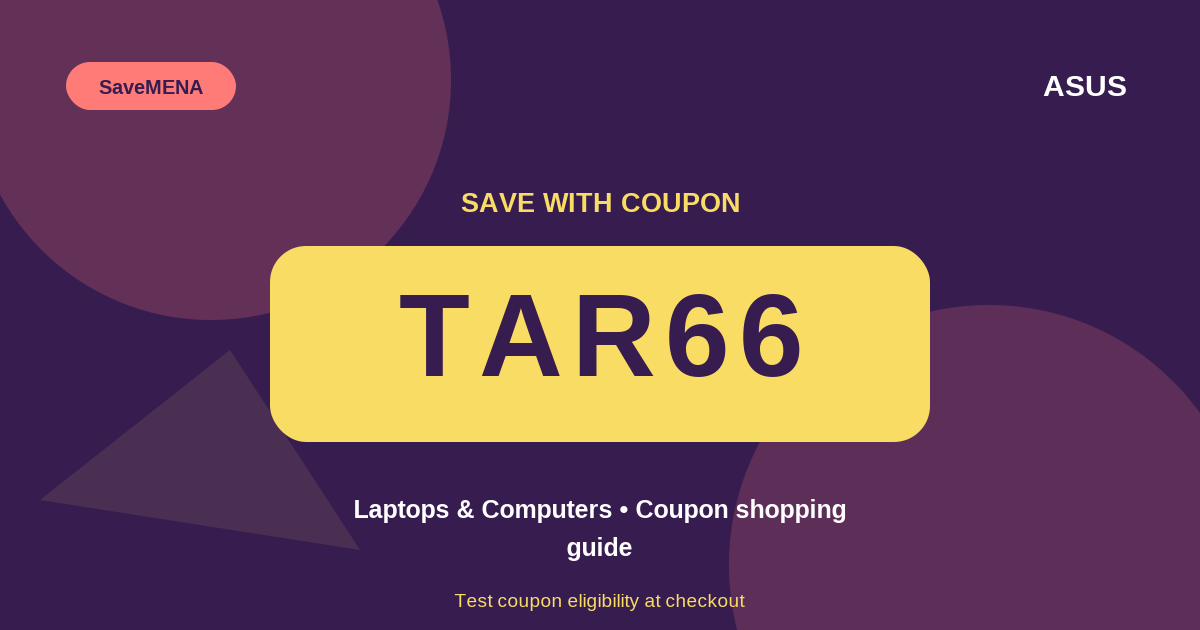
Codes available to try while comparing
These codes are not guaranteed for the article topic or listed brands; test them at checkout and use the live result.
1. Confirm Seller Origin and Shipping Origin
Before committing to any ASUS laptop listing, locate the seller’s profile and look for the “Shipped From” indicator. This detail tells you whether the device will be dispatched from UAE warehouses, from a regional hub, or a cross‑border platform. Shipping origin influences customs handling, potential duties, and the speed of arrival. If the seller’s listing states a location outside the UAE, prepare for possible delays or additional import steps that may affect your delivery expectation.
In addition, verify the seller’s presence on reputable UAE marketplaces. A visible listing on Noon, Amazon.ae, or an established electronics chain that sources to the UAE increases confidence in local returns and after‑sales service. Make a mental note of the seller’s shipping origin and country designation, and cross‑check these points against the product page to ensure consistency. A mismatch can indicate an overseas stock, which may complicate warranty claims or return processing.
2. Verify Laptop Technical Compatibility and Configuration
Assess each ASUS laptop’s key technical metrics—processor speed, RAM size, storage type, graphics capability, and display resolution. These specifications must match your intended usage, whether for gaming, professional design, or everyday use. In UAE listings, the “Specifications” tab often lists SKU‑specific details; use this to confirm exact model and configuration. This step guarantees that you don’t overspend on features you won’t use or miss essential specs for your workflow.
Because many ASUS variants share similar designations, palpably note any subtle differences such as SSD versus HDD, discrete versus integrated graphics, or battery capacity. If a listing lacks clear differentiation, it may point to generic assembly, which affects performance longevity. Checking technical details early also informs your decision on whether a higher priced variant offers proportionate value for your needs.
3. Scrutinize Delivery Timeframes and Return Window
Review the “Estimated Delivery” column for each laptop. The timeline usually accounts for regional stocking status and processing time. For UAE shoppers, consider that international shipments may involve customs clearance, and domestic fulfillment can accelerate arrival. Differences in delivery dates across sellers reflect their location, goods inventory, and shipping partners.
Couple this with the listing’s return policy duration. A longer return window offers added peace of mind, especially for high‑value electronics. Verify whether the return policy is absolute (e.g., 14 days) or conditional based on shipping origin. A shorter return period, or a stipulation that the device must be returned from UAE, can affect post‑purchase flexibility, especially if the seller originates from abroad.
4. Understand the Shipping Cost Structure
Check for a “Shipping” summary beneath the price. Shipping fees may vary depending on the seller’s location relative to the UAE, the chosen delivery speed, or membership status (e.g., Noon Premium). The total cost displayed is only a placeholder; actual charges can rise if customs duties apply or if the shipping method changes at checkout.
If the listing includes a flat fee, confirm whether it covers the entire delivery chain or merely the first leg. For cross‑border sellers, withholding, import handling, or destination‑specific surcharge might apply, which can be revealed only during final checkout. Storing this fee separately from the product price ensures you evaluate the final spend accurately.
5. Evaluate Warranty Coverage and Local Support
Each ASUS laptop comes with a manufacturer’s warranty, but the scope can differ by region. Examine the warranty terms stated on the product page for length of coverage, included components, and claim procedures. A longer warranty may reduce long‑term maintenance costs and guarantee eligibility for local service centers.
When warranties mention “UAE” or specify a service network, they guarantee that repairs are handled locally. Cross‑border warranties might direct you back to the country of origin for service, potentially involving shipping costs for repair. Confirming warranty parameters early aligns with the fulfilment decision and can prevent hidden post‑purchase expenses.
6. Assess Payment Options and Processing Security
Check the accepted payment methods such as credit/debit cards, PayPal, and local wallets like Apple Pay or Noon Wallet. Ensuring the seller supports your preferred payments avoids delays that can arise if an unexpected method is required.
Also, verify whether the seller offers a “Buy Now, Pay Later” or installment plan, which can affect cash flow and servicing of return or warranty claims. Payment method clarity ensures the final checkout sum matches your expectations and that you don’t face hidden financing charges.
7. Confirm Coupon Eligibility at Checkout
To try the TAR66 coupon, navigate to the shopping cart and review the “Coupon” field. Enter the code and watch for a real‑time change in the order total. If the offer applies, a discount line appears; otherwise, you’ll see a “not applicable” message. Because we can’t guarantee compatibility, apply the coupon before you confirm payment to avoid a surprise at checkout.
One important nuance is that coupon applicability can depend on seller presence, order total, or shipping method. If the discount disappears after selecting a different delivery option, re‑enter the code or switch the shipping choice. Remember, the final total shown before payment confirms the final payable amount, including any discount, fees, or taxes.
8. Review Customer Support and Communication Channels
Look for listed support contacts—phone numbers, live chat links, or email addresses—on the seller’s page. Reliable communication channels enable rapid resolution for pre‑purchase questions or post‑delivery issues. Ideally, the listing provides a dedicated support line staffed during UAE business hours.
Check if the seller offers a tracking number after shipping; this gives you transparency over the package’s journey. In the event of a delay or discrepancy, having a documented communication trail speeds claims. Direct confirmation of support availability ties back to the fulfilment framework, ensuring you’re not left stranded after receiving the laptop.
Related SaveMENA pages
Related articles
Official sources to check
Frequently asked questions
Can I use the TAR66 coupon with any ASUS laptop listing?
There is no guarantee that the TAR66 coupon will apply to all ASUS laptops. The coupon’s eligibility is verified only when you enter it at checkout; otherwise, you’ll see a “not applicable” message.
Will the shipping cost include customs duties for laptops shipped from abroad?
Customs duties are typically assessed after shipment and may not be reflected in the initial shipping quote. These fees become visible in the final checkout totals, so verify your order summary before confirming payment.
Does a warranty that specifies “UAE” mean I can repair the laptop at local service centres?
A warranty that lists “UAE” indicates coverage typically provided by service centres within the UAE. However, always check the warranty terms on the product page for exact servicing locations and process.
What happens if the laptop is damaged during shipping?
Damages discovered during inspection should be reported to the seller immediately, ideally within the return window stated. Document the condition with photos and communicate with the seller or marketplace support for a return or replacement process.