Samsung Tablets on Noon UAE: model specifications — correct shopping market · TAR84
When shopping for a tablet in the UAE, the correct market context is essential—you’ll only get what you promise to pay, delivered on time, and eligible for local
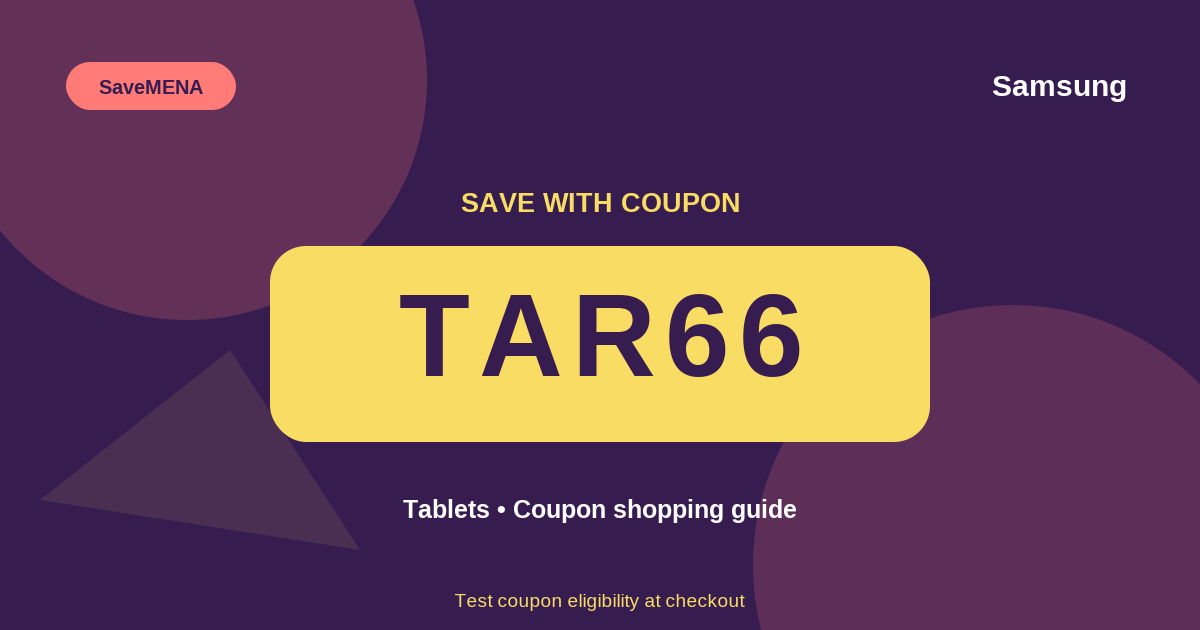
Codes available to try while comparing
These codes are not guaranteed for the article topic or listed brands; test them at checkout and use the live result.
Why Market Context Matters for UAE Tablet Buyers
UAE consumers often compare prices across multiple platforms, and the same tablet can appear under different brand labels or with varying accessory bundles. Understanding localisation—such as the seller’s reputation, delivery fees, and return policies—ensures you don’t pay extra for items that arrive out of stock or require expensive international shipping. This awareness improves cost‑efficiency and guarantees a seamless post‑purchase experience.
When you apply a coupon, like “TAR84”, on Noon, it is crucial to double‑check the applicability limits. A coupon that works on a single category might still be subject to the seller’s minimum spend or delivery conditions, which can negate any perceived discount if not verified at checkout.
Samsung Tablet Models in the UAE Market
Samsung offers a triad of flagship tablets, each fine‑tuned for distinct use cases: the Galaxy Tab S8 series for premium consumers, the older S7 series for budget‑conscious users, and the mid‑tier Galaxy Tab A line for casual use. Each model differs in processor family, RAM capacity, and display standard, making model‑level comparison a pre‑condition for informed decision‑making.
For instance, the Galaxy Tab S8 typically pairs a Qualcomm Snapdragon chipset, upscale LCD or AMOLED display, and long‑lasting battery. The Tab A family, meanwhile, leans toward a generic MediaTek processor and a standard IPS panel, striking a balance between performance and price.
Key Specifications We Should Verify
The most decisive specs include screen size, resolution, panel type, processor model, RAM, storage, and camera quality. A 12.4‑inch AMOLED with a 2800×1752 pixel resolution offers vibrant colors for media consumption; the same figure on an IPS panel may appear flatter. Processor names (e.g., Snapdragon 8 Gen 1 or Mediatek Helio) help gauge performance under heavy apps.
RAM and storage should be inspected for their multitasking capacity; a 6GB RAM configuration typically supports multiple apps smoothly, while 128GB internal storage foregoes the need for frequent cloud uploads. Verify whether ’expandable storage’ via microSD is available, as this adds long‑term value.
Evaluating Display and Performance
Samsung’s flagship tablets boast 120Hz refresh rates, ideal for gaming or scrolling on smooth surfaces. Display clarity—measured by PPI (pixels per inch)—directly influences readability and eye fatigue. Check whether the tablet uses an LTPO panel that adjusts its refresh rate to save battery during static usage.
Performance is driven by the mobile SoC’s cores and GPU. Snapdragon 8 Gen 1, for instance, outperforms earlier Snapdragon 7G or MediaTek Helio variants in benchmark scores and real‑world tasks such as video rendering or augmented‑reality applications. Articulate which processor aligns with your usage profile during checkout.
Battery Life and Connectivity Features
Battery capacity, measured in milliampere‑hours (mAh), signals longevity. Most premium Samsung tablets station between 8,000 to 10,000 mAh, allowing a single charge to sustain 10‑12 hours of mixed media use. Lower‑mid‑tier models drop to around 6,000 mAh; verify if the tablet supports 30 W or higher fast‑charging to minimize downtime.
Connectivity extends beyond Wi‑Fi 6; many newer models integrate 5G for carrier‑grade speed. Look for dual‑SIM capability and eSIM support as a future‑proofing strategy. The presence of a 3.5mm headphone jack and a full-size USB‑C port also affect peripheral compatibility.
Software Ecosystem and Accessory Compatibility
Samsung tablets typically run on Android 13 or newer with the One UI skin. This interface affects multitasking via split‑screen mode, the ability to use a stylus, and notification management. Verification of the stylus support—either through integrated S Pen or a second‑hand accessory—is vital if you plan to sketch or annotate documents.
Accessories such as keyboard docks, protective cases, or external storage expand the tablet’s use. Confirm that any third‑party accessory you plan to purchase is certified as Samsung‑approved or compatible with the specific model’s connector type to avoid connectivity headaches.
Pricing Strategy and Coupon Utilisation
On Noon’s platform, tablets are displayed with seller‑defined base prices and optional promotional add‑ons. Use the “TAR84” coupon only after confirming that it is still listed for the chosen seller and that no additional cart restrictions apply.
Although coupons often save on delivery or the overall purchase, they do not alter the displayed unit price; the final amount appears at checkout. Keep an eye again on the “Price Breakdown” section, as hidden fees or adjustments can undermine the coupon’s benefit.
User Experience and After‑Sale Support
Warranty period is typically two years from the date of purchase for Samsung devices sold locally. Confirm whether the warranty is auto‑enrolled or requires a Vouch or Service Card for claims.
Service centers in the UAE can be found in major electronics malls or via Samsung’s mobile app. Verify that the service contract is valid at the point of sale and that the seller’s return policy aligns with the device’s eligibility period.
Related SaveMENA pages
Related articles
Official sources to check
Frequently asked questions
How does the “TAR84” coupon work on Noon for Samsung tablets?
When you add a tablet to your cart, the coupon can be applied in the promotion code box during checkout. It might reduce shipping costs or provide a nominal discount if the seller has enabled it, but it will not change the product price itself. Always review the final price before confirming the order.
Can I use a Samsung Galaxy Tab S8 note pad with an older Galaxy Tab A?
Compatibility is determined by the docking system the tablet uses. The Galaxy Tab S8’s Dual Adapter requires a specific docking connector, while the Tab A often uses a standard USB‑C port. Check the accessory specifications before purchase to ensure a proper fit.
Does a tablet’s battery rating guarantee its longevity?
Battery capacity in mAh indicates the theoretical maximum energy. Actual longevity also depends on factors such as screen brightness, background apps, and temperature. For critical tasks, consider using a battery‑conditioning strategy such as regular usage at 20‑the discount shown at checkout charge.
Is the “TAR84” coupon available on all Samsung tablet models?
The coupon’s applicability depends on the seller’s promotion settings on Noon. Not all sellers or models may honor it. Verify at construction of the cart or on the product page if the promotion is active for your chosen tablet.