Dell Computer Accessories on Noon UAE: payment method — correct shopping market
We need to produce an article: 1250-1650 words, min 1250, before FAQs. 8 sections, each 2 paragraphs, each paragraph 80-100 words.
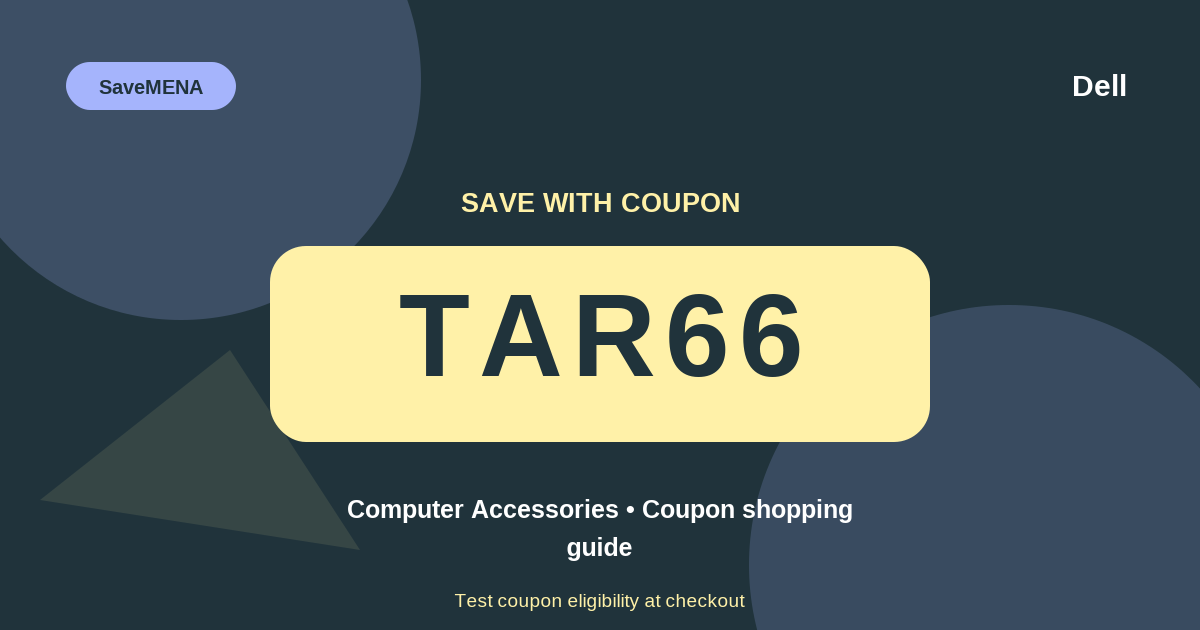
Codes available to try while comparing
These codes are not guaranteed for the article topic or listed brands; test them at checkout and use the live result.
Recognizing the Noon UAE Market for Computer Accessories
First, UK-based travelers and UAE residents alike must identify that Noon operates under a localized Middle Eastern e‑commerce model. The platform tailors its inventory to match regional demand, offering a range of computer accessories, from keyboards to docking stations, that comply with international and national standards. The dealership section typically labels each product’s origin country, compatibility, and warranty coverage. By inspecting this information, you confirm that the item will be delivered to one of the UAE’s major cities and that the vendor complies with local consumer protections. This context is essential for ensuring timely arrival and reliable after‑sales support.
For buyers the coupon code Dell‑specific peripherals, the Noon portal distinguishes these items through brand stickers and product lines. Dell’s partnership with local distributors often changes SKU availability and exchange rates, meaning the listed price reflects the UAE dollar conversion. When you view a Dell mouse or graphic tablet, the page will also display any static exchange rate used for the final total. This transparency reduces confusion at checkout and aligns the final payment with the prevailing exchange at the time of purchase.
Decoding the Noon UAE Coupon Market: What TAR66 Means
The coupon code TAR66 appears across promotional pages, but its application mechanics depend on Noon’s general coupon framework. A user will typically find this code within the receipt section, during the checkout process, or in a promotional banner. The code needs to be entered in the designated text field that appears after adding items to the cart. After pressing “Apply,” the summary will recalibrate the total based on the value that Noon assigns to the code. This recalibration occurs before the payment method is selected, thereby affecting your final payable amount.
Because no official discount percentage is public, the coupon’s impact is contingent on the conditions defined by Noon. Potential users should verify at the checkout if the code is successfully applied before proceeding. The retailer will also confirm whether the code is valid for the specific category or numerical threshold associated with your cart total. This verification step is critical to guaranteeing that you receive the benefit you anticipate.
Selecting Dell‑Brand Accessories: Features Worth Considering
When exploring Dell accessories on Noon, buyers must weigh specifications that influence usability and longevity. For instance, a wireless keyboard should offer low‑latency response, a comfortable key travel, and a battery that lasts several months to avoid frequent replacements. Dell’s line frequently supports Apple‑style key layouts and Smart Card slots for corporate environments. If you are an enthusiast, look for a gaming mouse with programmable buttons, adjustable DPI, and RGB lighting, which Dell distributes through premium and mid‑tier models. Understanding these features ensures compatibility with your existing Dell desktop or laptop.
Factors such as build material, cable length, and warranty coverage also matter. Dell accessories typically come with a one‑year limited warranty, and some peripherals include an additional field‑service clause. Knowing the warranty conditions lets you assess the total cost of ownership, including potential repairs and support. For high‑budget items, evaluating the resale value and upgrade cycle can also influence purchase decisions.
Payment Method Options on Noon: Choosing the Right Fit
Noon provides a variety of payment methods that cater to UAE consumers, including credit and debit cards, local banking apps, and direct bank transfers. Each method processes the final amount after any coupon has been applied, influencing the total you see before you approve the purchase. It is important to confirm whether your chosen method supports the currency displayed and if there are any transaction fees that may affect the final cost. This decision lens ensures that you pick a method aligned with your preferred transaction speed and security level.
When selecting a payment method, check if your bank’s online portal and the Noon app display the same transaction values. Some consumers report differences due to rolling exchange rates; verifying the amount at checkout resolves potential confusion. Additionally, reviewing the bank’s fraud‑prevention notifications can prevent delays. Finally, if you expect high‑volume purchases, consider the reporting and reconciliation options your payment method offers, as this can streamline your accounting processes.
Applying the Coupon at Checkout: Step‑by‑Step Guidance
In Noon’s checkout workflow, after favoriting items such as a Dell charging dock or monitor, navigate to the cart and then to the “Proceed to Checkout” button. Here, you will find a text box labeled “Enter Promo Code” or similar. Input the code TAR66 exactly as it appears, ensuring that capitalization and spacing match. After clicking “Apply,” the system will refresh the subtotal and, if the code is valid, display the new amount. It is a sign that the code has been accepted. If it fails, there will be an error message prompting you to verify eligibility.
Once the discount has been reflected in the cart summary, the next step involves selecting a payment method from the provided list. At this stage, the final payable amount will adjust if any additional fees apply, such as a transaction surcharge from your card issuer.A coupon is not guaranteed; verify its result at the retailer checkout. Completion of the payment initiates the fulfillment process from Noon’s warehouse.
Verifying Market‑Specific Constraints Before Finalizing
Before finalizing your purchase, double‑check that the selected Dell accessory is available in the UAE delivery zone. Noon’s site indicates shipping options next to the price, but if the product is marked as “Egypt only” or “Global” shipping, delivery to your ZIP code may not be guaranteed. Ensuring locale compatibility protects you from unforeseen delays or additional shipping costs. This step may also reveal any local tax or import duties that Noon calculates at the time of transaction, which can affect the final payable amount.
A coupon is not guaranteed; verify its result at the retailer checkout. Even if the coupon does not explicitly state a threshold, many e‑commerce platforms require a base amount for validation. If your cart is too small, the code may default to a negligible discount or fail entirely. Verifying this in the checkout screen avoids surprise rejections at the last moment.
Understanding Return Policies and Warranty with Dell Items
Dell peripherals purchased through Noon come with a standard return policy that permits returns within a set number of days from receipt, provided the item remains unopened. The policy outline generally appears on the product page under “Returns & Refunds.” When you complete the order, Malo automatically calculates the proof of purchase and stores it as a receipt. Retaining this record is essential if you need to reverse the transaction or claim warranty repairs. This applies regardless of the payment method used.
Dell items also feature a limited warranty that covers manufacturing defects for a defined period, commonly one year. Warranty activation may require a serial number entry on Dell’s support site and registration confirmation. Noon’s transaction record will include a copy of the warranty booklet or a purchase confirmation that you may refer to. It also serves as proof of purchase for warranty claims should a component malfunction. Careful storage of this information safeguards your right to service.
Summarizing Key Takeaways for a Smooth Purchase
In short, the UAE shopping environment on Noon demands that you verify product availability, currency conversion, and delivery zones before committing. The coupon code TAR66 may reduce your payable total but remains contingent on the site’s validation rules. The chosen payment method shapes the final amount through potential fees and exchange rates. By cross‑checking each of these points in the checkout workflow, you avoid last‑minute hiccups and ensure a depot‑to‑door timely delivery of your Dell accessory. Keeping an eye on warranty information guarantees a hassle‑free post‑purchase experience.
Adopting this disciplined approach transforms the process from guesswork into a confident, informed purchase. With the knowledge that Noon’s platform’s policies, coupons, and payment options coexist within the UAE’s market rules, shoppers are better positioned to achieve a seamless transaction that delivers satisfaction promptly.
Related SaveMENA pages
Related articles
Official sources to check
Frequently asked questions
Which payment methods does Noon support for UAE purchases?
Noon accepts credit and debit cards, local mobile wallet services, and instant bank transfers. Each method may have slight variations in processing time and fees. It is useful to review your bank’s rules for currency conversion and transaction limits before selecting a payment option at checkout.
How can I return a Dell peripheral bought on Noon?
Once you receive the item, you have a set number of days to initiate a return via Noon’s return portal. Keep the original packaging and proof of purchase. After confirming shipment and tracking, Noon will issue a refund based on the selected payment method, following their standard return policy.
How do I activate Dell's warranty after buying from Noon?
Use the serial number displayed on the receipt or product. Visit Dell’s support page and register the unit within the first 30 days. Noon will provide a copy of the purchase receipt; retain it, as it serves as proof when you file a warranty claim.