Logitech Office on Noon UAE: payment method — correct shopping market
The first thing a savvy UAE office shopper notices is that a coupon’s usefulness hinges on the exact market context— where you shop, which products you pick, and
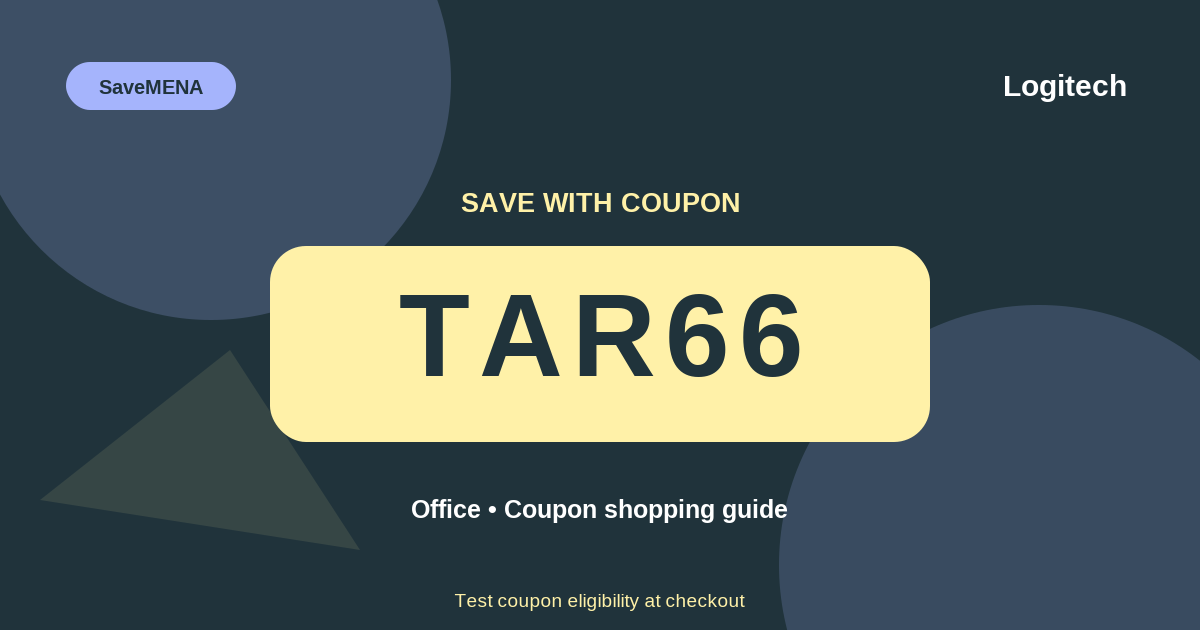
Codes available to try while comparing
These codes are not guaranteed for the article topic or listed brands; test them at checkout and use the live result.
Understanding the Noon UAE Coupon Landscape for Office Supplies
When shopping for office gear— from keyboards to ergonomic chairs— Noon UAE offers a variety of coupons that appeal to budget‑conscious buyers. However, the coupon ecosystem is segmented by categories and market nuances. Office items often fall under a dedicated category, and while a coupon may be listed as “applicable after applying,” the actual status must be confirmed during checkout. For shoppers eyeing Logitech products, the platform may or may not accept the coupon based on inventory and supply agreements. Thus, verifying the eligibility of the coupon before adding items to the cart is a vital first step.
Most users recognize that a coupon’s displayed eligibility on a product page is not a final guarantee. The checkout engine performs a live validation against the coupon’s active conditions, which can include hidden restrictions such as order volume or specific product variants. Because Noon UAE separates the product listing from the checkout logic, a coupon that appears valid in the product view may eventually be deemed ineligible once the cart is created. Being aware of this split between presentation and execution will prevent disappointing last‑minute discoveries.
The Role of Payment Method in Coupon Redemption
Payment method is the second pillar that determines whether your coupon will ultimately be applied. Noon UAE accepts several payment options, each with its own fee structure and eligibility criteria. If you choose a method that is not supported for discounted transactions, the coupon may be automatically nullified before the final amount is recognized. For instance, a user selecting cash on delivery might find that the coupon is only honored for online credit‑card payments or regulated e‑wallet transactions.
To avoid a mid‑purchase snag, check the payment method section on the checkout page for any notation indicating that coupons are not accepted. If you wish to use the TAR66 code, you may need to switch to a supported payment mode such as pre‑paid Uber Money or a trusted credit card that Noon UAE lists as reimbursable for discounted orders. Confirming this before entering your card details saves time and possible frustration.
Why Market Context Determines Coupon Validity
The UAE market differs from other regions in terms of payment integration, tax handling, and regional product availability. Noon UAE specifically tailors its coupon parameters to the local marketplace, which means a coupon that works in a neighboring country might not be honored here. Because of this, the same code— TAR66— should be tested only within the UAE setting, on the Noon UAE website or app, and with the correct currency set to AED.
Market context also dictates exposure to specific promotions on seasonal drives. An office holiday sale might temporarily disable standard coupons, whereas a clearance event might allow multiple coupons to stack. Since the conditions for such temporary changes live on the checkout engine, a global understanding of Noon UAE’s current promotion calendar is essential. This context-aware approach helps you decide if the code should be applied or if an alternate discount route is preferred.
How to Verify the TAR66 Coupon on Noon UAE
Begin by adding your desired Logitech office item—or any other office gear—to your cart. Before proceeding to the payment step, click the coupon box on the cart summary screen. Input the code TAR66 and watch for the immediate validation message. The system will compare your current cart items against the hidden rule set and either confirm the coupon is accepted or alert you to a mismatch.
In case of an “invalid” or “not applicable” message, you should review the product variant, quantity, and any mandatory add‑on services that could alter eligibility. If the message is unclear, it is recommended to refresh the cart page and retry the entry.A coupon is not guaranteed; verify its result at the retailer checkout.
Step‑by‑Step: Applying TAR66 to Logitech Office Gear
Locate a Logitech keyboard or mouse product in the office category.A coupon is not guaranteed; verify its result at the retailer checkout. Navigate to the cart and locate the coupon field at the lower right side of the price breakdown.
Enter TAR66, press “Apply,” and observe if the system confirms the coupon’s acceptance. Note that the discount is shown as a negative amount next to the subtotal only if the validation passes. If the coupon appears to be ignored, double‑check that a Logitech variant is still in stock and that none of the items in the cart exclude coupon usage.
Meeting the Payment Method Requirements for Office Purchases
Once the coupon has been confirmed, the next gateway is the payment method field. Noon UAE typically checks for supported methods that honor discounts early in the checkout. Common supported options include major credit/debit cards, PayPal, and integrated digital wallets. Certain methods may automatically fetch the best fee plan for discounted orders.
Before confirming the payment, scroll to the bottom of the payment section and look for any notes such as “Discounts apply only to verified payment methods.” If you are using a less common method, consider switching to a recommended one. This proactive check safeguards against having the coupon revoked after you have entered personal payment details.
Avoiding Common Pitfalls During Checkout
Even when a coupon appears to be applicable, minor oversights can nullify it. For instance, adding an extra accessory that is not covered by the coupon, or failing to specify the desired variant, can trigger a de‑validation during the final calculation.A coupon is not guaranteed; verify its result at the retailer checkout.
After confirming the toll amount, verify the final payable line that includes the applied discount, any remaining taxes, and the potential small service fee. If the applied amount is overlooked, contact Noon UAE’s support via the chat feature before finalizing the transaction. Using the checkout preview feature allows you to catch missteps early.
Final Thoughts on Navigating Office Deals with Noon UAE
In the UAE office supply market, a coupon, however lucrative, is only as strong as the checkout process in which it is applied.A coupon is not guaranteed; verify its result at the retailer checkout.
Finally, maintain a check on Noon UAE’s updates, such as changes in coupon rules or support for new payment methods. A real‑time awareness of these adjustments combined with a disciplined checkout routine will ensure that each office purchase yields maximum value and minimal friction.
Related SaveMENA pages
Related articles
Official sources to check
Frequently asked questions
What if Noon UAE shows the TAR66 coupon as invalid?
If the coupon doesn’t accept at checkout, verify that your cart contains only office items and that no incompatible add‑ons are present. Refresh the page and re‑enter the code. If the problem persists, the coupon may have restrictions not visible on the catalogue page; contact Noon support for clarification.
Can I use TAR66 with a cash on delivery payment?
Cash on delivery may not automatically honor coupons. Check the payment method section for a note about discount eligibility. If the platform marks cash on delivery as ineligible, switch to a supported card or e‑wallet to preserve the coupon benefit.
Will the coupon apply to a bundled Logitech package?
Coupons may or may not apply to bundle packages; the final decision is made by the checkout engine. Use the coupon field before confirming the bundle, and verify the discount amount appears in the summary before proceeding to payment.
How do I confirm that my payment method supports the discount?
During checkout, locate any notes in the payment section that indicate coupon compatibility. If unsure, select the default or recommended payment option, which is typically designed to work with discounts, and proceed to review the final payable line.