Sony Electronics on Noon UAE: price changes — correct shopping market
Noon UAE coupon market Electronics Sony rechecking after a price change: Shopping for electronics on Noon UAE can feel like a high‑stakes game when prices shift.
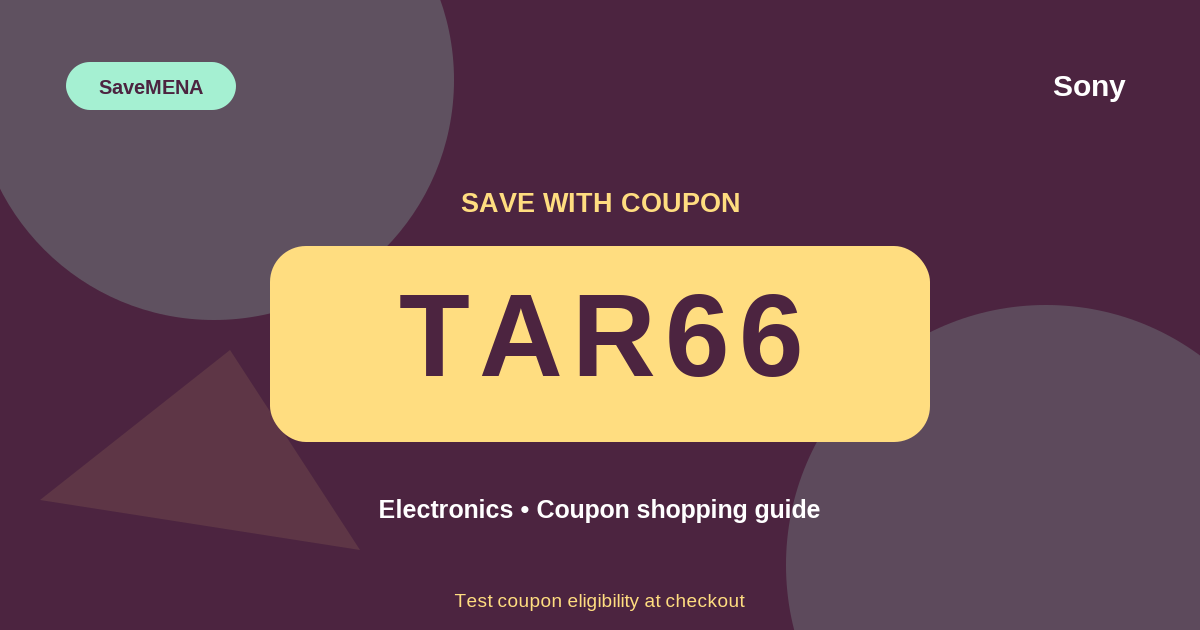
Codes available to try while comparing
These codes are not guaranteed for the article topic or listed brands; test them at checkout and use the live result.
Identify the Current Price and Confirm the Change
The first practical step is to capture the exact price tag presented on Noon’s product page after the price shift. Scanning the listing for any old price struck through alongside the new rate can reveal whether the discount is new or a previous offer that just re‑appeared. Note the timestamp on the page, if available, because some platforms update prices in real time while others lag a day or two. This record helps you compare the current figure against any other listings or historical data you may find elsewhere.
Once you have the number, it's essential to cross‑check that same price in the shopping cart early in the process. Marking a product in your cart can expose hidden fees, such as a delivery charge that was not originally visible on the product page. If the cart’s total diverges from the listed price, you should pause and review the seller’s shipping policy or any conditions that may change after the price adjustment. Confirming this alignment early in the decision cycle saves you from unexpected costs at checkout.
Verify Sony’s Warranty and Authenticity Information
Because Sony products can vary widely in warranty periods and service terms across regions, you should double‑check the warranty commitment listed on the product card. Look for a statement of coverage length, what it includes, and the availability of authorized repair centers in the UAE. If the price has dipped recently, verifying that the warranty remains unchanged ensures that a lower cost has not come at the expense of post‑purchase protection.
Authenticity is equally crucial. Sony’s official listings typically provide a model number and a certification label. Ensure that this information matches the seller’s item description exactly. If any discrepancy arises—such as a mismatch in firmware support or a missing serial number—you may need to reconsider the purchase, especially if the price drop suggests a potential counterfeit or refurbished badge that has been re‑listed.
Cross‑Check Sony Electronics Specifications with the Current Listing
Price changes can sometimes reflect a shift in bundled accessories or a partial downgrade of specs. Review the product’s technical details, such as display resolution, processor speed, or storage capacity, and compare them with earlier product versions you may have accessed. If Sony has released an updated model around the same time, the new listing may present features that differ subtly from what you recall or from the actual physical product the seller is offering.
Take screenshots or copy the technical bullet points for later reference. If the current listing states a feature that you expect to be part of the previous generation, you can flag this difference and ask the seller for clarification. Aligning the spec sheet with the audible price drop ensures that the product’s value proposition remains intact and prevents post‑purchase disappointment.
Inspect Delivery Terms Within Noon’s Marketplace
After confirming the price and product details, the next checkpoint is the shipping component. Not all sellers on Noon offer free delivery, and some introduce a supplementary fee that was not initially advertised. Review the “Delivery & Payment” section to confirm the estimated shipping cost, delivery window, and whether the carrier changes post‑price adjustment.
If the seller is New or has a low rating, ensure that the shipping path is still accurate. A sudden price drop might trigger a new shipping agreement or a shift to a different logistics partner. By noting any changes in delivery fare and timing, you can adjust your expectations or consider alternative sellers if the cost or speed no longer fits your needs.
Review Seller Ratings and Return Policies
Seller reputation can be a silent ally against price‑change surprises. Check the star rating and the number of completed orders on the seller’s profile, and read the most recent buyer comments. If the latest reviews hint at mixed experiences, you may want to observe whether the recent price drop correlates with a change in seller behavior—perhaps a new listing or a volunteer “deal” that stretched the usual return policies.
The return window and conditions should be explicit. Pay attention to whether the seller offers a full refund, store credit, or a repair service, and if there’s a minimum time limit before you can return an item. This is particularly important for high‑end Sony electronics, where the cost of repair can be significant. Documenting these terms helps you assess risk versus reward as you ponder the price change.
Decide an Optimal Purchase Window Based on Price Trends
Electronic prices—including Sony—often cycle through seasonal promotions, new model introductions, or sudden markdowns. If you notice that the price just dropped, it’s wise to determine whether this is an isolated event or part of a larger trend. Compare the current value with other sellers on Noon, and if possible, browse historically archived prices or market reports to see if similar history has occurred.
The timing of your checkout can be as important as the final amount. Some platforms implement cart expirations or price adjustments during the checkout process. If you’re due for payment within 24 hours, you might want to secure the item sooner; if you have more leeway, you could set a reminder to revisit after a short period to confirm that the price remained stable. This strategy keeps you aligned with the decision lens of rechecking after a price change.
Apply TAR66 Coupon and Verify Its Impact at Checkout
When you’re ready to lock in the purchase, you can attempt to use the TAR66 coupon at the checkout stage. Enter the code in the designated coupon field, and watch for the system to recalculate the final amount. Even though the coupon is available to try, there’s no guarantee it will apply to this particular Sony listing because the platform’s eligibility rules can vary by product.
After applying the coupon, note whether the total displayed subtracts anything directly linked to TAR66. If the discount isn’t visible, double‑check that you entered the code correctly and that your cart meets any applicable conditions such as a minimum spend or product type. While SAVEENA leaves the outcome open, the act of verifying at checkout is what keeps you in control of the final spend.
Monitor Order Status and Contact Support If Discrepancies Arise
Once the purchase is completed, keep an eye on the order confirmation email and the status page within the Noon app or website. Pay particular attention to the product description, price, and any listed discounts. If the confirmation differs from what was presented at checkout—such as an unmentioned fee or reduced discount—contact seller support right away.
Document the discrepancy clearly: attach screenshots, include the original cart price, the applied coupon details, and the final charged amount. Sellers and Noon’s customer service channels usually provide a ticketing system for such concerns. Reporting in a timely and factual manner helps prevent loss of money and informs other shoppers of potential issues related to price changes or coupon application.
Related SaveMENA pages
Related articles
Official sources to check
Frequently asked questions
Can I rely on the TAR66 coupon to get a discount on any Sony product?
The coupon is available to try, but its application depends on Noon’s current eligibility rules. At checkout, enter TAR66 in the coupon field and see if a discount appears. If not, the coupon may not apply to that specific Sony listing.
Will the price I see after a change stay the same until checkout?
Prices can still alter during the checkout process, especially if dynamic pricing is in effect. Verify the total amount in the checkout summary to ensure it matches your earlier review.
What should I do if the seller’s rating is low after the price drop?
Reevaluate the purchase. Look for alternative sellers with higher ratings or better return policies before proceeding with the low‑rated seller.
Does Noon guarantee that the delivery fee will not change after the price update?
Noon’s listing typically shows all fees upfront. However, confirm the shipping cost in the checkout page; any discrepancy should be reported to support immediately.