Sony Headphones on Noon UAE: price changes — correct shopping market
Noon UAE coupon market Headphones Sony rechecking after a price change: Understanding why the correct market context matters when checking noon UAE coupons for Sony
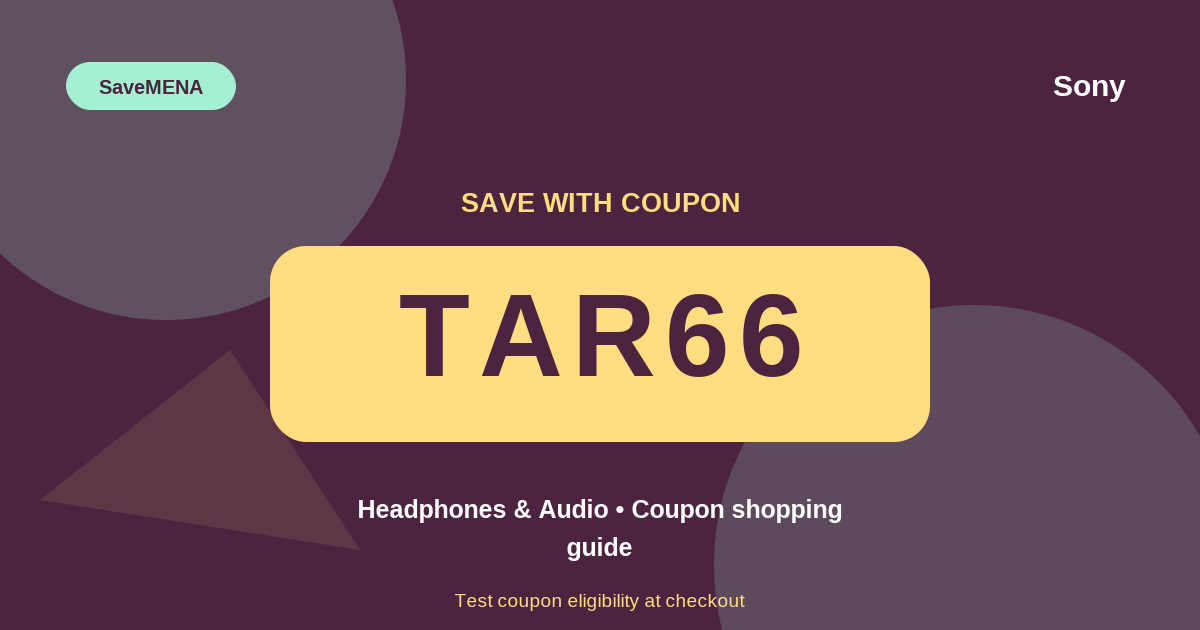
Codes available to try while comparing
These codes are not guaranteed for the article topic or listed brands; test them at checkout and use the live result.
1. Identify the Product and Seller on Noon
Begin by locating the exact Sony headphone model you wish to purchase on Noon. Sony offers a variety of headsets, from noise‑canceling packs to studio‑grade monitors. Make sure the listing displays a clear product title, brand name, and image that matches your desired variant. Sony’s own page or a trusted third‑party seller will typically include a seller badge, but a badge alone does not guarantee authenticity; cross‑check the seller’s rating and recent customer feedback for any red flags.
Take note of the seller’s store name and product description, including any copper (product) ID or GUID if visible. These identifiers will help you verify that the item you are about to buy matches the promotion details. The seller’s name also indicates whether they have direct affiliations with Sony, as some authorized retailers carry exclusive models with distinct pricing. Documenting this information early removes ambiguity at the checkout step.
2. Verify the Latest Price and Historical Price
Once you have confirmed the item and seller, you should examine the current price in the Noon listing. Sony headphone prices can vary by seller, region, or promotional offer, so note the exact amount shown before proceeding. Noon occasionally updates its prices to reflect market demand or currency shifts, and this can affect the applicability of a coupon.
To determine whether a price change has occurred that could impact your coupon, compare the current figure against the price displayed a week earlier. Noon does not automatically notify users of every change, so you may need to rely on third‑party price‑tracking tools or simply note the timestamp of the first page load. Knowing when the price shifted helps you decide whether you should re‑apply recheck the coupon later.
3. Check Coupon Eligibility Criteria
The TAR66 coupon is available to try, but its use depends on several conditions. First, confirm that the coupon is listed in Noon’s promotional catalog for the same category (Headphones). Screening for the category filter ensures that you are not inadvertently applying it to unrelated items, which could cause it to be rejected at checkout.
Next, verify that the coupon’s terms are stated as “no minimum spend” and “applicable to any Sony headphone.” While the coupon is not explicitly dedicated to the brand, this information is typically visible on the coupon description page. If the description lists any exclusions—such as “excluding refurbished units”—be sure to double‑check before finalizing the purchase.
4. Match Coupon with Product and Seller
In Noon, coupons may be restricted to specific sellers or item variations. Before adding the Sony headphone to your cart, search the coupon page for any listed compatibility notes. If there is a mention of “displayed by authorized Sony retailers,” ensure your chosen seller is one of those retailers. This step prevents the coupon from being rejected due to a seller mismatch.
After confirming compatibility, add the headphone to your cart and proceed to the coupon entry field. Some sellers require coupon entry before the final checkout screen, while others allow it afterward. Provided the coupon is eligible, it should either indicate a “Coupon Applied” message or simply not reject the code. Do not rely solely on screen prompts—continue to the next section to confirm at checkout.
5. Monitor Price Change Notifications
If you suspect a price change might alter coupon applicability, keep an eye on Noon’s “Deal of the Day” or “Price History” indicators, if available. These visual cues often highlight price adjustments or flash sales and can warn you if the coupon’s condition has shifted.
When you see a price affect after a certain time, pause your purchase, log back in, and revisit the list. The new price may change the coupon’s eligibility rules, especially if the coupon is set to block usage on reduced‑price items. Checking at least once a weekday and again in the evening can protect you from missing an expiration or a revocation.
6. Recheck Coupon Application at Checkout
During checkout, Noon typically displays each coupon’s status under “Promotions.” Even if the coupon appears to have been applied earlier, the system will re‑evaluate it on the final screen. If the coupon does not stamp a discount or shows a “Not applicable” notice, that is your cue to test a different coupon or reset the cart.
When re‑applying, enter TAR66 in the coupon field again. If the code remains unaccepted, consider refreshing the page or clearing the browser cache, as stale session data can interfere with coupon processing. If it still fails, carefully interpret the error message for clues such as “Coupon not valid for this product” or “Coupon expired.” Only after you see a successful “Coupon Applied” confirmation should you proceed to complete the payment.
7. Compare With Alternative Discounts
Even if the TAR66 coupon is valid, you may still want to compare its impact with other available coupons or Noon “Top Offers.” Some sellers may periodically run a wholesale discount that applies to Sony headphones regardless of other promotions. Browse Noon’s “Discover” tab for alternate codes before finalizing.
Take note that using multiple coupons simultaneously is generally not allowed; however, you can first apply an alternative discount and then test TAR66 to check whether the system overrides it or negotiates a better ending price. Your fare comparison should be saved in your shopping history or a spreadsheet, helping you document which combination yields the lowest final amount.
8. Keep Records of Transaction Details
After any purchase, download or capture the order confirmation. This will include a scanned copy of the final price, the coupon used (if any), and the seller’s name. Keeping a copy of this data helps you verify that the coupon applied correctly, and it can aid in future disputes or returns.
Store a digital or printed version of the coupon page from Noon as well, noting its eligibility rules at the time of purchase. This documentation creates a reliable audit trail should you need to contact Noon customer support, especially if discrepancies arise or you suspect a coupon misuse. By archiving these details, you protect yourself from potential confusion in the weeks that follow.
Related SaveMENA pages
Related articles
Official sources to check
Frequently asked questions
Will TAR66 work with Sony headphones on Noon?
While the TAR66 coupon is available to try, its actual applicability depends on the current offering on Noon, the seller, and the exact headphone model. Verify on the coupon page that there are no exclusions and that the headphone falls under the coupon’s category before attempting to apply it.
When should I recheck the price of Sony headphones?
Track the price before adding the item to your cart. If you notice a change—especially after Noon’s flash sales cycles—pause the purchase, revisit the listing, and verify the price again. Rechecking each time a major promotion ends can prevent unexpected coupon rejections.
How do I apply TAR66 at checkout?
At Noon’s checkout screen, locate the “Promotions” or “Add Coupon” field. Enter TAR66 exactly, press “Apply,” and confirm that the coupon is listed as “Applied.” If your purchase shows no discount, retry or contact Noon support for assistance.
Can I use TAR66 with other Noon coupons?
Noon generally allows only one coupon per transaction unless stated otherwise. Test each coupon individually during checkout to ascertain which provides the best savings. If using multiple discounts is necessary, seek confirmation from Noon’s promotional terms page.