Samsung Mobile Accessories on Noon UAE: price changes — correct shopping market
When you open a Samsung mobile accessory listing, the first line often shows the currency and location icon.
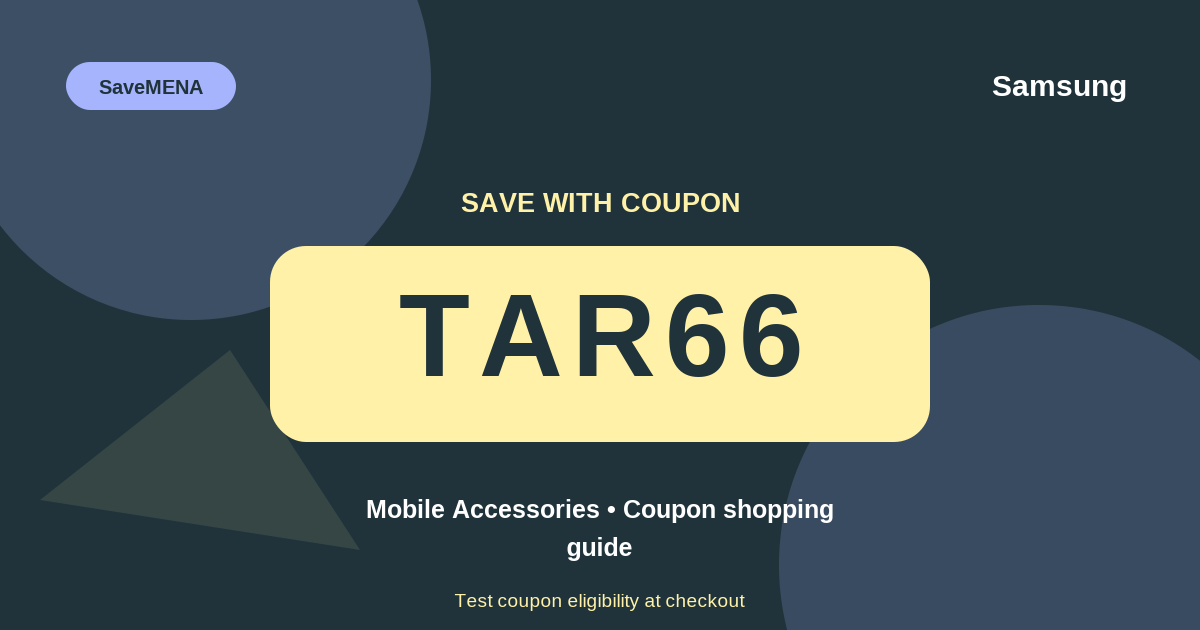
Codes available to try while comparing
These codes are not guaranteed for the article topic or listed brands; test them at checkout and use the live result.
Step 1: Confirm Your Market Context on Noon for Samsung Accessories
When you open a Samsung mobile accessory listing, the first line often shows the currency and location icon. For users in the UAE, you should see a directory flag and prices in AED. These items are not globally synced; a UAE listing might revert to a different region if the page’s region metadata changes after a price adjustment. Therefore, the first recheck after a price change is to verify that the page still carries the correct UAE marker and currency symbol. If it shows any alternative region or marks the list as “International,” it may reflect a change in the underlying market configuration, which can affect pricing accuracy and shipping terms.
Once you have verified the geographic tag, note the current price displayed. A price-shift due to a recent adjustment often triggers updates in the page’s meta‑data, including territory flags. Revisit the same listing after the latest price cut or increase and compare the currency, country indication, and any associated tax or duty notes. This simple verification confirms the right market setting remains active throughout your shopping session, preventing misdirected orders or unintended overseas charges that Noon may not disclose until checkout.
Step 2: Spot the Updated Price and Tax Details After the Change
USing Noon’s price field, double‑check that the numeric value matches the label visible to you. Post‑price change, some listings temporarily leave a faded or crossed‑out number that may lead to confusion. Look for a single, clear amount displayed after a small “AED” icon and any accompanying VAT notice. The absence of hidden marks or separate tax lines usually means the full displayed price includes all local duties. Confirm that the same amount appears in the cart preview and again just before finalizing payment, because a recent price lift can surface at the responsibility of the payment gateway, especially after a regional price adjustment.
For those who rely on TMR-like figures or price guarantees, it’s crucial to cross‑verify the number again right before the “Proceed to Checkout” button appears. Each page refresh provides a data snapshot; rechecking after a price shift guarantees that the listing you see regularly is not out of sync with current rates. This approach protects against hidden load or price leakage that may appear only during the payment interface, ensuring the cost you plan meets the amount you actually pay.
Step 3: Validate Samsung Compatibility and Feature Match
A Samsung mobile accessory can be marketed across multiple device generations, and a price change might shift its compatibility storytelling. Toward the description area, locate the listed supported phone models and screen sizes; these details should not alter after a price revision. Use this section to confirm that the accessory indeed supports the specific Samsung model you own, whether it be a Galaxy S series or a Note device. The product’s specification sheet will show this compatibility, and ensuring it remains unchanged secures that you do not receive a mismatched fit for your device.
Because some accessories incorporate firmware or firmware‑aware components that can be engineered differently after pricing moves, rechecking the compatibility lines ensures you are not overlooking subtle changes. Scan for any newly added or removed model mentions after a price update. If there is an alteration, it is a text-level change that could potentially impact usage. Confirm the description remains the same before adding the accessory to your cart; this guarantees your phone will work with the purchased product as expected.
Step 4: Inspect Seller Rating and Inventory Clarity
Many Noon listings feature a seller bookmark or “Sold by” tag; after a price change you should verify that this same seller, with identical buyer ratings and user reviews, is still the provider. If the price adjustment happened because of a seller swap, it might affect processing times or warranty advantages. You can find seller level by scrolling to the bottom of the product description where the seller name and rating appear. A high rating and consistent profile signal maintenance of standards during a price shift.
When reevaluating after a price change, check that the seller’s contact info and return address remain the same. A change from one seller to another can bring different shipping policies or even distinct fulfillment centers, which sometimes influence delivery speed and final cost. If you notice any discrepancy, revisit the listing multiple times or seek direct confirmation from the seller through the platform’s messaging tool to ascertain that the same seller’s terms persist with the new price.
Step 5: Re‑examine UAE Delivery Fees and Timeframes
On Noon, shipping fees and estimated delivery windows appear in the cart area and on the product page after selecting quantity. Post‑price alteration, check if the delivery fee displayed for the UAE remains constant. A sudden spike like “AED 10” when it previously appeared as free might imply a new policy or a specific weight class applied only after the price change. Compare the shipping method you selected with the one shown before adding any discount or coupon. If noted, ensure the chosen method still supports same city or mail hub coverage.
When you click “Proceed to Checkout” the platform will recalculate any shipping cost; after a price adjustment you should verify that this recalculated figure matches the earlier estimate. If the delivery charge appears different, this may be due to a changed shipping threshold that coincided with the price shift. Confirm the timeframe again, because the posting indicates early‑morning delivery for the next day, and any alteration may impact the estimated arrival window you rely on for convenience.
Step 6: Try the TAR66 Coupon While Monitoring Price Shifts
Enter the coupon code TAR66 in the designated “Enter coupon” box on the checkout page. Since the coupon is available to try, you should see whether it accepts the code. It is important to note that the coupon’s validity is not guaranteed, so the platform may either accept or reject the code. If rejected, nevertheless record the outcome to confirm it’s not related to the price change or the specific accessory category.
After entering the coupon, the checkout page will update the payable total if the code is accepted. Observe that the code’s effect appears instantly and verify that the new total incorporates the same post‑price‑change amount. If the code fails or appears unchanged after the price shift, this may be an indicator that the coupon’s terms do not adjust with the new listing pricing. Given the positional uncertainties, it is wise to keep an eye on the coupon’s applicability as soon as you view the new price in the cart, ensuring the final payable amount truly reflects the list price plus any confirmed coupon benefit.
Step 7: Double‑Check Warranty and Return Terms After the Price Update
Every Samsung accessory typically carries a manufacturer warranty and a return policy that may differ across sellers. Hire the vendor’s policy by clicking the “Warranty” link near the product description. After a price adjustment, confirm that the warranty’s duration, coverage, and claim process remain intact. A shift in warranty details could occur if a seller updates the supplier terms that accompany the new price.
When you move to the cart, look for any visible warranty extension messages or return windows; these often appear as separate fields. Recheck these details to ensure they have not shortened or expanded as part of the price change. Certain return days may shift if the product is re‑packaged or relocated to different fulfillment centers during restocking activities that accompany a price bump or dip. A consistent return policy guarantees the post‑price‑change backing you expected pre‑adjustment.
Step 8: Complete Your Final Review Before Confirming the Order
Before pressing the final “Place Order” button, go through a checklist that covers: correct market context, updated price, compatibility, seller consistency, shipping fee, coupon application, and warranty terms. These steps collectively avoid the most common pitfalls in the UAE Noon market, especially after a price change. Make sure each element agrees with the data you verified earlier; the checkout page will display final cost as the sum of the verified price, any shipping, and after coupon application.
Confirm that the quantity is correct and that the chosen payment method is fully set up. The platform will display any pending charges or required security steps. If the screen shows any pending adjustments, consult the FAQ guide or contact Noon support. Once all validations are clear, the order will lock into place, and you can rest assured that the purchase truly reflects the intended UAE price and terms.
Related SaveMENA pages
Related articles
Official sources to check
Frequently asked questions
Why is verifying the market context important for Noon UAE shoppers?
Confirming you’re buying from the UAE marketplace ensures the price already includes local taxes, shipping fees, and currency, preventing foreign charges or accidental purchases in a different region.
How do I apply the TAR66 coupon during checkout?
While on the checkout page, locate the “Enter coupon” field, type TAR66, and submit. If accepted, the total will update; if not, you’ll see a message indicating the code is invalid for this item.
What should I do if a price change occurs after I add an item to my cart?
Refresh the cart or return to the product page, check the updated price, and re‑add the item. Make sure shipping, warranty, and coupon status remain the same before final payment.
Are Samsung mobile accessories on Noon guaranteed to be compatible after a price change?
Compatibility is specified in the product description. Recheck this tech information after any price adjustment to confirm that the listed device support remains unchanged.