Apple Mobiles on Noon UAE: price changes — correct shopping market
When a mobile price changes on Noon UAE, the adjustment may be due to a flash sale, inventory shift, or new retailer listing.
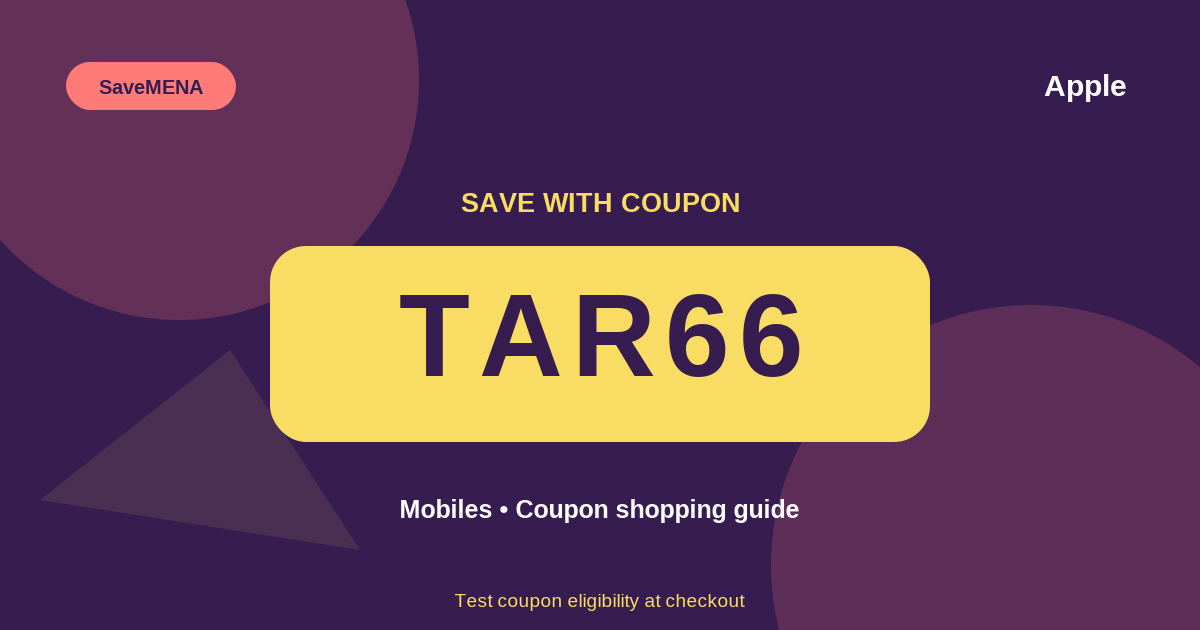
Codes available to try while comparing
These codes are not guaranteed for the article topic or listed brands; test them at checkout and use the live result.
Understand the Price Change History
When a mobile price changes on Noon UAE, the adjustment may be due to a flash sale, inventory shift, or new retailer listing. It’s not uncommon for Apple smartphones to see a sudden discount after a new model is launched. By investigating the price trend—using tools or the Noon price history feature if available—you can gauge whether the current listing is stable or likely to drop again. Documenting these fluctuations gives you a realistic expectation for the eventual checkout price.
Rechecking after a price change means you should revisit the product page at least twice: first immediately after noticing the price shift, and again a few hours later. This second glance can catch any delayed updates that Noon applies to its listings. If the price has moved back up, you’ll have accurate data to decide whether to proceed with the order or wait for a better deal. The key is to capture the final figure before applying any coupon to avoid an unexpected mismatch.
Check the Listing’s Current Price on Noon UAE
Locate the mobile’s product page on Noon UAE and record the displayed price exactly as shown. Noteworthy Apple models frequently appear with multiple variants—storage capacity, color, and carrier options—each with its own pricing. The displayed price may include tax and a small service fee that is added to the final total. By copying the exact price string and noting any headings like “Special Offer” or “Limited Time Sale,” you preserve an accurate snapshot for later comparison.
Make sure the price reflects the same seller and product variant you intend to purchase, as Noon UAE can feature listings from several merchants. Use the filter to isolate the official or reputable seller, and double-check that the listed price includes any applicable sales tax. Recording this value ensures that, when you later reach checkout, you can verify that the final amount matches what you initially saw without surprise additions.
Verify the Mobile’s Detailed Specification and Availability
Before committing to a purchase, review the detailed specifications section to confirm that the listed Apple mobile matches your technical and storage preferences. Features such as processor speed, camera resolution, and battery capacity should align with your usage needs. Availability status—whether “In Stock” or “Available for Shipping”—affects the purchase timeline and may influence a pricing update.
During rechecking, also ensure that the selected variant, such as color or storage size, is the same across the listing and the coupon application process. Mismatches sometimes occur when a coupon is accepted for a standard model but the selected variant falls outside its scope. Confirm the product’s availability by noting the estimated delivery table, which may fluctuate with stock levels and connected shipping warehouses.
Align the Coupon with the Buy‑Now Command
The TAR66 coupon code is available to try for various listings on Noon UAE, but it does not guarantee a discount. To align it correctly, enter the code in the promotion field only after you have verified the mobile’s final price. If the listed price changes over time, the coupon may or may not apply to the updated amount. Therefore, rechecking after a price change ensures that the code, when entered, is matched against the accurate total within the payment gateway.
It is also crucial to confirm that the coupon does not have restrictions tied to the seller, product line, or promotional period. Some sellers enforce unique coupon rules that can override the standard discount logic. Because the coupon is “available to try,” should you find that the code produces no benefit, you can cancel the order or contact Noon customer support for clarification, all while maintaining a safe checkout process.
Documentation: Capture the Rechecked Price Snapshot
To protect yourself from potential price discrepancies, take a screenshot of the mobile listing’s price and SKU details after your final recheck. Store the image in a secure location or note the price in a text file. This visual evidence can be invaluable if you encounter a discrepancy at checkout, as it demonstrates the exact price you verified before applying any coupon.
Additionally, document the time and date of your snapshot. Noon UAE listings update frequently, and a timestamp confirms that the price you captured was current at that moment. In case there is a conflict during the checkout, you can reference this evidence when communicating with customer service or reviewing the transaction record in your Noon account.
Payment Method Selection and Currency Conversion
Choose a payment method that supports direct conversion to UAE dirhams, such as a local credit card or Noon Wallet. International cards may incur foreign exchange fees or a slight delay in fund transfer, potentially leading to a price variation at final settlement. Certain payment services automatically adjust the total to the currency in which the seller lists the item, but double-check their conversion rates at the time of purchase.
When rechecking after a price change, run a quick test calculation: multiply the final unit price by the quantity, add optional taxes or fees, and ensure any currency conversion applied by the payment gateway results in the same final amount shown in your order summary. If there is a mismatch, you may need to select another payment method or verify that the auto‑conversion is correctly applied before placing the order.
Confirm Delivery Options and Estimated Arrival
Once the price and coupon check is complete, review the delivery options displayed on the checkout page. Noon UAE offers several shipping speeds—standard, expedited, or express—each influencing both the cost and delivery timeline. Confirm that the chosen shipping method aligns with your needs, especially if the mobile is a high‑value Apple device where you may want faster security measures.
Rechecking after a price change might influence the shipping fee if the total value falls below a certain threshold for free delivery. Verify that any discounts on shipping are reflected in the final amount before you confirm the order. Also, note any promotions that apply only to specific delivery zones or product categories, which could alter the cost or availability of timely shipping.
Final Checkout Review and Confirmation
Before submitting the order, read the entire checkout summary carefully. Assess the item’s final price, the applied TAR66 coupon (if any), the shipping fee, and the total payable. Ensure that each component matches the figures you captured during the recheck process. If any discrepancy arises—a sudden price fall or coupon discrepancy—do not proceed until you have verified the new total.
After final verification, complete the purchase and keep your receipt. The receipt should mirror the order summary displayed by Noon UAE and include the confirmation of the coupon application. Should any issue arise post‑purchase, such as an unexpected price adjustment or non‑application of the coupon, you can consult the receipt for evidence when contacting Noon customer support or filing a refund request.
Related SaveMENA pages
Related articles
Official sources to check
Frequently asked questions
What does it mean when a price on Noon UAE changes after I’ve already seen it?
Often, Noon UAE adjusts prices in response to inventory levels, flash sales, or new retailer entries. A price change can happen minutes after you view a listing, so rechecking keeps you from paying an outdated amount. Always verify the current price right before checkout to confirm the final cost.
Will the TAR66 coupon always apply to my Apple mobile?
The TAR66 code is available to try on many Noon UAE listings, but it is not guaranteed. Check the coupon’s description at checkout; if it doesn’t apply, you can cancel or look for an alternative discount. The coupon may have restrictions on certain sellers or products.
How can I be sure that the price I see on Noon is what I’ll pay?
Before finalizing, double‑check the price on the product page, note any taxes or fees, and confirm that the final amount on the checkout page matches this figure. Recheck after a price update to ensure you are not missing any latest changes.
Is there a best time to buy an Apple phone on Noon UAE?
Timing matters if the product is subject to frequent price shifts. Apple releases new models and Noon may have scheduled promotions. Watching the price trend a few hours in advance and rechecking just before purchase can help you snag the best available rate.