Beauty on Noon UAE: offer combinations — correct shopping market
Noon UAE coupon market Beauty coupon interaction with visible promotions: To decide whether a Noon UAE coupon is worth your time, you must examine how coupon
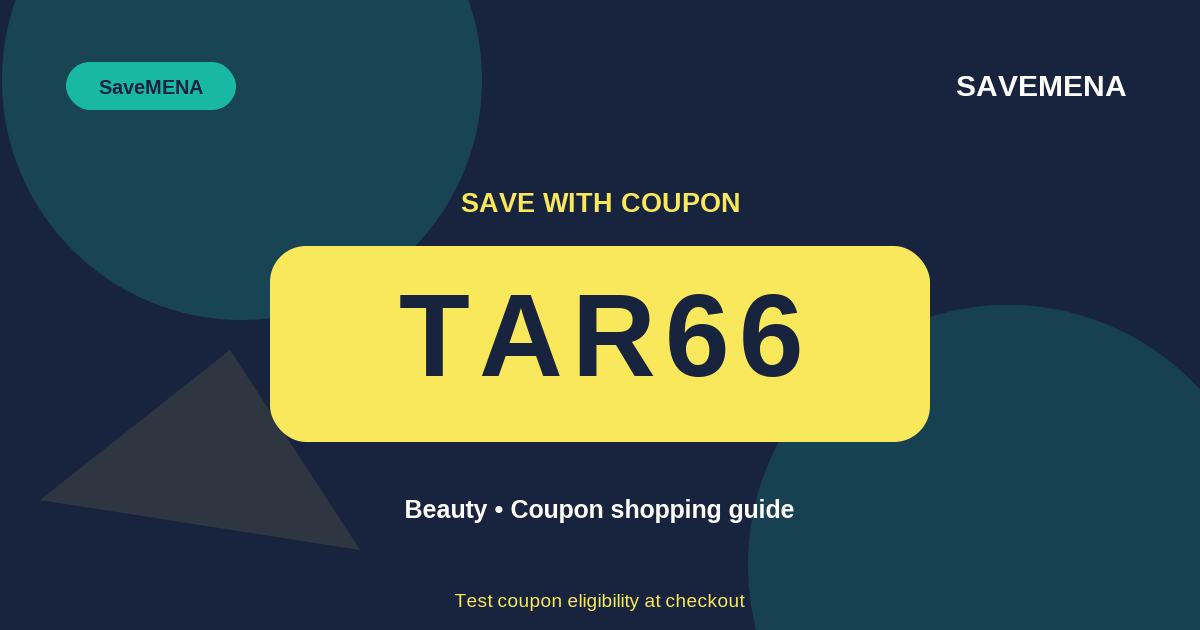
Codes available to try while comparing
These codes are not guaranteed for the article topic or listed brands; test them at checkout and use the live result.
Understanding Coupon Visibility on Noon UAE
Noon’s platform often pairs coupon codes with a “Deal of the Day” banner or a silicon‑sharp badge that signals a discount. With the beauty category, these markers can appear next to a product’s listing or within the search results. They do not guarantee coupon acceptance; they simply map promotional intent. To avoid the spoiler that “this is a coupon” followed by “doesn’t work”, check the product detail page: a scrolling section titled “Available Coupons” will list any codes that apply to that exact SKU. The presence of TAR66 here means the code is at least recognized by the system for future use.
When the banner disappears after a certain hour, the product may still be eligible for a coupon if the seller keeps it on the list. Remember that Noon updates its promotional library in real time, so the best practice is to bookmark the item and revisit the page before checkout. A remembered coupon signal does not, however, guarantee a price reduction; it merely indicates the portal recognizes the code for that item.
Spotting Visible Promotions for Beauty Products
Beauty sections usually showcase a bright “the discount shown at checkout off” badge or a quick‑scroll “Special Offer” tag beneath the star rating. These visual cues guide shopper attention but are separate from the coupon code system. To verify a promotion’s relevance to TAR66, compare the badge’s stated discount to the product’s price. If the badge references a fixed amount or a percentage, the coupon may or may not affect that number; this depends on whether Noon’s checkout applies “one discount per item” or allows stacking.
Use the filter “Coupons” on the left side of the search page to narrow results to items that accept coupon codes. Even then, the listing may be cross‑sell or a bundle that donates a coupon but still requires verification during checkout. A cupcake of promotions can lead to confusion if the coupon does not map onto the displayed deal, making the aura around the discount misleading.
Applying TAR66: Where and When to Enter the Code
Unlike an app‑only coupon, TAR66 is typed in the field that the system displays during checkout or pre‑purchase. Most beauty items on Noon prompt the code field after the shopper has chosen the seller and the product model. At this stage, you must read the instruction carefully: “Enter coupon here” or a small “Use Coupon” button. If the code is not recognized, the field may turn grey or display an error; this is the moment to confirm validity.
Sometimes Noon splits the coupon application into two steps: one while you’re on the product page (a pop‑up “Apply New Offer”) and another on the checkout summary. Verify that the same field appears in both places: if it is missing from checkout, the coupon may not apply to the final price. The FALSE optimism of a visible badge can disappear once you hit the “Proceed to Payment”.
Checking Eligibility Before Adding to Cart
Before you finalize a selection, tap the “Add to Cart” button only after the TAR66 icon is present beside the product. This icon usually appears green or amber, indicating the coupon code is eligible for that item. If the icon is grayed out, the coupon would not translate into savings even if you write it into the checkout box later. This step keeps you from adding a SKU that will later reject the code.
At Noon, you can’t quickly see if a coupon requires a minimum purchase or is limited to a specific brand, so the safe approach involves scrolling the product description where small print may indicate “Coupon valid for individual purchases only.” Always double‑check the seller’s policy on the details page, noting that Seller policies are specific to each algorithmically grouped inventory slot.
Anticipating Checkout‑time Variability
Once you press “Review Order,” checkout sometimes recalculates the price once more. This is because Noon’s system checks for any conflicts or overlapping offers between seller coupons and global promos. If the TAR66 code is honored, the final price shown will be lower than the original shelf price. If not, you see the regular price plus a note that says “Coupon not applied.” The variation occurs because the platform reserves the right to override a coupon when a “Buy‑One‑Get‑Free” or a “Quotient Discount” is active.
Important: if multiple beauty items share the same coupon, each will be evaluated independently. The system may accept the coupon on one SKU but reject it on another, depending on the product’s digital identifier. Therefore, keep a record of the final price shown at checkout before initiating payment, to verify that TAR66 did indeed change the amount.
Navigating Delivery Options and Fees
Delivery fees on Noon are usually tied to the total final amount after coupons apply. If TAR66 brings the price below a threshold, the platform may still charge a fee for next‑day or express service. At the payment screen you will see a “Delivery” line that can shift between “Free” and a monetary amount. Confirm the fee before confirming the purchase.
The finer point: some express options have a minimum cost, so even with a coupon, the product may not qualify for free delivery. If cost fidelity is crucial, consider selecting “Standard” delivery or choose a seller who offers free shipping on that SKU. The popup may also load a promotional sticker like “Zero Delivery” when the coupon reduces the ticket enough to trigger free shipping.
Managing Return Policies with Coupon Applied
When you’ve subtracted a coupon, the notice of return policy still updates to reflect the net purchase amount. Noon’s return policy will still allow refunds if the item is unused, but the refund will replicate the price the shop paid, including any applied discount. The policy might flow “Refund will be processed to your original payment method after deducting restocking fees, if any.” Nevertheless, the amount refunded will describe a price that excludes the coupon’s effect as it appears in the payment receipt.
In case the coupon event was accidental or the merchant identifies the usage as ineligible, your return might show a different value. Therefore, keep your receipt from checkout—preferably as a screenshot—because the official seller will reference that when processing. Also check the “Return Policy” link next to each product to see if coupons affect return evaluation, because some sellers refuse refunds on heavily discounted items. Getting clarity beforehand prevents store‑wide trouble later in the process.
Storing and Reusing Your Coupon for Future Beauty Buys
Noon seldom provides a “save coupon” button. Instead, you may re‑enter TAR66 for each subsequent order by visiting the cart or the payment page. A reliable method is to keep the code in your phone’s note‑app to replicate it. Once you add a new beauty item, scroll to the “Coupon” section in the cart summary to re‑type TAR66 before proceeding. The checkout screen is where the coupon is finally evaluated, so keep that step at the top of your mental checklist.
There is no guarantee the coupon can be stacked against new product deals because Noon may limit the number of discount methods per item. Double‑check at checkout if the code accepts stacking by looking for a red folder icon titled “Stackable”. If absent, the system only allows one discount and the coupon will default to the last method entered. Save your receipts so you can reference the amount effectively and reuse the coupon on a brand you desire, as long as the seller is part of the coupon program.
Related SaveMENA pages
Related articles
Official sources to check
Frequently asked questions
How do I verify that TAR66 won’t expire before my order?
The coupon’s validity is shown only on the product page next to the “Coupon” icon. If no expiry date is listed, keep an eye on the checkout screen; if the code becomes invalid, you’ll see a brief error. Otherwise, assume it’s active as long as you can enter it during payment.
Can I use TAR66 on a bundled beauty kit or a single item?
Sometimes the bundle may carry a different SKU ID, which means Noon sees it as a distinct product. If the product page indicates the coupon applies to that listing, it will work for either a kit or a single item, but only if the seller’s policy allows it.
Will my delivery fee drop automatically if the coupon reduces my total?
Generally, delivery fees are calculated after the coupon is applied. If your final purchase amount meets the free‑delivery threshold, the fee will adjust to “Zero” during checkout, otherwise you’ll see the amount still charged.
Is the TAR66 coupon limited to one purchase?
Check the product listing for a “One Use per Customer” statement. If no notice appears, the code can normally be reused on multiple orders, but each usage is evaluated separately during checkout.