Headphones on Noon UAE: offer combinations — correct shopping market
When you land on a headphone listing, the page white‑spaced layout draws your eye to price tags, discount banners and promo badges.
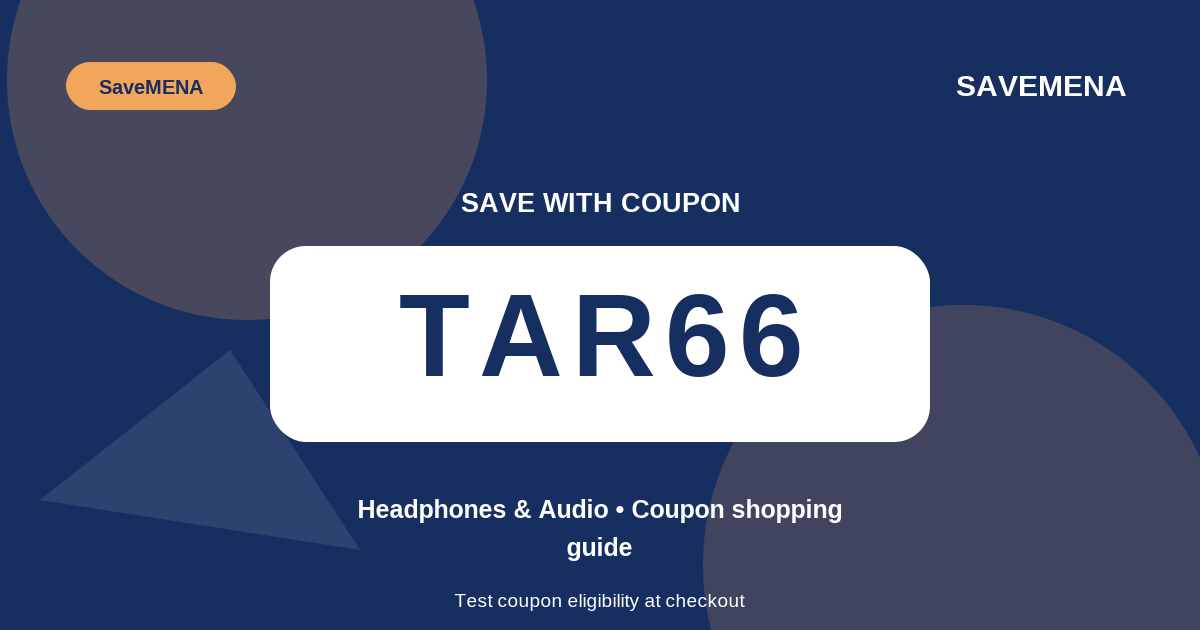
Codes available to try while comparing
These codes are not guaranteed for the article topic or listed brands; test them at checkout and use the live result.
Recognise the Visibility of Promotions on Noon UAE
When you land on a headphone listing, the page white‑spaced layout draws your eye to price tags, discount banners and promo badges. Often, the initial price is followed by a colored strip highlighting a “% off” or "$ off” message. This visual cue signals that the product is part of an active promotional window which may be tied to a stock‑based offer or a seasonal sale. Note that these visible promotions do not automatically include coupon codes; they are separate from any user‑applied discount. Verify that the banner reflects actual, rather than placeholder, savings and that the information is displayed clearly on desktop or mobile.
The next step is to confirm that the visible promotion is in line with your shopping context. If you’re on the UAE version of Noon, you’ll see the currency in AED and the region‑specific shipping options. Certain promotions are geo‑locked, meaning a discount visible to the UAE market may not apply if you’re shopping from another country or using a VPN. Similarly, product variants may have different promo status: a wired version may be discounted while a wireless version is not. Meticulously check each variant’s banner to ensure you’re not misled by a display that the coupon code an alternate category or geography.
Assessing Whether the Coupon Code Can Stack With Visible Offers
Next, examine the head bedroom of your headphones’ product page to see if it invites coupon codes. Noon’s interface typically presents a “Apply coupon” field near the price, sometimes hidden behind a button labeled “Add coupon” or “Enter discount code.” The presence of this field indicates that the platform allows additional discounts beyond the displayed promotions. However, this does not guarantee that the coupon will be accepted; coupon eligibility can be restricted by cart total, product category or specific seller agreements.
When you encounter the field, do not assume stacking. Some products feature a “Coupon unavailable” notice if applying any code will override an internal provider discount. In such cases, the visible promotion may already represent the maximum savings, and using the TAR66 code could inadvertently remove it or be rejected. To detect stacking, place the headphone into your cart, review the “Cart summary” where the platform aggregates discount calculations, and then enter TAR66. Observe whether the visible promo remains and if the new coupon adds additional savings or triggers a “Coupon cannot be used alongside other discounts” message. This interaction test reveals precisely whether the coupon will impact your final payable total.
Checking Eligibility Criteria at the Cart Level</HEARNING>
Once the TAR66 code is entered, the cart interface will prompt you to confirm what is applicable. If the coupon only works for a minimum spend, an error will appear stating the shortfall. Because the editorial cannot provide specific thresholds, the shopper must verify conditions at checkout. Navigate to the “Cart” overview and look for a “Discounts” section where the system informs you of any additional requirements: whether the batch of headphones meets a quantity threshold or if the total purchase must exceed a particular AED value. Notice that the visibility of these fields may vary depending on the seller or if the platform is still processing the coupon.
Occasionally, Noon shows a brief note stating the coupon is “non‑combining with other offers” or “applicable only to first‑time purchases.” If such a note appears, it is essential to reconfirm whether you meet that condition. Tap on the note or use any help icon available next to it to get a concise explanation. In case of ambiguity, you can also contact Noon customer service or rely on the chat feature. A clear understanding of these eligibility layers will prevent an unexpected “code not accepted” error during payment while still respecting the visibility of promotions on the product page.
Verifying Delivery Fees and Local Shipping Options
The presence of a visible promotion does not alter shipping costs, but the coupon might. Noon sometimes offers a “free shipping” badge when a purchase meets a threshold. This banner is separate from the TAR66 discount and may require you to add additional items. During checkout, examine the “Shipping” section of your cart and confirm the fee applied. If the platform shows “AED 0” next to the product, the promotion likely covers shipping for that item alone. Still, extra items might alter it. Double‑check that the total shipping fee remains zero after the coupon is applied, otherwise your final payable total might be higher than expected.
Regional shipping constraints also come into play. Some items may ship only to the UAE or optionally to Saudi Arabia. If you are located outside the UAE but are shopping through the Noon UAE store, the platform may automatically add a cross‑border fee. Depending on the seller’s policy, this fee could be waived if the coupon code triggers a free‑shipping threshold, but this is not guaranteed. Always read the shipping conditions listed under “Delivery” before confirming your purchase, especially if you rely on the coupon to offset potential extra fees.
Reviewing the Final Payable Total Before Confirmation
At the very last stage before final payment, Noon presents the consolidated list of items, discounts, coupons, taxes, and shipping. This page is your definitive snapshot of how visible promotions and the TAR66 code interact in practice. The product runs a line that shows “Product Price: AED X” followed by a line for “Subtotal,” after which any promotional discounts will appear as “Promotion discount: AED Y.” The coupon result will be listed as “Coupon: AED Z” where Z equals the discount applied—if any. The sums will recalibrate automatically. Inspect each line carefully to ensure no visible promotion has been overridden inadvertently when applying the coupon.
If the coupon fails to reflect, see if a pop‑up updates the “Total” field with an error message or a note that the “Coupon cannot be used with this product.” In that event, the system will have kept the visible promotion intact but excluded the coupon. Confirm that the remaining totals match a realistic expectation before proceeding to payment. At this juncture, you also have an opportunity to change shipping or add gift cards, but remember that any subsequent modification may impact the coupon’s eligibility again. Take your time to re‑verify if you adjust anything inside the cart.
Checking for Platform‑Wide Coupon Limitations Post‑Login
Even after a successful cart check, Noon might enforce a limitation based on your account status or on a daily coupon allowance. Some users report being informed at payment that a coupon they applied earlier is being disregarded because the platform has exceeded a per‑account usage cap. The headline of such messages tends to read, “Coupon usage limit exceeded.” When you encounter these statements, note that the buyer’s account, product type, and prior coupon usage history are factors affecting eligibility. Re‑login or clear cookies if you suspect a technical glitch affecting the coupon application.
Because the editorial cannot state the exact daily limit, the shopper should consult Noon’s help center or text the platform about their “coupon usage policy.” Request a clear explanation of any constraints that might apply to the TAR66 code, such as maximum number of uses, per‑month limits, or restrictions on multi‑vendor carts. A confirmation from customer support can clarify whether your coupon will remain valid at the checkout stage and whether your profile’s history may affect the discount.
Determining the Impact on Returns and Warranty Claims
The inclusion of a coupon code is a transactional detail that also influences post‑purchase service. In the UAE, consumer protection laws guarantee returns and warranty for every electronic item. However, some sellers impose exclusions if the product was sold at a discounted price or via a coupon. The platform lists the “Return policy” below the product description or within the “Seller details.” Look for language indicating that a coupon used or a promotional sale might change the return span or the requirement to watch for an additional return fee.
Before finalizing your order, double‑check that the note under “Warranty” does not mention “Coupon discount reduces warranty coverage.” If such a clause is present, the warranty might be proportionate to the discounted purchase price. This means a longer warranty period might be lost, or you might have to pay a restocking fee. The same logic applies to return windows; a coupon can sometimes trigger a shortened return period. When reading the seller’s policy, especially for high‑price headphones, you need to ensure the coupon does not compromise your post‑purchase recourse.
Post‑Purchase Confirmation and Tracking Visibility
After your payment is processed, the platform sends a cart confirmation email. In the body of this mail, the subtotal, visible promotional discount, coupon discount and shipping fee are typically recapped with the final amount due. It also lists the order ID, expected delivery estimate, and any tracking link provided. Modifications made by the coupon or image of the visible promotion should be evident in this breakdown—check that the email matches what appeared on the payment screen. This step ensures no hidden surprises and confirms that the coupon code was applied correctly.
The tracking link allows you to monitor the physical shipment through Noon’s integrated courier. If you used the TAR66 coupon and it influenced shipping, you might see a lower tracking fee displayed. Should you encounter a discrepancy—like a higher shipping cost than shown during checkout or a missing coupon discount—you can refer back to the confirmation details and contact Noon’s customer support with the order ID and screenshots for clarification. Using this evidence loop locks in your expenses and prevents any post‑delivery dispute over pricing adjustments.
Related SaveMENA pages
Related articles
Official sources to check
Frequently asked questions
What happens if the TAR66 coupon doesn't apply to my headphone purchase?
If the coupon is incompatible with your selected headphones or their seller, Noon will display a clear message at checkout indicating why it cannot be applied. In that case, your final total will reflect the best visible promotion available, and you may need to look for alternative coupon codes or promotional offers.
Can I use TAR66 after selecting a free‑shipping promotion?
It depends on the coupon's terms. If a promotion state “non‑combining with other offers,” the coupon won’t stack with the free‑shipping deal. Otherwise, you can test the coupon by entering it in the cart after confirming the shipping preferences and observe the updated total.
Will applying the coupon affect the return policy of my headphones?
Some sellers indicate that discounts, including coupons, might adjust the return window or restocking fees. Review the “Return policy” section of the product page before purchasing to confirm whether the coupon will change the terms.
Is the cashier in the UAE store needed if I use a coupon online?
No. The online checkout on Noon UAE completes the transaction electronically. The coupon code is entered and verified on the platform itself; the physical store cashier is irrelevant unless you opt for a local pick‑up option that may have separate coupon handling.