HP Office on Noon UAE: offer combinations — correct shopping market
In the thriving office supply market of the UAE, knowing how the Noon UAE coupon market operates can save you both time and money.
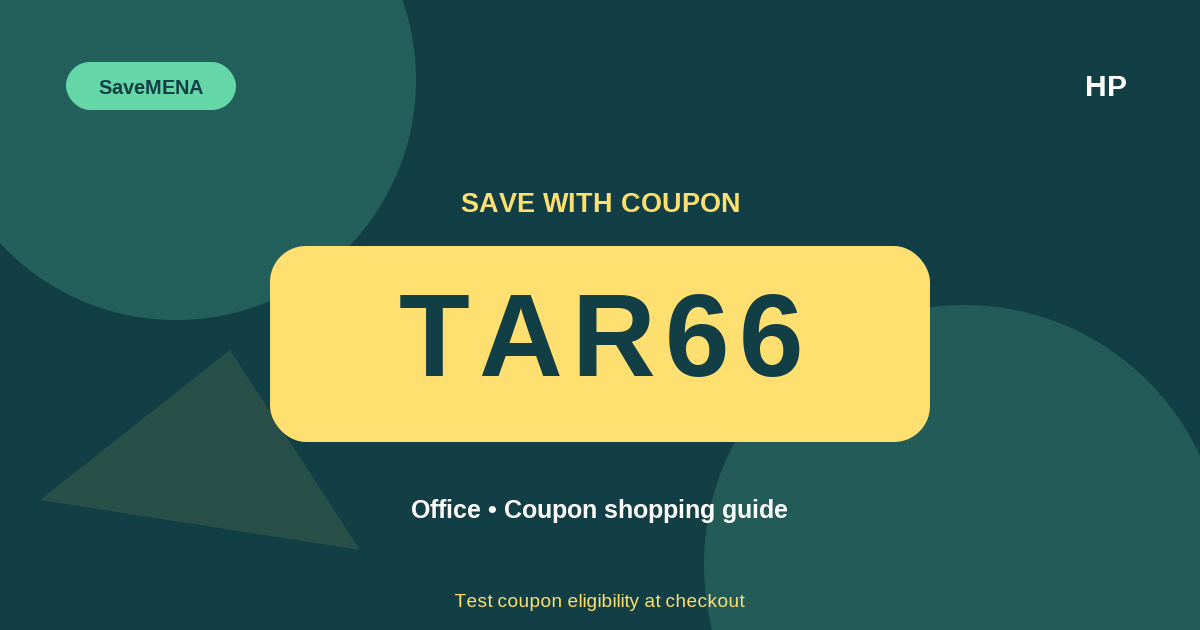
Codes available to try while comparing
These codes are not guaranteed for the article topic or listed brands; test them at checkout and use the live result.
Identify the Exact Office Product and Seller
Start by locating the specific HP office product you need on Noon’s site. Use filters for brand, category, and product type to narrow down the options. When you click a listing, read the seller information carefully. A reputable seller will display a storefront name, location, and customer ratings. Verify the product’s variant and any optional accessories before proceeding, because the coupon’s eligibility can differ between models or bundled packages.
Once you have the exact SKU, bookmark or add the item to a cart. This will let you see how the price works once the coupon is applied later. Avoid abstract generalizations—track the exact price, model number, and any included warranty to make sure the coupon will work with this specific arrangement when you add it to the checkout.
Add the Item to the Cart and Review Visible Promotions
With the product in the cart, scroll to the promotion section. Noon lists visible offers in the cart view, often under headings like “Deals” or “On Sale.” Check whether the HP product is part of a current sale event, a bundle discount, or a flash sale. Note any percentage or fixed amount displayed. This visibility is critical because some coupons cannot stack with higher‑tier promotions or may only apply if the item is not already discounted.
Record the visible promotion’s details on paper or in a note. Use this record to cross‑check later when you apply the TAR66 coupon code. The coupon’s effectiveness will be influenced by what’s already on the cart, so having a written snapshot of the promotion-type and value will aid your decision on whether to push forward with the coupon or opt for the plain price.
Activate the Coupon Code in the Cart
Hover into the coupon input field located under the cart total. Enter the code “TAR66” exactly as shown. Certain coupons require a precise case, so copy-paste from this article if you’re uncertain. Once entered, press the apply button and watch for an instant update on the cart subtotal. If the code is invalid, there will be an error message—no guarantee the coupon applies to this item.
Observe any changes: the cart total will either shift downward, reflect a new discount, or keep the same if the coupon doesn’t apply. If nothing changes, check whether the item’s brand or seller blocks the coupon, or if the promotion interference from visible offers has overridden the code. Keep a mental note of the post‑coupon total to compare with the original price and any visible discount shown before applying the coupon.
Check Coupon Coverage Details on the Confirmation Page
After the coupon is accepted, Noon may call it up on the order confirmation page where you can see a list of applied discounts. Look for a line that mentions TAR66 as a distinct entry. It should describe the coupon’s type and how much it subtracts. If the code shows but the description indicates “not applicable to this product,” you will need to decide whether to continue with the base price or revisit the cart alternatives.
A confirmatory screen is your final verification before checkout. Print or screenshot the page if you have doubts, especially if you are in a hurry or uncertain. This allows you to reference the coupon’s impact later if you need to dispute a charge or request a refund and shows you the state of the cart at that exact moment.
Review the Total Savings Before Proceeding
At this stage, go over the total savings reflected in the cart. Compare the original price shown before applying the coupon against the payable amount after the discount. If the visible promotion was a % off and TAR66 was also applied, check whether the website shows whether discounts are additive or in competition. This helps you avoid paying more than intended if the coupon is not applied properly.
Do not rush. If the savings appear lower than expected, return to the cart and double-check coupon eligibility or re-evaluate the product choice. You can add a different HP model or choose a seller that lets you use TAR66 without conflicts if you’re determined to get the largest discount possible.
Proceed with Secure Checkout and Select Payment Method</HEDING>
Click on the checkout button and fill in your shipping address. Savings calculations remain stable through this step, but any changes in shipping fees or alternate payment methods might alter the final amount slightly. Pay attention to the “Payment Options” area, which sometimes offers promotional credit‑card deals that could further reduce the payable amount. Keep the “Secure Checkout” note next to any coupon code displayed in your order summary.
When you’re ready, finalize the payment. Notice that the final summary includes all subtotals, taxes, and applied coupons. If TAR66 appears, you’ll see the exact deduction there. If it’s missing, the coupon did not make it to the final payable. Save the screen only if you see the correct final amount so that you have evidence of the applied discount in case of future queries.
Checkout Confirmation and Order Tracking
After payment, you’ll receive a confirmation page and an email with your order details. Review the email carefully for the applied coupon entry and ensure the final amount matches what was displayed on the checkout screen. If the email shows a different total or lacks the coupon mention, you may have missed an earlier step or the coupon was not applied.
Track your shipment through Noon’s tracking tool. While the tracking is unrelated to coupon usage, it offers peace of mind that the product will arrive. If any post‑delivery issue arises regarding discount discrepancy, use the email confirmation as evidence when contacting customer support about your coupon usage.
Evaluate Post‑Purchase Satisfaction and Return Policy
Once your HP office product arrives, use it as intended and assess whether the purchase meets your expectations. Remember that the final price you paid—including or excluding the coupon—will influence your perception of value. If the product fails or you no longer need it, check Noon’s return policy section to ensure the process is smooth, especially when a coupon was used.
Use this experience to adjust future purchases: note whether the coupon helped or if a different seller might offer better terms. Document any lessons for the next time you intend to use Noon UAE coupon market deals. The learnings can guide you to select sellers and products that maximise savings while ensuring reliable service.
Related SaveMENA pages
Related articles
Official sources to check
Frequently asked questions
When will the coupon code TAR66 be applied?
The code applies at checkout or when placed in the cart. After entering it, Noon updates the cart total immediately if the coupon matches the product; otherwise, an error appears and no discount is applied.
What happens if I already have a visible promotion for the HP product?
Visible promotions are shown in the cart before entering the coupon. If the product is already on a sale, the coupon may override, apply in addition, or be ineligible; the cart will indicate which scenario applies after you apply TAR66.
Can I use TAR66 on any HP office item globally in the UAE?
Only if the product and seller support that coupon. Noon’s interface will let you know if TAR66 is applicable when you add the item to the cart; otherwise, the coupon is not usable for that selection.
Will the coupon affect the delivery fee?
Noon calculates delivery fees after all discounts are applied. If a coupon changes the base price, the delivery fee might remain the same, but you will see the final amount before checkout; ensure you check the total, including shipping, on the payment page.