Anker Computer Accessories on Noon UAE: seller context — correct shopping market · TAR53
When you ask why correct market context matters for Noon UAE coupons on computer accessories, the answer lies in the variable nature of each listing and seller.
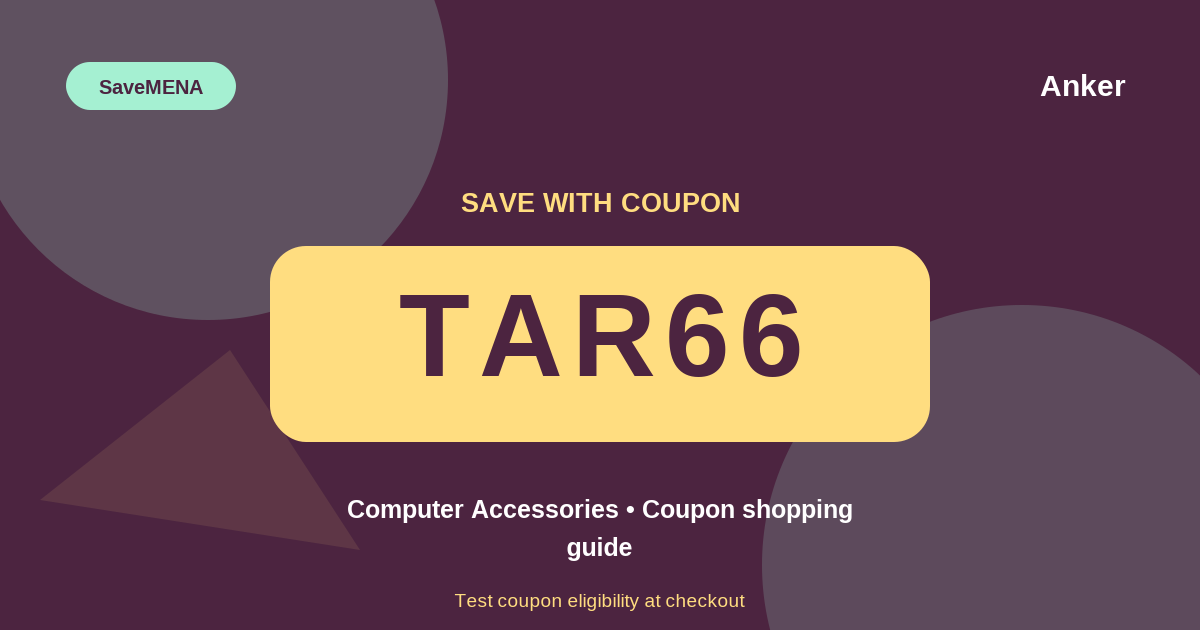
Codes available to try while comparing
These codes are not guaranteed for the article topic or listed brands; test them at checkout and use the live result.
Why Market Context Matters When Hunting Noon UAE Coupons for Computer Accessories
In a platform as dynamic as Noon, every computer accessory listing can have a different seller, different shipping agreement, and a unique set of terms. A coupon that works for one monitor may not apply to a mouse, even if both are under the same price band. Therefore, UAE shoppers must recognize that the market context—specifically the vendor’s profile and the accessory category—shapes coupon eligibility. By understanding this relationship, you shift from guessing to strategically selecting items that meet the coupon’s requirements at checkout.
Beyond the coupon itself, market context informs you about potential hidden costs such as delivery fees and handling charges. These additional fees often vary with the seller’s location within the UAE, affecting the final price you pay. Knowing how to read a seller’s shipping terms and verifying them during checkout ensures you don’t miss out on savings you thought you had secured.
Decoding the Seller Context: Why Anker’s Noon Listing Stands Out
Anker builds a reputation for quality and after‑sales support in computer accessories, and that reputation extends inside Noon UAE. When purchasing Anker products, shoppers should check that the seller’s store on Noon lists the brand’s official details, such as a verified logo and product description. A trustworthy seller signals that the accessories are genuine and that the attached coupon code, if applicable, will process correctly at checkout.
Seller context also dictates stock availability and return policies. An official Anker seller is likely to offer a smoother return experience or free replacement options compared to a generic third‑party vendor. For UAE consumers who value reliability, these factors weigh heavily in deciding whether to proceed with a purchase that uses the TAR53 coupon.
Navigating Noon UAE’s Coupon Marketplace for Computer Accessories
Noon provides a dedicated coupon section, but not every coupon is universal. To locate a valid coupon for computer accessories, browse the “Deals” or “Coupons” filters, then narrow to the “Computer Accessories” sub‑category. Once here, you’ll see a list of codes, each annotated with the seller it supports.A coupon is not guaranteed; verify its result at the retailer checkout.
Keep in mind that coupons can have subtle conditions—some may require the seller’s storefront, while others might be available only when a specific accessory is present in the cart. Checking the listing page for any notes or restrictions is an essential part of the seller context assessment. This will let you avoid surprises like a failed coupon application when you’re ready to checkout.
Leveraging the TAR53 Coupon on Anker Products: What You Must Verify
Once you’ve identified an Anker product that is eligible for the TAR53 code, open the product page and note the seller’s name. Only if the seller matches an approved list tied to the code can you enter TAR53 in the coupon field. The checkout experience will confirm whether the coupon applies; otherwise, you’ll be prompted to remove the code.
Because the platform can’t guarantee coupon activation, always review the “checkout” preview to confirm that the discount, delivery charges, and final amount reflect the applied code. The verification step at checkout is the only reliable indicator that the coupon is still active and hasn't expired behind the scenes.
Comparing Anker to Other Computer Accessories Sellers on Noon UAE
When you’re looking at Anker’s offering, it can be helpful to examine comparable items from other established sellers on Noon. Factors such as warranty length, customer service response time, and return policy length can be decisive. If a rival seller offers similar specs but a flatter shipping fee structure, it might outweigh an Anker after‑sales edge.
In this comparison, focus on the seller context: each vendor may have a different delivery network. A local UAE seller could ship faster and afford a lower delivery charge, while an overseas vendor may incur higher fees. The overall cost, not just the sticker price, will dictate which accessory gives you the best value.
The Role of Shipping Fees and Delivery Options in Your Calculation
Shipping fees on Noon vary by seller, product weight, and selected delivery speed. For computer accessories, the weight is usually moderate, but the seller’s location can add a sizeable surcharge if the item is shipped from outside the UAE. These fees are added after coupon application, so they must be included in your final computation.
Choice of delivery option also influences cost. Noon's “Fast Delivery” or “Standard Delivery” tiers differ in price, and each seller can set minimum spending thresholds for free shipping. It’s wise to compare the total payable amount by adjusting the delivery speed during the checkout preview, ensuring the coupon remains valid in the context of the chosen option.
Payment Methods and Security on Noon UAE for Computer Accessories
Noon supports a range of payment methods, each with distinct processing times and potential fees. UAE buyers often use credit cards, debit cards, or Noon’s own wallet. For high‑value computer accessories, confirming the final amount—including coupon discount, shipping, and any payment‑specific fees—is essential before authorizing the payment.
Seller context influences the security of your purchase because official Anker sellers may offer additional protection such as extended warranty claims through the original vendor’s support portal. Familiarize yourself with the seller’s contact information and the return procedure, as this information is typically printed in the confirmation email after payment.
Finalizing Your Purchase: Confirmation, Tracking, and After‑Purchase Tips
After confirming payment, Noon typically sends an email that lists the coupon code status, shipping details, and a tracking number. This is your opportunity to double‑check that the TAR53 discount was applied, the shipping fee matches expectations, and the seller’s contact details are present. If anything is amiss, you can contact Noon’s customer support for clarification.
Once in transit, track your package using the provided lien. Anker accessories often come with a serial number; keep this visible in case of a return or exchange. By maintaining good communication with the seller (via Noon’s messaging system), you are better positioned to resolve any issues that may surface post‑delivery.
Related SaveMENA pages
Related articles
Official sources to check
Frequently asked questions
How can I confirm that the TAR53 coupon has been applied?
The most reliable check is the checkout preview before the final payment. After entering TAR53, the page should update the price to reflect the discount. If the field clears or prompts an error, the coupon isn’t valid for that item or seller. Contact Noon’s support if uncertainty remains.
Will the coupon affect the shipping fee?
No. Shipping costs are added after discounts are applied. The final delivery charge is shown in the checkout summary along with the final payable amount. Always review both figures to ensure the total aligns with your budget.
Is it safer to buy from an official Anker seller on Noon?
Official sellers often provide guaranteed authenticity, warranty, and quicker support. They also tend to have clearer return policies. Verify the seller’s badge and read customer reviews to assess reliability before proceeding.
Can I apply multiple coupons on the same purchase?
Noon usually allows only one coupon per order. If more than one coupon appears on the product page, the system will default to the first entered code. Drop any unused coupons and double‑check the total before finalizing payment.