HP Computer Accessories on Noon UAE: seller context — correct shopping market · TAR92
When searching for a Noon UAE coupon, it’s easy to focus on the discount figure while overlooking the country‑specific nuances that can make or break a deal.
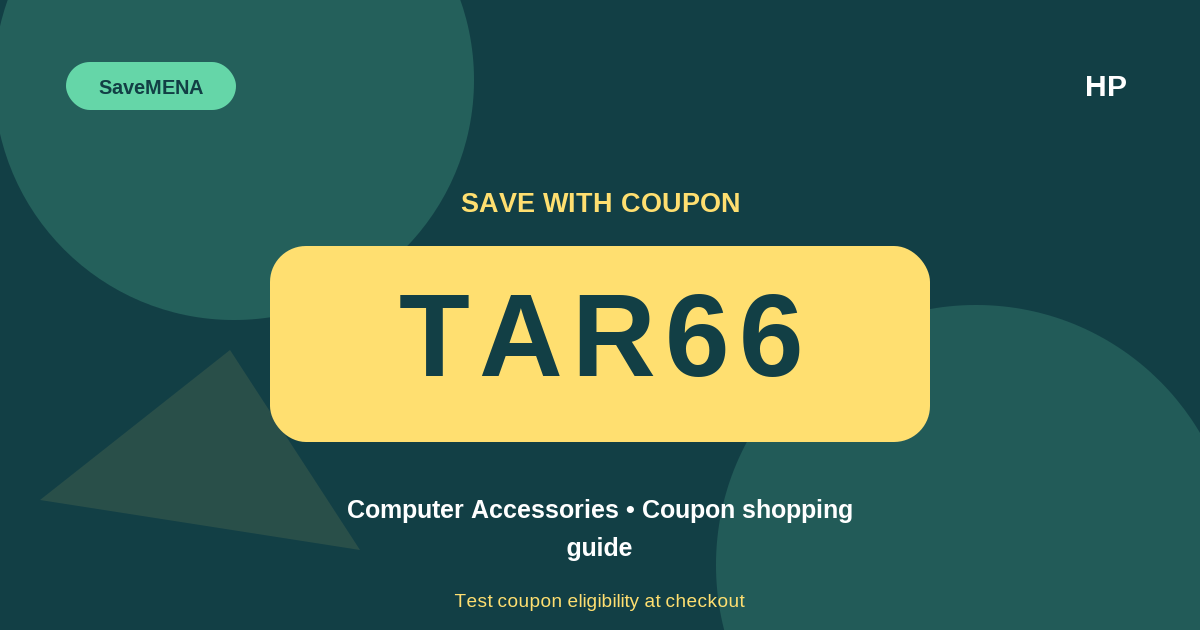
Codes available to try while comparing
These codes are not guaranteed for the article topic or listed brands; test them at checkout and use the live result.
Why Market Context Shapes Your Coupon Experience
In the UAE, e‑commerce regulations and payment infrastructure differ from other Gulf markets. Noon’s platform may impose certain local rules—such as mandatory VAT inclusion, Saudi‑differentiated shipping fees, or limited currency options—that directly affect the final price after a coupon is applied. For a buyer, missing these subtleties could lead to an unexpected checkout total or a coupon simply not recognized at all, negating the intended savings.
Consequently, evaluating a coupon’s performance demands a top‑down view of the market. You need to verify that the discount can actually be used on the product page, that no region‑specific restrictions apply, and that Noon’s local checkout will honour the code. Only then can you rely on the coupon to deliver real value, rather than chasing an elusive percentage on a different platform or marketplace.
Understanding the Noon UAE Coupon Landscape
Noon publishes a catalog of public coupons that spare shoppers a moment of guesswork during the search phase. All codes in the catalog are marked with their “try” status, indicating that they are available for testing but not guaranteed to apply in every scenario. When you encounter the TAR92 code, the system will attempt to match it with the product category and seller information before confirming it at checkout.
Because the UAE uses a uniform VAT rate of the discount shown at checkout across the region, coupon reductions must factor in this additional layer. The code may apply before VAT or only after, depending on the seller’s configuration.A coupon is not guaranteed; verify its result at the retailer checkout.
Computer Accessories: Choosing the Right HP Items
HP offers a broad spectrum of computer peripherals—keyboards, mice, docking stations, monitors, and HP‑branded cables—that cater to both casual gamers and serious professionals. When selecting an item, check its specification sheet on Noon’s product page; this ensures that the model meets your system requirements, compatibility, and warranty coverage. Popular models often feature on the HP page for both product details and user reviews.
A key decision point for UAE shoppers is the product’s shipping method. Noon may provide free standard shipping for high‑value HP items, but some sellers charge a nominal fee. For corner‑cutting savings, you should confirm whether the the coupon code‐code can be applied to shipping fees or only the item’s base price, as the latter will influence the overall cost posted at checkout.
Seller Context: What It Means for Your Purchase
Seller context references the specific vendor supplying the HP accessory on Noon. In the UAE, vendors can range from official HP dealers to independent resellers, each with distinct return policies, warranty terms, and customer support structures. A seller’s rating and number of completed orders often serve as reliable proxies for trustworthiness, helping buyers avoid counterfeit or sub‑par items.
Beyond quality, seller context determines the legitimacy of coupon eligibility. Some sellers opt out of coupon participation to maintain higher price integrity, while others accept all public codes. Thus, when you’re evaluating an HP keyboard, always cross‑check the seller’s profile to see whether they list “Coupon available” or “No coupon support.” This step directly ties into the decision lens of mapping seller attributes to your buying confidence.
Applying the TAR92 Code on Noon
To test the TAR92 coupon, first add the HP accessory to your cart and proceed to the checkout screen. Noon will display a coupon code field before the payment method selection. Enter “TAR92” and click the verification button; the system will immediately flag any conflicts such as seller restrictions or category mismatch.
If the code “applies,” the cart value will update automatically to reflect the reduced price, still subject to VAT and any shipping surcharge. If the code is rejected, Noon’s platform will explain the reason—such as “code not valid for selected seller” or “coupon expired” (if applicable). At this juncture, evaluate whether a different coupon or the full price is more advantageous for your specific HP purchase.
Common Pitfalls When Using Coupons in the UAE
One frequent error is assuming that a coupon works across all home locations; Noon stores must confirm that you’re physically within the UAE during checkout. Also, some sellers list a “minimum spend” clause that, while not a discount threshold per se, can invalidate the code if the total falls below a certain amount. Always double‑check the product’s price against any such requirement before attempting to redeem.
Another oversight involves mixing multiple coupons, as Noon typically allows only one coupon per transaction. A buyer may inadvertently attempt to stack the TAR92 code with a seller’s personal discount, resulting in a rejection at checkout. If you rely on multiple savings, consider testing each coupon on a separate transaction to confirm compatibility.
Verifying Coupon Eligibility at Checkout
At checkout, Noon presents a detailed summary: item price, seller, shipping, VAT, and applied coupon. This screen is the final checkpoint for eligibility. If the TAR92 coupon is showing a reduction, its applicability has been confirmed for that specific HP item and its vendor. If it’s absent or shown as “not applicable,” note the error message to troubleshoot—whether the issue lies with regional restrictions or seller settings.
Should the coupon fail, the platform often suggestions alternative coupons that share the same product category or seller. Leveraging this guidance can help you discover other active codes, ensuring you’re not left with a zero‑discount decision for your HP accessory purchase within Noon’s ecosystem.
Maximising Value Without Overpromising
In the UAE market, the temptation to chase the lowest headline price can blur practical strategy. Remember, the TAR92 code is a “try” coupon. Its real value is how it performs on a specific HP item and seller; not on the broader Noon discount ladder. Accordingly, verify by adding the product to a test cart, applying the code, and reviewing the final payable amount—this real‑time check is far more reliable than extrapolating from headline promotions.
Also, consider the totality of the purchase: free shipping, extended warranty, or included accessories might outweigh a minor coupon reduction. Aligning the coupon with these bundled offers, and reviewing the seller’s return policy, creates a holistic saving that goes beyond the numeric discount, giving UAE shoppers a more informed, secure buying experience.
Related SaveMENA pages
Related articles
Official sources to check
Frequently asked questions
How do I know if a Noon coupon will work for my HP accessory?
Check the product page for seller details and click the coupon field at checkout. Noon will instantly validate the TAR92 code against the specific seller and category, showing whether it applies before final payment.
Can I combine the TAR92 coupon with other discounts?
Noon allows only one coupon per transaction. If the seller offers a separate discount, you must decide which yields better savings; attempting to stack them will result in a code rejection during the final step.
What should I do if TAR92 doesn’t apply?
Review the error message. Common causes include seller restrictions, wrong product category, or regional limitations. You can also search Noon’s coupon catalog for alternative codes that suit the HP item and its vendor.
Is VAT added before or after the coupon discount?
On Noon UAE, the platform typically subtracts the coupon value from the item price first, then adds a the discount shown at checkout VAT to the discounted amount before showing the final payable total at checkout.