ASUS Computer Accessories on Noon UAE: warranty and support — correct shopping market
Noon UAE coupon market Computer Accessories ASUS warranty and post-purchase support: When evaluating a computer accessory purchase in the UAE, many shoppers focus
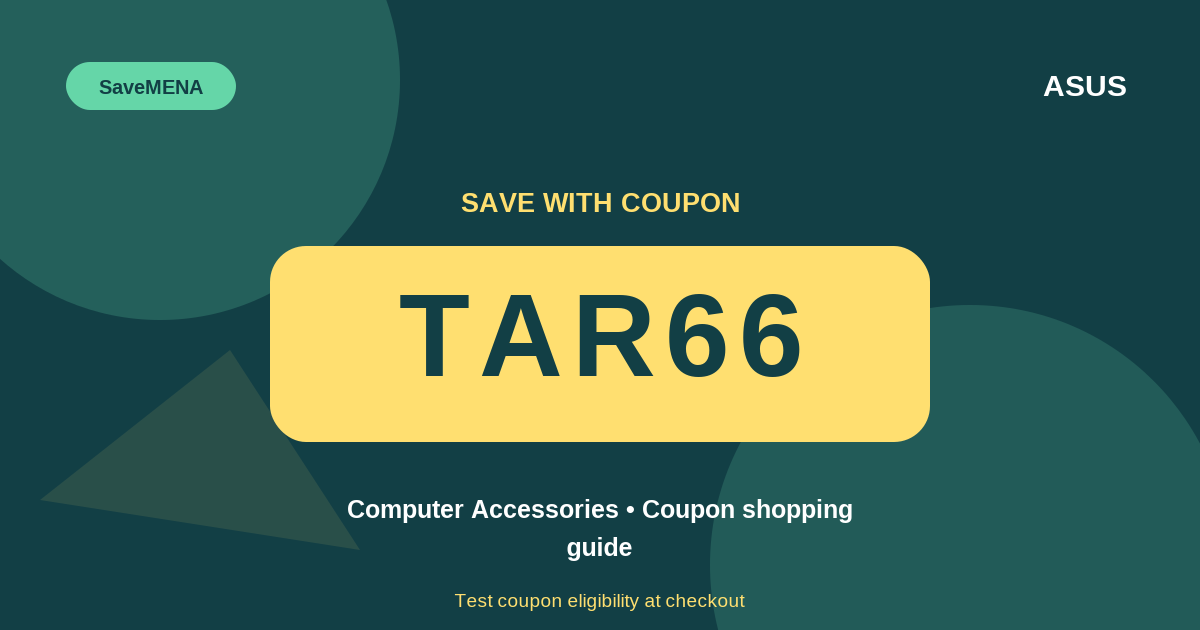
Codes available to try while comparing
These codes are not guaranteed for the article topic or listed brands; test them at checkout and use the live result.
Verify the Warranty Coverage Offered in the UAE Context
The first thing to confirm on checkout is the stated warranty period for the ASUS accessory you intend to buy. UAE consumer law requires that any warranty be clearly communicated at the point of sale. During the checkout process, review the product description and exclude any extraneous claims that may appear on the listing. Verify whether the warranty is limited to manufacturing defects only or includes accidental damage coverage, as some carriers extend basic protection while others do not. This distinction matters because it determines which costs you might be relieved of later on your next service visit.
Once the warranty is set, consider its actual enforceability in the UAE. Many sellers partner with local service centers or authorized repair hubs. Ensure the seller lists at least one UAE‑based service center in the “Preferred Service Locations” field, as absence of a local partner can create delays. If the seller’s “After‑Sales Support” section references a global Microsoft Dynamics portal, confirm whether the portal provides UAE‑specific contact numbers or ticketing systems. Leaving these details unchecked can lead to a situation where, after a defect surfaces, you will need to navigate language barriers or distant support teams, eroding any time or cost savings gained from the purchase itself.
Understand Post‑Purchase Support Channels for ASUS Accessories
ASUS typically maintains official support pages that list troubleshooting guides, firmware updates, and FAQs per product line. During the checkout process, look for a hyperlink to such pages or a support icon in the product description. The presence of a direct link to an Arabic–language support portal often indicates that the seller is aligning with local service expectations. If the seller does not provide a direct link, but lists a contact email, check whether this email corresponds to an officially registered ASUS support email address in the UAE. This cross‑reference means the seller is ready to route any post‑purchase queries through the proper channels.
Another critical channel is the seller’s own customer service portal. In the UAE, many platform sellers offer 24/7 chat or a ticketing system. Verify that the chat window can communicate in Arabic and that the ticketing system has a clear turnaround policy, expressed in days or hours. A lack of such clarity at checkout can signal insufficient support infrastructure, meaning any software or hardware issue could be delayed by an extended response time. Consulting this column before proceeding reduces the risk of delayed device performance or data loss after the warranty period ends.
Examine Return and Replacement Policies in the Noon Marketplace
The Noon marketplace allows sellers to specify return windows and conditions. Look for a “Return Policy” field next to the price tag; this should clarify how many days you have after receipt to initiate a return, whether the item must be unused, and if shipping costs fall on the buyer or the seller. A longer return window, especially beyond a typical 15‑day period, can signal a seller with higher confidence in the product’s durability and alignment with aftermarket support expectations. If the return policy explicitly references an “Authorized Service Center” for replacement, this again reaffirms that the seller’s supply chain includes local technicians.
Replacement policy details extend beyond simple turnarounds. Make sure the seller indicates whether replacements will be sent as identical part numbers or if a different model might be substituted. Local regulatory standards require that substitutes received must be equivalent in performance and feature set. At check‑out, if the policy defers to “replacement at the seller’s discretion,” click on any links provided to read the full terms. Having this knowledge eliminates the surprise of receiving an older, less capable replacement pack, and preserves your investment in a high‑quality ASUS accessory.
Assessing Physical vs. Digital Support Options with an ASUS Product
ASUS accessories often benefit from both onsite repair and remote troubleshooting. During checkout, examine whether the seller highlights “Remote Support” or “Self‑Service Portal” in the item description. A remote support option can expedite diagnosis of connectivity or firmware issues and typically avoids shipping costs. Verify that the seller’s remote support claim references a UAE‑based technical team that can load local language drivers or firmware updates if necessary.
Conversely, onsite support should include a clear list of authorized repair shops, preferably located within major UAE emirates. Sellers who include a map or an address list are demonstrating a commitment to accessibility. If these details are missing, the post‑purchase experience may require you to locate an independent service center, potentially incurring higher cost or longer waiting times. Checking this information before purchase ensures you do not face an unforeseen barrier when a hardware problem arises, especially if the accessory’s warranty mandates onsite repair.
Choosing the Right ASUS Accessories for Long‑Term Service
Quality and serviceability intersect when selecting an accessory. Look at the product’s “Built‑In Service Features” listed in the description; for example, a modular design or a readily accessible spare part can simplify future repairs. A key decision point is whether the accessory's design follows ASUS’s standard across models, as this often ensures a larger local spare parts pool. When the description references a “Universal Compatibility” tag, it usually means the accessory will easily connect with a broad range of ASUS devices and third‑party platforms, reducing the chance of component obsolescence.
Confirm that the item’s packaging and documentation include a serial number, warranty registration link, and an Arabic‑language warranty booklet. This set‑up supplies you with a reproduction of the warranty as a tangible proof of purchase, which is vital if you need to claim a repair or replace a broken component. Skip the buyer if the packaging lacks any local language documentation or omits a registration requirement—without this information, you may not be able to activate the in‑country warranty clock from the outset.
Leveraging the TAR66 Coupon to Maximize Value—But Check Eligibility
The TAR66 coupon can create savings in the Noon UAE coupon market. At checkout, find the field labeled “Coupon or Promo Code” and enter TAR66. The system will respond if the coupon is recognized; if it returns “Invalid or expired,” the coupon cannot be applied. The benefit of this trial operation is that it gives you real‑time confirmation of use versus theoretical discount filings on other platforms.
Keep a mental note that the sponsor of the coupon—have not confirmed that it relates exclusively to ASUS accessories—yet the sale may still reduce the final payable total. Nonetheless, review the final amount after the discount is applied, which should automatically update in the order summary. If a given accessory has a conditional threshold, the coupon may or may not apply. An accurate daily check of the payable total ensures that you do not miss out on the coupon’s potential benefit, while also guaranteeing that the final price respects the actual local market presence of the seller’s shipping, handling, and restocking fees.
Planning for End‑of‑Warranty Technical Assistance
An ASUS accessory’s warranty period eventually ends, after which support cost structures change. Before purchasing, consider whether you want to extend protectiveness through a post‑purchase plan. Many sellers advertise “Extended Warranty” add‑ons; verify whether these extensions offer coverage for accidental damage as well as normal wear. The price for such extensions should be presented in the order preview, allowing you to weigh the long‑term cost benefit against the future probability of hardware failure.
In addition to premium coverage options, you can set an internal maintenance schedule. Prepare a calendar entry to review firmware updates, especially if the accessory is a high‑performance peripheral. Keeping firmware up to date can mitigate certain failure modes, potentially extending the product’s usable life beyond the warranty. A simple but effective practice is to read the “Maintenance Checklist” often attached to the user guide—this list is frequently included in the PDF referenced in the product description.
Staying Informed about Service Updates and Firmware Releases
ASUS routinely pushes firmware or driver updates via its support portal. During the checkout process, check whether the seller displays a “Download Resources” link. If available, bookmark it; this way you can receive direct notices on firmware releases. Local offers from the UAE market sometimes include an “Email Update” subscription that automatically notifies you. Adding your email to this list ensures you remain aware of any critical patches that could affect functionality or extend warranty eligibility.
Also verify whether the seller’s customer service includes a “Firmware Update FAQ” section. This is particularly useful if you are purchasing a wired device that requires drivers; a comprehensive FAQ can save you future support calls. Keep an eye on whether the FAQ references a specific ASUS model number, ensuring that the advice applies directly to the accessory you choose. Where the FAQ mentions a “UAE Service Center” for firmware assistance, you can avoid long-distance calls and receive faster technical support.
Related SaveMENA pages
Related articles
Official sources to check
Frequently asked questions
What should I do if the TAR66 coupon doesn’t apply at checkout?
If the coupon field returns an “invalid or expired” message, the code is not active for that product or the seller at that time. Re‑enter the code after any changes to the cart, and if it still does not apply, the best course is to reach out to the seller’s customer service for clarification. They can confirm whether the coupon is pending activation or has a time‑limit that has passed.
How can I confirm that an ASUS accessory seller is authorized in the UAE?
Look for a reference to “Authorized Service Center” in the listing or note whether the after‑sales contacts are listed in Arabic. You’re safe if the seller provides a UAE telephone number or a local email address for support. If such local contact information is missing, ask the seller directly before completing the purchase.
Will a longer return window automatically guarantee better warranty coverage?
No. A longer return window only shows that the seller trusts its product's quality. Warranty coverage is defined separately in the product description or the warranty registration link. Always compare the return policy with the explicit warranty terms to understand the range of coverage you receive.
What is the best practice for extending my ASUS accessory’s warranty?
Evaluate any seller‑offered extended warranty during checkout, making sure it covers both defects and accidental damage if needed. Also consider setting a maintenance schedule: keep firmware up to date, use the support portal, and periodically review the service center’s mailing list to stay informed about any updates that might affect warranty eligibility.