Anker Mobile Accessories on Noon UAE: warranty and support — correct shopping market
Noon UAE coupon market Mobile Accessories Anker warranty and post-purchase support: When you search for a Noon UAE coupon that feels like the right fit for your
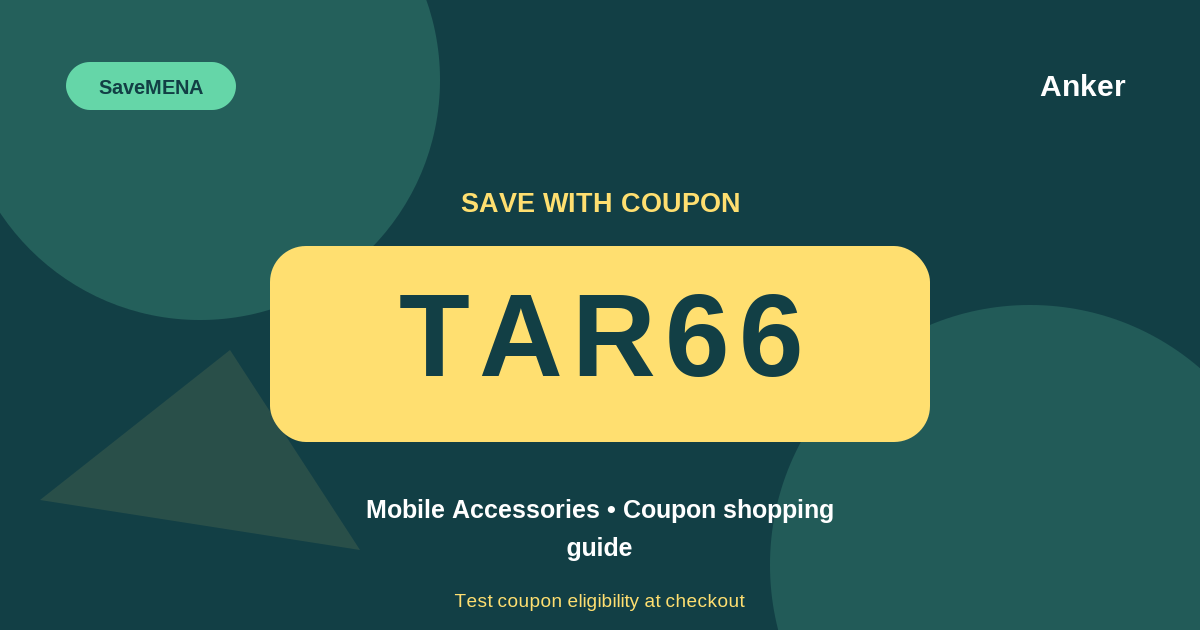
Codes available to try while comparing
These codes are not guaranteed for the article topic or listed brands; test them at checkout and use the live result.
1. Examine the Warranty Terms for Anker Accessories on Noon
Begin by opening the product page for any Anker mobile accessory you’re interested in. The description usually lists the warranty period in months or years. For instance, a standard charger may come with a one‑year manufacturer’s warranty that covers defects in materials and workmanship. Ensure you read any fine print indicating whether the warranty also applies to shipping damage or if it covers full replacement versus repair. Recording these details will help you compare across sellers and confirm you’re not only getting a discount but a dependable guarantee.
Next, check the seller’s profile for a “Warranty & Returns” section. Sellers on Noon are asked to specify how they honor manufacturer warranties before initiating returns or exchanges. Verify whether the warranty is provided directly by Anker or by the seller, as this can influence response times and claim processing. Add a note in your shopping list so that when you place the order you can cross‑reference the warranty color coding or icons highlighted on the screen.
2. Verify Post‑Purchase Support Policies on Noon
Support quality often hinges on how easy it is to contact the seller after delivery. Look at the “Customer Support” link under the product listing; many sellers detail their response window, such as 24 to 48 hours. Note whether they offer live chat, email, or phone support. Businesses with clear, multilingual support are preferable in the UAE where many residents use multiple languages.
Further, verify if the seller offers a dedicated customer service portal or a support ticket system that can be accessed after you have the order number. This is vital for tracking warranty claims or service requests. Checking for a "post‑purchase support FAQ" can also give you an idea of how swiftly disputes are resolved and whether they provide a self‑service portal for returning or exchanging faulty units.
3. Confirm Anker’s Certification and Compatibility Before Buying
Even a generous warranty can’t help if the accessory fails to work with your device. On Noon, product variants often list certification logos such as USB‑PD or Qualcomm Quick Charge, which confirm compliance with industry standards. Make sure that the variant matches the specifications of your phone or tablet – for instance, respecting the maximum volts and amperes your device can accept.
Check the technical specifications widget on the product page. It should enumerate supported output, input, and connector types. If the shipping page shows an option to add a charger cable that supports the same standards, you can arrange a bundled purchase. This helps to ensure that your warranty claim is valid: a defective product will likely possess the listed certifications, whereas a counterfeit copy may not.
4. Compare Refund and Return Guarantees Across Multiple Sellers
Refund policies differ widely among Noon sellers. Click on the “Return Policy” link to view the window within which a return can be initiated – some allow 14 days, others 30 days. Also note whether the return covers only defective items or any dissatisfaction, and if the seller or the manufacturer reimburses shipping back to you.
When evaluating Anker accessories, prioritize sellers who mention “30‑Day Replacement Policy” as this is commonly paired with a standard manufacturer warranty. Record the process: Will you initiate a return through the Noon app, or will you contact the seller directly? Understanding these steps in advance saves time if you need to claim a refund or exchange.
5. Assess Shipping Times, Tracking, and Installation Support
Check the delivery estimate listed right after you add the Anker accessory to your cart. In the UAE, delivery can be medium‑speed or express; the seller may provide a tracking number upon order confirmation. A reliable seller should allow you to trace your package to confirm arrival and condition.
Even with quick shipping, certain mobile accessories need simple installation. Verify if the product description includes an installation guide or an instruction PDF. Some sellers offer a video tutorial or quick‑start guide via a link in the app. These resources are part of post‑purchase support, ensuring any worry about setup is mitigated even before you see the warranty kicking in.
6. Scan User Reviews for Reliability of Service Claims
Customer reviews are a useful barometer of post‑purchase support quality. Look for comments that discuss how quickly a seller responded to warranty claims, or how many days it took for a replacement part to arrive. Highlighting patterns of positive feedback in this area builds confidence that the support will be robust.
Pay attention also to any reviews indicating the seller’s handling of false claim disputes. If reviewers mention that the seller was “very helpful” with a faulty Anker charger, take note of the resolution process described. Such details help you gauge whether the seller’s warranty support live up to their claims on Noon.
7. Plan for Coupon Application and Verify Eligibility at Checkout
When you are ready to purchase, add the Anker accessory to your cart and proceed to the checkout screen. Enter the coupon code TAR66 in the discount area. Noon will display whether the discount applies before you finalize payment, but no guarantee of application can be made before the final total is shown.
In the “Payment” stage, double‑check the subtotal, any discount shown, and the final total. Anker accessories sometimes have additional fees for expedited shipping or handling; confirm those appear correctly. Documenting the discount reached at this point will be useful if you later find the coupon did not apply or if a discrepancy occurs.
8. Monitor Post‑Purchase Communication and Escalation Channels
After the receipt of your Anker accessory, keep an eye on your email or Noon app notifications for order updates. If you encounter a manufacturing defect, use the support contact method indicated on the product page to begin a warranty claim.
Star the seller’s support contact link with a dedicated note reminding you of the warranty window you verified earlier. In case of delayed responses, look for escalation steps such as a manager contact or a dispute resolution portal on Noon. This proactive approach ensures that if the warranty returns or refunds process is slow, you can quickly get your claim in front of someone who can accelerate the resolution.
Related SaveMENA pages
Related articles
Official sources to check
Frequently asked questions
What warranty does Anker typically offer on their mobile accessories?
Anker usually provides a one‑year warranty covering manufacturing defects. Sellers may honor this directly or via a partnership with the manufacturer, so you should confirm the warranty span and claims process on the product page before buying.
Will the TAR66 coupon always apply to Anker accessories on Noon?
The coupon code TAR66 can be entered at checkout, but it is not guaranteed to apply. Noon will indicate the final discount at the payment stage, so verify the total before confirming the purchase.
How can I verify that the warranty will cover shipping damage?
Check the product description for any mention of “shipping protection” or “transport damage coverage.” If unclear, contact the seller’s support before placing the order to confirm coverage.
What steps should I take if my Anker accessory fails shortly after purchase?
Document the issue with photos, then initiate a claim through the seller’s support portal or the Noon app’s order issue feature. Provide the warranty claim details and follow any instructions for returning or repairing the device.