Logitech Office on Noon UAE: warranty and support — correct shopping market
Noon UAE coupon market Office Logitech warranty and post-purchase support: Finding the right office equipment in the UAE requires more than a quick glance at a
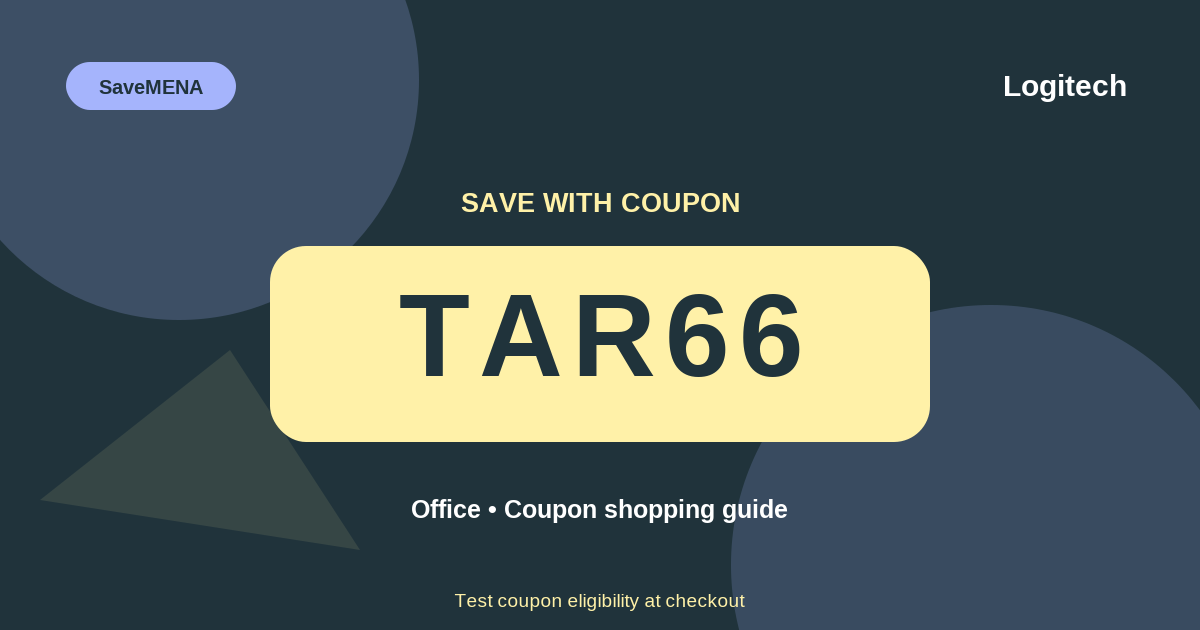
Codes available to try while comparing
These codes are not guaranteed for the article topic or listed brands; test them at checkout and use the live result.
1. Understanding Warranty Coverage for Office Equipment
When you consider a Logitech device for your office, the first question is “What does the warranty cover?” In the UAE market, warranties are typically expressed in terms of both period and scope, covering manufacturing defects rather than everyday wear. Verify the exact duration by checking the product label and seller’s policy; a typical warranty might extend from a few months up to a year, but the wording can affect what is repair‑eligible. This step prevents unexpected out‑of‑pocket repairs when a component fails after initial purchase.
Documentation plays a pivotal role in warranty claims. Keep the receipt, order confirmation, and any serial numbers in an easily accessible folder. After you confirm the warranty terms from the seller on Noon, you can refer back to them if the device needs servicing. When you have this paper trail, you’ll be prepared to prove ownership and the validity period when you request a repair or replacement, saving time during the claim process.
2. Assessing Logitech Support Channels After Purchase
Logitech offers multiple support options—online chat, email, and dedicated support centers. Verify which channel is available for your specific region in UAE by visiting Logitech’s official support page or contacting their customer service via the platform. Knowing the fastest route for assistance can help you resolve issues before they disrupt productivity, especially during critical business hours.
In addition to the official channels, consider local third‑party repair services that are authorized by Logitech. These can provide quicker turnover times and sometimes include on‑site support for larger office suites. Cross‑check the service provider’s credentials and ask recent clients about their experience to avoid falling into unverified repair hubs that might compromise your device’s integrity.
3. Matching Office Needs with Appropriate Warranty Terms
Choose a warranty that matches your office’s usage intensity. For an office where printers, scanners, and peripheral devices are used daily, it is wise to select a warranty that offers comprehensive coverage and includes onsite support. Some extended warranties may also cover accidental damage, which is valuable when multiple employees handle the equipment.
Each office scenario—whether you operate a home‑based consultancy or a multi‑floor corporate office—demands a tailored warranty assessment. For small teams, a standard one‑year warranty might suffice, whereas larger environments could benefit from a multi‑year plan that reduces the total cost of service. Don’t rush; map out your team’s device use patterns and align them with the warranty’s scope to avoid costly surprises down the line.
4. Planning for Repair and Replacement: How to Use Noon UAE Coupon
Before adding the Logitech device to your cart, consider your willingness to explore cost savings via Noon’s coupon system. The TAR66 code can be entered during checkout, but its applicability will be confirmed only at the final payment step. Test the coupon by adding the item to your basket and proceeding to checkout; notice whether the code is automatically applied or requires manual entry—this will determine if the coupon is accepted for that purchase.
Even without a confirmed discount, understanding the coupon workflow helps you decide whether it is worth setting the device on hold while you experiment with other coupon codes that might conflict. The referral to the final payable total is essential: check that no hidden fees or additional charges alter the intended savings from the coupon, and only then finalize the purchase.
5. Confirming Warranty Eligibility at Checkout
During the checkout process, keep an eye on explicit warranty statements. Several sellers on Noon list warranty periods alongside product titles; you should verify that the stated warranty matches Logitech’s standard terms. Encourage the seller’s policy link to reaffirm the warranty’s validity if the listing lacks detail.
If the checkout page offers an option to extend the warranty—for example, adding a service plan—evaluate whether the additional cost outweighs the potential benefit. Consistently, reading the terms and conditions associated with any extended warranty or service add‑on prevents misinterpretation of the coverages provided once the transaction closes.
6. Managing Warranty Claims and Documentation
Once your Logitech device is in use, familiarise yourself with the claim process for potential defects. Some systems allow you to initiate a claim directly through the Noon app or Logitech’s website by uploading a photo of the defect and print‑out of the receipt. Secure these files locally until the claim’s outcome is confirmed, ensuring no loss of evidence that could delay your resolution.
Document every interaction during your claim—date, time, person spoken to, and any service number assigned. Not only does this establish a clear trail, but it also helps you verify that the service provider follows the warranty guidelines and does not demand excessive repairs or additional fees that fall outside the scope of coverage.
7. Leveraging Post‑Purchase Support for Business Continuity
Beyond the warranty, post‑purchase support can include firmware updates, software bundles, and remote troubleshooting. For office equipment, staying patched and up‑to‑date ensures optimal performance and security. Check whether Logitech offers complimentary updates for the purchased device and if they are automatically delivered through their application or via email.
Remind your purchasing team to schedule regular checks for update notifications after a device has been assembled and settled into the office infrastructure. Integrating such a routine mitigates risks linked to vulnerabilities or compatibility issues that can otherwise halt office operations and impede productivity.
8. Final Checklist Before Finalizing Your Order
Compile a concise list: warranty length, coverage scope, support channel availability, potential extended service options, coupon code verification, and necessary documentation for claims. Cross‑reference each item against the product listing and seller’s policy to ensure alignment. Once everything is in order, confirm the final payable amount post‑coupon application to avoid unexpected discrepancies.
Verify that the seller on Noon is rated and that the buyer protection policy extends to your region. This last‑minute double‑check safeguards against non‑refundable surprises and reinforces confidence that your office gear—Logitech or otherwise—is secured with a reliable warranty and robust post‑purchase support network.
Related SaveMENA pages
Related articles
Official sources to check
Frequently asked questions
What should I do if the TAR66 coupon does not apply at checkout?
The coupon may be out of stock, expired, or incompatible with the selected item. Remove the item then re‑add it, scroll past the voucher section, or try a different code. Always confirm by checking the final payable total on the payment screen.
How can I prove a warranty claim for a Logitech device purchased on Noon?
Keep your receipt, order confirmation, and any serial numbers. When filing a claim, provide these documents as proof of purchase and warranty eligibility.
Will Logitech service in the UAE cover accidental damage?
Accidental damage is typically excluded from standard warranties, but extended plans may cover it. Check the specific terms listed for your device or ask support for clarification.
Can I receive firmware updates for my Logitech office device?
Yes, most Logitech devices support firmware updates via their official app or website. Enable automatic updates or check manually for new versions to maintain security and performance.