Nikon Cameras on Noon UAE: account eligibility — testing coupons one at a time · TAR78
A camera purchase often involves a noticeable investment, and customers with Noon's discount ecosystem want to ensure every benefit applies correctly to high‑price
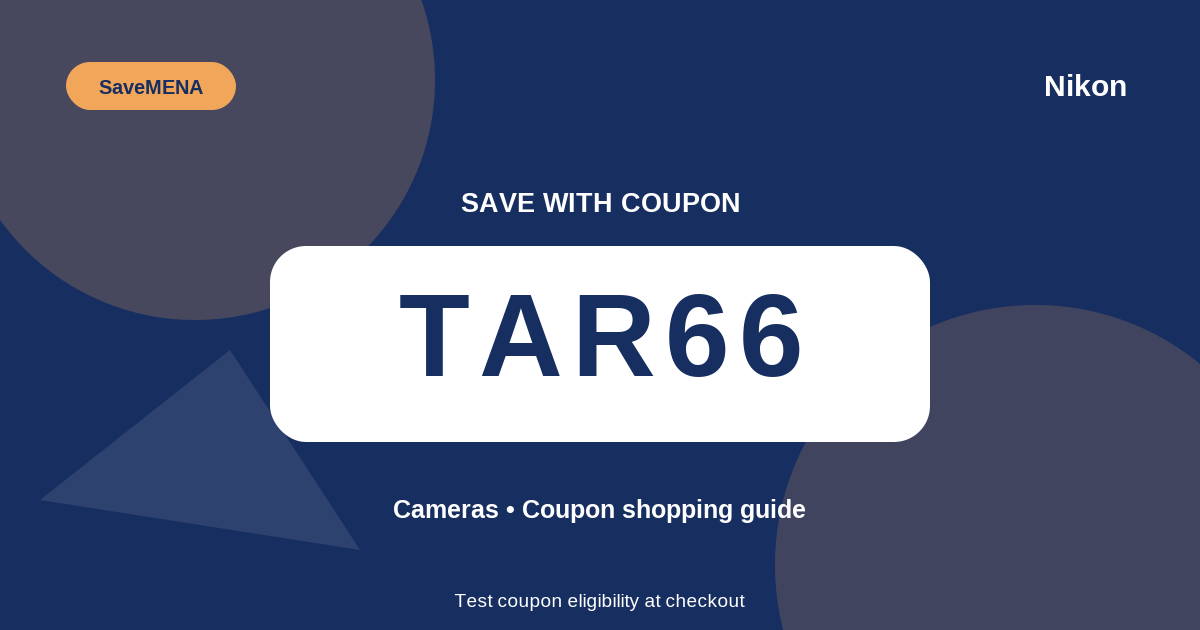
Codes available to try while comparing
These codes are not guaranteed for the article topic or listed brands; test them at checkout and use the live result.
Why Testing Single Coupons Matters for Camera Buyers
A camera purchase often involves a noticeable investment, and customers with Noon's discount ecosystem want to ensure every benefit applies correctly to high‑price items like Nikon lenses and bodies. Testing a single coupon code at a time isolates variables—price changes, tax adjustments, and account‑specific limitations—providing clarity on whether the TAR78 coupon triggers any price reduction on camera listings. This precision prevents the confusion that can arise when multiple offers activate simultaneously, especially in the UAE market where promotions overlap frequently.
Moreover, camera enthusiasts frequently use account parallelization; they may own separate Noon profiles for business and personal use. By evaluating the code with a specific account snapshot, the shopper confirms that the coupon respects the account’s specific guidance, such as purchase history or loyalty tier, which can alter eligibility or the final transaction value.
Steps to Apply TAR78 at Noon UAE
Begin by ensuring you have the latest Noon UAE app or website access. From the homepage, navigate to the camera section and search for your Nikon product. After adding the item to the cart, proceed to the cart page and locate the “Apply Promo Code” field. Enter the exact text TAR78, confirming no spaces or additional characters, then press apply.
Check the cart for any visual confirmation, such as a “Code applied” banner or a minor adjustment to the order subtotal. If there is no visible change, you cannot assume the code failed yet; you must follow the troubleshooting procedure in section 4 before concluding. The system may display a temporary message about eligibility that disappears after a refresh.
Verifying Eligibility: Cameras, Nikon, and Account Context
Before proceeding to checkout, double‑check the product details on the listing page. Verify that your Nikon model is listed under “Cameras” and that the product code recognizes it as a distinct SKU. Noon's eligibility engine compares the item’s category metadata to the coupon definitions, so a mis‑labelled Nikon equipment could lead to rejection.
Log into the account that will be used for the transaction. It is essential that the account’s order history, store preferences, and location data remain consistent throughout testing. If the account has any pending credits or unusual settings—such as a required minimum spend for electronics—confirm these factors against the cartridge’s documented prerequisites, when available, else rely on the confirmation at checkout.
Managing Multiple Attempts: Logging, History, and Timing
After a successful or unsuccessful application of TAR78, record the outcome. Capture a screenshot of the cart snapshot or note the behavior (e.g., “no discount shown” or “error message: offer not applicable”). Store these notes systematically—one for each attempt—to monitor patterns across repeated trials.
Account for the time between attempts. Noon's promotional engine may require a brief interval before a code can be re‑entered, especially if the system flags rapid repetition. Pausing 30–60 seconds between each try avoids accidental throttling and ensures that each attempt is evaluated independently by Noon’s infrastructure.
Handling Confirmation Messages and Verification Errors
If the cart shows a message like “Coupon not valid for this item,” it indicates that either the SKU’s category or the shopper’s account context does not meet the coupon’s conditions. Review the product tax exception rules on Noon’s support pages or contact support for clarification, as this is outside your control to modify.
When the system displays a generic error, such as “Unable to apply coupon,” require a fresh login or clearing of the browser cache. A simple session refresh often resolves client‑side glitches, ensuring that your subsequent attempt uses a clean state.
Transitioning to Checkout: Confirming Final Payable Total
When you reach the checkout screen, pay close attention to the order summary. Noon lists the subtotal, applied taxes, delivery fee, and any promotional deductions. Verify that the TAR78 code, if valid, is listed under “Applied Promo” and that the discount amount reflects—visually, if not numerically.
If the discount field remains blank or the “Applied Promo” row says “None,” the code did not activate. In such a case, you may either re‑attempt with a different account or continue to review the coupon’s conditions by consulting Noon’s support guidelines. Only the final amount shown at checkout confirms the coupon’s eligibility for the transaction.
Keeping Records: Screenshots, Notes, and Share Results
Organize your screenshots and logs in a folder labeled with product SKU and coupon code. Include timestamps for each session and note if any special messages appeared. This audit trail will prove invaluable if you later need to contest a charge or explain to Noon support why the code was rejected.
Sharing these records within your shopping group or online community can help others verify that the same experience applies. Collaborative validation increases confidence that the TAR78 coupon is genuinely available to try, and it gives other Nikon shoppers a reference for future transactions.
Best Practices for Future Nye Testing Sessions
For subsequent coupon experiments, maintain a strict test plan: list the product SKU, account used, code, and expected outcome. This repeatable framework reduces errors and ensures that you’re not repeating unsuccessful attempts unnecessarily, saving both time and potential frustration.
Also, be mindful of Noon’s broader promotional calendar. Coupons may evolve—changing from a discount to a cash‑back offer—or expire. Always check the latest terms before re‑testing, and use account notes to document changes in conditions so future implementations remain accurate.
Related SaveMENA pages
Related articles
Official sources to check
Frequently asked questions
What should I do if TAR78 never appears to work on a Nikon camera?
You should verify that the product falls under the correct “Cameras” category and that your account has no pending restrictions. Refresh the cart, ensure there are no spelling errors, and consider trying the coupon with a different Noon account to rule out profile‑level issues.
How many times can I test the coupon before Noon throttles my account?
There is no published limit, but steady pacing—about 30–60 seconds between attempts—helps avoid triggering anti‑spam features. If you encounter any “too many attempts” messages, pause for a few minutes before retrying.
Will the discount show a specific percentage or amount at checkout?
Noon typically lists the absolute dollar deduction under “Applied Promo” on the final summary. If it remains blank, the code did not apply, and you will see the full listed price plus any additional fees.
Can I combine TAR78 with another promotion or free shipping?
Only if Noon’s rules permit multiple offers. The “Applied Promo” section at checkout will display all active discounts. If the code conflicts with another offer, you’ll see a message indicating that only one promotion can be used.