Logitech Computer Accessories on Noon UAE: account eligibility — testing · TAR62
If you’re an UAE shopper looking to squeeze the most value out of your computer accessories purchase on Noon, you’re probably wondering how to “try Noon UAE coupon
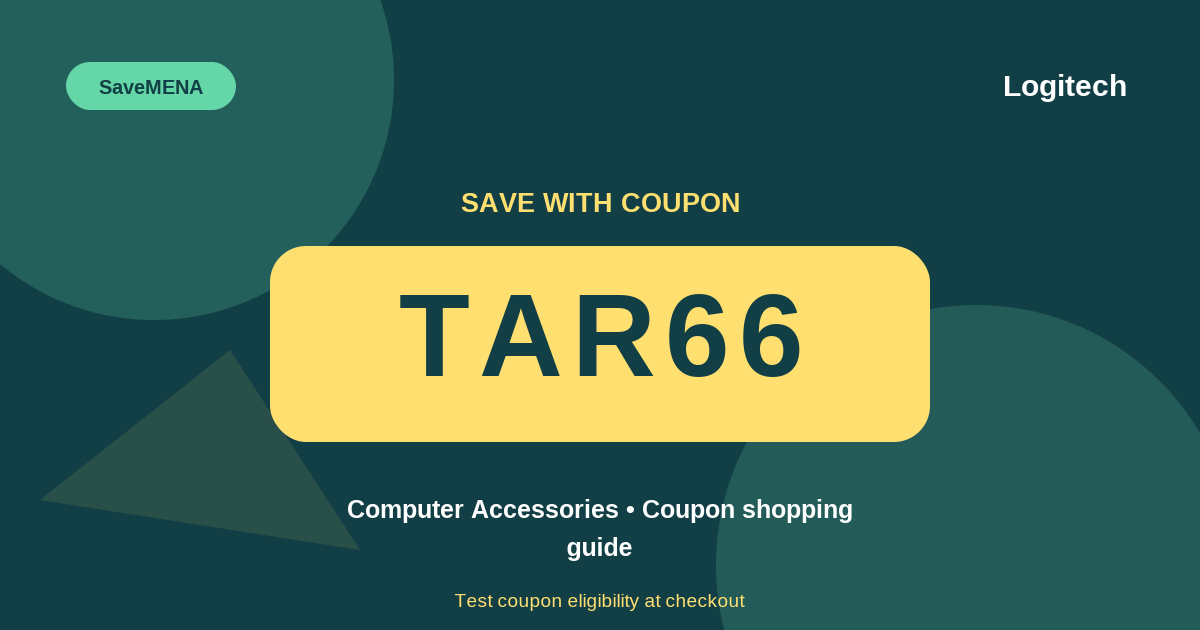
Codes available to try while comparing
These codes are not guaranteed for the article topic or listed brands; test them at checkout and use the live result.
Maximizing Your Savings: combining account benefits with codes.
Maybe section 9? requirement: exactly 8 sections. So above 1-8 inclusive. But we need intro outside sections? Intro is separate, then sections 1-8. Good.
Also length: 1,400-1,650 words before FAQs. That means >180 + 16p(80-100) = 1,280 - 1,600, basically fits within. We'll aim for around 1,400-1,500. That's fine.
How Noon’s Coupon System Works for Computer Accessories
When you browse Noon for computer accessories, every item has an individual promotion flag that can be triggered via a coupon code. The platform’s backend checks the code against a database of active offers and correlates it with the product’s SKU. If all conditions match, a discount tag appears instantly on the cart page. Since the code can be tested “one at a time,” you can experiment with TAR62 on a specific Logitech mouse or keyboard without disrupting other ongoing promotions.
It’s important to remember that Noon’s coupon engine runs checks only at the checkout stage. Even if the code looks valid in your shopping cart, the final amount after the cart update may change once you proceed to payment.A coupon is not guaranteed; verify its result at the retailer checkout.
Verifying Account Eligibility Before Applying Coupon Codes
Your Noon account is the first gatekeeper for coupon usage. Some codes activate only for verified profiles, while others may be limited to specific membership tiers. Before you even add a Logitech product to your cart, log into your Noon account and navigate to the “My Account” dashboard. Look for any stated eligibility notes or settings that confirm you’re a standard or pro shopper.
If you’re unsure whether your account qualifies, the simplest test is to add a Logitech accessory to the cart and proceed to the coupon input field. When the code TAR62 is entered, Noon will either accept it and display a discount or return a brief error message stating “invalid or ineligible.” This immediate feedback helps confirm that your account context is aligned with the coupon’s requirements.
Applying the TAR62 Code to Logitech Accessories
With the account confirmed eligible, locate the Logitech keyboard or mouse you wish to buy. Add a single basic quantity to the cart to keep the assessment clear. On the cart page, find the “Enter Coupon Code” field and type in TAR62. Hit the “Apply” button and watch for any change in the total. Noon updates the cart in real time, ensuring the new subtotal reflects any coupon impact.
If the discount appears, a small tag will display next to the original price. If there is no visible change, the code may be inactive, expired, or simply not applicable to that particular item. At this point, proceed to the checkout to confirm once more that the coupon carries through to the payment stage.
Best Practices for Testing Coupon Codes One at a Time
Testing codes sequentially avoids accidental stacking of offers that might violate Noon’s policy. Begin with only TAR62 in your cart; if it applies, remove all other discount elements. Then, if you want to test a second code, repeat the process with a fresh cart to prevent conflicts. This approach ensures you can isolate the effect of each code without masking issues caused by overlapping promotions.
Also, keep the cart simple: one SKU, standard configuration, no optional extras. Complex product bundles and the coupon code often trigger separate discount rules that can interchangeably override the code you’re testing. By minimizing variables, you maintain control over how the code interacts with the checkout flow.
Monitoring the Checkout for Final Coupon Application
The checkout screen is the decisive moment where all discount logic is executed. Once you click “Proceed to Payment,” Noon will recalculate totals, factoring in shipping, taxes, and any active coupon. If TAR62 works, the reduced price should carry through to the payment page. This stage can also reveal hidden fees that might offset the coupon’s benefit, so double‑check the final payable amount before confirming the transaction.
Should the coupon disappear or a new error appear at checkout, it indicates that some cart element or account rule prevented the code from completing. In such cases, review the selected product’s variant and your account status, and consider starting over to eliminate uncertainties.
Common Hindrances and How Account Context Can Affect Coupon Outcomes
Even with a valid code, certain account‑related factors can sabotage the coupon’s effectiveness. For example, if you’re logged in as a guest or have an incomplete profile, Noon may restrict promotional access. Similarly, some deals are locked to premium subscribers or specific loyalty tiers, which could cause the code to be ignored even though it’s technically “available.”
Account status can also influence post‑purchase notifications. If your profile lacks a verified phone number or email, you might miss confirmation updates that include your saving receipt. Prioritizing a fully verified account safeguards you against such disruptions, ensuring your coupon’s impact is visibly recorded in your order history.
Avoiding Common Errors When Using Coupon Codes on Noon
Triest may encounter trivial yet disruptive issues: inadvertent whitespace in the code field, mis‑spelling TAR62, or using incompatible devices during checkout. Double‑check the code string for typos and trim any leading or trailing characters. Always use the official Noon app or web portal to minimize interface quirks that could prevent the coupon from being recognized.
Another frequent pitfall is attempting to apply a coupon on a sold‑out or variant‑restricted Logitech product. Noon will not accept the code if the item isn’t available in the selected configuration.A coupon is not guaranteed; verify its result at the retailer checkout.
Related SaveMENA pages
Related articles
Official sources to check
Frequently asked questions
A coupon is not guaranteed; verify its result at the retailer checkout.
No. The code is only available to try. Eligibility can vary with the live account, basket, item, seller and campaign context, so checkout is the final reference.
Where should I confirm the coupon result?
Apply the code in the Noon basket and review the live message and final payable total before payment. Do not rely on an undocumented percentage or condition.
Can the result vary by product or seller?
Yes. Eligibility and offer context can vary with the current basket details, so compare the exact item, seller, variant and final total before purchasing.
What should I do if the code does not work?
Check the market, account, item, seller, basket and payment context, then try another code available to try without guessing an unsupported reason.