Logitech Gaming on Noon UAE: account eligibility — testing coupons one at a time · TAR78
When you set out to save on gaming gear on Noon UAE, the first hurdle is often the coupon code you’ll use.
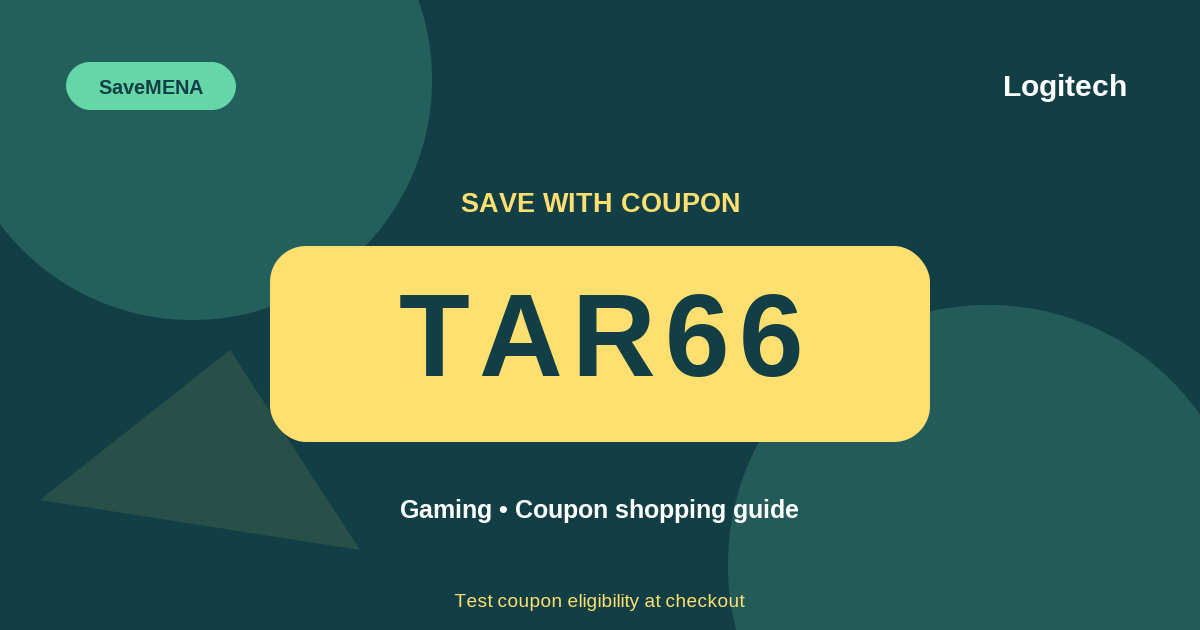
Codes available to try while comparing
These codes are not guaranteed for the article topic or listed brands; test them at checkout and use the live result.
Understanding Noon UAE Coupon Codes for Gaming
Before you even hit “Apply,” it’s crucial to recognize the class of voucher you’re dealing with. Noon’s system accepts public codes and account‑specific ones, but the mechanics differ. A public code can be entered on any cart, while an account‑specific code may lock the coupon to that particular user profile. With gaming products from Logitech, the vendors often register sales peaks on Noon’s platform, so the timing of a coupon can be influential.A coupon is not guaranteed; verify its result at the retailer checkout.
Once you've identified the coupon under the Gaming umbrella, use the VISA approach: Verify the code syntax, try it in the cart, and note the response. An error or “code not found” message is the first sign the coupon may no longer be active. At this point, it is still possible the code is for a specific event or a different region, so you should double‑check the terms displayed on the coupon page – but remember that Noon does not always list complete coupon constraints. If the code appears in the list of public coupons, you can safely attempt it right away; if it falls under “VIP” or “Early Access,” you may need a verified login to test.
Why Logging Into Your Logitech Account Matters
Many gamers rely on their Logitech account for warranty activation, firmware updates, and exclusive extensions. When you manage to login, you inform Noon’s checkout system that your billing and shipping details remain tied to this verified identity. This step is important because some platform coupons activate only after the user’s account meets certain verification criteria, such as a confirmed email, phone number, or linked payment method. In practice, signing into your Logitech account first reduces error rates during the application of a coupon like TAR78, because the system cross‑checks your profile status against the coupon’s eligibility.
Additionally, the integration between Logitech’s account and Noon’s e‑commerce engine can allow for auto‑populating shipping addresses and payment options. This reduces friction that could trigger a coupon validation error. While Noon cannot disclose all back‑end logic, maintaining an active Logitech account gives customers an extra safety net: Most logs will be stored on your device and repeated code entries are usually cached for a short period. If a coupon fails, try logging out, clearing cache, and logging back in before re‑entering it – it’s an inexpensive troubleshooting cycle.
Step‑by‑Step: Trying the TAR78 Coupon
Start by searching for the gaming accessory you want – for instance, a Logitech G502 Hero gaming mouse. Navigate to the product page on Noon UAE and click “Add to Cart.” The cart opens with a field for discount codes. This is where you experiment with the single currently available code, TAR78. Type the code verbatim into the field, do not add spaces or extra characters, and hit the apply button.
When the coupon code is processed, note whether it shows an immediate reduction or an error notification. If the amount changes without a visible error, the code has been applied successfully. Keep in mind the coupon might not reflect a guaranteed discount; the price might remain unchanged if the code is invalid or expired. Record the cart total before checkout, as this is your baseline for verifying a future saving. Then proceed to the next section to confirm address validation and billing.
Common Login Issues and Workarounds
Should the checkout step display a “login required” notice, it’s often because Noon’s coupon validity logic checks the customer’s profile before accepting the voucher.A coupon is not guaranteed; verify its result at the retailer checkout. If you encounter a “session expired” prompt, simply log out and back in, or refresh your browser. Many users have found that clearing the browser cache or switching to an incognito window helps prevent stale session data from interfering with the discount check.
When you’ve confirmed the login, but still get an “invalid code” error, the catch may be subtle. Some coupons have hidden regional restrictions, so verifying that your account’s location setting on Noon matches UAE is worthwhile. Noon will occasionally request a re‑verification of the phone number or email, especially if an account was created recently. Ensuring your contact details are updated can prevent the system from mis‑identifying you as a non‑eligible user.
Combining Gaming Accessories with Other Logins
Gamers often purchase collections of Logitech devices, like a headset paired with a mouse or a controller bundle. Noon applies coupons to the entire cart, not just individual items. If you add multiple Logitech items at once, a single successful use of TAR78 will reduce the total of all eligible products, provided the code satisfies the combined cart value. This makes the coupon more potent when used with larger values.
However, if your cart contains a mix of gaming and non‑gaming items, note that Noon’s coupon engine might still consider the entire basket for discount eligibility. As a precaution, check the checkout summary after applying the code to see if the discount proportionally reflects only the gaming portion or the whole order. If your goal is a strategic spend on gaming gear, favor adding only gaming items until the discount is confirmed before proceeding to checkout.
Final Checkout Checklist
Before you finalize the purchase, cross‑check the following items: your shipping address (should be UAE‑based), payment method (credit card, PayPal, or Noon Wallet), and the presence of the coupon tag (e.g., “TAR78”). Confirm that the price change you observed earlier still appears on the final order summary. At this point, if the cart total remains unchanged after the discount attempt, the code did not apply, and you should investigate potential issues or prioritize other saving tactics.
Keep an eye on the “Terms & Conditions” link outside the cart, because Noon’s policy document occasionally updates details of coupon usage. Even if the code appears valid, check whether there is a maximum discount amount or a minimum purchase value required for Cashback or loyalty points. Highlight the “Confirm” button once all elements are verified, and proceed to submit the order.
Tips for Future Savings
Experience with one coupon can help you anticipate patterns in Noon’s code releases. Often, gaming season sales, new product launches, or public holidays see a spike in active coupons. Keep an eye on Noon’s newsletter or community forums where coders share recently discovered codes. You can set up a spreadsheet to log each code you try, include the date and whether it worked, and note any associated condition such as “valid only for logged‑in accounts.” This personal log acts as your internal audit trail for coupon trials.
Another tactic is to leverage loyalty points – some vouchers can be combined with Noon’s XPLUS or proprietary reward program. While the article does not guarantee such combination availability, experimenting with your points balance during the checkout allows you to see whether the point deduction applies after the coupon. Recording these mechanics in your log can inform your strategy when you restock or plan a premium gaming set.
Long‑Term Account Strategy
Maintaining a consistent Noon UAE account, regularly linked with a payment method, creates a stable platform for coupon usage. If you plan to shop for gaming peripherals regularly, consider setting up auto‑payment for recurring subscriptions or a dedicated wallet that may offer occasional bonus credits. Some users find that profile verifications, such as adding a valid UAE ID or phone number, reduce friction during checkout. However, always verify the use‑case in your personal account settings, because these steps can change with platform updates.
Finally, treat any coupon trial as a learning exercise. The act of trying TAR78, or any similar code, validates your checkout path and surfaces any hidden requirements. Over time, you’ll refine which coupons work with specific login states, adapting your gaming purchase strategy to match Noon’s evolving discount structure. This iterative process builds a more efficient, cost‑aware consumption pattern for all your future Logitech and gaming gear on the UAE e‑commerce marketplace.
Related SaveMENA pages
Related articles
Official sources to check
Frequently asked questions
Does the TAR78 coupon work automatically for all Logitech gaming products on Noon UAE?
The code can be applied to eligible gaming items, but it will only show an effect if your login and the product meet Noon’s internal eligibility criteria.
Can I combine TAR78 with other discounts or vouchers at checkout?
Usage of multiple discounts simultaneously depends on Noon’s policy at the time of purchase; you’ll need to test this during the checkout process.
What should I do if the coupon shows an error after I enter TAR78?
Check that you’re logged into your Logitech account, clear cache, or try in a new browser; if the issue persists, the code may be inactive or region‑restricted.
Will the coupon affect my loyalty points on Noon?
Coupon application typically processes before loyalty point calculation; verify the order summary after applying TAR78 to confirm any point adjustments.