JBL Headphones on Noon UAE: account eligibility — testing coupons one at a time · TAR78
When you open the Noon app or website, locate a headphone product that interests you—whether it’s a JBL set or another brand.
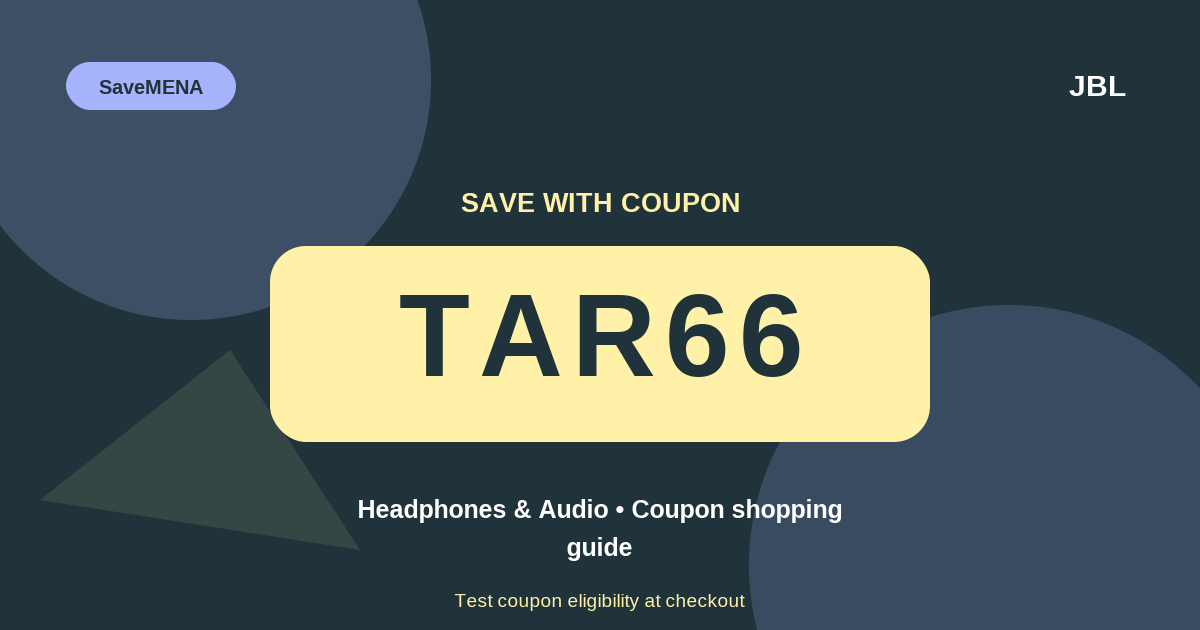
Codes available to try while comparing
These codes are not guaranteed for the article topic or listed brands; test them at checkout and use the live result.
Understanding Noon UAE Coupon Code Application for Headphones
When you open the Noon app or website, locate a headphone product that interests you—whether it’s a JBL set or another brand. Adding the item to your cart creates a transaction that can potentially accept a coupon code. For a coupon to be valid, it must align with the merchant’s general eligibility rules, which are presented during the Checkout step. Even though you know the code you wish to test, it remains a trial; the harmonic function between your cart, the merchant’s offers, and your account status is confirmed only at the final stage.
At this juncture, it is important to remember that the code you intend to try—such as TAR78—must be entered in the designated input field on the cart, prior to progressing to shipping options. This placement guarantees the code is evaluated under the same conditions as any official promotion. Note that the application will provide an immediate notification of success or failure, but it will not alter any other checkout parameters until the final review.
Verified Steps to Test the TAR78 Code with Your Account
From the cart screen, tap the ‘Enter Coupon Code’ box and type TAR78 exactly as it appears. Noon’s system will process the entry and display a brief result message. If the code validates, you will see a confirmation to that effect. If it does not, the message will note that the code cannot be applied. However, a mention of a discount value is not provided at this point; the system only indicates whether the code is accepted.
Once the system confirms the code is valid for that particular cart, it will reflect the new subtotal on the screen. The updated subtotal will differ from the initial price only in that the monetary difference is not shown; Noon will internally calculate it. The screen remains the same until you proceed to the shipping details section where the final total will be displayed.
Checking Eligibility and Stock for JBL Headphones on Noon
Before adding a JBL headphone model to your cart, verify that the product is still available. Online listings can fluctuate; a brief glance at the product description will inform you whether the item is in stock. This step ensures that any code you apply at checkout is relevant and can be processed without delay.
In the meantime, glance over the product page for any mention of shared or exclusive promotions. This does not entail a direct discount figure but informs you of any additional factors that may affect the overall transaction. By confirming that the item’s supply status is positive, you help prevent a scenario where the coupon appears valid but fails due to stock expiration or item removal.
Accumulating Discounts: Combining TAR78 with Other Offers
Noon’s platform typically allows only one coupon to be applied per transaction. However, other promotional offers such as free shipping or debit card discounts can complement the code. A coupon like TAR78 is treated as a single point of price adjustment when the system acknowledges it in the cart.
When you proceed to the final checkout page, you will see a list of all applicable offers. Although the system may not surface a listed discount amount, the presence of the code will influence the final payable sum. Execute the checkout flow carefully to ensure no secondary promotions are inadvertently overridden by using the coupon.
Managing Account-Specific Restrictions When Applying Coupon Codes
Noon's support system may apply account‑level restrictions or thresholds that influence coupon validity. These can include membership status, cart value, or geographic location. In your user account under settings you can confirm whether you have any active subscriptions or special registration that might affect coupon usage.
During the checkout process, a prompt might appear indicating that the code has been applied only if your account meets the necessary conditions. This validation step occurs after you enter the code and before you finalize the shipping details. If the system flags an incompatibility, an explanatory message will be shown, guiding you to the next step.
Calculating the Final Payable Total: What to Expect at Checkout
At the checkout screen, the system consolidates all items, applied code status, and any institutional offers. The resulting amount visible to you is the first definitive confirmation that the code has taken effect. Since the exact discount metrics are internal, the total shows the adjusted sum without a separate discount label.
Beyond confirming the final payable figure, the checkout page also offers the option to review each item, shipping choice, and payment method. These are the moments where you can confirm that the coupon remains active and that the item remains in stock. Choosing a different payment method does not alter the coupon’s validity unless the method itself activates a conflicting promotion.
Common Troubleshooting For Code Validation Errors
When a code appears invalid, double‑check for typographical errors. Negative switches in letter case or accidental spaces can cause a legitimate code to fail. Also, the code may be working on an alternate website or older app version; switching devices can clarify this.
Should you encounter persistent errors, revisit the list of applicable promotions in your account settings. You can also contact Noon’s support chat for clarification. They provide a live dialogue that can confirm whether the code is currently active and if it intersects with any unintended restrictions.
Your Next Step: Complete the Purchase with Confidence
Once the checkout screen reflects a single total that acknowledges the code, the transaction stands ready for payment. Enter your preferred payment method and confirm the final amount. Paying in this step finalizes the application of the coupon alongside any other legitimate offers in your cart.
After payment, you will receive an email confirmation summarizing the transaction. The summary will indicate the applied code and the final amount paid, acting as an official record of the code’s effect. Store the email for future reference should any post‑purchase inquiry arise.
Related SaveMENA pages
Related articles
Official sources to check
Frequently asked questions
How do I determine if TAR78 is valid for the headphone I want?
After adding the headphone to your cart, tap the 'Enter Coupon Code' section, input TAR78, and wait for the system’s confirmation message. If it accepts the code, it’s valid for that transaction at that time.
Can I use TAR78 along with another coupon or promo code?
Noon typically allows only one coupon to be applied per order. Other promotional offers like free shipping or payment‑method discounts can still apply, but they won’t combine with TAR78.
What happens if I apply TAR78 and later change the headset?
Changing the cart after applying TAR78 will reset the validation. You need to re-enter the code to confirm it remains valid for the new selection.
Do I need to create an account to use TAR78?
Account creation isn’t always required to apply a code, but having an account can enable additional verification steps. Confirm your status in account settings before checkout.