Braun Home Appliances on Noon UAE: account eligibility — testing coupons one at · TAR78
When you’re ready to upgrade your kitchen with a Braun appliance, navigating Noon’s coupon ecosystem can feel daunting.
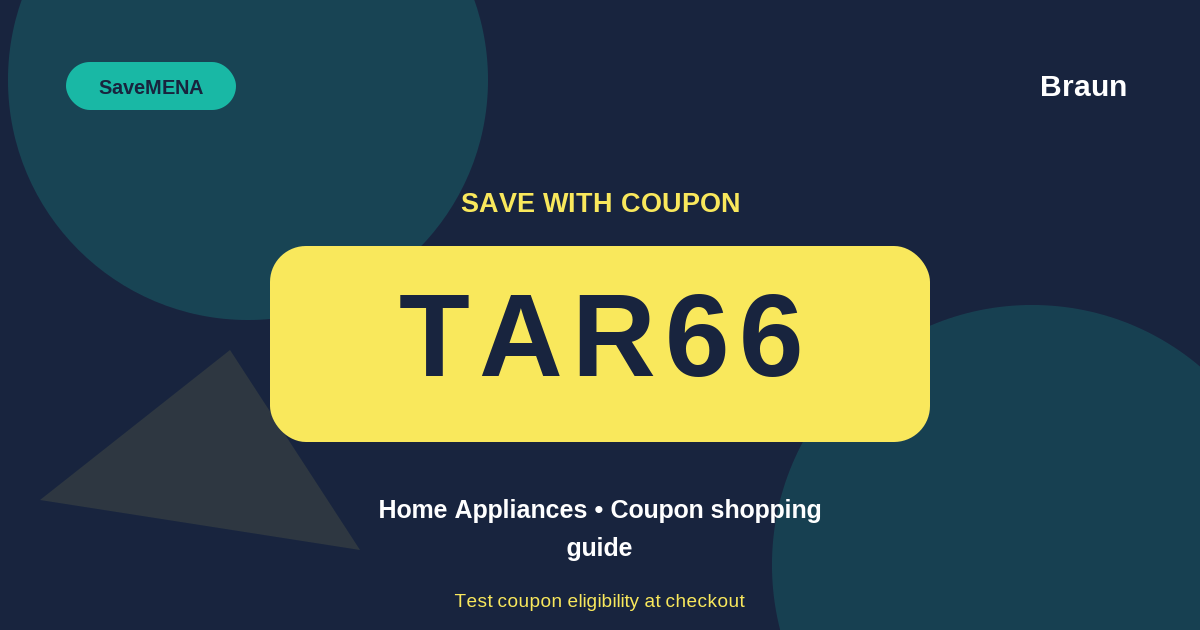
Codes available to try while comparing
These codes are not guaranteed for the article topic or listed brands; test them at checkout and use the live result.
1. Why Testing Coupon Codes Matters
Since Noon’s promotional landscape can differ from day to day, a coupon that worked yesterday might not be valid today. By testing each code separately—starting with TAR78—you keep an accurate benchmark of real savings. Testing also lets you see the environment of the checkout process: are any “app‑only” or “new‑user” hurdles blocking the coupon? An attentive approach prevents you from proceeding with a “save” that merely appears at the cart level and disappears at final payment.
In addition, mismatch between advertised coupon values and final payable totals can happen if the product has already included special pricing. Checking out with a single code at a time shows whether the discount actually modifies the total bill or if it’s simply displayed at an interim step. This isolation lets you audit the exact impact of each coupon on one Braun appliance before you add more items or combine offers.
2. Choosing The Right Braun Home Appliance on Noon
The Braun range on Noon includes kitchen gadgets such as electric kettles, blenders, and coffee makers. When selecting a product, focus on specifications that align with your usage—e.g., wattage, size, or programmable settings. Pay attention to the listed features, user reviews, and the device’s overall build quality, since these factors often correlate with long‑term reliability.
Once you’ve settled on a Braun model, verify that it is sold by a seller listed on Noon’s platform with sufficient inventory to ensure immediate shipment. Checking the seller’s feedback can give you insight into the delivery speed and packaging quality before you commit to purchase and apply your coupon.
3. Creating A Noon UAE Account for Shopping
An active Noon account is required to apply most coupons, including TAR78. Signing up involves providing your UAE mobile number, email, and a secure password. The account created automatically establishes identity verification that the platform uses to track eligibility and redemption history.
The account context also determines if you qualify for “registered‑buyer” discounts. If you already own accounts tied to Noon’s loyalty program, syncing them with your new account can be beneficial. Always double‑check your account settings for any membership or subscription flags as they may influence coupon applicability.
4. Adding Items and Preparing Your Cart
Once your account is ready, add the chosen Braun appliance to your shopping bag. Inspect the cart to make sure the quantity is correct and that no unwanted add‑ons appear automatically. If Noon offers bundle suggestions or accessories, you can choose to decline them if they may inflate the cart’s cost before the coupon is applied.
Review the cart subtotal again after confirming the product’s presence. This step confirms that no extra charges—like service fees or subsidy mismatches—have been appended, ensuring the TAR78 coupon will evaluate against a clean, predictable subtotal.
5. Applying The TAR78 Coupon – One Code At A Time
Navigate to the checkout screen, where you’ll see a field labeled “Promo Code” or “Coupon Code.” Enter TAR78 in the space provided. Hit “Apply” and observe whether the interface accepts the code instantly or presents a temporary message such as “Code accepted, please proceed.” If it’s instantly rejected, no further investigation is needed for that code.
After the code is accepted, the cart display should recalculate. A new line, often titled “Discount” or “Savings,” will appear next to the total. This visual cue confirms the coupon’s effect. If the discount line is absent or the total remains unchanged, your account context or product eligibility may have prevented application of TAR78.
6. Verifying Eligibility and Final Payable Total
The final confirmation comes after you’ve clicked “Continue to Payment.” This stage forces the platform to reconfirm the coupon’s validity against your destination, chosen delivery method, and any restrictions that the seller might impose. It’s the moment where hidden constraints, such as “app‑only” rules or “minimum spend” thresholds, become evident.
At this juncture, the final payable total reflects all applied discounts, taxes, and service fees. It’s the decisive figure that determines what you actually owe, regardless of earlier subtotal calculations.A coupon is not guaranteed; verify its result at the retailer checkout.
7. Tracking Delivery Details After Checkout
Once payment succeeds, Noon will issue an order confirmation mail or push notification linking to a tracking page. Here you can see expected delivery windows. Because Noon offers several shipping options, you may also choose a Fast or Standard route, each potentially altering the arrival time measured in business days.
Tracking updates are delivered automatically, and any delays are communicated through notifications. If your Braun appliance arrives damaged or mismatched, note the reference number and customer support contact to expedite a resolution. Keep your Noon account handy for swift status checks.
8. Managing Returns and Customer Support
If the Braun product you purchased does not meet your expectations—perhaps due to a defect or misrepresented features—Noon’s return policy allows for a standard timeframe to return or exchange. The process typically starts by logging into your account, selecting the order, and initiating a return. Keep the receipt and product packaging to be eligible.
For account‑related issues—like attempting to use a coupon and receiving error messages—contact Noon’s help center or customer support. Filing a ticket or chatting live can provide clarification on whether account status, browsing device, or region restrictions are causing the problem. This helps ensure future purchases run smoothly.
Related SaveMENA pages
Related articles
Official sources to check
Frequently asked questions
How do I know if the TAR78 code will actually work for my Braun purchase?
Enter TAR78 at Noon’s promo code field during checkout and watch for an immediate confirmation. If the code is accepted, you’ll see a discount line before your final payable total. If not, it will be rejected or ignored.
Can I use the TAR78 coupon along with other coupons or promotions?
Noon generally allows only one coupon code in the cart at a time. If you attempt to apply a second code, the first will be cancelled and a warning will appear. For optimal results, test each code individually.
Do I need a specific type of Noon account to use the TAR78 code?
Create a standard Noon UAE account linked to a valid UAE phone number and email. The account context is confirmed at checkout; if the code is unavailable, it may be due to account eligibility, but no special membership is required.
What happens if the Braun appliance is out of stock after I checkout?
If the product becomes unavailable, Noon will notify you via email or within your account. You may be offered a replacement or refund based on the seller’s policy. Check the order status page regularly during the waiting period.