Apple Mobile Accessories on Noon UAE: account eligibility — testing coupons one · TAR78
Begin by navigating to the Noon UAE website or app and selecting a mobile accessory that’s compatible with Apple devices.
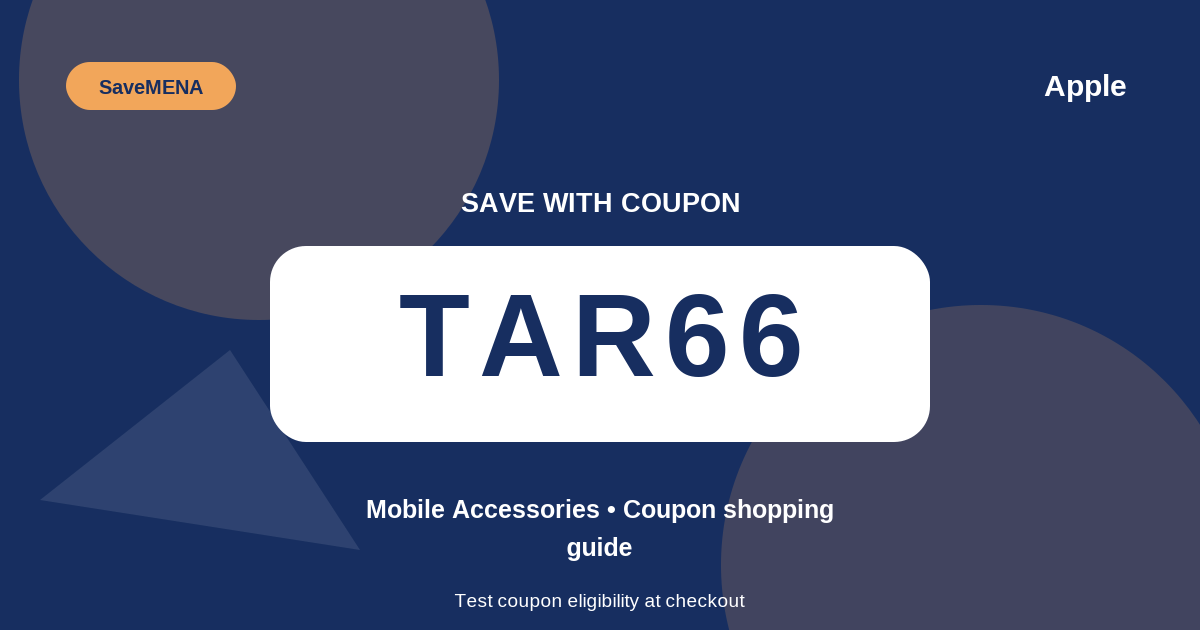
Codes available to try while comparing
These codes are not guaranteed for the article topic or listed brands; test them at checkout and use the live result.
Getting Started: Testing Noon UAE Coupon Codes on Apple Mobile Accessories
Begin by navigating to the Noon UAE website or app and selecting a mobile accessory that’s compatible with Apple devices. It’s essential to verify that the chosen product is listed as eligible for coupon use in your cart view; there is often a note or icon indicating coupon acceptance. Once you’ve added the item to your basket, double‑check that your session remains logged into your Noon account to preserve any account‑specific benefits that could affect code application.
Next, locate the “Apply Coupon” field in the cart summary or during shipping selection. Here, simply enter the code TAR78 and hit apply. The system will process the code against your cart contents, but remember that the outcome is contingent on the current availability of the code and any unforeseen restrictions. If the code is accepted, you’ll see immediate feedback indicating a successful application—otherwise, a helpful note will guide you on the next steps.
The Role of Your Noon Account in Coupon Eligibility
Noon’s coupon engine respects a shopper’s account context: if you’re logged in, the platform may recognize your browsing history, loyalty tier, or prior purchases. This context can influence whether the TAR78 coupon is accepted. For instance, coupons tied to certain user profiles or first‑time buyer incentives may not trigger unless the correct account level is present. As a result, staying signed in throughout the trial is crucial to capture any code compatible with your status.
When testing, pause before checkout to confirm that your account is detected correctly. Look for your profile picture or name in the top corner; if you’re logged out, re‑log in. This simple step prevents accidental falls back to guest checkout, which may not support coupon application for some codes. An active account also ensures that any post‑purchase benefits, such as loyalty points or future promotions, are recorded accurately.
Choosing an Apple Mobile Accessory That Supports Coupon Use
Selecting the right accessory is the foundation of a successful coupon trial. Research product listings that reference compatibility with Apple devices and check for any explicit mention of discount eligibility in the item description or FAQ section. Some accessories, especially those marked “Apple‑only,” may still allow coupon application if Noon’s system flags them as eligible.
Keep an eye on seller information; third‑party sellers may have different policies regarding coupon usage. If a product is listed under a brand partner, the seller’s terms might override standard Noon coupon rules. Verify that the seller accepts coupons by previewing the product page and looking for a “Coupon Accepted” label or the absence of “Not Eligible” statements. This pre-check saves you time during the checkout stage.
Integrating TAR78 into the Checkout Flow
Once your cart is ready and your account is confirmed, proceed to the payment screen. The area where you enter your shipping and payment details will also contain the coupon entry box. Insert TAR78 exactly as it appears—case‑sensitive codes can cause a rejection. After applying, the platform will recalculate the subtotal, taxes, and any shipping charges.
Review the updated order summary meticulously. The system will instantly display whether the coupon has been applied or explain why it couldn’t be accepted. If the summary remains unchanged, trace back to possible causes: product incompatibility, cart value, or account restrictions. At this point, you can still retry but only after addressing the underlying issue highlighted by the platform.
Confirming Coupon Acceptance: What to Look For at Checkout
Success is indicated by a visible change in the payable total or a notification confirming application. The code application area may show a green banner or a specific message that the coupon was accepted. If you see no alteration, it’s likely the code fails in that context.
Verify the final amount carefully against what you expect. Pay attention to any differences between the cart subtotal, taxes, and the final output total. Some codes may discount only the product price, leaving shipping or service fees unaffected. Remember, these values will dictate whether you are moving forward or should attempt a different approach.
Troubleshooting When Your Coupon Fails
A failed coupon often requires a stepwise diagnosis. First, double‑check the code spelling and ensure you haven't accidentally typed spaces. If the code truly applies but still fails, consider possible restrictions such as a minimum purchase amount, limited device models, or geographic constraints.
If the issue persists, clear your browser’s cache or restart the app. Sometimes, stale session data interferes with coupon processing. Alternatively, log out and back in to refresh your account context. Once refreshed, re‑apply TAR78; if it still doesn’t work, note any error message and proceed to the next section for a recovery strategy.
The Complete Order Journey from Browse to Pay
Assuming the coupon applies successfully, you’ll now proceed with payment. Choose your preferred payment method—be it debit card, credit card, or electronic wallet—and confirm the purchasing details. The final checkout screen bundles product price, taxes, shipping, and applied coupon adjustments into one clear summary.
After final confirmation, you will receive an order confirmation page and an email summarizing the transaction. The email will include the final amount charged, which reflects any coupon redemption. If you had multiple coupons in the pipeline, only the last applied will show; here, it’s TAR78, if accepted. Verify that the amount aligns with the checkout total to ensure the code worked as intended.
Managing Your Noon Account After Coupon Redemption
Post‑purchase, your Noon account should update to reflect any new loyalty points, credit, or promotional credits earned from the transaction. Check the order history in your profile to confirm that the discount appears on the invoice.
If the coupon didn’t apply, review if the transaction was recorded without a discount. In cases where you encountered technical obstacles, you may want to contact Noon customer support. They can verify whether the coupon was applied server‑side and offer potential refunds or retries if the code was displayed as accepted during checkout.
Related SaveMENA pages
Related articles
Official sources to check
Frequently asked questions
How can I verify if TAR78 can be used on my chosen Apple mobile accessory?
Before adding the item to your cart, check the product description for any mention of coupon eligibility. Some listings may note “Coupon accepted” or “Not eligible for discounts.” If unsure, add it to cart and look for an eligibility indicator on the cart page. Larger sellers or brand partners may provide clearer guidance in their listing notes.
What should I do if TAR78 doesn’t apply at checkout?
First, double‑check the code’s spelling and ensure you’re logged into your Noon account. If it still fails, look for any error messages about minimum spend or incompatibility. If you’re certain your cart meets all requirements, consider logging out and back in to refresh the session, then re‑apply the code or reach out to Noon support for clarification.
Will using TAR78 affect any loyalty points or future promotions in my Noon account?
Using a coupon can sometimes alter the calculated loyalty points because points are often based on the final charged amount. After checkout, review your order summary and points accrual in your profile to confirm how many points you earned under the discounted price. Future engagements remain unaffected unless the coupon’s terms explicitly state otherwise.
Can I apply TAR78 along with other promotion codes at Noon?
No, Noon’s order flow typically allows only a single coupon to be applied for each transaction. Attempting to use multiple codes will result in a message indicating that only one coupon can be used at a time. Therefore, if you wish to try another code, you need to remove TAR78 before applying the next one.