Mobile Accessories on Noon UAE: account eligibility — testing coupons one at a · TAR78
Before you even set off on a shop‑through, it helps to frame the experiment. Testing a coupon code in this sense is not just about the final price; it’s a
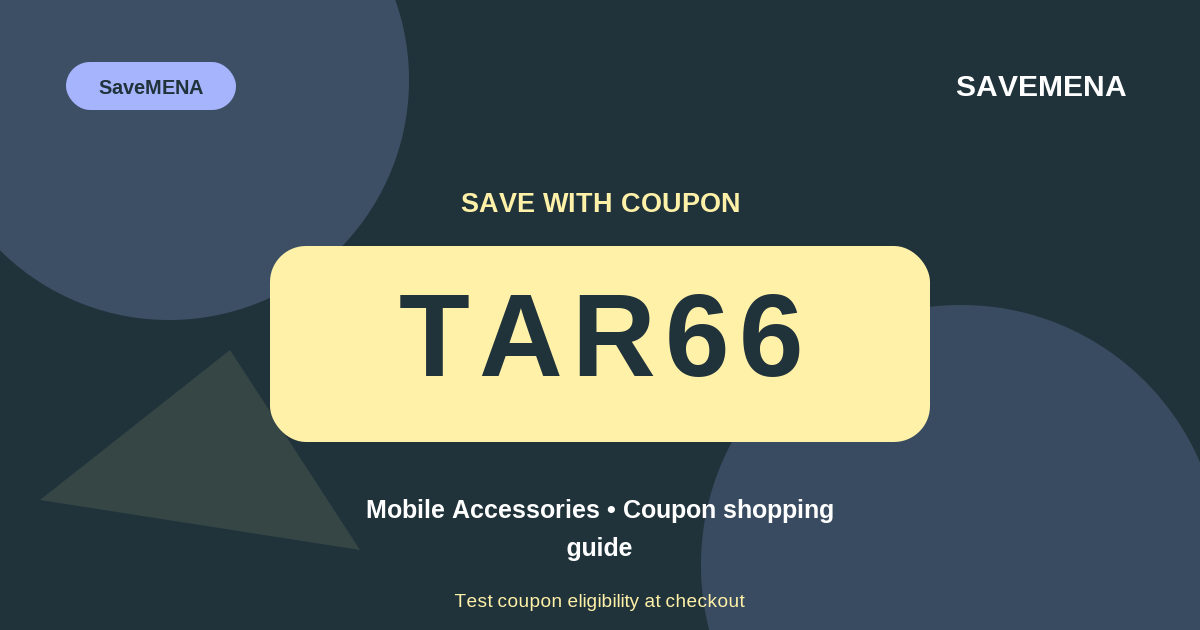
Codes available to try while comparing
These codes are not guaranteed for the article topic or listed brands; test them at checkout and use the live result.
1. Understanding the Coupon Trial Process
Before you even set off on a shop‑through, it helps to frame the experiment. Testing a coupon code in this sense is not just about the final price; it’s a systematic observation of how the system responds to a code under different cart compositions. What you’ll want to watch for is whether the code applies at all, the nature of any benefits it shows (discount amount, free shipping indicator, or a different promotional tag), and whether it disappears once certain threshold conditions are not met. Keep a simple log: the date, the code entered, the items in the cart, and the final summary. That will let you spot patterns later—especially handy if you’re juggling several codes in sequence.
The overall goal is to keep the testing straightforward: add items, apply code, then check the outcome at the checkout page. Once you’ve verified the cart excludes the code, you swap it for another and repeat. To avoid being misled by temporary site glitches, refresh the page between codes, and ideally use a browser session that isn’t cached. In doing so, you run a clean test each time, free from leftover data that might otherwise mask whether the code truly fails or simply doesn’t qualify for the particular shipping scenario you’re in.
2. Selecting the Right Mobile Accessories on Noon
In a market as wide as Noon’s, the type of mobile accessory you choose can alter a coupon’s eligibility. Some sellers earmark certain products for promotional use; others exclude items in high‑price ranges. Before you pick your items, search the expected category e.g., “phone cases,” “wireless chargers,” or “earbuds” and then review the product detail page for any “eligible for coupon” notes. If you’re unsure, cross‑check the seller’s profile for special notes around discount participation.
Moreover, when compiling a test cart, aim for a range that tests the boundaries: a single cheap cased phone, a mid‑tier leap‑peak charger, and a premium data‑plan headset. By covering the spectrum, you’ll see whether a code applies exclusively to low‑budget items or to accessories above a threshold. After all, if the code “does not work” on the most expensive item, it may still be valid on others. So diversify your sample to get a truthful picture of how the coupon reacts to different product tiers.
3. Adding Items to Your Cart and Good Practices
Once your shortlist is ready, add each item one by one while keeping the cart page active. It’s best to maintain a minimal cart so you can isolate the code’s impact. However, if the coupon is said to trigger only after you reach a minimum spend, or if you suspect that adding a second product could activate it, run that scenario as well. The idea is to prove whether a single item or a combined spend will trigger the discount.
After you’ve assembled the cart, double‑check that the “Free Shipping” flag or any discount indicator appears on the cart page before you transition to checkout. An absent flag means the code either did not yet apply or hasn't reached activation thresholds. Do not hop onto the checkout page just yet; you’ll want to handle the code entry there for transparency.
4. Applying the TAR78 Code – Step‑by‑Step
At the checkout stage, locate the field labelled “Coupon Code” or “Discount Code.” Even though the website may automatically apply generic savings, you still need to manually enter the TAR78 string. Type it carefully—ensuring no leading or trailing spaces—and hit the apply button.
Following the apply action, the screen should refresh, presenting a line that mentions the applied discount. If you see a visible reduction on the total, the code has succeeded. If the summary remains unchanged and perhaps shows a message such as “Invalid code” or “No discount available,” then TAR78 did not apply in this context. Remember, only the final checkout summary mirrors the system’s validity of the coupon.
5. Reading the Checkout Summary: What the Discount Line Shows
If the code applies, the checkout recap will list an “item discount” bracket or a “promotional discount” that visibly subtracts from your payable amount. The exact wording varies, but you should look for a line that references the discount name, a numeric value, or a free‑shipping badge. This is the honest indicator of how much the coupon has clipped from the final payable total.
If the coupon is ineffective, the checkout will typically state “No discount applied” or provide a short explanation. At this point, you need to decide whether to try another code (like a different one you’ve collected) or verify that your cart for the current product mix indeed qualifies for the TAR78 coupon per the account context. In the event of a failure, resetting the cart and attempting the same process with a different item may surface an unexpected eligibility.
6. Account Context: Account Type, Shipping, and Return
One of the most under‑noticed factors in coupon usage is the shopper’s account context. First, check whether you are logged in; most coupon systems are tied to a valid, active profile. If you are a regular customer, the website may apply loyalty benefits that could affect coupon eligibility. For new or guest shoppers, the code might be unavailable en masse, requiring a valid email address and confirmation step.
Second, shipping method and destination can influence coupon success. Some promotions are limited to personal delivery or only certain after‑hours. When testing, always confirm that your shipping address remains consistent between attempts to avoid unintentional failures. Finally, if a seller specifies a return policy that conflicts with promotional use (for instance, “no returns on discounted items”), note that detail too because it can add context to the overall viability of the coupon for that particular product.
7. Troubleshooting Common Issues with Coupon Codes
The first error you’ll almost certainly see is a message that reads “Coupon not valid or expired.” In that case, double‑check the spelling and the presence of any uppercase/lowercase requirements. If the code corrects but still fails, examine whether a minimum spend or cart size restriction is in place—common in dynamic coupons.A coupon is not guaranteed; verify its result at the retailer checkout.
The second issue, “Coupon already used,” is a result of a single‑use policy tied to the account or the order. After you experience this, you can choose to base the test on another code or log in from a different device to test again. It’s also possible the coupon was temporarily offered as a flash sale in a specific region, which might be off for non‑UAE addresses—so verify your cart’s location hierarchy when testing.
8. Recording Your Cart and Tracking Use of Multiple Codes
When working with multiple coupon attempts, having a quick reference sheet or a simple tab in your spreadsheet is invaluable. Record the code, the items in the cart, the apply‑and‑see outcome (e.g. “applied discount: the amount shown at checkout” or “no effect”), and any account context changes (e.g., signed and signed out). This data will show whether the issue is with the code or its compatibility with current cart items.
If you notice a pattern—say, the coupon always fails when the cart contains a specific brand—then you can see that the obstacle is product‑specific. Conversely, if the code works only after you sign in, the account context is the key variable. Using this systematic method, you’ll find certain combinations that “try Noon UAE coupon codes” successfully, while others will be omitted from future attempts, saving time and frustration.
Related SaveMENA pages
Related articles
Official sources to check
Frequently asked questions
What should I do if the TAR78 code shows “Invalid code” at checkout?
Double‑check the characters and capitalization, confirm you’re logged in if the coupon requires an account, and make sure the items in your cart qualify for the coupon. If it still fails, the code may not be active for your region or cart composition.
Can I use the same coupon code for multiple items in my cart?
Coupon usage rules vary. Some codes allow a single discount regardless of item count, while others apply only on certain products or after a minimum spend. Check the final checkout summary for a discount line to confirm the exact effect.
Will the discount be applied if I change my shipping address?
Some promotions restrict application based on shipping location or method. After changing your address, revisit the checkout to verify whether the discount still appears; if it disappeared, the code might be tied to the original location.
Do I need to create a Noon account to use the TAR78 coupon?
Coupon eligibility can depend on account status. A logged‑in user may be required for certain promos; otherwise, a guest checkout might restrict availability. Verify by attempting the code both logged in and as a guest if that's allowed on Noon.