Adidas Women’s Fashion on Noon UAE: account eligibility — testing coupons one · TAR78
Looking to experiment with Noon UAE coupon codes during your women’s fashion haul, you’ll face the common task of testing one code at a time.
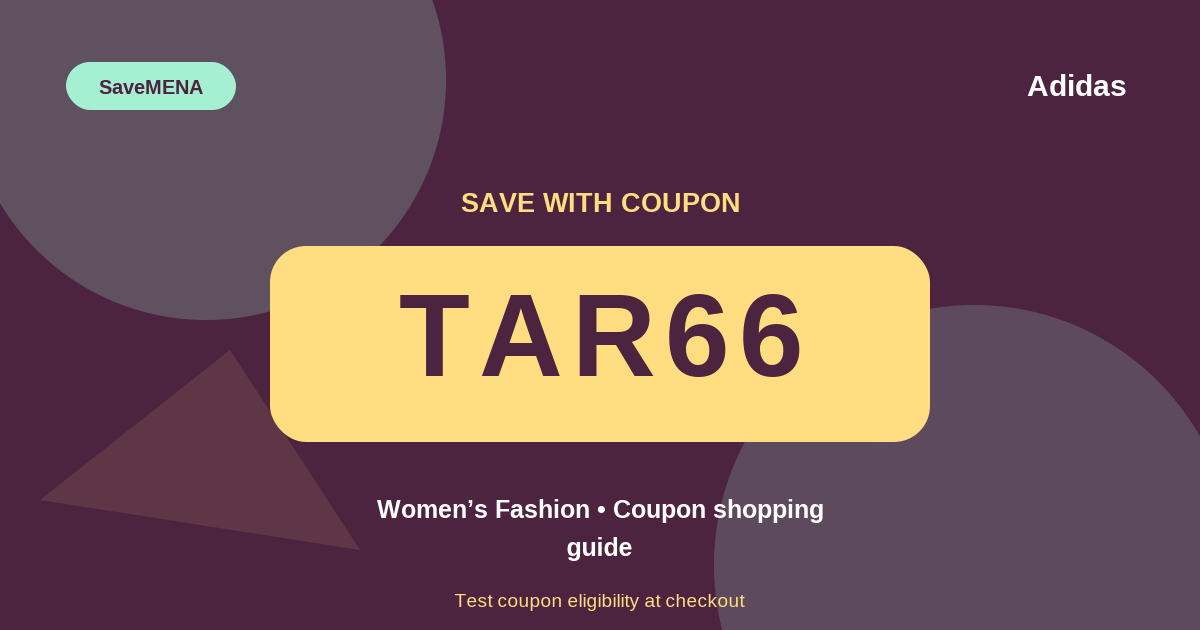
Codes available to try while comparing
These codes are not guaranteed for the article topic or listed brands; test them at checkout and use the live result.
Understanding the Account Context for Noon Coupon Codes
When dealing with coupon codes on Noon UAE, the type of account you use is pivotal. Accounts linked to a UAE mobile number or verified with a national ID can trigger different validation rules compared to guest checkout sessions. Since the focus keyword emphasizes an account context, you should confirm whether your Noon profile has a verified shipping address, active payment method, and a saving plan linked to your shopping history. The “Terms & Conditions” for each registered account influence whether a code like TAR78 will be accepted on a women’s fashion item, so start by ensuring your profile is fully set up before applying the code.
Moreover, account status such as whether you’re a new subscriber or a returning customer can subtly affect coupon eligibility. Some promotions automatically attach to returning shoppers who have made prior purchases, while others the coupon code new users. To maintain an unbiased view, verify that your account falls within the broad user base for which Noon offers coupon application that has not been explicitly restricted. By understanding your account’s sufficient details, you set a solid foundation for reliable coupon testing.
Using TAR78 on Your Women’s Fashion Cart: Step-by-Step Application
Begin by navigating to the women’s fashion section on Noon’s mobile app or web portal and selecting your adidas apparel or footwear. Add the chosen items to the cart, then proceed to the checkout page. In the “Coupon Code” field, type in TAR78 exactly as shown, being mindful of capitalization. On most platforms, the entry field will not automatically validate; you must press the surrounding button to confirm. A pop‑up will indicate whether the code is recognized or reject the submission, at which point you’ve already tested this code in the current account.
If the code accepts you will see an immediate visual cue next to the cart price—typically a small line‑through price and the new adjusted price. However, this visual cue does not guarantee final savings; you must proceed to the payment screen before confirming the transaction. The “Coupon Code” field will lock after you confirm, allowing you to test only one code at this stage. Keep this in mind, as attempting to reapply multiple codes requires revisiting the cart after a payment failure.
Common Hurdles When Trying Noon Coupon Codes in Your Account
One frequent obstacle is a mismatch between the product category and the coupon scope. While TAR78 can be tested on women’s fashion, it might not be valid if the specific adidas item falls under a restricted sub‑category. Moreover, the code can also be invalid if the item’s stock has been moved to an exclusive seller that Noon’s internal engine does not recognize for general coupon usage. In these situations, the platform typically alerts you with “This coupon cannot be applied” before it’s possible to see a discount.
Another downside that shoppers often overlook is the “rate limiting” on consecutive coupon attempts. If you repeatedly enter TAR78 and receive rejection, Noon may temporarily lock that code entry field for your session, forcing you to wait or refresh the page to continue testing. While this does not reflect a permanent invalidation of the coupon, it illustrates how account‑specific features—such as session cookies or IP‑based restrictions—can interfere with the testing process, especially on mobile devices.
How Payment Method Choices Can Influence Coupon Validity
The checkout experience on Noon often connects the coupon validation routine to the payment method. If you choose a credit card with a zero‑rate installment plan, the demo engine may query the card's issuer to confirm authenticity. In some cases, a failed authentication triggers a fallback that denies the coupon. Thus, if TAR78 does not apply, try switching to a more conventional payment method like a debit card or the Noon app’s stored balance.
Similarly, some of Noon’s holders have noted that using a virtual currency wallet or a promotional debit card from a partner bank can bypass the coupon check, providing a *different* perspective on the code’s actual acceptance. Since the primary focus is to test codes in a real‑world scenario, verifying whether different payment gateways affect coupon behavior is an essential dot‑to‑dot. The variances observed will form a reference point for any future attempts, ensuring that your account context remains the decisive factor in coupon acceptance.
Verifying Coupon Acceptance Prior to Final Checkout
Once you see a price adjustment after submitting TAR78, take a moment to review the detailed order summary. Noon traditionally lists each line item, the applied coupon code, and the final payable amount prior to shipping. Double‑check that the final sum reflects the discount, and ensure that the shipping fee remains unchanged or has not been overridden by the coupon. This review step prevents surprises when you commit to the payment.
If you cannot find an explicit label indicating that the coupon was applied, do not assume the discount was ignored. Some UI variations on Noon only highlight the adjusted price without a code label. In such instances, revisit the cart, re‑enter TAR78, and confirm that the same adjustment appears. If the adjustment disappears upon re‑entry, it signals a potential validation restriction tied to your account. Validated information should be taken as factual evidence before proceeding to the payment screen.
Managing Multiple Attempts: One Code at a Time Strategy
Even if TAR78 fails, it does not automatically mean the code is dead. The key idea is to test each code in isolation by clearing the cart’s coupon field and re‑entering it afresh. In practice, this means: go to the cart, click the coupon field, delete the existing entry, paste TAR78, confirm, and observe the outcome. Only when the code applies should you stop testing other codes.
Adjusting the logic for small lifestyle shoppers in the UAE involves timing your tests around Noon’s flash sale schedules or peak traffic hours. Coupon checks are resource‑intensive; therefore, performing the test during off‑peak times can reduce the chance that temporary server errors block the code. By approaching each attempt methodically with quick re‑entries, you reduce trial‑and‑error fatigue and improve the chance of revealing a legitimate coupon discount.
What to Do If TAR78 Doesn’t Apply in Your Noon Account
If the code shows as rejected after you’ve confirmed it shows no deviation from the original price, the next step is to inspect your account’s “Account Settings.” Check the “Payment Methods” tab and verify that you have at least one active, verified card. If not, add and confirm a new card. Once this step completes, revisit the cart, apply TAR78 again, and monitor the outcome.
Should the code remain ineffective after payment‑method adjustments, consider logging out and back into Noon, or clearing browser cache if using the web version. These steps reset Chrome’s or Safari’s session cookies, potentially clearing any lingering server‑relative blocks that prevented the coupon before. If after all these resets the coupon still refuses to validate, the practical approach is to move on to the next code in your testing list or leave the cart to complete the purchase without a discount.
Summary: Ensuring a Smooth Coupon Experience for Women’s Fashion Purchases
The central lesson for UAE shoppers applying Noon UAE coupon codes like TAR78 is to treat each attempt like a controlled experiment. Keep your account fully verified, test only one code at a time, and monitor whether the final payment screen reflects the discount. By methodically verifying each step within your account context, you’ll know precisely whether the coupon works and avoid unnecessary frustration at checkout.
Ultimately, the accuracy of the account details—verified payment methods, shipping addresses, and login status—remains the main driver for coupon validation. If your setup matches Noon’s broad eligibility criteria, the testing routine described here offers a reliable path to assessing whether TAR78 will apply. Even when it doesn’t, you’ll be left with an understanding of which account factors to adjust next, ensuring future attempts rest on a solid foundation backed by real‑world data.
Related SaveMENA pages
Related articles
Official sources to check
Frequently asked questions
A coupon is not guaranteed; verify its result at the retailer checkout.
No. The code is only available to try. Eligibility can vary with the live account, basket, item, seller and campaign context, so checkout is the final reference.
Where should I confirm the coupon result?
Apply the code in the Noon basket and review the live message and final payable total before payment. Do not rely on an undocumented percentage or condition.
Can the result vary by product or seller?
Yes. Eligibility and offer context can vary with the current basket details, so compare the exact item, seller, variant and final total before purchasing.
What should I do if the code does not work?
Check the market, account, item, seller, basket and payment context, then try another code available to try without guessing an unsupported reason.