Anker Computer Accessories on Noon UAE: basket contents — testing coupons one · TAR92
When shoppers in the UAE dive into the realm of online deals, the first step is clear: test the coupon code TAR92 one at a time to gauge its real‑world effect on a
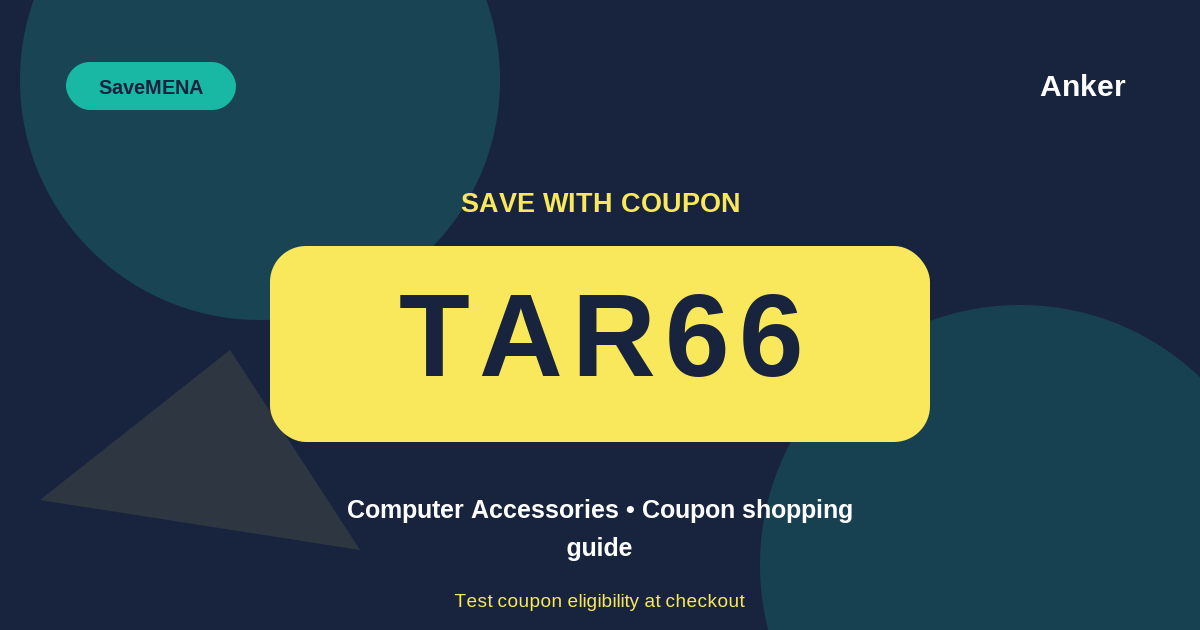
Codes available to try while comparing
These codes are not guaranteed for the article topic or listed brands; test them at checkout and use the live result.
1. Understanding Basket Composition for Coupon Success
Before you even open Noon’s website, mentally map out the shapes of the items you need. Determine whether a single power bank, a pair of USB‑C hubs, or a full laptop monitor kit fits your budget. The clearer this mental list, the easier it is to spot discounts that Stick around the cart stage. Think of each product’s size, weight, and price as a node in your basket architecture, ready to be evaluated for coupon compatibility.
Basket composition also means ensuring that every chosen item belongs to the same seller or brand block that might share promotional terms. For Anker accessories, check if the listed seller consistently offers reliable delivery and fresh inventories. Aligning all items under a common seller can reduce shipping variables, making the coupon’s application more predictable when you hit that final checkout screen.
2. Selecting Anker Computer Accessories for Your Cart
Start by searching for the specific Anker product category that aligns with your computing needs. This could involve a smart power bank, a multi‑port hub, or a wireless mouse. Filter the results to show only official Anker listings or those marked by trusted sellers. The goal is to keep the basket clean: each item should carry the same brand recognition and guarantee authenticity.
When pruning your list, consider the item’s relevance to your workflow. A high‑capacity battery may be essential for a mobile workstation, while a hub may be overkill for a fixed desktop setup.A coupon is not guaranteed; verify its result at the retailer checkout.
3. Organizing Your Cart: Item Prioritization and Quantities
Once you have a set of Anker accessories, decide which items you would purchase in bulk and which are one‑offs. Bulk items might absorb more of a coupon’s blocking mechanism, thereby distributing the discount across several units. Knowing your quantities ahead of time reduces post‑add‑to‑cart confusion.
Such the order of priority should reflect your immediate needs versus future planning. Place must‑have items at the top of the cart so the checkout engine processes them first; less critical accessories can follow. This structured order aids the checkout algorithm in applying coupon codes, as some platforms apply discounts sequentially based on cart order.
4. Applying the TAR92 Coupon Code: Step‑By‑Step Alignment
Many online retailers require you to manually input the coupon at the end of the checkout flow. Locate the “Enter Promo Code” field and type TAR92. Remember, the coupon is available to try; the system will only reveal its true effect during the final checkout, not from preview screens.
At this juncture, ensure that your cart still meets all buyer‑side requirements: verify that the chosen items still rest on the same seller, that you’ve not inadvertently swapped variants, and that the list of accessories did not pull in unrelated items during a recent search update. Once the code is accepted, observe how the site updates the subtotal and whether any fee adjustments appear.
5. Monitoring Cart Totals and Potential Fees
The moment the coupon is applied, it is common to see a shift in the subtotal field, yet other charges such as delivery or processing fees might still accrue unchanged. Review each line item: if the fee sliders remain constant, the coupon’s influence may be limited to the base price alone.
Because of this split, confirming the “gears” error section at the bottom of the cart provides clarity on whether TAR92 attempted to cut into shipping. An explicit total after all adjustments will reveal if you’re truly saving, and whether you should adjust quantities or switch variants to manoeuvre the coupon into a better fit.
6. Verifying Eligibility: Seller & Sale Terms Compliance
Not all sellers honor third‑party coupons, and some promotions have seller‑specific restrictions. Check the listing’s seller profile to confirm they allow external codes. The presence of clear seller details next to the price or brand logo is an indication of compliance.
Further, read the product description or seller notes for any sale‑specific clauses, especially if the item is on clearance or limited‑stock. These conditions can affect whether TAR92 applies. Checking the final checkout’s eligibility prompt can confirm if the coupon remained valid up until the last view.
7. Adjusting Quantity and Variant Choices for Optimal Savings
If the coupon did not impact the amount as expected, consider slightly tweaking the order. Increasing the quantity of a single Anker item can sometimes activate tiered discount logic that the code was built to the coupon code.
Alternatively, selecting a variant with a slightly higher price can help the code justify covering a larger portion of the order, especially for flat‑rate coupons. Small net changes, verified via the final checkout summary, are key to fine‑tuning basket composition to align with the coupon’s design.
8. Finalizing Checkout: What to Watch After Applying the Coupon
As you approach the final “Place Order” button, scrutinize every figure: the subtotal, each fee, and the grand total. This snapshot is the only definitive reference for coupon eligibility. In case the discount hasn’t applied, note whether any explanatory message appears (e.g., “Coupon not applicable to chosen items”).
Once you confirm the totals are acceptable, complete the payment process. After the transaction, track the confirmation email for the final amountcharged, and cross‑check against the online receipt.A coupon is not guaranteed; verify its result at the retailer checkout.
Related SaveMENA pages
Related articles
Official sources to check
Frequently asked questions
A coupon is not guaranteed; verify its result at the retailer checkout.
No, the coupon is only available to try and may not apply to every Anker item or seller. Verify the eligibility on the final checkout page before completing the purchase.
Can I combine TAR92 with other discounts or flash sales?
Coupons typically cannot be combined with other active promotions. Check the specific coupon terms on Noon or within your account to confirm whether stacking is allowed when you reach checkout.
What if the coupon doesn’t show a discount after I apply it?
When the discount does not appear, review the cart and seller details for compatibility. If still pending, contact Noon customer support or the seller directly to clarify the coupon’s applicability.
Does the TAR92 coupon apply to shipping fees?
Coupons usually the coupon code the product subtotal. Shipping and other processing fees might remain unchanged. Confirm the final totals on the checkout screen to see if any fee adjustments occurred.