Cameras on Noon UAE: checkout message — testing coupons one at a time
Paragraph 1 of intro: 140-180 words. We'll write about trying coupons, live message, save money, answer search intent.
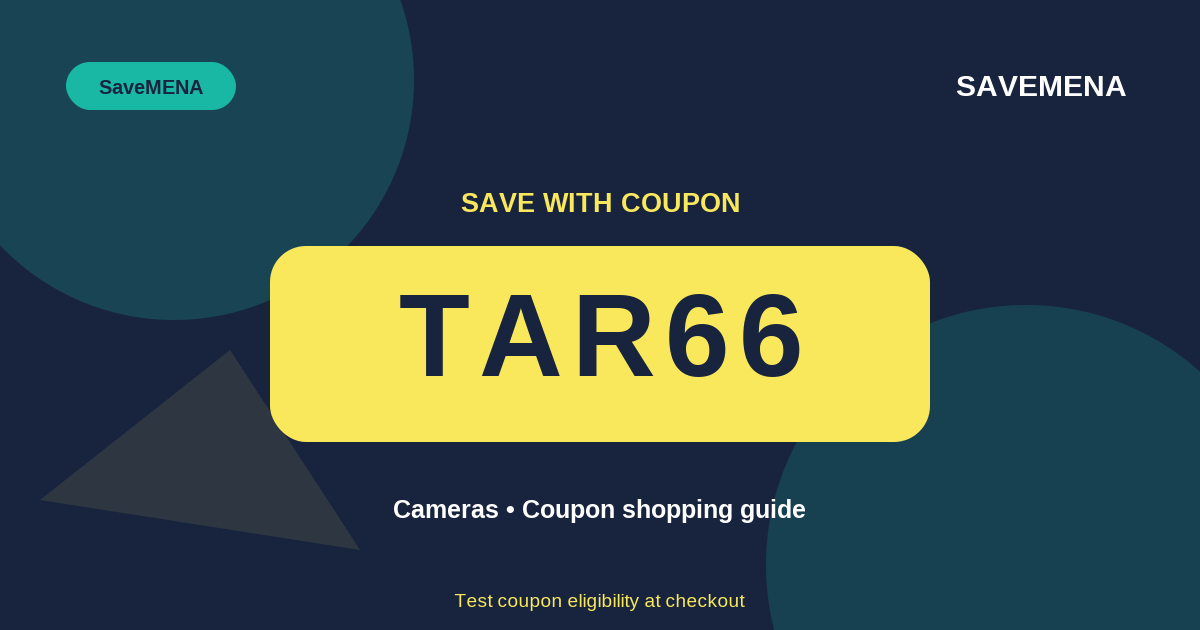
Codes available to try while comparing
These codes are not guaranteed for the article topic or listed brands; test them at checkout and use the live result.
Finalizing Payment After Coupon Confirmation
Paragraph 1 of intro: 140-180 words. We'll write about trying coupons, live message, save money, answer search intent.
Also include the keyword "try Noon UAE coupon codes Cameras" within e.g., header or paragraph.
Build Your Camera Wishlist and Identify Preferred Sellers
Start by compiling a list of camera models you’re interested in. Use Noon’s search filters to narrow by brand, sensor type, or price range so you can compare offerings side‑by‑side. Once you’ve shortlisted a few options, note the seller details displayed next to each product – a stable seller often provides clearer shipping and return information for UAE shoppers. Keeping an organised list helps you quickly switch between items without losing track of coupon eligibility or seller reputation during the buying cycle.
When flipping between products, be mindful that the TAR66 code is initialized per shopper session. If you change the camera before applying the coupon, the active promo might reset; therefore, lock in the chosen model first, then proceed to the next step to avoid repeated code entries for the same item.
Insert the TAR66 Code on the Product Page Prior to Checkout
After selecting a camera, locate the “Apply Coupon” field usually found near the price summary on the product page. Type the code TAR66 exactly as it appears, taking care not to include extra spaces or characters. The field will immediately validate the code and display a true or false status, but the final discount confirmation won’t appear until you proceed to checkout.
Even if the system responds with “invalid coupon,” keep the code visible; you may attempt it again while browsing other items. Remember that the coupon’s applicability will ultimately be confirmed only in the live coupon message during checkout, so avoid making a purchasing decision based solely on the preliminary validation.
Proceed to the Checkout Summary and Watch the Live Coupon Panel
Add your chosen camera to the cart and click “Proceed to Checkout.” On the checkout summary page, scroll to the section that displays the list of applied coupons. If TAR66 has been accepted, the panel will show the code with a status label. This live coupon message updates in real time and reflects whether the code succeeded or encountered a restriction.
Pay close attention to the timing of this update; some stores refresh the coupon status only after the shipping method is selected or after the cart totals are recalculated. If the panel appears blank, it indicates the code is still under evaluation and you should verify the next steps.
Interpret the Live Coupon Confirmation Text and Its Implications
The live coupon message will display a brief text such as “TAR66 applied successfully” or “TAR66 could not be applied.” This concise wording provides a first‑hand indicator of whether the code is currently usable for the selected product and seller. Any message that mentions a limitation will prompt you to reconsider the product choice or coupon selection.
UAE shoppers should confirm that the live coupon panel is anchored within the same viewport as the payment method: if the message pops up in a separate tab or window, it might not be integrated into the final order summary, which can affect the actual discount during payment.
Verify the Coupon’s Impact on the Final Total Before Paying</HEHEADING>
Even after the live message confirms application, scroll to the final payable amount located below the shipping and payment method. The amount shown there is the definitive figure that will be debited from your card or wallet. If the coupon had successfully reduced the price, this total will reflect the discounted value. Compare it against the original list price to gauge the saving, but remember that the precise discount percentage isn’t disclosed upfront.
If you notice no change in the total, or if the amount has increased, revisit the live coupon panel. A discrepancy often indicates that the code was rejected after the shipping estimate or while applying VAT calculations specific to UAE requirements.
Manage Failed Coupon Attempts and Re‑Try Sequentially
Should TAR66 fail on your first attempt, clear the coupon field, re‑enter the code, and wait for the live message to update. This iterative approach lets you test the same code on different sellers or camera models to determine where it applies. Ensure you discontinue the same code in multiple products to avoid overlapping state issues that might cause failure.
Keep a short log outside Noon of each attempt: note the product, seller, and whether the live message read “applied” or “failed.” This record helps you understand patterns, such as whether the issue is linked to a particular brand or to the stock level of the item.
Handle Coupon Rejections and Explore Alternative Discount Pathways
If TAR66 is consistently rejected, search for alternative promotional tags on the product page—often labelled “Flash Sale” or “Deal of the Day.” These displays provide non-code discounts that automatically reflect in the checkout total and avoid the need for a coupon entry.
When re‑trying, also confirm that your shopping cart does not contain items from multiple sellers, as Noon occasionally restricts multi‑seller coupons to avoid fragmentation of promotions. Clearing the cart and rebuilding it with a single seller may enable the coupon to activate.
Related SaveMENA pages
Related articles
Official sources to check
Frequently asked questions
Will the TAR66 coupon be applied automatically if I do not enter it manually?
No. Noon requires the code to be manually typed into the coupon field on the product or checkout page. The live coupon message will then confirm if the code is accepted.
How can I confirm the discount was applied after purchase?
Check the order confirmation email or the order details section in your Noon account. The discount should appear under “Applied Discounts” with the corresponding code used.
What should I do if the live coupon message says the code cannot be applied?
Try the code on a different camera or seller, clear any cart items from other sellers, or check if the model is ineligible for promos. If it remains unavailable, the code may no longer be active for that item.
Does using the TAR66 code affect my shipping cost?
Typically, coupon codes only influence the product price. Shipping fees are calculated separately and will appear unchanged unless a specific promo includes shipping.