Samsung Mobile Accessories on Noon UAE: checkout message — testing coupons one at a time
try Noon UAE coupon codes Mobile Accessories Samsung the live coupon message at checkout: The answer to your question is: you can try Noon UAE coupon codes for
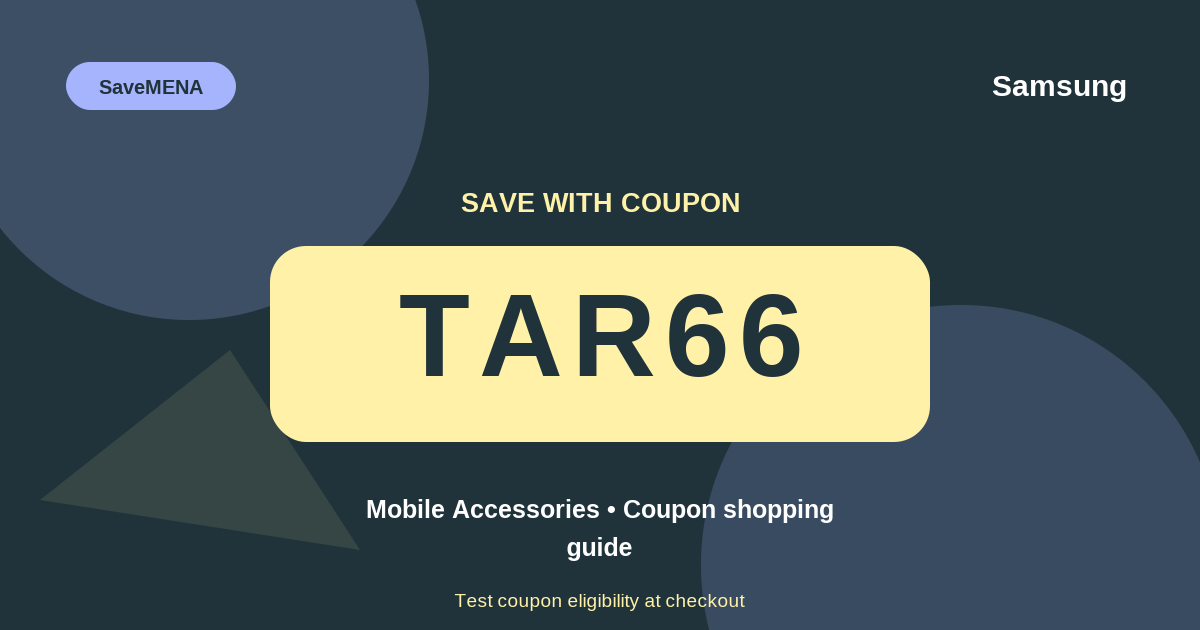
Codes available to try while comparing
These codes are not guaranteed for the article topic or listed brands; test them at checkout and use the live result.
1. Selecting the Right Mobile Accessory for Your Samsung Device
Start by choosing an accessory that aligns with your needs—whether it’s a protective case, a screen protector, or a charging dock. While you browse Noon’s catalogue, focus on the product details that matter: compatibility with your specific Samsung model, material quality, and user reviews. These factors help you narrow down choices before adding anything to the cart, ensuring you’re not later forced to cancel or replace an item. Once you have the right accessory pinned, you can confidently move to the next step, knowing the product itself will meet your expectations.
After confirming the item meets your compatibility criteria, check the listing’s seller information and any available ratings. Even though the article does not present verified seller data, monitoring these details gives you more context about delivery times and post‑purchase support. When you feel satisfied, add the accessory to your cart. At this point, you’ve secured the product but haven’t yet locked in price; this is where the coupon code comes next.
2. Reviewing Cart Totals Before Applying a Code
Before you even see the subtotal line that shows the item's price, click the cart icon. On the cart page, read the aggregated prices for all items, including any hidden fees or taxes that may appear at this stage. These figures should be straightforward, but if you notice a discrepancy, correct it immediately. This hands‑on review sets a solid baseline for measuring the effects of the coupon code later on.
Next, double‑check that the quantity listed matches what you intended to purchase. Even a minor error here could modify the final amount by the product price alone. By confirming the cart details now, you create a trustworthy reference point against which the live coupon message will be compared after you attempt to redeem TAR66.
3. Locating the Code Application Field on Noon UAE’s Checkout
Once you advance to the checkout page, look for the text box labeled “Enter coupon code” or similar. Noon normally places this field beneath the cart subtotal or above the payment options. The field is usually clearly marked, allowing you to see any placeholder text that indicates accepted formats. Knowing where to find it early prevents you from missing the entrance point for your voucher.
Type the coupon code exactly as given: TAR66. Do not add spaces, punctuation, or accidental characters. After entering the code, keep the eyes on the field’s status indicator if it shows a green tick or a visual cue of acceptance. This immediate visual check will prepare you for the live coupon message that appears with the next click.
4. Triggering the Live Coupon Message at Checkout
Once the code is entered, click the button that confirms the coupon application—usually labeled “Apply” or “Validate.” The live coupon message will appear close to the coupon field or just above the payment button. This message is crucial because it provides real‑time confirmation about whether Noon has accepted your coupon, or if there are problems such as eligibility conflicts or brand restrictions.
The message may be a short text saying “Coupon applied” or “Sorry, this coupon cannot be used.” It does not replace the final price you’ll see during payment, but it guarantees that Noon has processed the voucher request before you proceed. Note the wording carefully; you’ll need to reference it later against the total price that appears on the final confirmation page.
5. Comparing the Live Coupon Message with the Final Amount
Scroll to the bottom of the checkout page where the final payable total is displayed. This figure will reflect any changes that the coupon might have triggered—such as a reduced subtotal—or it may simply restate the original price if the voucher was not applicable. This is the only point where you can definitively confirm what you owe.
Cross‑reference the live coupon message with the final payable total. If the message says “Coupon applied,” you should see a lower amount; otherwise, the price should remain unchanged. Because the article doesn’t provide a discount value, you’ll have to consider your own budget and decide if the coupon’s effect justifies keeping the purchase. This comparison is a core decision point in understanding whether the coupon was effective.
6. Verifying Shipping Fees and Delivery Options
Even though the coupon focuses on item price, Noon occasionally includes a dynamic shipping calculation that can vary by location and total purchase amount. In some cases, a coupon can alter eligibility for free shipping. Confirm whether the shipping fee is listed separately and if it matches what you expected before the coupon was applied. Pay careful attention to any tests or live data that might have shifted as a result of the voucher.
After confirming shipping costs, make sure the delivery date offered aligns with your schedule. Occasionally, a coupon can influence the courier type or priority. Match the delivery options shown during checkout with the terms provided earlier in the product listing or on Noon’s shipping page. Proceed only if you’re satisfied with all logistics.
7. Selecting a Secure Payment Method
With the final total verified and shipping clear, choose a payment method. Noon’s platform typically offers credit/debit cards, PayPal, or local electronic wallets. Because the live coupon message only confirms coupon validity, it does not alter your payment process. Confirm that the payment method you select is active in your UAE region and that it meets your security preferences.
When you reach the payment screen, double‑check that the payable amount still matches the final number displayed earlier. If the live coupon message had indicated a successful application, this number should be lower than the original. If there’s a mismatch, revisit the cart or the coupon entry to ensure all data is consistent. Once the amounts align, you’re ready for the last step.
8. Final Confirmation: Step‑by‑Step Before the Purchase is Locked
Before you press the final “Place Order” or “Confirm Purchase” button, review the entire summary: items, total payable amount, shipping details, and any coupon confirmation. This final overview is your last safeguard against unexpected charges. If the live coupon message stated “Coupon applied,” confirm that the figure is indeed reflected in the summary. If not, you can still cancel the order and try a different voucher if you wish; however, you can also decide to proceed with the calculated amount.
Once you’re satisfied that all figures match and that the live coupon message has been considered, click the final button. The order confirmation screen is your definitive proof of the transaction—including the amount, the coupon status, and shipping details. Store the reception email for your records, and keep it in your Noon order history for future reference.
Related SaveMENA pages
Related articles
Official sources to check
Frequently asked questions
How does the live coupon message confirm that my coupon was accepted?
The live coupon message appears immediately after you click “Apply” next to the coupon code field. It displays a short text that indicates whether the voucher has been accepted or rejected, and you can compare this with the final payable total to confirm the impact.
Can I apply the TAR66 coupon after I’ve already entered payment information?
Noon’s checkout flow typically requires the coupon to be entered before the payment step. Adding or changing the coupon after payment information is entered may not reflect on the final total and can lead to a discrepancy.
What should I do if the live coupon message shows an error?
If the message indicates an issue—such as “not eligible” or “coupon expired”—review your eligibility, the code spelling, and your cart contents. You can drop or add items, adjust the quantity, or try to redeem another voucher after the error is resolved.
Will the coupon affect my shipping fee or delivery time?
The vessel for the coupon notifies changes to the item price and not automatically to shipping. Still, some vouchers may influence free shipping thresholds. Check the shipping section of the checkout to confirm if the total payable amount triggers a shipping benefit.