Apple Laptops on Noon UAE: delivery fees — testing coupons one at a time · TAR84
If you're testing each Noon UAE coupon code one at a time for Apple laptops, it’s essential to focus on delivery and fees.
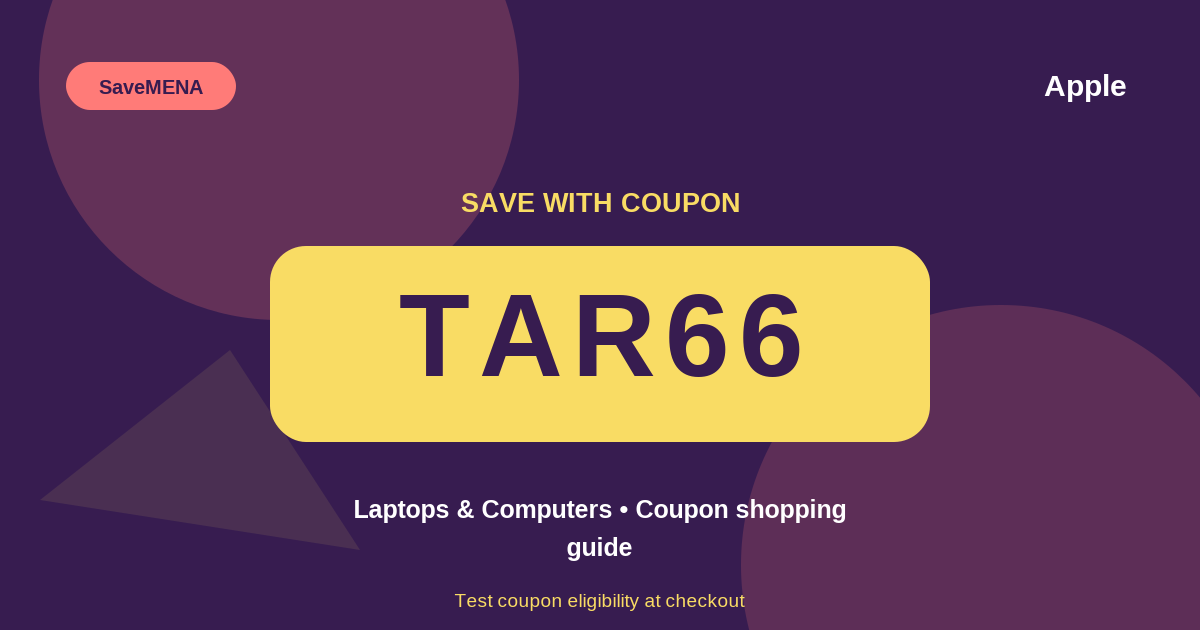
Codes available to try while comparing
These codes are not guaranteed for the article topic or listed brands; test them at checkout and use the live result.
1. Understanding Noon UAE’s Coupon Testing Process
When you add an Apple laptop to your Noon cart, the platform allows you to input a promo code in the dedicated field. To test a new code, apply TAR84, proceed to the Next button, and observe if the discount appears beside the subtotal. Noon verifies eligibility only during checkout, so if the code does not apply, the system will revert the amount back to the original price and prompt you to adjust. Each attempt must be made one at a time to isolate any issues, whether the code is invalid or the item is ineligible.
Once you confirm the discount has applied, scroll through the rest of the checkout page to ensure no additional fees have been overlooked. Delivery and handling charges usually appear after the subtotal line, separate from the promo‑code discount. By confirming the discount first, you can later confirm that the subsequent fees remain consistent regardless of the applied code, allowing you to compare total costs accurately.
2. How to Apply the TAR84 Code to Apple Laptops on Noon
On Noon’s product page for an Apple laptop, add the item to your cart and click “Checkout.” On the summary screen, locate the “Promo Code” field. Enter TAR84 exactly as shown, then press the Apply button. The platform will recalculate the line items; if the code is valid, the discount will appear next to the product price, reducing the subtotal before delivery fees are added.
After applying the code, review the new subtotal carefully. Noon does not automatically notify you of the dollar amount saved, so calculate it manually if necessary. Keep in mind that the discount only affects the laptop’s price; it does not influence the shipping or handling fees. Ensure that the applied code shows a green checkmark or similar confirmation before proceeding. If the code does not appear to work, double‑check for typos, or be prepared to test a later coupon, as only TAR84 is publicly available for trial.
3. Decoding Delivery Fees on Noon for Laptop Purchases
Needing to confirm delivery costs is critical because laptop orders often attract higher handling fees. Noon typically lists the delivery fee directly beneath the subtotal after any promo code is applied. The fee can vary by shipping address, order size, and whether the package is fragile. For Apple laptops, the fee may also differ if you opt for delivery on a specific date or time slot.
Click on the “Delivery Details” link to view the exact fee breakdown. If the fee appears as a flat rate, no additional charges should arise unless you request a faster option or a unique delivery condition. Verify that the displayed fee matches any shipping instructions you set, such as delivery before 6 p.m. or “same‑day delivery.” Once confirmed, add any extra delivery charge to the new subtotal to estimate the complete payable amount.
4. Checking the Final Checkout: Combined Coupons and Fees
After applying TAR84 and reviewing the delivery fee, scroll to the bottom of the checkout screen where the final amount appears. This total includes the discounted product price, the confirmed delivery fee, and any service charges that Noon applies to laptops. Ensure that the DELIVERY and SUBTOTAL values displayed match your earlier calculations; otherwise, revisit the promo‑code field to confirm proper application.
Exactly before confirming, double‑check that the payment method you’ve chosen—card, cash on delivery, or Noon Wallet—does not affect the displayed fee. Some payment methods may trigger additional convenience charges, especially for high‑value items. Make sure to confirm that no extra fees appear here and that the total matches your expected budget for an Apple laptop purchase.
5. Tracking Your Apple Laptop Order Post‑Purchase
Once the purchase is finalized and the confirmation screen appears, Noon typically sends an email with an order reference number and a tracking link. Actively tap or copy the tracking link to open the Noon order page, where you’ll see current shipping status. The page will list the transaction details, including the applied promo code, delivery fee, and the final payable amount.
If you notice any discrepancy in the delivered fee or the discount amount, contact Noon’s customer service through the chat or phone number listed in the order confirmation email.A coupon is not guaranteed; verify its result at the retailer checkout. This step is essential for catching issues that might arise because the checkout applied a discount, but the delivery fee was subsequently calculated incorrectly.
6. Comparing Noon Shipping Options for UAE Customers
Another angle to consider is Noon’s range of shipping services. Often, standard delivery is cheaper than express options, while some services offer temperature‑controlled or secure‑packed delivery for electronics like laptops. On the checkout page, you’ll see a dropdown menu listing available options; selecting a more advanced service will typically increase the delivery fee. Compare the final totals across these options if the denied or unwanted fee appears significant.
Remember that the pricing is dynamic; Noon may add a small fee for weekend delivery or for deliveries outside specific areas. Evaluating these costs early helps avoid a delayed charge at the end of the process. Note that the delivered fee will not change once the order is confirmed unless you request a change—so verifying all options before finalizing reduces risk of surprise fees.
7. Common Pitfalls When Using Multiple Coupons on Noon
Nightly, shoppers inadvertently try to apply multiple test coupons at once, hoping to stack discounts. Noon’s checkout allows only one promo code per order, so if you attempt to enter TAR84 followed by another code, the first will be overwritten. The safest approach is to remove any previous code before testing a new one, ensuring a clear comparison of each coupon’s impact on the subtotal.
Additionally, some shoppers overlook that certain items or brands are excluded from promo codes. If you notice that TAR84 does not provide a discount when applied to an Apple laptop, check the item’s eligibility checkbox at the bottom of the product page. If the laptop’s brand is listed among the exclusions, the code will not be applicable regardless of the amount.
8. Making the Most of Noon’s Delivery Services for Apple Laptops
Purchasing a high‑end Apple laptop from Noon offers the convenience of a guaranteed delivery window. Noon’s “Next Day Delivery” option, available for select cities, can be a worthwhile investment when the delivery fee is modest compared to the benefits. In the checkout, note the delivery time slot the service provides, especially if you can’t be home during the general delivery window.
To govern the entire purchase, add the promo code TAR84 first, confirm the shipping fee, then observe the final payable figure. If the overall cost remains within your budget, consider securing the order. If the fee feels high, review alternative shipping tiers, but always verify that the chosen service still satisfies your delivery needs before final confirmation.
Related SaveMENA pages
Related articles
Official sources to check
Frequently asked questions
What happens if the TAR84 coupon doesn’t apply to my Apple laptop?
If the code fails, Noon will not reduce the product price. Verify the coupon spelling and that the laptop is eligible. If still invalid, the code is not applicable, and you can try a different coupon or proceed without one.
Will the delivery fee change after I apply the discount?
Noon calculates delivery separately from discounts. Applying TAR84 will reduce the subtotal, but the delivery fee remains the same. Verify the fee after applying the code to confirm.
Can I combine TAR84 with other promo codes or free shipping offers?
Noon's checkout accepts only one promo code per order. If you want a free shipping offer, ensure it is selected after all discounts are applied and before final confirmation.
How do I confirm the final payable amount before completing the purchase?
On the checkout page, the total at the bottom shows the discounted subtotal plus the confirmed delivery fee. Review this line; if it matches your expectation, proceed to payment.