Laptops on Noon UAE: delivery fees — testing coupons one at a time · TAR98
etc. No other content. Let's proceed. Where shopping for a laptop on Noon UAE feels like a maze of discounts, this guide zeroes in on a single, repeatable
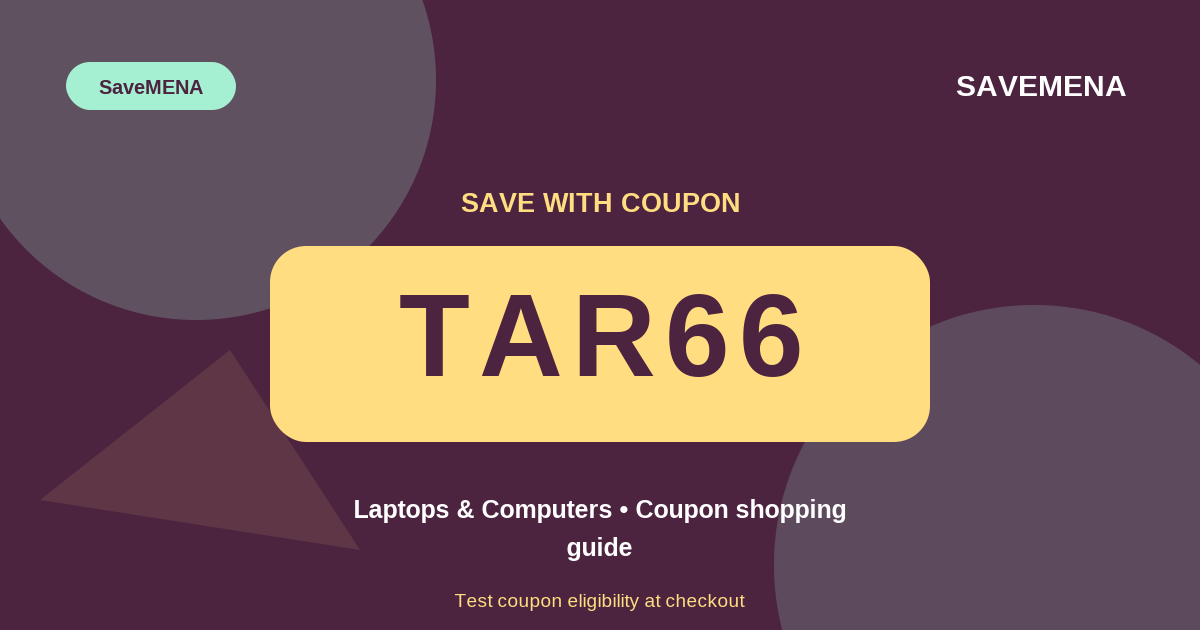
Codes available to try while comparing
These codes are not guaranteed for the article topic or listed brands; test them at checkout and use the live result.
1. Locate the Right Laptop on Noon UAE Before Applying Tomorrow’s Choice
Navigate to Noon UAE’s laptop collection, filtering by need whether you’re gaming, working, or studying. Evaluate each model’s core specifications, review user impressions, and check availability for the delivery zone you reside in. The Noons platform will display any current promotions, but a coupon code will not automatically display at this stage. Confirm that the product’s stock status is “Available” and that the seller offers standard or expedited shipping options. Only when the product is confirmed ready will the next step of trying the code be worthwhile.
At this junction, ensure you’ve logged in to your Noon profile; some sellers postpone validating delivery options until checkout. The laptop’s product page will list an estimated shipping window and the fee associated with each shipping tier. Take note: the posting may vary by region, so confirming your address early guarantees the fee you see is indeed the one that will apply when you proceed to payment. This verification is a prerequisite for proper testing of the coupon code.
2. Add the Laptop to Cart and Prepare to Test the Coupon Code
Once your chosen model is in the cart, rely on Noon’s cart page to display the subtotal before any promotions. The cart will list the base price and reserve the product’s shipping cost according to the selected delivery option. Make sure the coupon field appears; it usually sits beneath the subtotal as a single box awaiting code entry. Because the focus is on how the code modifies fees, hold off on confirming the shipping mode until you’ve added the coupon.
Pause before setting your final quantity; for certain laptops, sellers might restrict delivery to multiples. Verify that the quantity field is absent or locked if only one unit can be purchased. This ensures that a single code application will not be obscured by bulk‑buy restrictions or additional line items that alter the final fee structure. Confirming these variables keeps the experiment pure, concentrating solely on discount versus fee interplay.
3. Try the TAR98 Coupon Code and Observe the Immediate Impact
In the coupon box, type “TAR98” and click Apply. Noon will refresh the cart, presenting a new total line that reflects any discount the code grants. Note, however, that the code may not explicitly state a percentage, but the reduced amount will usually appear in the “Total” section. This visual shift can confirm whether the code is accepted and whether it touches the base price or solely the shipping fees.
If the cart shows “Coupon applied” but the amount remains unchanged, factor in that the code might be restricted to particular product categories or vendors. The system will not enforce delivery overrides, but a valid application will influence the overall payable sum once the final amount is landed at checkout. Seeing this change will give you the first solid data point before you delve into detailed fee analysis.
4. Scrutinize the Shipping Fees After Coupon Application
Re‑review the shipping breakdown now displayed beneath the cart’s pricing section. Your goal is to understand how the coupon impacted the delivery fee, if at all. You’ll see the “Shipping” label followed by an exact amount that may or may not have altered after the code’s insertion. Pay special attention if differing shipment options exist—such as “Standard Delivery” or “Fast Delivery”—and note their respective fees.
A valid coupon can sometimes influence the shipping method’s cost. If the shipping fee remains static, the coupon likely only discounts the laptop’s price. Conversely, if the fee drops or changes tiers (for instance, to “Zero Delivery” for specific orders), the coupon is directly affecting the fee structure. This nuanced observation is pivotal for users who prioritize lower total fees over higher nominal discounts.
5. Verify VAT, Handling Fees, and Other Extras Remain Unchanged
In the cart, locate the lines labeled “VAT” and “Handling Fee”—these are usually displayed after the shipping component. An applied coupon code should not modify these lines unless specifically programmed to do so. That said, double‑check that both remain visible and unchanged. Any alterations could shift the final payable amount unexpectedly.
Often, platforms add a small handling fee for electronics to offset packaging. This fee is not affected by a coupon code referenced for price reduction.A coupon is not guaranteed; verify its result at the retailer checkout.
6. Test Alternate Shipping Options Without Losing Coupon Benefits
If Noon offers multiple delivery speeds—perhaps a "Same‑Day", "Express", and "Standard" option—explore what each looks like after the coupon is active. Switch between them and notice whether the applied discount persists across all or is limited to one. This variability can affect the total, leading to a different trade‑off between fee and speed.
When a cappuccino‑like coupon applies strictly to the base price, the total facture will shift strictly by the laptop amount while keeping shipping fixed. But if the code applies on total, you’ll observe a newer fee alignment. Keep a mental or written log of these outcomes, as they shape your strategy for future purchases where your priorities may shift between speed and cost.
7. Final Checkout Review: Ensuring the Coupon, Delivery, and Fees Align
Before proceeding to payment, the Noon checkout page presents the final breakdown: product price, applied coupon, shipping, VAT, and any handling or extra fees. Scan each entry carefully; the coupon’s effect should show clearly as a credit. If the deduction appears absent, you may need to refocus on understanding whether the code applies only to the product’s price, the shipping, or the total.
Should anything appear off—such as an unexpected additional fee or a missing coupon credit—contact Noon’s customer support or refer to their help documentation. You have the right to see a faithfully presented final sum, and ensuring this step avoids unforeseen charges that could derail your savings strategy.
Related SaveMENA pages
Related articles
Official sources to check
Frequently asked questions
What if the TAR98 code doesn't apply to my selected laptop?
Check that the laptop's seller and product category support coupon codes on Noon. If the code rejects, confirm the product’s eligibility or try another laptop that meets the coupon conditions. Unlike other sites, Noon does not automatically auto‑apply cross‑category discounts.
Do I need a Noon account to use the coupon code?
Yes, you must be logged into a Noon account for the code to validate and reflect in your cart. Creating an account is typically free and adds benefit like order tracking the same day.
Will the coupon affect shipping fees or only the laptop price?
Coupon impact varies; some reduce only the base product cost while others may discount shipping if tied to a minimum spend or specific shipping option. Inspect the cart after applying the code to confirm changes.
Can I combine TAR98 with other coupons or discounts?
Noon rarely allows stacking coupon codes. If you try to apply a second code, the platform will usually reject it or emphasize that only one promotion can be active at checkout.