Men’s Fashion on Noon UAE: delivery fees — testing coupons one at a time · TAR98
Trying Noon UAE coupon codes Men’s Fashion delivery and fees can reshape how you shop for men’s apparel online in the UAE.
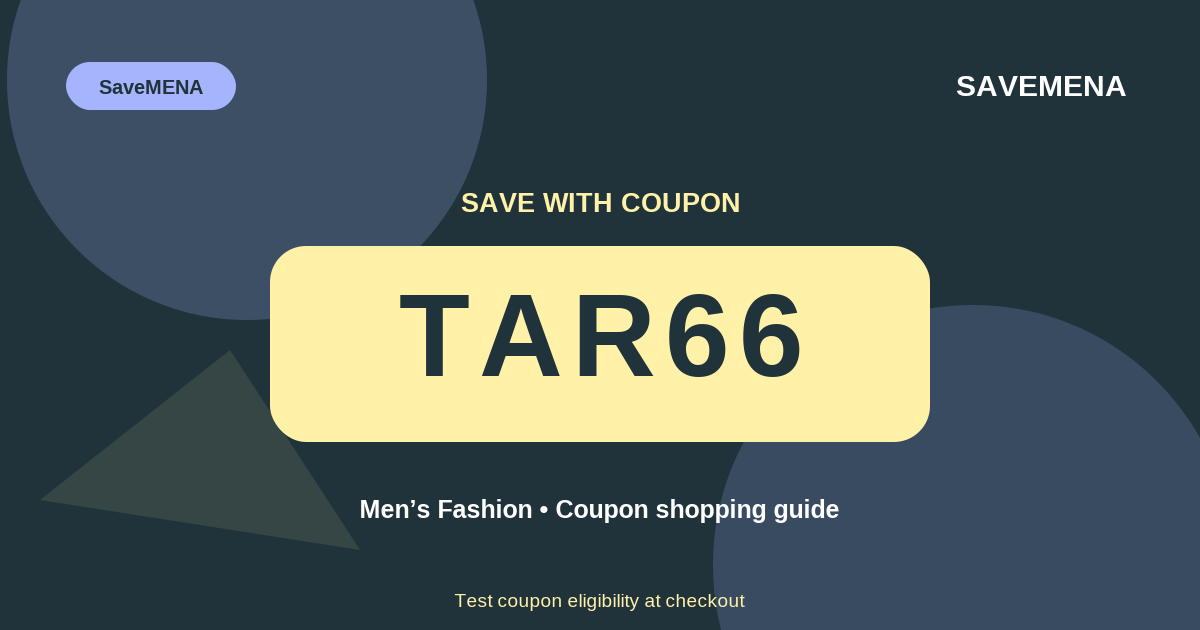
Codes available to try while comparing
These codes are not guaranteed for the article topic or listed brands; test them at checkout and use the live result.
2. How Noon Calculates Standard Delivery Charges in Men’s Fashion Categories
Noon’s baseline delivery fee is typically applied after the chosen items are added to the basket. The fee may be linked to the total basket value, reaching zero when a discount threshold for free delivery is met. In men’s fashion, the same structure holds, but minor variations can arise from the logistics hub handling the particular vendor’s stock. For example, items shipped from a central distribution center often come with a different base fee than those from a boutique outlet.
When you request a Noon coupon code, it is wise to scroll through the “shipping details” section near the bottom of the checkout page. This panel updates in real time as new discounts are applied, allowing you to see whether the delivery fee has changed. If it remains the same, the code has not influenced shipping costs, giving you a clear view of the actual savings available on the product itself.
3. What the TAR98 Coupon Code Needs to Do Before It Saves You Dirham
The TAR98 code is available to try; it might let you reduce the purchase price of a men’s fashion item by a set amount or percentage. However, the code’s eligibility is not automatically granted to each order. You must confirm that the items in your basket belong to the correct category or vendor that accepts TAR98. If the basket contains a product that is excluded, the code will register as invalid or might only apply to the eligible portion of the cart.
After you click “Apply”, the interface will either confirm the discount or provide a short explanation if part of your order does not qualify. At this stage, it’s simple to audit the numbers: subtract the discount from the original subtotal and compare the new amount to your delivery fee. If you notice a discrepancy, double‑check the product details listed under the “Item details” section for any hidden restrictions.
4. Step‑by‑Step: Using TAR98 on Noon’s Men’s Fashion Checkout
Begin by finalising your items into the cart. Next, navigate to the checkout screen and locate the “Enter Coupon Code” field, usually found just above the total price summary. Enter TAR98 exactly as displayed, respecting capitalization and avoiding leading or trailing spaces. Click the activate button; no page refresh is required.
Within a few moments, the page should reflect the updated subtotal. At this juncture, the shipping fee displayed will indicate whether the coupon has influenced it. If the fee remains unchanged, the savings are purely on the product price. If a shipping discount appears, the code has beaten the threshold for free delivery or raised the free‑shipping minimum. Confirm that these figures match your expectations before proceeding to payment.
5. Keeping an Eye on Delivery Fees After Applying a Coupon
Even when a coupon is successfully applied, delivery fees can evolve as the basket content changes. Removing an item or adding a new one can reset the subtotal, potentially pushing the delivery fee out of the free‑shipping window again. Thus, continually monitor the “Estimated Delivery Fee” section while you edit the order.
After you’re satisfied with the product list and have applied the coupon, check the final shipping cost once more. Ensure that the cost shown on the final review page matches the earlier estimation. Any mismatch invites confusion at the payment stage, so a quick re‑evaluation before you click “Place Order” is crucial to avoid unexpected charges.
6. Payment Options, Fees, and How They Interact With Coupons
Noon offers multiple payment methods— credit/debit cards, Apple Pay, and the platform’s own wallet. Certain payment methods sometimes include service fees or processing charges, particularly for high‑value purchases. While these fees are not influenced by the TAR98 coupon, they do impact the final payable amount.
Before confirming payment, be sure to read the “Payment Summary” panel. Check for any additional fees that may appear after the coupon discount. If a cashier fee appears, it will be applied after the delivery cost, potentially offsetting some savings. Therefore, verify that all components—product discount, delivery fee, and payment fee—are finalised correctly.
7. Comparing Noon’s Delivery Fees with Other UAE Platforms for Men’s Fashion
To gauge the value of TAR98 effectively, it helps to compare Noon’s fee schedule with those of other marketplaces such as Namshi, Ounass, or Souq. Each site differentiates their free‑delivery thresholds and shipping charges. By creating identical baskets in comparable shops and reflecting the same coupon code usage, you can weigh the trade‑off more accurately.
When performing the comparison, focus on the “Net Savings” column—what you paid after all fees and discounts. If Noon’s delivery fee is higher yet, say, the discount is deeper, the overall benefit might still tilt in Noon’s favour. Conversely, if a competing site offers a more generous free‑delivery threshold, you might opt for their platform, even with a smaller discount. The decision always circles back to how the combined costs align with your expectations.
8. Final Checklist Before You Hit “Place Order” on Noon
1. Verify that your items are correct and belong to the men’s fashion category. 2. Confirm TAR98 appears as applied and note the amount saved. 3. Inspect the final total—product subtotal after discount, delivery fee, and any payment fees. 4. Ensure the shipping address is accurate and the delivery time estimate matches your needs. 5. If any column looks odd, double‑click on it to re‑validate before proceeding.
After completing these checks, you can place your order with confidence. Remember that the coupon’s effect is only visible until the order is confirmed; once the transaction is finalized, the discount traces into the receipt, not the shipping banner. Should any discrepancy arise later, contact Noon’s customer service with your order reference for clarification. A thorough pre‑checkout audit guarantees that your savings are real and your delivery costs transparent.
Related SaveMENA pages
Related articles
Official sources to check
Frequently asked questions
Does the TAR98 coupon cover Noon’s delivery fees for men’s fashion?
Noon typically applies coupons only to product prices, not shipping. Check the delivery fee after applying TAR98; if it remains unchanged, the coupon did not reduce shipping.
What if my men’s fashion items don’t qualify for the TAR98 discount?
Enter TAR98 and await checkout feedback. If the items are ineligible, Noon will inform you, and the coupon will not apply to those items.
Can I use the TAR98 code once I’ve translated my cart into multiple sellers on Noon?
Coupon eligibility may vary by seller. After crossing to a new vendor, re‑apply TAR98 and verify if it remains valid for the new items.
Will the final amount reflect any hidden fees when I use TAR98 on Noon?
At checkout, review the final amount line‑by‑line—subtotal, discount, delivery fee, and payment charge—to ensure all fees are visible before confirming.