Mobiles on Noon UAE: delivery fees — testing coupons one at a time
If you’re looking to test multiple Noon UAE coupon codes for mobiles delivery and fees, this guide will walk you through the process step by step.
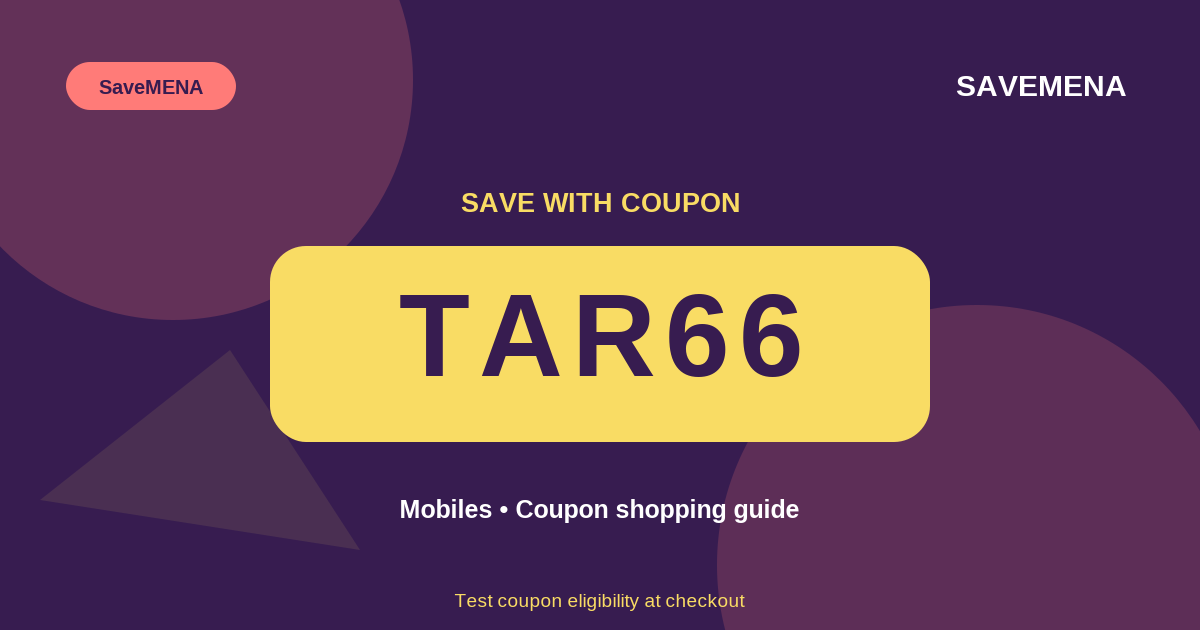
Codes available to try while comparing
These codes are not guaranteed for the article topic or listed brands; test them at checkout and use the live result.
Selecting the Right Mobile: What to Look For
Testing Noon UAE coupon codes for mobiles delivery and fees starts with choosing the phone that aligns with your usage and budget. When comparing models, pay attention to processor speed, camera quality, battery life, and brand reputation, as these factors directly influence the listed price and, consequently, how a coupon might adjust the final cost. Ensure the variant you’re eyeing is available in the UAE; some models may be listed only for international shipping, which could cause additional charges or unavailability of the coupon at checkout. After narrowing down at least two models, add each to your cart separately.
This step allows you to capture any inherent differences in base price that can affect the coupon’s usability. Check the product description for any hidden fees, such as warranty extensions or accessories, because those extras will factor into your total payment before the coupon is applied. Significantly, note if the phone’s seller appears as a trusted marketplace vendor or a self‑store, as seller type sometimes influences phone shipping policies and discount eligibility.
Understanding Noon’s Delivery Structure
Before putting a discount code in, examine Noon’s structured delivery model for UAE shoppers. Delivery fees may be free for orders over a specific amount, but they can also vary based on your delivery location—be it a residential address or a business. Noon typically offers same‑day or next‑day deliveries with a clear fee displayed in the cart before payment. Reviewing these values early helps you determine whether the coupon will actually create a net saving once fees are factored in.
Remember that this fee calculation can change if you alter your shipping address or change the time slot of delivery. In addition to flat rates, be aware of potential surcharges for certain services: e.g., “delivery to a balcony” or “delivery to a location that requires a key.” These extras appear right in the delivery options screen. Even though they are not coupons, they affect your final amount. Checking these conditions makes it easier to evaluate whether applying the TAR66 coupon during cart review yields savings that keep your total below the desired threshold.
Applying the TAR66 Coupon: Step‑by‑Step
Once you’ve identified your the coupon code phone, place it in the shopping cart and proceed to the cart summary page. At the top of that page, a small text field labeled “Coupon code” or “Apply code” allows you to type in TAR66. Enter the code exactly as shown, mindful of uppercase letters and any hyphens, then hit “Apply.” The interface will usually highlight either a confirmation of discount applied or an error message indicating the coupon is invalid. Since we aren’t guaranteeing its validity, anticipate both scenarios.
After a successful application, a line item “Coupon discount” will appear, reducing the subtotal. At this stage, reload the cart to double‑check the discount has been deducted before you add any more items or adjust quantity. Keep an eye on whether Noon updates the total immediately or requires a page refresh; sometimes a simple reload presents the new figure clearer. If the coupon fails, the screen typically displays an “invalid code” notice, which signals you might need to try another.
Verifying Fees Before Checkout
With the coupon applied, the cart must now be reviewed again for any fees that could negate the discount. Scroll to the “payment summary” area to check these specific lines: “product price,” “shipping fee,” and “other charges.” In the UAE marketplace, Noon displays a separate “shipping fee” line for each item, and if the total volume or price falls below a threshold, a fee may be charged. The fee field will only change after you alter the quantity, which often triggers a re‑calculation by Noon’s system. Before proceeding, confirm the displayed shipping fee matches your expectations.
If you notice an unintended charge, such as “express delivery,” switch to a standard option and recalculate. Observe the impact on the net total after the discount is applied. Keep a record of changes; you might need to revisit the cart if the fee adjustments differ after refreshing or moving between pages. This repeated verification is crucial for ensuring the coupon ultimately saves you money after all costs are considered.
Checking App‑Only and Total Savings
Noon sometimes tags certain coupons as “app‑only” or limits their use to specific devices or promotional periods. In the cart after applying TAR66, look for a badge or note next to the coupon field that states any such restrictions. If an app‑only flag appears, you may find that the discount does not apply when you attempt to check out from a browser. In such a case, maintain the same product and proceed through the checkout using the Noon app; the app will apply any eligible discount automatically. Verify the discount line again to ensure the savings presented at checkout match the cart view.
At checkout, re‑examine the “Order Summary” page for total refund calculations. Noon will list the final amount before payment, including the coupon discount and all applicable fees. Compare this final amount with your budget expectations to confirm the net margin. It is also wise to cross‑check the displayed shipping fee with the one shown previously, because Noon sometimes commits a small surcharge after changing delivery options during checkout, especially if you modify the delivery time or address.
Adjusting Quantity and Variant for Optimal Fees
Remember, the number of units purchased can affect both the shipping fee and the eligibility of the coupon. Increasing quantity may engage free‑shipping thresholds, potentially eliminating delivery charges altogether. Conversely, a minimal order might keep the fee higher. Adjust the quantity of the phone in the cart by using the plus/minus icons or entering a numeric value directly, then watching real‑time updates in the total. If a higher quantity leads to a free delivery after the coupon is applied, you may discover the net benefit is larger than initially anticipated.
Likewise, consider variant choices. Some models may count as “premium” items that attract a separate handling fee. Choosing a slightly lower tier variant—perhaps with fewer megapixels or a different storage size—might reduce the fee and could even double‑count the coupon discount. After testing each variant, keep a spreadsheet or a simple list of totals for quick comparison, especially if you plan to purchase multiple models or have future shopping carts in mind.
Final Review: Ensuring All Terms Are Met
Before you click “Place Order,” perform a comprehensive audit of every row in the final order summary. Confirm the product price, shipping fee, any other applied fees, the discount applied, and the resulting total. All numbers should match the cart view; if they don’t, there may be an accidental change in shipping location or a failed coupon application unnoticed. Check that the selected payment method is correctly associated with your Noon account and that you have the correct currency (AED) set for the transaction. When all items line up, look again at the terms of any coupon.
Even though you tested ‘TAR66’ above, the term may apply only to specific product categories or require a minimum spend to activate. Verify these conditions either on the checkout page or via the product detail link. A final double‑check of the discount line after the “Place Order” button confirms that the coupon is still active and correctly applied. Once confirmed, proceed to payment.
When the Coupon Doesn’t Apply: Next Steps
If the ‘TAR66’ coupon fails, confirm that you typed it correctly and that it’s still active during the checkout window. Attemptly replicating the steps—moving to the cart, re-applying the code, and refreshing the page—may resolve a temporary glitch. If the code still rejects, it likely has expiry or has been disabled. In that scenario, pause the current order and revisit Noon’s coupon page or feedback section for possible replacements or upcoming promotions. Keep track of any error message displayed; it might give clues on whether the coupon is “expired” or “not applicable to your product.” Consider adjusting the cart: change the phone variant or shift to a different seller that might accept the coupon. Sometimes the original vendor applies a policy that excludes certain coupons. If you continue to face issues, open a click‑through customer support link or contact Noon’s chat feature. Confirm whether your user account meets any minimum spend or registration criteria that may have prevented the coupon from applying. Once the issue is resolved or a new coupon becomes available, repeat the previous steps to re‑assess the savings after all fees.
If the coupon shows an error or is rejected, double‑check for typos, expiration, or a seller‑specific restriction. You can also try applying it again after refreshing the cart or using an alternative phone model.
Related SaveMENA pages
Related articles
Official sources to check
Frequently asked questions
What happens if the TAR66 coupon is not valid at checkout?
If the coupon shows an error or is rejected, double‑check for typos, expiration, or a seller‑specific restriction. You can also try applying it again after refreshing the cart or using an alternative phone model.
Are delivery fees displayed before or after applying a coupon?
Delivery fees are shown in the cart summary irrespective of any discounts. The fee amount may adjust only after you alter the cart or delivery details, not after coupon application.
Do I need to use the Noon app to redeem TAR66?
The coupon’s terms may specify app‑only use. If the app is required, complete the checkout in the Noon mobile app; the discount will then display in the payment summary.
Can changing the quantity of my mobile affect the delivery fee?
Yes, increasing quantity can move you above a free‑shipping threshold, thereby eliminating the fee, while a single item may still incur a surcharge.