Puma Women’s Fashion on Noon UAE: delivery fees — testing coupons one at a time · TAR98
When trying Noon UAE coupon codes for Women’s Fashion, delivery and fees often become the deciding factors, especially if you’re looking for Puma apparel or
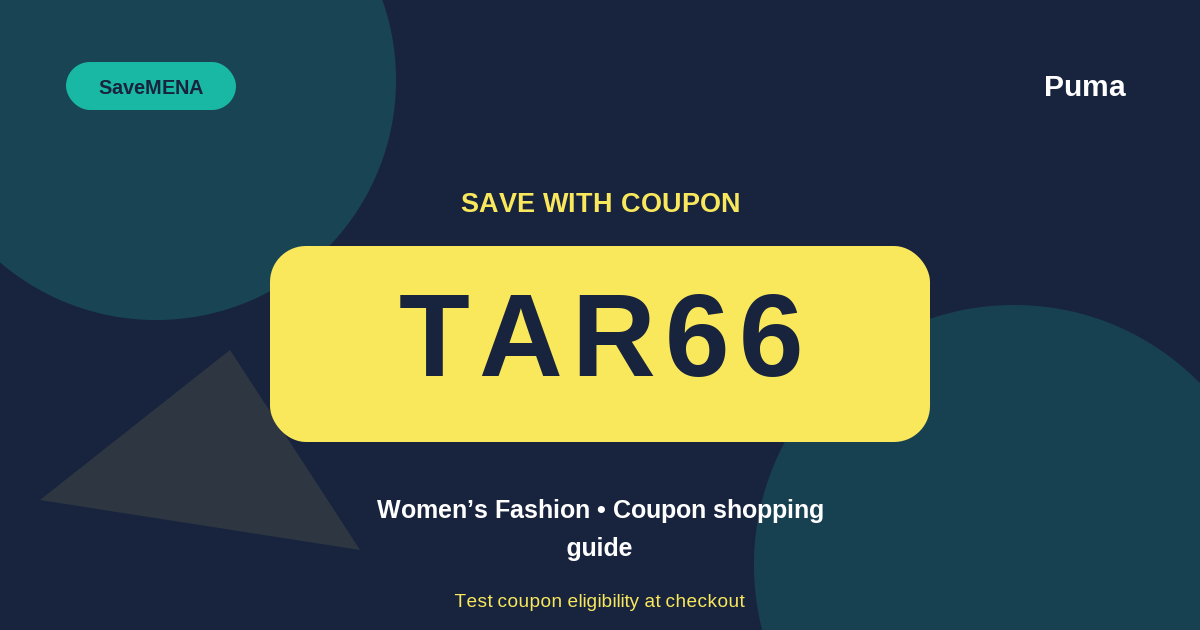
Codes available to try while comparing
These codes are not guaranteed for the article topic or listed brands; test them at checkout and use the live result.
Why the TAR98 Coupon Holds Value for Women’s Fashion Shoppers
The TAR98 coupon is listed as the latest discount code available for browsing ladies’ apparel. While Noon doesn’t disclose a fixed percentage or dollar amount, the code can interact with the tax and shipping engine during checkout. A visible change in the cart summary often appears when a qualifying coupon is applied, signalling that the adjustment has been recognized by the platform. That visual cue alone lets shoppers confirm the coupon is at work without needing to chase backend statements.
Should the discount not reflect immediately, the issue could stem from a mismatch between the product’s eligibility flag and the coupon’s scope. In such cases, the Amazon‑like prefixed “TAR” series is still recognized by Noon, but the system may apply it only to specific categories or seller line‑ups. A step‑by‑step approach to applying and revisiting the code page will relieve the inconvenience of repeated rescinds. Ultimately the goal is to confirm that the coupon interacts positively with the women’s fashion segment you are the coupon code.
Navigating the Noon App to Find the Latest Coupon Codes
Start by opening the Noon UAE mobile application or the web portal and sign into your account. In the main navigation, tap on the “Promo Codes” or “Coupons” link, which is usually found under the “My Account” dropdown. The TAR98 coupon will appear in the list of active codes for the Women’s Fashion category. If you do not see it listed, use the search bar within the coupon section to type “TAR98” and confirm its visibility. The presence of the code here demonstrates that the platform has loaded it for the current session.
Once the code is visible, click or tap the “Apply” button next to the listing. The app will automatically place the coupon into a virtual cart bag. Even if the discount does not reflect right away, the coupon code entry field will now be visibly grayed out, indicating the system has accepted it. This is a crucial checkpoint before you add your first item or adjust quantities.
Applying the TAR98 Coupon on Your Puma Purchase: Step‑by‑Step
Add a Puma product or any other women’s fashion item to your cart. During the addition, note the seller identifier and the product quantity. The cart summary will display “Subtotal” and "Delivery" fields, but it will not yet adjust for the discount. Afterwards, go back to the promotion code area and confirm that TAR98 is highlighted. When you press "Submit" or proceed to checkout, the platform will recalculate the line items. If the coupon logic is correctly associated with the selected product, a new “Discount” field will appear under the “Order Summary.”
If no discount line appears, there are a few reasons to investigate: the product might be priced below the minimum spend, a vendor may have disabled vendor‑level coupons, or the code could be region‑restricted. In such scenarios, the middle step is to check the Terms & Conditions from the coupon details page, which often mention restrictions like “works only for items endorsed by Noon partners.” This inspection ensures you understand why the code may or may not apply before moving on to the delivery fees section.
What Are the Delivery and Fees You Should Expect for Women’s Fashion Items?
On the Noon checkout page, the “Delivery” checkbox reveal a breakdown. For most women’s fashion items, the platform applies either a free shipping threshold or a flat fee that covers handling and logistics. The exact fee level depends on three variables: your location within the UAE, the seller handling the order, and the aggregate size of the order. The “Delivery” field will state if that fee is current or whether shipping is free if you meet the minimum.
In the context of Puma products, some sellers offer a complimentary delivery option for loyalty members, which is automatically applied when you are logged in and meet a threshold. For new customers, a small handling fee may appear, but this is separate from the occasional “Express” premium for faster delivery. The key is to verify that any fee displayed is locked in before finalizing the coupon and that you are not presented with an additional jumbling of micro-fees that Noon sometimes injects for specific seller categories.
Verifying Puma‑Specific Fees Before Checkout
Only after the cart total shows a “Tax” and “Delivery” line should you review the seller attribution. In the cart summary, each product displays a brief seller tag, such as “Seller: Noon 247” or “Seller: Puma Official UAE.” If a product is from an official Puma partner, a footnote will state that the seller may have different shipping terms. Double‑clicking on the seller tag redirects you to the product page where you may read the shipping policy that mentions “No extra handling charges for Puma items.”
Sometimes, surprise fees are introduced by third‑party sellers using “Prime” label or “Lightning” shipping. In those cases, the cart may show separate “Seller Shipping” entries. By comparing these lines side‑by‑side, you can chase their origin and determine if the fee is a temporary cost or a permanent feature of that seller’s supply chain. If the fee persists across several shopping bouts, consider switching to a seller offering free or lower delivery on the same Puma item.
Checking the Final Payable Total: When the Coupon Takes Effect
At the very last stage, before you click the “Place Order” button, the summary will collapse into the final total. This area includes the header “Final Payable Total” or a button milestone labeled “Summary.” If the TAR98 coupon has applied, a negative number should appear next to “Discount” aligning with the order value. The subtotal may reflect the exact amount you were charged in UAE Dirhams after all fees and taxes, a clear reflection of the coupon’s influence.
This milestone is your final checkpoint. Confirm that the discount field matches the signage you saw earlier during the cart review. Then ensure the delivery fee listed matches what you expect based on your previous product and seller analysis. If the figures aren't aligning, scroll to see any potential “Promo Adjustments” or hidden “Channel Fee” entries that might influence the total. Each row should be accounted for before you hit the purchase finalizer.
Common Issues When Using Coupon Codes on Noon
Multiple subjects in the market influence coupon behaviour on Noon. A frequent hiccup occurs when the coupon is cached from a prior shopping session and removed from the active list. In such a scenario, the code remains typed in but the system no longer accepts it. Restarting the app or clearing the browser cache often resolves that issue.
Another common problem is a mismatch between the product category and the coupon eligibility. If your cart contains items outside the Women’s Fashion inventory, the discount may be suppressed. In that situation, the “Total Discount” line will stay blank, and the app will mention that the code is “not applicable for selected categories.” The remedy is to filter out the ineligible items or look for a separate code that explicitly the coupon code the category you want.
Related SaveMENA pages
Related articles
Official sources to check
Frequently asked questions
Can I use TAR98 for multiple orders simultaneously?
No, the same coupon code can only be applied to one order at a time during the checkout process. You must complete the transaction before it can be reused on a subsequent purchase.
Will the delivery fee still apply after I use TAR98?
The coupon does not alter the delivery fee. You will still pay whatever fee is listed for the particular seller, product, and shipping option chosen in your cart.
What happens if the product I added isn't eligible for TAR98?
If the selected item does not meet the coupon’s eligibility criteria, Noon will not show a discount line, and the coupon code input will revert to an inactive state once you scroll to the cart summary.