Baby & Kids on Noon UAE: delivery timing — testing coupons one at a time
try Noon UAE coupon codes Baby & Kids estimated delivery timing: Shopper, you’re about to test a single code ‑ TAR66 ‑ on Noon UAE while purchasing Baby & Kids
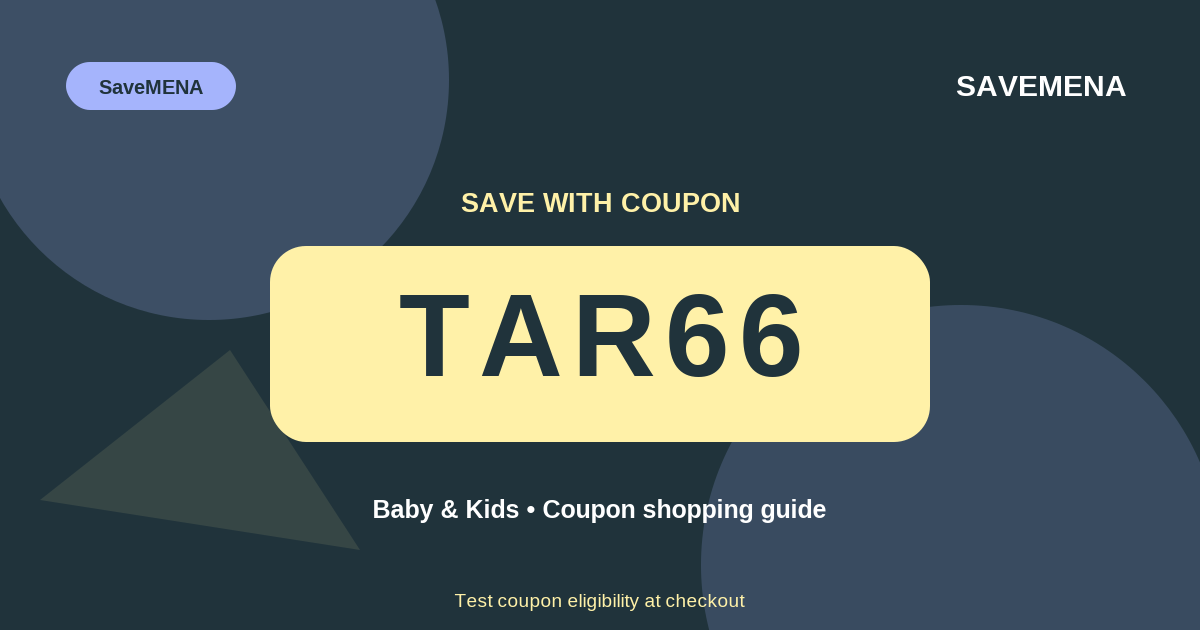
Codes available to try while comparing
These codes are not guaranteed for the article topic or listed brands; test them at checkout and use the live result.
1. Adding the Coupon Code to Your Shopping Cart
Before you press “Buy Now,” add the chosen product to your cart and go to the cart page. The Noon UAE interface features a “Enter coupon code” field adjacent to your order summary. Type TAR66, then click Apply. The system will instantly re‑calculate the subtotal. If the code accepts, you’ll see a small green confirmation dot; otherwise an error note will appear. This first step confirms that Noon is even ready to process the code for your shelf.
Remember that Noon’s coupon logic is checked only at this point; the code might still be invalid at checkout if it has expired or if your order does not meet all eligibility rules. However, the cart page gives you a quick visual cue to decide whether to keep the product or move on.
2. Checking Delivery Date Estimates on the Product Detail
Navigate back to the Baby & Kids product page that you plan to purchase. Scroll to the “Estimated Delivery” section, which lists one or two possible arrival windows depending on the delivery option selected. These dates are calculated by Noon’s internal logistics API and reflect the seller’s dispatch time plus transit. Copying these estimates now allows you to compare them with the checkout window later.
Since Noon aggregates orders from multiple sellers, note whether the delivery estimate is tied to a specific seller label. Some listings will show “Same Day Express” while others might only offer standard shipping. Keep each date in a note, because Noon will consolidate a final estimate only when you confirm checkout.
3. Evaluating Seller Ratings and Historical Delivery Performance
On the product page, below the delivery estimate, you’ll see the seller’s rating out of 5 stars. High ratings often correlate with reliable shipping. However, variations exist; a seller may get excellent reviews for product quality but slower deliveries. Cross‑reference the rating with any buyer comments that mention shipping times.
When examining Baby & Kids items—especially baby gear or child safety equipment—navigation through seller performance can prevent delays that impact your child’s schedule. Mark the seller’s name and rating for later reference, and compare that metadata with your delivery expectation from Section 2.
4. Using Multiple Cart Copies to Compare Coupon Effectiveness
Create a duplicate cart by adding the same Baby & Kids item to a second, empty cart. In one cart keep the TAR66 code applied; in the other leave the cart empty or apply a different discount if you wish to test. The two carts should display separate subtotals, and each will have its own “checkout” button. Opening the two pages in separate tabs lets you see how the code influences the total before attempting shipping confirmation.
By separating the carts, you avoid a scenario where an unaccepted coupon forces a rollback that could affect delivery timing. Once you have verified the code in the first cart, move on to check the estimated shipping date as you’ll see it inside the payment section. If it appears unchanged, the coupon is still final, and you’re ready to proceed.
5. Confirming Coupon Application at the Final Checkout
Proceed to checkout on the cart where TAR66 confirmed. At the “Order Summary” screen, Noon lists the final line items: subtotal, coupons, shipping, tax, and total payable. Look carefully for any “Coupon applied” tag. If TAR66 is not present, the checkout page will not allow you to finalize the purchase; it will prompt for a new code or notify that the coupon is invalid.
At this juncture, scroll to the “Estimated Delivery” area again. Noon generates this estimate after all coupons are applied, accounting for any discounts that might affect order processing time or logistics priority. If the estimate now shifts, it’s a sign that the discount has impacted dispatch. Log or capture that new date before you submit payment.
6. Handling Expiration or Rejection of the TAR66 Code
If the coupon appears rejected at checkout, examine the error message. Noon may display a modal that indicates either “Code expired” or “Not applicable to your order.” These messages are the final confirmation that the code cannot be used. In such cases, re‑check the cart to ensure no unqualified items or minimum spend requirements left unmet.
When a code is rejected, do not assume it’s a problem with Noon’s system. Instead, validate your order against the “Terms & Conditions” link often seen near the coupon field. An incorrect assumption could lead to a missed delivery window if you decide to proceed without the discount.
7. Documenting Delivery Estimates for Future Reference
After clicking “Place Order,” you’ll land on a confirmation page that lists the final delivery window. It is common that the date here is slightly later than the pre‑checkout estimate, because Noon’s feed updates after payment confirmation. Bookmark the URL for this confirmation if you need future proof of the promised arrival date.
Additionally, take a screenshot or copy the text of the estimated arrival. This step is especially useful if the shipping prediction changes in the coming days, giving you a clear baseline. Once the item arrives, compare the real versus promised date to evaluate the accuracy of Noon’s estimate framework.
8. Timing Your Order to Match Delivery Promises
Use the delivery window data above to schedule your purchase. For urgent Baby & Kids needs, choose the “Fastest” shipping option presented at checkout, but remember that a discount may take precedence over express options. If the coupon delays the order processing, you may see a later date; then decide if you still want to accept the savings or reorder with a different promotion.
Should you find the scheduled delivery too far for your required date, consider either removing the discount (by using a different coupon) or picking a different product that offers a quicker dispatch. Tracking the trade‑off between savings and arrival time will help you avoid buyer fatigue and ensure your item arrives when needed.
Related SaveMENA pages
Related articles
Official sources to check
Frequently asked questions
What should I do if the TAR66 code is rejected at checkout?
If Noon disallows the code during checkout, revisit the cart to confirm that all items satisfy the coupon’s eligibility criteria. Check the product categories, quantity thresholds, and whether you have any unpaid installments. If the conditions are met, contact Noon’s support for clarification.
Can I use the TAR66 code with multiple Baby & Kids items in one order?
The coupon applies only once per order, regardless of how many Baby & Kids products you add. If you combine several items, the discount will be deducted from the cumulative subtotal, not from each item individually.
Will the estimated delivery date change if I apply the coupon at a later stage?
Noon's estimated arrival gets recalculated after the coupon is applied. This could shift the delivery window, typically to a slightly later date, because discounts sometimes alter processing priorities. Verify the new estimate on the checkout payment page.
Is there any hidden fee added when the TAR66 coupon is used?
Coupon usage does not introduce extra charges. The final total shown on the checkout screen reflects all costs, including any applicable shipping fees, tax, and the discount deducted. No additional fees are applied solely because the coupon is redeemed.