Adidas Men’s Fashion on Noon UAE: delivery timing — testing coupons one at a time
Start by listing the exact items you want, noting each size, color, and style. For Men’s Fashion, an oversize jacket and a slim‑fit tee are common examples, and
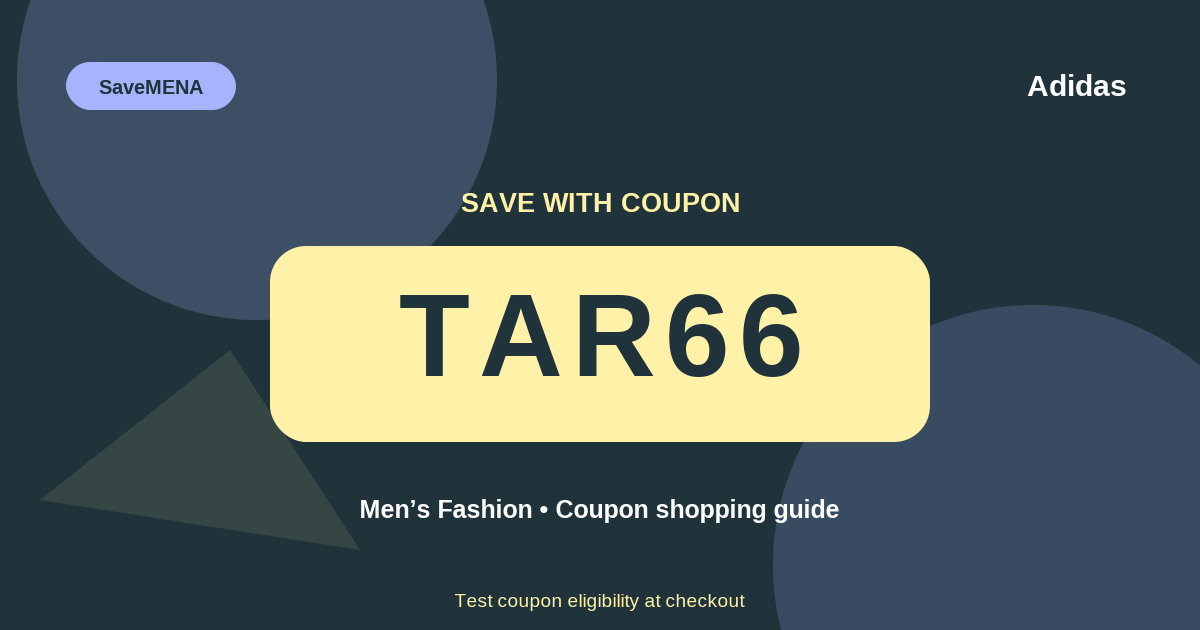
Codes available to try while comparing
These codes are not guaranteed for the article topic or listed brands; test them at checkout and use the live result.
1. Building Your Shopping List With Delivery in Mind
Start by listing the exact items you want, noting each size, color, and style. For Men’s Fashion, an oversize jacket and a slim‑fit tee are common examples, and recording these details early prevents accidental variant swaps later. This stage also lets you pause and mentally ask whether the listed items ship in a standard window—some products may have extended processing times due explicitly to their availability or manufacturer sourcing. By documenting these concerns upfront, you have a clear reference when you next examine delivery estimates.
Consider grouping items by brand or category if you plan to apply a single coupon across several orders. While the Tanner “TAR66” coupon might be available for a wide range, you should still verify that all items in the same cart share the same estimated delivery frame. When you later review each product’s shipping notice, you’ll see whether an item’s estimated arrival is synced with your overall timeline, ensuring you can keep expectations realistic from the beginning of your shopping journey.
2. Navigating Noon’s Product Pages for Accurate Variants
On each product page, hover over or click the color, size, and style options to confirm the SKU visible in the price field. The displayed price accompanies an estimated delivery badge that updates instantly if you change a variant. This feature is crucial: the estimated delivery timing can shift subtly when you select a different size or color, especially if stock lives in a different fulfillment center. Ensure you record the exact delivery window the page shows before leaving the product listing.
When you revisit the page later—perhaps after adding the item to your cart—double‑check that the variant remains unchanged. Noon indicates the chosen variation in the cart’s thumbnail panel; if a mismatch occurs, it can influence the estimated shipment date because some variants have separate inventory pools. Matching the product page to the cart snapshot keeps your delivery timing accurate at every step of the process.
3. Adding Items with Attention to Cart Accuracy
Once you’re satisfied with your variant, add the product to your cart. The cart screen lists each item’s name, chosen specification, price, and a provisional estimated arrival date. Even before any coupon is applied, this estimate reflects the courier, shipping method, and current processing schedule for that specific SKU. Note the date and keep it as a baseline for any subsequent changes in the cart’s total or delivery options.
If you plan to add more items, repeat steps 1 and 2, then review the collective cart view. Adding a second product can trigger a new delivery estimate if the items share a courier but differ in processing times. Tracking these evolving dates helps you decide whether to wait for a bundled delivery or to split orders into separate shipments—both choices can affect how and when the “TAR66” coupon eventually applies.
4. Managing Your Cart Before Coupon Application
The cart also displays any active promotional codes. At this point, it’s safe to confirm that the cart contents still match the delivery timeline you recorded earlier. Removing or swapping a single item can re‑calculate the estimated arrival days, potentially shifting the expected delivery window. Use the “remove” buttons only after noting the new estimate so you can compare it with your original expectations.
When you decide to add the coupon, it should appear in a dedicated field awaiting code entry. The cart’s summary refreshes automatically if the code triggers a discount, which can subtly affect the shipping fee or the total price. Notice whether a change in the subtotal causes the platform to recalculate the estimated delivery; this interaction is common and ensures the delivery estimate remains consistent with the new cart balance.
5. Applying the TAR66 Coupon in the Checkout Flow
Navigate to the checkout page where you will enter billing and shipping details. Locate the “Coupon Code” box on the right side of the screen. Carefully type “TAR66” and press apply. The system checks the code against your cart’s items and the store’s current promotion rules. Should the coupon be viable, the cart’s total will update to reflect the discount.
Because Noon does not guarantee that the “TAR66” coupon will be accepted, double‑check the result field: if it says “Coupon successfully applied,” you now see a temporary price reduction; if it indicates an error, the coupon is not eligible for your selection. In either case, observe whether the estimated delivery date shifts. A valid discount may trigger a new shipping rule, so confirming the timing again ensures you remain aware of any new arrival expectations.
6. Reviewing Checkout Snapshot Before Final Payment
Before finalizing payment, glance over the full order summary. The screen shows the courier name, shipping method, and an updated estimated delivery date. If you’ve applied the coupon, confirm the final amount after any adjustments. The last view guarantees that your payment plan matches the delivery notion you accepted at this step; any mistake here could lead to a mismatch between your expected and actual arrival.
If the estimated delivery timing no longer aligns with your needs—for instance, if a new shipping option appears because of the coupon—you may opt to change the courier. Noon allows you to back‑track to shipping options if you’re not satisfied. Make sure the selected courier’s delivery estimate remains within your acceptable window before proceeding to payment, keeping the decision lens focused on timing rather than price alone.
7. Finalizing Order and Confirming Delivery Timing
After verifying that the courier and timing are satisfactory, enter your payment details—credit card, debit, or digital wallet—and submit the order. Upon confirmation, Noon sends a receipt via email and SMS; this record includes the chosen shipping method and the estimated delivery date that was active at checkout. Keep this confirmation open; it serves as your reference point in case the delivery window shifts in transit.
At this juncture, the coupon’s effect is locked into the final order total. Whether “TAR66” reduced your subtotal or not, the checkout snapshot ensures that the estimated delivery timing remains consistent with the original preview. If you receive an unexpected change in estimated arrival later, contact Noon’s support with the order number and the timestamp of receipt for prompt clarification.
8. Tracking Deliveries and Handling Timing Adjustments
Once your order is dispatched, Noon’s tracking portal provides real‑time updates. Tap the tracking link in the shipping confirmation to see the current status and a refined delivery window. This portal offers a detailed log of logistics events—such as “in transit” or “out for delivery”—which can help you anticipate any short delays or early arrivals.
If the tracking information shows a deviation from the original estimated delivery timing you accepted, use the support chat or customer service email to inquire about the change. Explain that you based your original decision on the stated estimate; a discrepancy could affect your post‑purchase plans. By keeping the estimated delivery timing at the center of all communication, you maintain clarity and reduce the chance of misaligned expectations for future Noon purchases.
Related SaveMENA pages
Related articles
Official sources to check
Frequently asked questions
Do I have to use the TAR66 code for all items in my cart?
The coupon applies to the entire order total when entered, but it may not be applied to every individual item if restrictions exist. The checkout page will indicate if the code was accepted or not, and the associated discount will reflect accordingly.
What happens if the estimated delivery changes after I’ve applied the coupon?
After applying the coupon, the estimated delivery timing is shown on the checkout summary. If the courier or processing time shifts, the platform will recalculate the estimate. Verify the new date before final payment to ensure it meets your needs.
Can I apply the TAR66 coupon after completing payment?
No; coupons must be entered during the checkout process before the final payment step. Once the order is placed, the discount becomes fixed and any subsequent code entry won’t alter the prior transaction.
Will the coupon reduce my shipping fees?
Coupon effects are applied to the total order price. Whether shipping fees are reduced depends on Noon’s current promotion rules; the checkout page will display any changes to fees if applicable.