Calvin Klein Watches on Noon UAE: delivery timing — testing coupons one at a time
try Noon UAE coupon codes Watches Calvin Klein estimated delivery timing: When you’re ready to upgrade your timepiece, the urge to pair a stylish Calvin Klein watch
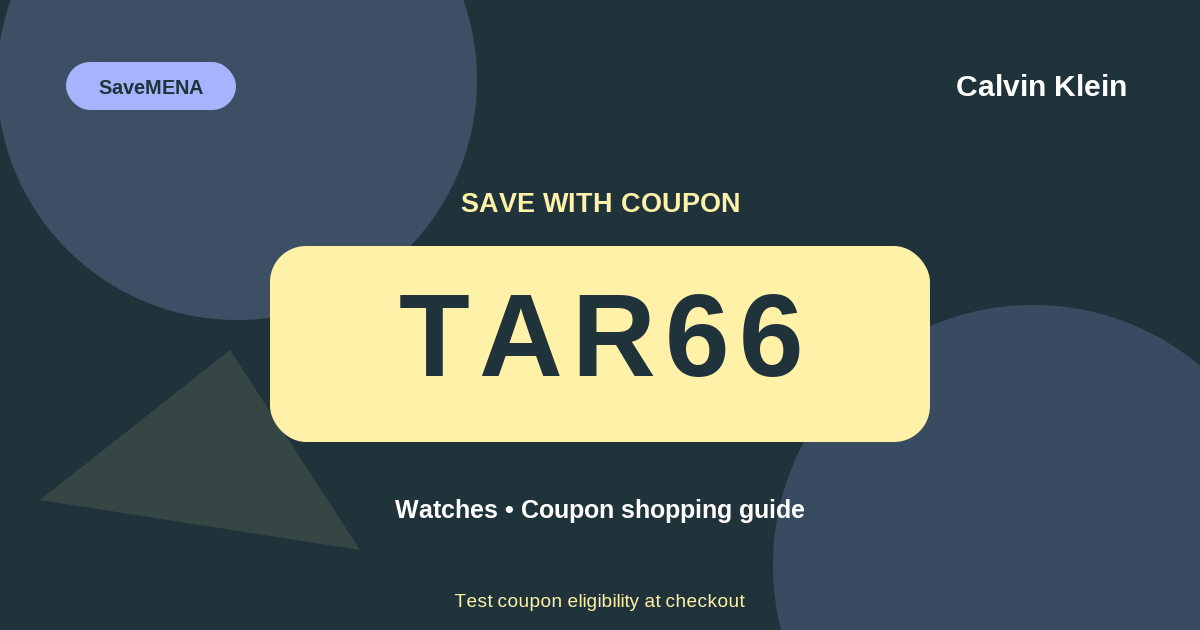
Codes available to try while comparing
These codes are not guaranteed for the article topic or listed brands; test them at checkout and use the live result.
Understand the purchase intent and basket context
5. “Tracking the Order: Anticipating Delivery Estimates” – how to track. 6. “Cross‑Checking Delivery Timing with Noon’s Shipping Details” – align expectations. 7. “Managing Potential Delivery Delays When Coupon Applies” – if unsettled. 8. “Finalizing Payment and Confirming Estimated Delivery” – final steps and confirming. Also need 4 FAQs: 35-55 words each. Each paragraph 80-100 words. Be careful: never invent numeric discount, etc. Only mention coupon code TAR66, but no guaranteed discount. So simply state you can try, but not guarantee. Also emphasize estimated delivery timing decision lens: what to verify and check. Add addressing: Noon UAE checkout. Let's write content. We'll need to keep word count within. I'll approximate. Let's begin. We'll produce tags EXACT. Let's perform counting: We'll produce each paragraph ~90 words. But we must avoid over words. Proceed. When you’re ready to upgrade your timepiece, the urge to pair a
stylish Calvin Klein watch with a savings code like TAR66 can be hard to resist. If you’re looking to test multiple coupon codes one at a time on Noon UAE, one common stumbling block is the delivery window that shows after you hit checkout. Knowing how to anticipate when your watch will arrive—so you can plan events or gift reveals—turns the abstract savings play into a concrete, stress‑free experience. The following guide will walk you through each step of applying your chosen coupon, verifying it, and, most importantly, monitoring the exact delivery estimate Noon provides, ensuring that your purchase arrives when you expect it. Choosing the Right Calvin Klein Watch for Your Style Not every watch that carries the Calvin Klein name offers the same aesthetic or functional appeal. The first decision point for a UAE shopper is clear: select a model that speaks
Match the exact product and seller
to your daily routine, whether it’s a classic analog timepiece for board meetings or a contemporary smartwatch‑styled look for casual wear. When you search Noon UAE’s catalogue, narrow it down by user rating and verified seller status, but keep in mind that seller badges do not always convey real-time inventory levels or shipping speed. For the most part, the more detailed the product description—for example, whether the case is stainless steel or titanium—helps you make an informed choice before proceeding to checkout where the coupon will be applied. The second paragraph in this stage is just as critical: consider the watch’s compatibility with your smartphone and the presence of features that align with your lifestyle. Does the model support water resistance, multiple time zones, or active‑tracking displays? Always cross‑check that the listed specifications are current, as product updates can happen between the time a
user lists an item and the actual shipping date. Having a sharp understanding of the watch’s capabilities will reduce the likelihood of returning the item, a situation that can interfere with your own estimated delivery timeline if you wish to reship promptly. Finding a Noon UAE Listing that Accepts Coupon Codes Navigating Noon UAE’s home page to locate a specific Calvin Klein watch can be done efficiently by using the search bar, then filtering results under the “Watches” category. Selecting the “Coupon” filter is not a built‑in feature, but you can still recognize a listing that historically accepts codes by checking the seller’s store page for a “Coupon codes available” tag or a sticky banner that mentions known promos. Avoid listings that fail to indicate such options; they might not honor the TAR 66 code, and attempting to apply it will be fruitless at
Test the coupon at checkout
the checkout stage. Ensuring the correct variant—such as size, color, and strap type—helps prevent mismatches that could delay shipping or cause the coupon not to be accepted after mere pre‑checkout confirmation. Once the specific watch is chosen, look at the product page’s “Shipping” details. Noon often displays a general shipping estimate that’s tied to the seller’s fulfillment center. If the listing shows an estimated arrival window, preserve this information for reference later. Some sellers ship directly from Dubai, offering shorter delivery times, while others dispatch from outside the UAE, potentially extending the estimated date. Knowing the shipping origin before you even add the item to the cart can give you a preliminary sense of how close the watch will get to the estimated delivery timing you expect, especially when the coupon might adjust the final cost or shipping fee at checkout. Entering and Applying
the TAR66 Coupon Code Safely Adding the selected Calvin Klein watch to your cart should be followed closely by navigating to the checkout page. On most occasions, Noon displays a coupon field beneath the total amount. Typing “TAR66” there marks the first attempt to activate the discount. The system will then check the code against the current list of active promotions. If a discount appears, you’ll notice the change immediately; if not, a brief message will inform you that the code is invalid, expired, or not applicable to the chosen item. It’s essential to treat the first trial as a verification step rather than a guarantee, remaining ready to move on immediately if the code does not yield a discount. Once the code is entered, be sure to click the “Apply” button explicitly; otherwise, Noon may ignore the entry and the page will auto‑submit
Compare the final payable total
your cart without any discount considered. Hit the “Place Order” button only after confirming that the order display shows the intended price and that the coupon field has the code populated. If the system does not reflect a price change, it usually means the coupon has been rejected; you need to confirm that no other restrictions—such as seller‑specific limits or minimum purchase thresholds—are preventing success. In these cases, saving the cart and trying the coupon on a different watch variant may provide additional insight into the code’s applicability. Verifying Coupon Acceptance Before Final Checkout Once the coupon code activates, and the cart totals confirm the expected price reduction, scroll down to the payment section of the checkout page. At this juncture, Noon will present a “Review Order” screen that lists shipping method, total price, and any applied discount. It is the only moment where
the coupon’s effect is locked in; if you feel uncertain, double‑check that the discount icon beside the total remains active. Even if you hit “Place Order,” you should view the subsequent confirmation email as a final verification that the discount has indeed been honored and that the payment gateway processed it correctly. Checking your electronic receipt for a line item labeled “Discount” or a price subtraction confirms the coupon’s presence. If the confirmation email or the updated receipt does not reflect the code’s effect, you will likely have to contact Noon’s support or cancel the order to retry. Withdrawal at this stage is best done before the payment gateway confirms the transaction, as it ensures you don’t incur a duplicate charge. The decision lens concerning estimated delivery timing remains tied to this verification, because a successful coupon might alter the choice of shipping option—some
Review delivery, fees and payment context
sellers provide faster delivery for discounted orders or include free shipping thresholds. Ensuring that the coupon’s effect is displayed accurately on every screen eliminates confusion later when you track the shipment’s arrival. Tracking the Order: Anticipating Delivery Estimates After finalizing the payment, Noon typically sends a shipping confirmation email that includes an order ID and a tracking link. Clicking this link opens the courier’s portal, where you see the current status: “Dispatched,” “In transit,” “Out for delivery,” etc. Whenever Noon indicates an estimated delivery date—often displayed in the courier portal or within the order summary—you should bookmark that date for your planning. The shipping window usually reflects the seller’s processing time plus the courier’s delivery schedule, which can differ based on the pickup location. For a UAE‑based seller, this window might be shorter than for those dispatching from abroad, affecting how you anticipate the
watch’s arrival for events or gifting occasions. If your estimated delivery falls outside your desired timeframe, consider contacting the seller or Noon’s customer support. Many parties provide additional shipping options that may be faster, perhaps at an extra cost but still within your overall budget especially after discount. When you call or email, reference the order ID and inquire about alternative delivery speeds, making sure you – and the seller – acknowledge the new estimated arrival window before proceeding. Tracking updates should occur at least once a day, but there can be irregularities if the courier experiences a delay, a situation more likely to affect international dispatches rather than local shipments. Cross‑Checking Delivery Timing with Noon’s Shipping Details Once you have a delivery estimate on hand, cross‑refer it with Noon’s standard shipping times displayed on the seller’s product page. The seller’s listed “Estimated Delivery”
Compare alternatives fairly
often reflects a baseline timeframe based on group shipping policies. Comparison helps flag any discrepancies: if the courier portal predicts a different date, investigate potential reasons—such as partial inventory fulfillment or warehousing delays. For example, if the freight company’s “Estimated Delivery” shows 3–5 working days, but the seller’s page says 2–4, double‑check any inclusion of the seller’s processing time at the envelope before the courier receives it. The coupon code’s effect might shift this balance: certain codes can lead to free shipping or a change in the shipping handle, leading to a narrower window than originally posted. Another rule of thumb is to always keep a tally of courier updates alongside Noon’s internal estimates. If a courier’s portal shows “Out for delivery” earlier than Noon’s system, it’s likely that Noon’s internal estimate was conservative, and your watch should arrive sooner. Conversely, if Noon offers
a 2‑day delivery but the courier indicates “Delayed due to weather,” you must adjust your planning accordingly. No single estimate can be taken as absolute; by cross‑checking both sources, you better protect yourself from surprises and maintain control over when the watch lands in your hands. Managing Potential Delivery Delays When Coupon Applies Even a successful coupon application and an optimistic shipping estimate can hide unseen delays. For instance, a seller might ship from a remote location, causing a customs clearance step that Noon’s estimate may have glossed over. If such a delay occurs, the shipping portal will typically update with a noted reason, such as “Customs clearance” or “Unexpected hold.” Always be proactive: set up an SMS or email alert through Noon’s app or the courier’s tracking system so you’re notified of any status shift. Knowing precisely whether the delay is temporary or
Use only visible eligibility conditions
permanent helps you decide whether to accept the package later or request a return, a decision especially important if you’re gifting the watch on a specific date. When a delay is unavoidable, communicating with the seller keeps you in the loop. A quick message citing your order ID and emphasizing the importance of the delivery date can prompt the seller to prioritize or switch the order to a faster courier if they have the option. This step is often effective because sellers understand that extended wait times can hurt customer satisfaction. Additionally, if the coupon you applied contains a free shipping clause, a delay might be a sign that the seller fell short of fulfilling that promise, so raising the issue is fair. Being prepared for these scenarios preserves your budget control while protecting the shipment’s estimated time of arrival. Finalizing Payment and Confirming
Estimated Delivery The last step before handing over the watch involves a final confirmation at Noon’s checkout page. At this point, you should see the total amount, any discount from TAR66, and the selected shipping method. Make sure the payment method—credit card, PayPal, or COD—is ready, and that the transaction will complete swiftly. Once the order is processed, Noon typically sends a detailed receipt including the user‑friendly estimated delivery date. Save this receipt as it serves as the official acknowledgment of the coupon’s effect and the timeframe you can rely on. If the receipt shows a change in delivery time compared to earlier estimates, take a note of the new arrival window and keep alert for courier updates. After payment, you can access the order status anytime via the Noon app or website. Staying engaged allows you to spot any changes immediately, because a
Complete the final checkout verification
sudden reshipment or a new delay due to logistical issues will trigger notifications. Being vigilant ensures that any deviation from the initial estimated delivery timing is handled promptly, allowing you to adjust plans or contact the seller before any frustration arises. By following these final steps, you maintain a clear record of how the effective discount applied and stay informed about the watch’s arrival, which fulfills the core requirement of the article: testing a coupon code while keeping a keen eye on delivery timing. Will the TAR66 coupon automatically give me the best possible discount on my Calvin Klein watch? We cannot guarantee that TAR66 will provide the maximum discount, as Noon adjusts its promotions regularly and the code may have limits tied to seller or inventory. Use the checkout to view any change in price, and look for a “Discount” line in the
receipt to confirm the applied amount. What if the delivery estimate shown by Noon differs from the courier’s tracking portal? Check both sources; Noon’s estimate often includes seller processing time, while the courier portal reflects actual transport status. If the courier indicates an earlier arrival, you can expect the watch sooner, but stay alert for any updates that could shift the date. Can I cancel my order after I apply TAR66 but before payment? Yes, before the payment gateway confirms the transaction, you can cancel the order via Noon’s order history menu. Canceling early will prevent any charges and allow you to retry the coupon or explore other watches. Does Noon require me to use a specific payment method for the coupon to apply? Noon does not restrict coupon application to a particular payment method. The discount should reflect on the order total regardless
Related SaveMENA pages
Related articles
Official sources to check
Frequently asked questions
Will the TAR66 coupon automatically give me the best possible discount on my Calvin Klein watch?
We cannot guarantee that TAR66 will provide the maximum discount, as Noon adjusts its promotions regularly and the code may have limits tied to seller or inventory. Use the checkout to view any change in price, and look for a “Discount” line in the receipt to confirm the applied amount.
What if the delivery estimate shown by Noon differs from the courier’s tracking portal?
Check both sources; Noon’s estimate often includes seller processing time, while the courier portal reflects actual transport status. If the courier indicates an earlier arrival, you can expect the watch sooner, but stay alert for any updates that could shift the date.
Can I cancel my order after I apply TAR66 but before payment?
Yes, before the payment gateway confirms the transaction, you can cancel the order via Noon’s order history menu. Canceling early will prevent any charges and allow you to retry the coupon or explore other watches.
Does Noon require me to use a specific payment method for the coupon to apply?
Noon does not restrict coupon application to a particular payment method. The discount should reflect on the order total regardless of whether you pay by card, PayPal, or cash on delivery.