Calvin Klein Men’s Fashion on Noon UAE: shipping responsibility — testing coupons one
try Noon UAE coupon codes Men’s Fashion Calvin Klein fulfilment and shipping context: Choosing the right men’s fashion piece from Noon in the UAE demands more than
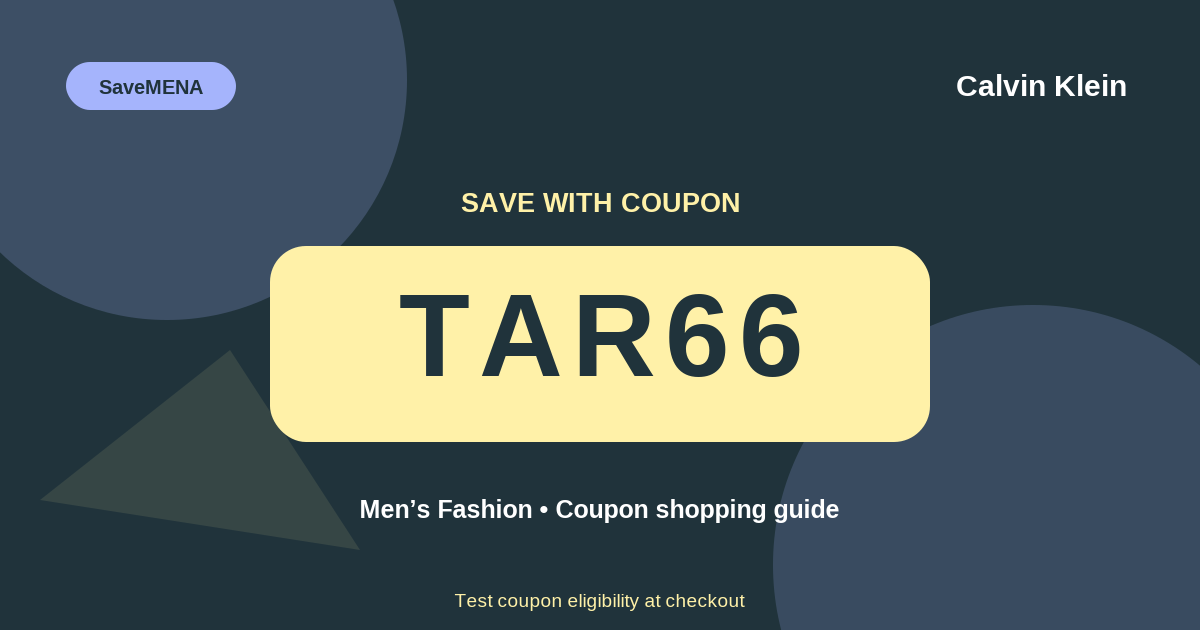
Codes available to try while comparing
These codes are not guaranteed for the article topic or listed brands; test them at checkout and use the live result.
1. Pinpoint Your Desired Item in Noon’s Men’s Fashion Collection
Begin by scrolling Noon’s extensive men’s fashion aisle. Filter results by brand, size, color, or price to narrow down choices. Look specifically for Calvin Klein offerings if they appeal, noting that store inventory fluctuates and stock levels can vary by city. A clear picture of the item you want—complete with size and colour options—helps avoid last-minute hassles when you reach the checkout stage.
Once you’ve identified a product, capture its shopping link or take a screenshot for later reference. This ensures you keep an accurate record of the exact variant you’re interested in, which can reduce confusion at checkout, especially if multiple listings for similar items appear.
2. Examine Seller Credentials and Delivery Promises
In Noon’s listing, review the seller’s profile before adding items to your cart. Pay attention to seller ratings and the length of their partnership with Noon, as these can indicate reliability. Shipping promises such as “Same‑day delivery” or “Next‑day delivery” are usually stated near the price, but the exact terms appear in the seller’s shipping policy section. Confirm that the delivery window matches your expectations.
Should you spot any red flags—such as an empty or unclear shipping policy—consider selecting an alternative seller or item. Sellers that consistently advertise rapid fulfilment are more likely to uphold their delivery timelines, giving you peace of mind before you proceed.
3. Choose a Delivery Option That Matches Your Schedule
When you add a men’s fashion product to your cart, Noon offers multiple delivery methods: express pick‑up, standard delivery, or store‑pickup if you reside in a registered city. Highlight the pros and cons of each. For example, store‑pickup eliminates shipping fees but requires a timely arrival at the chosen location. Express options generally fasten the process but may carry extra cost. Determine which service best aligns with your urgency and budget.
During selection, note any “Estimated delivery” timestamps provided by Noon. Make a mental note of each option’s time range to ensure it coincides with your availability, reducing the chance of missed deliveries or confusion about the final arrival date.
4. Conduct a Cart Review Before Coupon Application
Once your desired product is in the cart, examine the subtotal and any visible shipping charges. Be mindful that the “grand total” displayed at this stage does not yet account for coupon application. This pre‑coupon check allows you to catch hidden fees—such as reshipping or handling—for items that might be restricted in certain delivery areas.
Double‑check the item’s return policy and check the applicable fulfilment constraints. If a later item in the cart has a different shipping method, it can influence the overall delivery time. Ensuring clarity here preempts surprises once the coupon is used.
5. Apply the “TAR66” Coupon and Observe Its Effect
Proceed to the checkout screen where you can input the code “TAR66.” Notice whether the interface seeks confirmation or immediately adjusts the cart’s value. It’s possible the code may not apply or may alter the total differently than expected. Correctly observing the change in the displayed total after entering the code is crucial.
Following this step, verify that the applied discount is reflected only after the reviewed shipping charges are finalized. If the system flags the coupon as invalid or inapplicable to the specific product, a reminder to consider alternative discount avenues may arise.
6. Verify Final Price and Shipping After Coupon Impact
After the “TAR66” code has been processed, a refreshed total appears. Re‑check this figure against the shopping list of expected shipping charges. Some coupons influence product price only, leaving shipping fees untouched; others may apply to the entire order value. Confirm which scenario applies to your transaction.
If the final total includes the shipping fees clearly, note the amount and analyze whether it aligns with the delivery method selected earlier. Consistency between the earlier estimated delivery time and the new total’s shipping fee provides assurance that the fulfilment promise remains unchanged.
7. Finalize Payment Choice and Extra Fees
Proceed to the payment screen, choosing between credit card, debit card, or online banking as offered by Noon. Pay attention to any potential transaction fees or surcharges tied to a specific payment method; these are usually listed before payment confirmation. Certain cards might offer discounts or credits that affect overall spending.
Check for any token or promotional offers from Noon that might link to the selected payment avenue. Tracking these details ensures that you avoid unexpected extra charges that may not be covered by the coupon or shipping costs. Concluding the payment step confirms the entire order is ready for dispatch.
8. Confirm Order Placement and Tracking Availability
After payment completion, Noon presents an order confirmation page containing the order number, expected delivery date, and a link to the order’s detailed status. Verify that the confirmation encompasses the correct item variant and shipping detail. This page is your primary reference for any future inquiries or amendments.
Utilize Noon’s tracking feature to monitor realtime delivery progress. Tracking data typically updates after the seller processes the shipment, which correlates closely with the fulfilment notes provided earlier. Consistent updates reinforce confidence that the delivery will adhere to the projected timeline.
Related SaveMENA pages
Related articles
Official sources to check
Frequently asked questions
How do I know if the “TAR66” coupon is valid for my chosen Calvin Klein item?
The coupon’s validity is confirmed at checkout. If it’s inapplicable, the system will display an error or ignore it. There’s no guarantee of a discount; proceed to checkout to see the final effect on your total cost.
Can I change my shipping method after the coupon is applied?
After applying the coupon, you can revisit the shipping options. However, shipping times and fees may adjust; ensure you review the updated total before finalizing the payment.
What should I do if nope shipping fee changes after I apply the coupon?
Re‑examine the cart’s final total. If shipping adjustments occur post‑coupon, they’ll be reflected in the updated amount. Verify the new figure and confirm it matches your expectations before completing the order.
Is there a fee for picking up my order from a local noon store?
Store‑pickup typically incurs no delivery charge. Check the order confirmation for delivery method details. If the pickup location shares your area, no additional fee is usually applied.