Dell Computer Accessories on Noon UAE: model specifications — testing coupons one at a
Try Noon UAE coupon codes for Dell computer accessories and put the savings to the test by applying the coupon TAR66 to a Dell accessory of your choice.
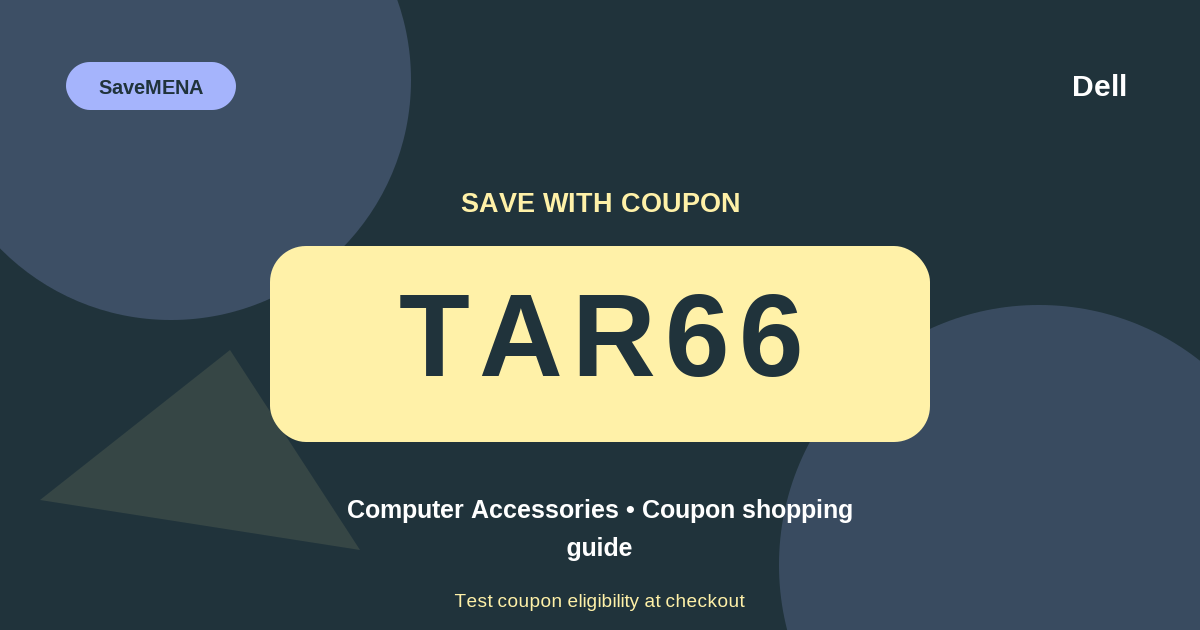
Codes available to try while comparing
These codes are not guaranteed for the article topic or listed brands; test them at checkout and use the live result.
Using Noon UAE Coupon Codes for Dell Accessories: How to Start Your Trial
The first step to testing a coupon on Noon UAE is to identify a Dell accessory that meets your specifications. Browse the computer accessories section, filter by brand if desired, and read the product description carefully to confirm compatibility.A coupon is not guaranteed; verify its result at the retailer checkout.
When the cart total is displayed, click the “Coupon Code” field and enter TAR66. Noon will attempt to apply the discount and instantly update the payable amount. If the coupon is valid for the selected item, you’ll see a reduction; if not, the system will notify you that the code cannot be applied to the cart. In either case, the attempt should be recorded at checkout, giving you a concrete example of the coupon’s behavior for that particular Dell model.
The Dell Model Spotlight: Key Specifications That Matter to UAE Shoppers
Understanding the Dell model’s key specifications helps UAE shoppers assess whether it aligns with performance expectations. Look for processor speed, RAM size, storage type and capacity, and graphic capabilities if relevant. These factors dictate how well the accessory will support tasks such as gaming, graphic design, or everyday office work. Additionally, verify the dimensions and power requirements, ensuring they fit your workspace and power outlets in the UAE.
Dell typically includes warranty details within the item page. Pay attention to the length of the warranty, whether it includes on‑site support, and if it is extendable. For a reliable purchase, confirm the warranty’s validity in the UAE and whether Dell offers local service centers. Weighing these specifications against your own workload guarantees that the chosen accessory will function optimally and provide longer-term value, especially when applying a coupon code at checkout.
Step‑by‑Step Guide to Testing Multiple Coupon Codes on Noon
Although only TAR66 is recommended for this article, the process for testing additional coupon codes is identical. Begin by navigating to the cart page, where multiple coupon attempts can be entered sequentially. First, input TAR66 and note the result; record the total after any discount. Clear any applied coupon before entering the next to ensure that each code’s effect is evaluated in isolation.
Different coupons may apply to specific items or have varying eligibility windows. Toasting each code separately eliminates overlapping factors. If a coupon doesn’t work with the Dell accessory, the checkout will explain why—be it an incompatibility or a limitation of the product category. Repeating this process offers a clear picture of each code’s performance before deciding which one to use permanently.
Why Dell Computer Accessories Need Precision: Balance Between Performance and Cost
Dell accessories, whether mice, keyboards, or external drives, are engineered for specific performance profiles. UAE buyers often need precision‑centric peripherals for tasks such as CAD modeling or financial trading. These accessories must match the device’s input/output speeds and power draw, or they risk under‑performance. Balancing performance with cost is key—cheaper options may suffice for casual usage, while demanding tasks justify higher‑grade accessories.
When applying a coupon, it’s crucial to verify that the discounted product still meets technical criteria. A reduced price is attractive, but if the accessory’s specifications fall short, the discount will be a drawback. Therefore, evaluate Dell’s product line for the precise feature set required, then see whether the coupon retains those features in the final bundle. This ensures that savings do not compromise functionality.
Checking Specs Against Your Workload: Choosing the Right Dell Peripherals
To align a Dell peripheral with your workload, map your typical use cases against the accessory’s specifications. For instance, a high‑RPM SSD may benefit video editors, while a durable mouse with programmable buttons suits developers. Look for explicit performance metrics such as data transfer rates, latency, and durability ratings—all listed in Dell’s product details. Matching these figures with your demands safeguards against over‑ or under‑specification.
The UAE environment, with its particular temperature range and power cycles, can influence component longevity. Dell’s EMC (Environment, Management, and Control) compliance indicates how products cope with heat and humidity. Verifying this compliance assures that the accessory will operate reliably under local conditions. Thus, the right choice is one that delivers on both performance and environmental resilience, even when tested with a coupon.
Evaluating Seller Reputation & Warranty on Noon for Dell‑Branded Items
Before finalizing a purchase, examine the seller’s ratings and feedback on Noon. A seller with consistently positive reviews and a solid seller rating signals trustworthy handling of Dell-branded goods. Since Dell accessories often carry brand‑specific support, some sellers may also offer owner’s manuals or firmware updates directly. Verify these extras by reviewing the seller’s help center or product FAQ links.
Warranty considerations are equally critical. Dell’s standard warranty, typically expressed in years, should be confirmed to apply within the UAE. Sellers can sometimes add extended warranties or local insurance plans. Confirming warranty coverage during checkout clarifies whether the coupon’s effect still retains these protections, ensuring that any cost savings do not compromise the final post‑purchase support.
Managing Checkout Variables: Fees, Delivery, and Final Amounts
The final checkout page on Noon presents the cumulative sum, taxes, delivery fees, and any applied coupon reductions. Even if TAR66 successfully discounts the accessory price, the total payable amount will also include VAT and potential delivery charges. Pay close attention to how discounting affects the final due, as the coupon may apply only to the base price, not to ancillary fees.
Process safety includes verifying the currency conversion rate if you are using a different payment method. Noon uses AED for UAE shoppers; ensure your card’s currency settings align accordingly. Once all variables are confirmed, proceed to payment. The resulting receipt solidifies the last known price, inclusive of the coupon effect, establishing a reliable reference point for future comparisons.
Summary: Making the Most of Your Coupon Trial Without Assumptions
Testing the TAR66 coupon on a chosen Dell accessory begins with selecting the product, entering the code, and evaluating the checkout outcome. By examining the model’s specifications, seller reputation, warranty coverage, and final payable amount, UAE shoppers can discern whether the coupon genuinely provides value for that specific item. This methodical approach avoids unwarranted expectations about a discount’s success.
Should the coupon fail to apply, the checkout explanation will reveal why, such as category restrictions or minimum spend limitations. Even in that case, the data gathered informs future purchasing decisions and encourages avoidance of false assumptions. The practice of systematically testing coupons, paired with a clear understanding of Dell’s accessory specs, empowers shoppers to act confidently and maximize value each time they shop on Noon UAE.
Related SaveMENA pages
Related articles
Official sources to check
Frequently asked questions
Does the TAR66 coupon apply to all Dell computer accessories on Noon?
It is unclear whether TAR66 applies universally. The coupon’s effectiveness must be determined by applying it to each specific product during checkout. If the code does not work, the checkout screen will indicate any restrictions in place.
What happens if I try multiple coupons on the same cart?
You must clear any previously applied coupon before entering a new one. Each code is evaluated independently; the most recent attempt will replace the earlier discount in the checkout calculation.
Will the coupon affect delivery fees or VAT?
Typically, a coupon reduces only the listed price of the item. Delivery fees and VAT are applied after the coupon discount is processed, unless the code explicitly states otherwise at checkout.
How can I confirm the Dell accessory's warranty applies in the UAE?
Check the product page for warranty details and confirm via Dell’s official UAE website or contact the seller on Noon. Warranties listed should specify coverage region and duration for accurate verification.