Computer Accessories on Noon UAE: model specifications — testing coupons one at a time
When you try Noon UAE coupon codes for Computer Accessories, you first need to evaluate the model and specifications of each item to ensure it meets your workflow
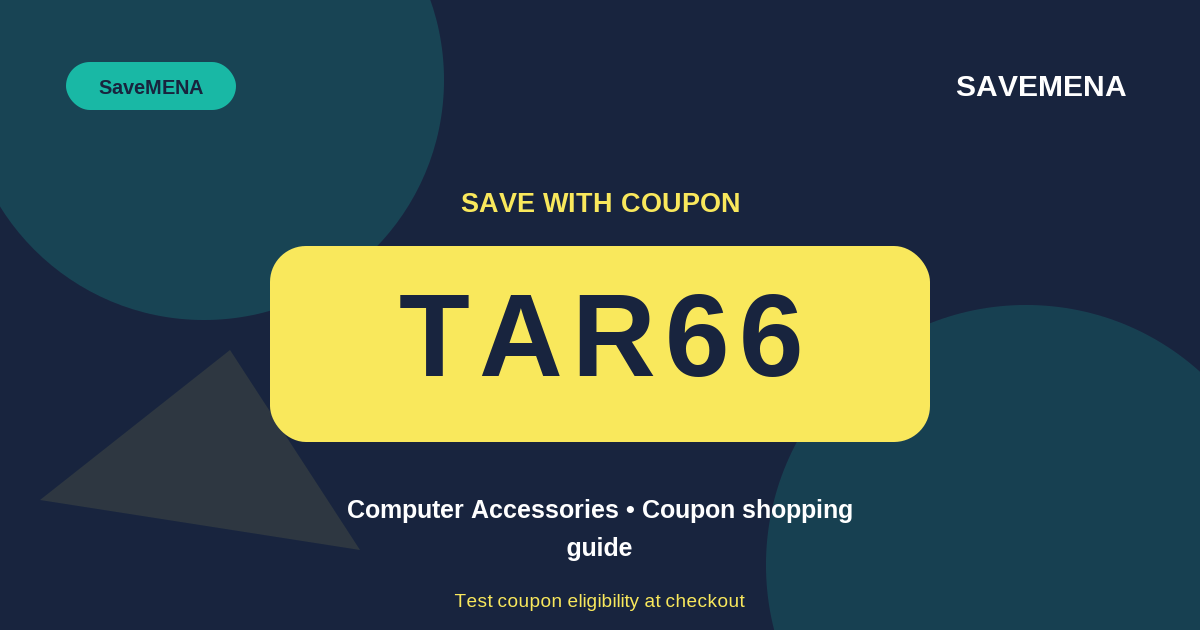
Codes available to try while comparing
These codes are not guaranteed for the article topic or listed brands; test them at checkout and use the live result.
Understanding Model and Specification Priorities in Computer Accessories
Before you hop onto Noon’s sale pages, list the key specs that dictate performance for each accessory type. For peripherals like keyboards, look for switch type, key travel, and backlighting; for displays, examine resolution, refresh rate, and panel technology. For internal components such as SSDs, note interface (SATA vs. NVMe), sequential read/write speeds, and form factor. Documenting these metrics empowers you to compare products confidently, avoiding hidden costs or incompatibility issues later.
After establishing your specification checklist, prioritize your budget across the accessories you can’t do without. A solid evenly‑balanced build often outperforms sporadic bargains that sacrifice essential features. Keep an eye on user reviews that highlight real‑world performance for the exact models you’re considering, as specs alone may not capture reliability or ergonomics. With your model‑based criteria set, you’re ready to scan Noon’s listings, consciously comparing each), as you will eventually try the TAR66 coupon one code at a time.
Selecting the Right Keyboard: Mechanical vs. Membrane
Mechanical keyboards offer tactile actuation and durability that mechanical switches provide; these specs include switch type (Cherry MX Brown, tactile line, or linear), key travel depth, and construction (plate‑mounted or PCB). Membrane keyboards, meanwhile, emphasize slimness and quiet operation; look for keycap thickness, build materials, and whether the keyboard supports n-key rollover. When comparing models, pay attention to keycap material—ABS vs. PBT—and the presence of programmable keys or RGB lighting if these fit your workflow needs.
Rotate your comparisons by series: for example, compare the backlit RGB and mechanical switches of a German‑Germanic Mechanical Master with the quiet membrane of a light‑weight business model. Check the compatibility of switch types with your existing setup; a full‑size mechanical keyboard with a tenkeyless alternative may change cable management or desk space. Once you’ve verified the specs you value, you can proceed to add the item to your cart and attempt the TAR66 coupon at checkout, testing it one code at a time.
Choosing a Mouse: DPI, Ergonomics, and Connectivity
Gaming and productivity mice demand different specifications. For high‑precision work, look for adjustable DPI settings up to at least 8,000 DPI, and an optical sensor rated for low latency. Ergonomic models should feature a contoured shape that matches your natural grip—reverse‑grip, contour, or vertical grip are common styles. Wireless mice benefit from low‑latency Bluetooth or proprietary radio protocols; check the antenna design and signal range in the specs.
Connectivity also affects power consumption and cable management: a USB‑C mouse may offer improved data transfer, while older USB‑A can accommodate a broader range of ports. Mouse drive motors, polling rates (usually expressed in Hz), and programmability of buttons are features you might want to compare. As you finish reading specs, add the mouse to your cart and try the TAR66 code at checkout, verifying whether it applies without errors before exploring other codes.
Investing in a Monitor Mount: Adjustability, Build Quality, Cable Management
Monitor mounts are judged by their VESA compatibility, maximum weight capacity, and the degrees of movement they support—tilt, swivel, pivot, and height adjustment. A rigid base with a rotating arm offers extra focus adjustments for long‑term ergonomics. Pay attention to the joint material—aluminum or steel—since it influences sturdiness, along with the finish (anodized versus plain) for a long‑lasting aesthetic that matches your desk.
Cable management is another key specification to consider. A mount that incorporates cable trays or clips keeps your desk clear and reduces the force vectors on the mounting arms. The presence of a quick‑release mechanism can save time when swapping monitors. Once you’ve selected a mount model that meets these specifications, add it to your cart and apply the TAR66 coupon at checkout, testing it as your “one code at a time” strategy requires.
Optimizing Power Supply Units: Wattage, Efficiency Ratings, Modular Design
When choosing a power supply unit (PSU), start with the wattage needed to support your entire system, including GPUs, CPUs, and potential future upgrades. Reliability is rated with an 80 PLUS certification—Bronze, Silver, Gold, Platinum, or Titanium—indicating how effectively the unit converts mains power to usable power and reduces waste.
Modular designs let you attach only the cables you need, reducing clutter. Key specifications include the type of connectors—24‑pin ATX, 12‑V rail amperage, PCI‑e power pins—and the presence of a short‑circuit breaker or over‑current protection. Once you've confirmed your PSU model's specs fit your build, add it to your cart and test the TAR66 coupon at checkout, ensuring it works before moving on to the next coupon.
Assessing Storage Solutions: SSD vs. HDD, NVMe, SATA
Storage comparisons hinge on interface, capacity, and speed. NVMe SSDs use the PCI‑e bus, delivering read/write speeds that far exceed SATA III SSDs; look for sequential read/write numbers in MB/s, plus 4K random access times in µs. SATA SSDs, while slower, often cost less per gigabyte and remain a viable choice for bulk storage or secondary drives.
Consider form factor: M.2, mSATA, and 2.5‑inch SATA SSDs each have different installation locations and cooling requirements. Also review endurance ratings, such as TBW (Total Bytes Written) or MTBF (Mean Time Between Failures), to gauge reliability in sustained workloads. After gathering specs, add the storage device to your cart and apply the TAR66 code at checkout, following your policy of testing one coupon at a time.
Leveraging the TAR66 Coupon Code for Potential Savings
Once you’ve added a computer accessory to your cart, navigate to the checkout stage where the coupon code field appears. Enter “TAR66” into this field; notice that Noon will confirm whether the coupon applies. Note that the code can be tried one at a time, meaning you should receive confirmation before attempting another code, ensuring the discount does not stack unintentionally.
Check the cart totals after entering the coupon—if the code is accepted, a revised subtotal will display, along with any sale price or free shipping rule that applies. If the code is rejected, the cart will retain its original price; at that point, you may either re‑try the “TAR66” code or consider adding a different coupon. This step-by-step testing keeps expenses transparent and prevents confusion over overlapping promotions.
Finalizing Your Purchase: Checkout Process and Confirmation
After confirming the coupon’s validity, review delivery details: shipping speed, fees, and estimated arrival dates. Double‑check that the chosen model and specifications still match your saved cart items—occasionally sellers update product SKUs or remove stock. Make sure you’re signed into your Noon account to save delivery addresses and payment methods for future convenience.
Complete the payment by selecting your preferred method (credit card, PayPal, or Noon wallet). Once payment succeeds, you’ll receive an order confirmation page listing the item’s model, specifications, final price, and applicable coupon discount if accepted. Keep a copy of this confirmation email or screenshot for dispute resolution or shipment tracking. Following these steps ensures the shopping journey finishes smoothly, with your computer accessory matching the specs you most valued and the TAR66 coupon applied (or not) as per your test results.
Related SaveMENA pages
Related articles
Official sources to check
Frequently asked questions
Does the TAR66 coupon apply across all categories on Noon UAE?
The coupon’s applicability is not guaranteed across all categories. It may be limited to specific product lines or subject to promotional terms that change over time. Always check at checkout.
Is there a minimum purchase amount required to use the TAR66 code?
Minimum spend requirements can vary. Verify the cart total after applying the coupon to see if the discount activates or if additional spending is needed.
Will the TAR66 coupon add free shipping to my order?
Coupon effects on shipping depend on Noon’s current policies. Check the delivery breakdown during checkout to confirm any changes in shipping fees.
Can I use the TAR66 code with other promotional offers?
Combining voucher codes is often restricted. Once you apply TAR66, additional codes may be rejected or not stack. Test the coupon alone before trying others.