Philips Electronics on Noon UAE: model specifications — testing coupons one at a time
If you’re looking to try Noon UAE coupon codes Electronics Philips model and specifications, reading this guide will show you exactly how to test each code
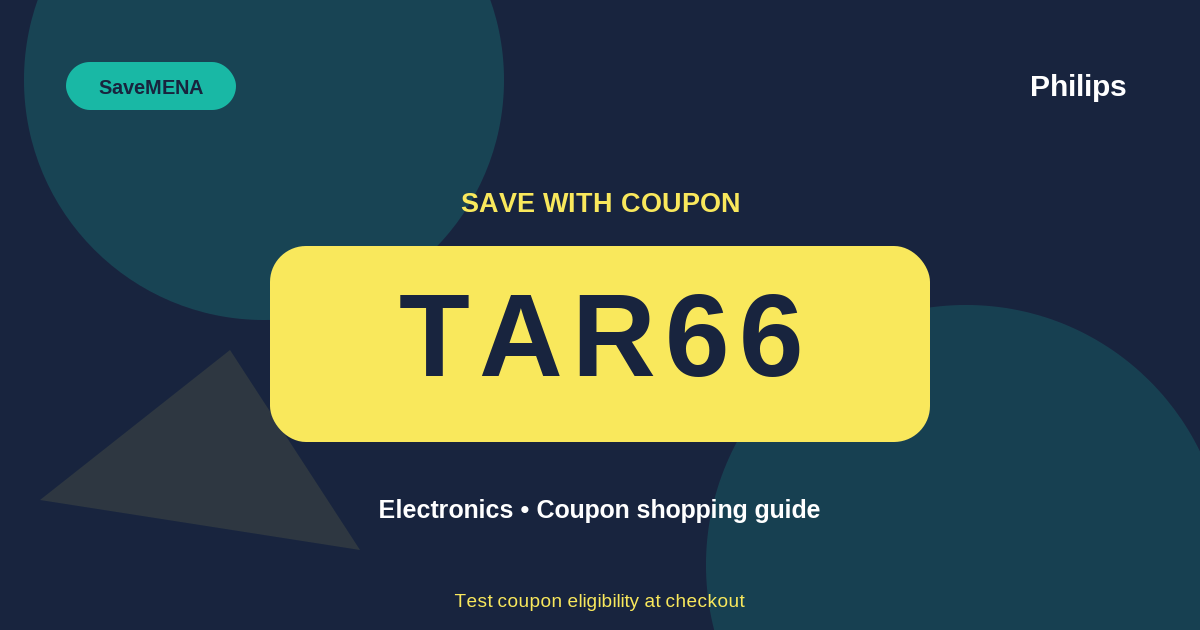
Codes available to try while comparing
These codes are not guaranteed for the article topic or listed brands; test them at checkout and use the live result.
Choosing the Right Philips Model for Your Needs
Before you even think about applying a coupon, you must first narrow down the Philips electronic line that fits your lifestyle objectives. Whether you’re shopping for a smart LED TV, a high‑performance television soundbar, or a reliable microwave oven, each Philips model brings distinct technical traits to the table. Look at the key categories such as display technology for televisions or power wattage for kitchen appliances; these factors directly inform how the product will perform in your daily routine.A coupon is not guaranteed; verify its result at the retailer checkout.
Once you have earmarked a Philips model for purchase, double‑check that it’s available in the UAE market with the exact configuration you need—particularly the regional variant of the product. The Noon UAE platform often lists both international and locally‑certified versions, so confirming the correct model number or SKU is essential. A mismatch could lead to an unexpected out‑of‑stock notification or an incorrect product at checkout, which would invalidate any coupon effect you might have been expecting. By narrowing down the model early, you create a solid foundation for a seamless coupon‑testing experience.
Understanding Philips Model Specifications on Noon
Pinpointing your Philips model is only the start; you must also scrutinize the specifications that differentiate one device from another. On Noon, each Philips product page lists detailed features such as resolution, processor type, Bluetooth connectivity, and energy rating. Your focus should be on the specifications that influence performance and compatibility with your existing electronics ecosystem. For example, a TV’s refresh rate and HDR support directly affect visual quality, while a soundbar’s driver configuration determines audio clarity.
Take note of any optional add‑on specifications that impact the device’s utility—these might include smart‑home integrations, voice assistant compatibility, or warranty extensions. Since Noon displays live product data, the figures on the page reflect the real‑time inventory and technical details you can rely on. If you find a discrepancy or a missing field, double‑check the product’s Philips website or contact Noon customer support for clarification before proceeding to the coupon‑testing stage.
Locating Philips Electronics on Noon UAE: Step‑by‑Step
Navigating to your desired Philips product on Noon requires a clear browsing path, beginning with the main search bar located at the top of the homepage. Input the precise model name or SKU to bypass the generic Philips collection and reduce the number of irrelevant results. This ensures you’re only presented with products that match the exact specifications you reviewed earlier.
If the search produces no match, use Noon’s filtering system by selecting the “Electronics” category and then narrowing down to sub‑categories such as “Televisions,” “Audio,” or “Home Appliances.” Further filter by brand and inventory status to guarantee that the listed item corresponds to your chosen Philips model. Once you land on the product page, verify that its title and image correlate with the model listing you identified previously. This verification step eliminates the risk of selecting an incorrect variant that could disrupt your coupon application.
Retrieving and Selecting the Exact Product Variant
Philips electronics often come in multiple variants—different sizes, firmware updates, or pre‑installed firmware that can alter the device’s performance. Upon reaching the product page, examine the available variants under the “Select Model” or “Version” dropdown. Each variant should display its own set of specifications, allowing you to confirm that the option you choose fully matches your earlier research.
After choosing the correct variant, add the item to your cart. Noon’s cart will reflect the selected variant’s specific model number, color, or other distinguishing features. Pay close attention to the cart details to ensure the product listed there is precisely the one you verified for specifications.A coupon is not guaranteed; verify its result at the retailer checkout.
Applying the TAR66 Coupon Code on Noon
With the correct Philips variant now in your cart, it’s time to test the TAR66 coupon code. Scroll to the checkout section on Noon, where a field labeled “Enter Promo Code” or similar is provided for coupon input. Type the exact code “TAR66” into this field and tap the apply button. Noon will update the cart totals, indicating whether the code has been accepted and the associated discount effect.
If the code does not apply, the platform typically displays a simple notification explaining that the promotion is not valid for the current order. At this juncture, re‑enter the code to confirm that there are no typographical errors. Since the coupon’s validity cannot be guaranteed, you may need to repeat this process with other Noon provided coupon codes in the future, following the same procedure. Meanwhile, continue reviewing the cart to ensure all desired items remain present before proceeding to checkout.
Verifying Discount Application at Checkout
After entering the TAR66 code, proceed to the checkout page where you will see a detailed summary of the order. This summary includes a list of all items, individual prices, applicable taxes, and shipping fees—though the latter are typically presented as a fixed fee or free, depending on Noon’s current policy. Verify that the code’s effect appears visibly in this summary, usually as a “Discount” line that reduces the total payable amount.
The final amount displayed on the checkout screen is the definitive figure you will pay. Until the payment is completed and a confirmation message is displayed, you cannot be certain that the coupon has fully applied. Double‑check the final total against the price shown in your cart earlier to confirm consistency. If you notice any discrepancy, consider removing and re‑adding the product or testing the code again to rule out any temporary processing issue.
Managing Multiple Coupon Tests Efficiently
Testing multiple coupon codes, such as the TAR66, can become cumbersome if not organized properly. A straightforward method is to note the code used and the resulting final total on a simple spreadsheet or notes app. Record whether the code was accepted, the amount reduced (if disclosed), and any error messages displayed during the process. This record aids in comparing coupon effectiveness across different Philips models or purchase scenarios.
If you require more granular insight, you can also document the cart and checkout screenshots for each attempt. Since Noon allows you to clear the cart and retry, you can experiment with a clean start for each new code. However, maintain an organized backlog so you can reference previous results without confusion. By keeping a tidy log, you can better decide which coupon offers the most tangible benefit for a given Philips electronics purchase.
Best Practices for Future Philips Purchases and Coupon Use
With the coupon testing workflow now familiar, future Philips purchases can leverage these best‑practice steps. First, start by thoroughly reviewing the product specifications on Noon to confirm compatibility with your needs. Second, ensure you have the correct variant selected before adding it to your cart. Finally, apply the desired coupon code at checkout and verify the final amount before finalizing the payment.
Remember that Noon’s promotional terms evolve, so codes like TAR66 might change or expire unexpectedly. Because SaveMENA is independent, any success using this coupon remains yours to validate at the time of purchase. Consistently cross‑checking the coupon’s acceptance against the final payable figure ensures that every Philips electronics transaction stays transparent, reliable, and free from hidden surprises—all while saving you valuable time in the UAE marketplace.
Related SaveMENA pages
Related articles
Official sources to check
Frequently asked questions
How do I know if the TAR66 coupon was successfully applied?
The checkout page will display a discount line and the final payable amount. If you see the total reduced and no error message, the coupon applied successfully.
Can I use multiple coupons on a single Philips purchase?
Noon typically allows only one coupon per order. If you try a second code, the original may be removed unless specifically stated by Noon’s policy.
Does the coupon apply to all Philips models on Noon?
The applicability varies per promotion. Test the code on each model individually to confirm whether it accepts the coupon before finalizing your purchase.
What should I do if the coupon fails to apply?
A coupon is not guaranteed; verify its result at the retailer checkout. If it persists, contact Noon support for further assistance.