Gaming on Noon UAE: model specifications — testing coupons one at a time · TAR64
When considering a gaming console or accessory, the first consideration is the specifications that distinguish one model from another—processor speed, RAM, storage
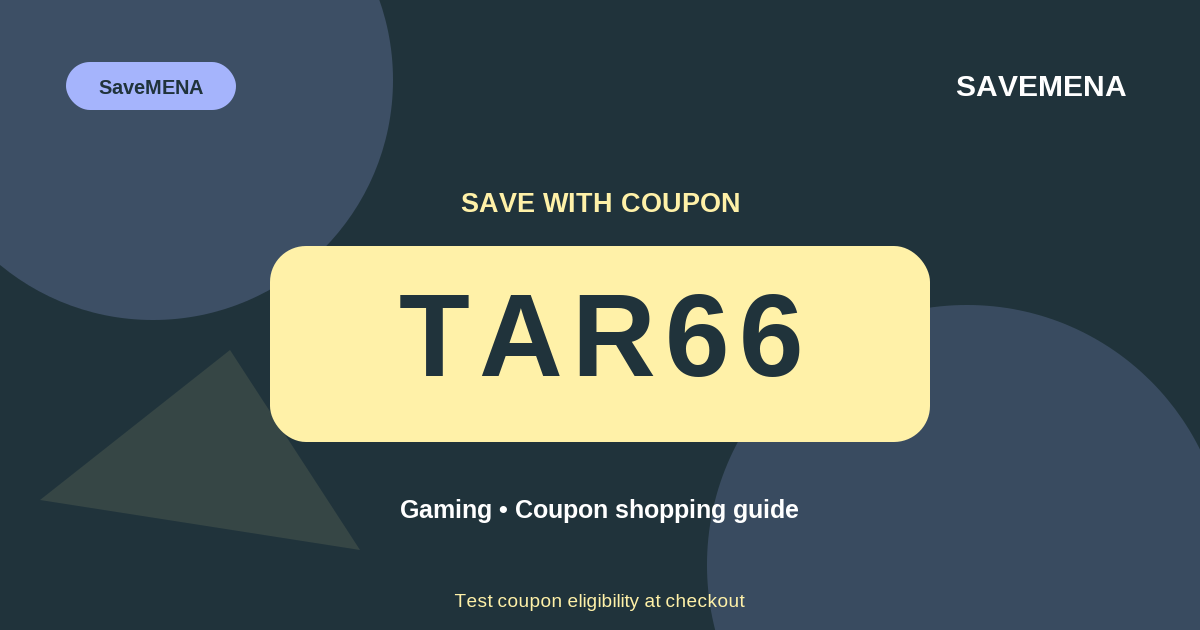
Codes available to try while comparing
These codes are not guaranteed for the article topic or listed brands; test them at checkout and use the live result.
1. Decoding Gaming Model Specifications for Coupon Optimization
When considering a gaming console or accessory, the first consideration is the specifications that distinguish one model from another—processor speed, RAM, storage capacity, and connectivity options. These details not only affect performance but also determine which retailers and promotions support each version. If a coupon code like TAR64 is issued by Noon, its applicability may vary depending on hardware attributes. Therefore, you must first compile a clear comparison list that outlines key specs for each gaming model you intend to evaluate.
In practice, make a spreadsheet or a simple table that lists each model’s CPU clock, GPU tier, memory, and supported display outputs. Document the presence of features such as ray tracing support, 4K resolution capability, and proprietary ports. Having this baseline enables you to see at a glance why a particular model might accept the coupon code, as some codes are tied to specific product identifiers rather than broad categories.
2. How Noon UAE Coupon Codes Apply: Basics for Gamers
Coupon codes on Noon are entered in the designated field during the checkout flow. Once you type TAR64 and press apply, the system instantly recalculates your cart totals if the code is valid for the selected items. Keep in mind that the code may or may not be recognized due to compatibility rules set by Noon; the only way to confirm is to observe the adjustment in the order summary displayed after application.
Unlike some promotional offers that apply directly at the point of sale, Noon’s coupon mechanism does not overload the cart automatically with hidden fees or extra charges. The post‑application total displays each component, allowing you to cross‑verify that the discount has indeed been deducted without altering the product quantity or options. This verification step is crucial when testing a single code across multiple gaming models.
3. Selecting the Ideal Gaming Console for Coupon Testing
Begin by choosing a console that suits your gaming priorities—be it wireless play, VR capability, or extensive media libraries. After establishing your preference, locate the specific SKU on Noon’s website, noting the product’s technical specifications and model number. Only then should you add the item to your cart and proceed to the coupon testing stage.
When testing TAR64, add the console to your cart with the correct configuration (e.g., 1TB SSD, Ultra-High Definition output) and proceed to the “Apply Coupon” section. If the code does not activate, check if the SKU is listed as eligible by Noon. A successful activation means the discount has been applied; otherwise, the cart should revert to the full price. Record the result before moving on to the next model.
4. Step‑by‑Step: Trying TAR64 on a Gaming Product
First, open the product page for your chosen gaming system, and add your desired configuration to the cart. When you reach the checkout page, locate the “Coupon Code” input field. Enter TAR64 exactly as shown, ensuring no leading or trailing spaces, then click “Apply.” Watch the system recalculate the total.
After the recalculation, scroll to the summary section where you should see the discounted amount reflected. If there is no change in the total, the code was not applied for this product. It is advisable to note the absence of a discount in a notebook or a digital note, as this data will inform future selections. If a discount appears, confirm the remaining subtotal before proceeding.
5. Comparing Models: Specs That Influence Coupon Acceptance
Once you have applied TAR64 to multiple gaming models, compare the uptake across them. Some models may accept the coupon while others do not, often due to different manufacturing batches or market segments. Pay attention to whether the accepted models share common spec features such as integrated gaming subscription services or a particular storage type.
Run a side‑by‑side analysis of each model’s specifications and the coupon’s effect on the cart total. This comparison will reveal patterns—maybe the discount is available only for models with a certain graphical processing unit. Understanding these nuances helps you determine which gaming hardware offers the best value when combined with the coupon.
6. Checkout Checklist: Confirming Coupon Eligibility Before Final Payment
Before you hit the “Place Order” button, revisit the checkout page to confirm all details. Verify that the discounted total displayed matches the sum of the items’ prices minus any coding deduction you observed. Double‑check that shipping fees, if any, are listed separately and not hidden beneath the total.
Additionally, ensure that the amount reflecting the coupon discount is explicitly shown; some systems may just adjust the final total without providing a separate line item. If the code’s value does not appear in the breakdown, the discount may not have applied correctly, and you risk overpaying. Save this confirmation step to avoid unintended charges.
7. Common Pitfalls When Testing Coupon Codes on Gaming Gear
Many shoppers assume a coupon will automatically apply once entered, but Noon’s system requires compatibility checks that can fail silently. If you are tempted to proceed with payment despite seeing no savings, you may have missed a hidden requirement—such as a minimum cart value or a mandatory bundle.
Another issue is code expiration or regional restrictions that Noon does not openly disclose. It is wise to stay skeptical of a coupon code that appears to work on one product but not another, especially if the product specs are similar. Verify each success and failure case to build a reliable pattern rather than taking a chance on unverified discounting.
Related SaveMENA pages
Related articles
Official sources to check
Frequently asked questions
A coupon is not guaranteed; verify its result at the retailer checkout.
The coupon is available to try, but Noon does not guarantee its application across every gaming console. Eligibility depends on the product’s specific SKU, model, and Noon’s internal discount rules, which may vary over time. Verify at checkout to confirm the discount.
Can I combine TAR64 with other promotions or cashback offers?
Most coupon codes are single-use per transaction and cannot be stacked with other promotions or benefits. Check Noon’s terms for the specific product, as the system will lock out conflicting offers automatically during checkout.
What if the TAR64 code does not appear to work after I apply it?
When the code fails, review the product’s specifications to ensure it is eligible. Additionally, check any hidden conditions such as minimum spend or required bundles. If the coupon does not apply, it may simply not support that specific model.