Sony Headphones on Noon UAE: model specifications — testing coupons one at a · TAR64
If you’re looking to try Noon UAE coupon codes Headphones Sony model and specifications one code at a time, you’ve come to the right place.
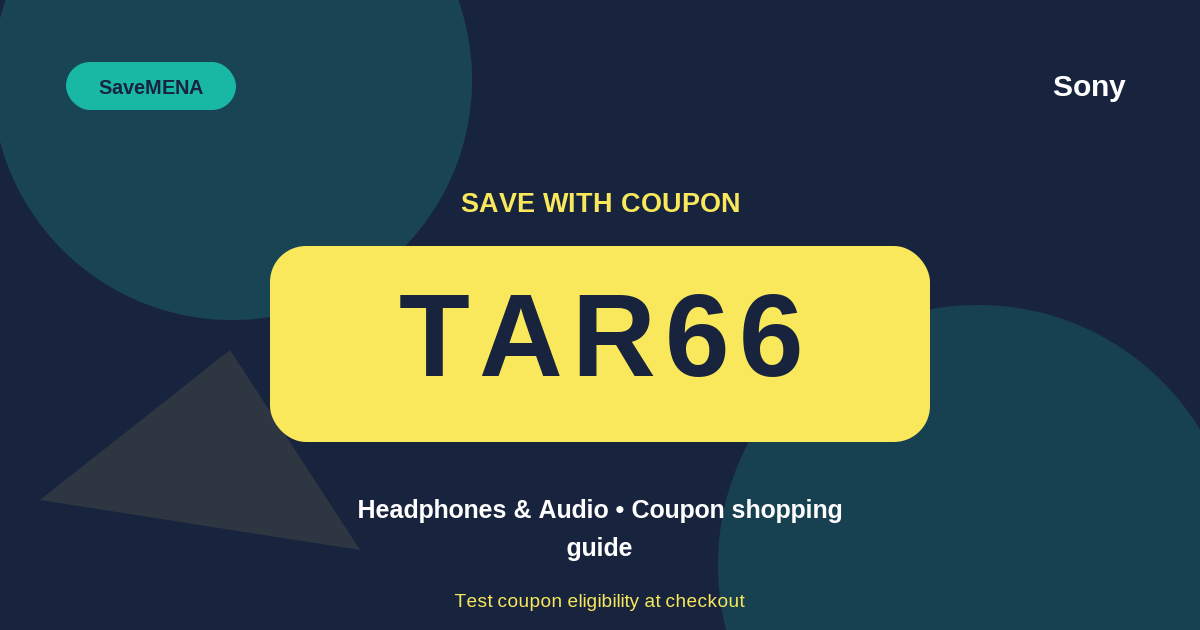
Codes available to try while comparing
These codes are not guaranteed for the article topic or listed brands; test them at checkout and use the live result.
1. How to Start Testing Coupon Codes for Sony Headphones
Begin by logging into Noon UAE’s website or app using your saved credentials. Navigate to the “Headphones” category, then filter results by brand “Sony” to streamline your search. On the product list page, pick a base model that attracts you, such as the Sony WH‑1000XM5, as a starting point for testing. Document this product’s URL and your current cart configuration as a reference; it will help you keep track of price changes as you apply different codes.
Before adding the headphones to your cart, note down its listed price, shipping fee and any applicable taxes. Once your cart is ready, proceed to the checkout page where the coupon field appears. Here you can immediately enter the offered code, TAR64, and click “Apply”. SaveMENA’s policy states the code is available to try, not guaranteed; therefore, carefully observe whether the discount is displayed or if the system displays any error or refusal messages.
2. Selecting the Right Sony Headphone Model to Test
Sony has a range of headphone styles—from over‑ear noise‑cancelling models like the WH‑1000XM5, to true‑wireless earbuds such as WF‑1000XM4 and flagship in‑ear options. When choosing a model to apply the coupon, prioritize one that balances your use case and your marketplace preferences. Features outlined on the product page include battery life, ANC strength and speaker drivers; these factors often influence the final price on Noon UAE.
If you plan to test multiple Sony models, keep a spreadsheet of each model’s SKU, price, and specifications. Record any pricing tiers, such as different color releases or special editions, because the coupon may apply differently across variants.A coupon is not guaranteed; verify its result at the retailer checkout.
3. Understanding Key Specifications That Matter
Sony’s flagship headphone technology boasts 40‑mm drivers, adaptive sound profiles powered by Sony’s DSEE Extreme algorithm and industry‑leading passive noise isolation. When testing a coupon, verify each specification is accurately represented for the model you intend to buy. For example, check the listed frequency response range, impedance, and listening mode options.
Specifications also include connectivity standards—Bluetooth 5.0, aptX Adaptive, or USB‑C charging—and compatibility lists. Since coupon codes are applied at checkout, double‑check that a model’s technical details (such as included ear pads or fabric choice) match the version stocked on Noon UAE. Any discrepancy may affect your decision or the coupon’s applicability, so verify each detail before finalizing your test.
4. Applying the TAR64 Code at Noon UAE – Step by Step
Once the headphones are in the cart, scroll to the “Coupon & Gift Card” section located just above the payment options. Type the code TAR64 into the text box, ensuring no leading or trailing spaces. Hit “Apply & Recalculate” and wait for the system to refresh the cart total. If the coupon is successfully accepted, the new subtotal will reflect the discount; otherwise, a prompt may appear stating “code not valid” or similar.
Because SaveMENA’s policy emphasizes that the code is available to try, you should note if the discount appears or if the system shows an error. If there is no effect, double‑check your entry, confirm you are logged in, and verify that your cart contains only Sony headphones to meet any implicit product restrictions. The result of this step defines whether you’ll move forward with this coupon or revisit alternative codes.
5. Verifying the Coupon’s Effectiveness – What to Look For
After applying the code, review the order total fields: original price, discounted price, shipping fees, and any taxes.A coupon is not guaranteed; verify its result at the retailer checkout. The total payable amount should update automatically, but occasionally some e‑commerce sites display the original total alongside the new total—use this to confirm the coupon’s impact.
If the coupon appears ineffective, record the browser console or any error message shown. Some merchants merge “store credit” or “gift card” options that behave differently from coupon codes. By documenting each outcome, you establish a reproducible pattern that can help you determine if the coupon is reliable across various Sony models or only for specific SKUs.
6. Common Pitfalls While Testing Multiple Codes
One frequent issue is that sellers on Noon UAE may offer varying currency conversions for the same product in different regions. If your account defaults to a region where the product is priced in USD instead of AED, the coupon may not recognize it. Double‑check your store settings to ensure your locality is set to UAE and that all items display AED pricing.
Another pitfall involves cart friendship: if you have multiple items or gift cards in your cart, the coupon may be applied only to the assistant items or be overridden. Isolate the Sony headphone you wish to test by clearing the cart’s other contents.A coupon is not guaranteed; verify its result at the retailer checkout. Saving a copy of the cart URL can safeguard against accidental removal during tests.
7. Optimizing Your Test for Accurate Results
To get a consistent evaluation, complete your test during the same hour of day, using the same device and browser. Browser cookies and cached data can influence coupon recognition, so it’s advisable to clear cache or use incognito mode. Additionally, if the Noon UI changes, the coupon field may shift; refreshing the page ensures you are dealing with the most current layout.
After confirming the coupon’s status, optionally repeat the test multiple times while logged out versus logged in. This will demonstrate whether membership or voucher status alters the discount. Maintain a log of each attempt, including timestamp, browser, and any differing outcomes. Such documentation is essential if you later share your findings or need to dispute a cashier error.
8. What Next? Deciding on the Best Sony Headphone Offer
If your coupon test with TAR64 yields a favorable discount on a particular Sony head‑set, compare that final price against the standard MSRP or other promotions you might find elsewhere. Consider the phone’s specification profile—noise cancellation, battery duration, or connectivity—to weigh whether the savings justify the features you need.
Conversely, if the coupon fails or offers minimal benefit, broaden your test to other eligible Sony models, staying within the same specification criteria. Once you have a clear picture of which model performs best in terms of specs and price post‑coupon, you can confidently proceed to finalize the purchase on Noon UAE, following all security and payment guidelines. This methodical approach ensures you are not only getting the best deal but also a head‑set that meets your technical preferences.
Related SaveMENA pages
Related articles
Official sources to check
Frequently asked questions
How often does Noon UAE refresh its coupon codes for Sony headphones?
Coupon availability changes irregularly, so it’s best to attempt application whenever you add a Sony headphone to your cart. SaveMENA can’t predict these changes, but checking the checkout screen each time you test is reliable.
What if the TAR64 coupon doesn’t work on a Sony headphone?
You may have reached a page that doesn’t accept that specific code, or your cart configuration may not be eligible. Verify all items in the cart are Sony headphones and that your region is set to UAE; then retry the coupon.
Can I combine TAR64 with other coupons or discount offers?
Typically, Noon UAE enforces single coupon usage per order. If the system allows stacking, it will display combined discounts. If not, only the most beneficial code will apply.
Do I need a Noon UAE account to test the coupon?
You must be logged in to apply a coupon and view the adjusted total. If you don’t have an account, you can check the default pricing, but applying and verifying the coupon requires an active login.