Apple Laptops on Noon UAE: model specifications — testing coupons one at a time
The first thing you’ll need as a UAE shopper searching for Apple laptops is a clear plan for testing coupon codes. “Try Noon UAE coupon codes Laptops Apple model and
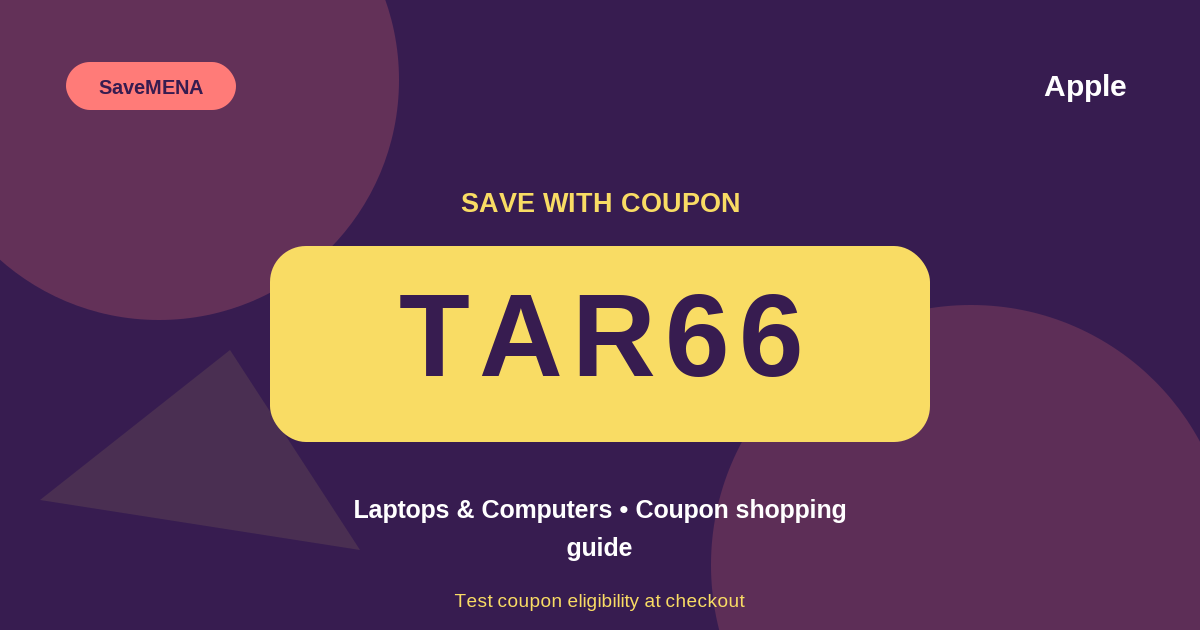
Codes available to try while comparing
These codes are not guaranteed for the article topic or listed brands; test them at checkout and use the live result.
Why Testing Codes One at a Time Matters
Coupon codes on e‑commerce sites often have limits that apply to specific categories, brands, or quantities. By applying a code to a single Apple laptop policy each time, you isolate the impact of the code on that particular product. This approach makes it easier to see whether the code is valid, how it behaves with various models, and if you hit any restrictions that could arise from bundling or mix‑and‑match purchases. The key is to treat each attempt as a separate experiment, noting the final payable amount and whether the discount reflected in the basket matches the intended benefit.
When you test multiple codes, even if they’re identical or share similar names, you’ll uncover subtle differences in applicability. Checking each model from the beginning also protects you against surprises later—such as if a coupon only applies to certain processor frequencies or RAM configurations. Keep a simple spreadsheet or notepad open, log the before‑and‑after prices, and make sure your record is clear enough to consult later as you build your final shopping list.
Selecting the Apple Laptop Model That Fits Your Needs
Apple’s laptop range in the UAE includes the MacBook Air, MacBook Pro 13, 14, and 16. Your choice should hinge on daily usage—whether for light web browsing, photo editing, or high‑performance software. For powerhouse tasks, the 14‑inch MacBook Pro with M2 Pro can handle demanding workloads, whereas the Air with M2 offers great portability and battery life. Always cross‑check the available configurations on Noon UAE to confirm that the exact trim you need is listed.
Model selection also affects resell value and future upgrade plans. If you anticipate stopping at a single device for several years, you might favor a higher‑spec variant to keep performance relevant. Conversely, if you’re watching budgets, a base‑spec Air can deliver a surprisingly capable experience while still allowing room to apply a coupon code effectively. In either case, keep the model’s serial number, dimensions, and weight in mind as you test discount codes, because the Shopify‑style checkout will enforce model‑specific eligibility.
Delving into Technical Specifications
Apple laptops feature diverse specs such as the Apple M1, M1 Pro, M2, M2 Pro, and the traditional Intel i5 or i7 options. Key parameters include processor speed, GPU cores, RAM capacity, storage type, and display resolution. For instance, the M2’s 8‑core CPU provides a midpoint between the Air and Pro series, while the M2 Pro’s 10‑core GPU enhances rendering workflows. Recognizing these differences will help you decide which specs align with your workflow and which you’re willing to compromise on for a coupon boost.
Legally, you’re allowed to verify that a chosen code applies to the specific configuration you’ve selected: a 16‑inch MacBook Pro with 32 GB RAM versus a 14‑inch variant. Checking the data sheet on Noon UAE ensures the processor, memory, and storage meet your criteria before you commit to the code. Only the final checkout amount will reflect any discount—be mindful that mismatch between your model and the listed specifications can cause the coupon to be rejected, as the platform only accepts valid, in‑stock combinations.
Verifying Model Availability on Noon UAE
Before you even enter the code, confirm that Noon UAE hosts the exact laptop variant and spec you desire. Sellers often list multiple configurations under a single product page, and the available SKU may differ between sites, especially for high‑end models. In the product description, verify the processor, RAM, storage, and GPU details. Additionally, check the “Seller” field; a reputable vendor will typically list its name and seller rating for reference.
Stock conditions can switch between “available” and “out of stock” at any time, so note that the final price after applying a coupon code will only be displayed upon addressing the checkout page. If a model is out of stock, the code will likely have no effect until you replace it with an available SKU. By confirming availability beforehand, you’ll avoid a scenario where the coupon appears to “work” only to later be invalidated by inventory changes.
How to Apply the TAR66 Coupon Code
Once you’ve settled on a model and confirmed its specifications, proceed to the cart. Locate the field labeled “Coupon Code” or “Promo Code”—often found near the subtotal section. Enter the exact code “TAR66” case‑sensitively; no additional spaces or symbols should be included. When you press “Apply,” the checkout platform will re‑calculate item totals and, if the code is valid for that product, display the adjusted price beside the original.
It’s important to note that you cannot use any other code at the same time, as coupon stacking is constrained by the platform’s policy.A coupon is not guaranteed; verify its result at the retailer checkout. If the laptop has multiple configurations, the offer may only apply to certain memory or storage tiers, so you might need to select a different SKU to see a price reduction.
Interpreting the Final Price After Code Application
The most reliable indicator of a coupon’s effect is the final payable amount shown just before you confirm payment. At this stage, the quantity, shipping fee, any applicable taxes, and the discount should all be consolidated into a single total. Compare this total against the pre‑code subtotal; the difference is your effective savings, provided the platform has processed the coupon fully.
Remember, the displayed discount only guarantees the final amount you will pay after completing the order. The coupon’s terms are not expressly defined on the site; therefore, if any discrepancy arises—such as a discrepancy between the discount shown in the cart and the checkout—the seller’s customer service can clarify the issue. Always keep a screenshot of the final total in case you need proof of the transaction’s accuracy.
Common Pitfalls When Testing Coupons
A frequent mistake is assuming a coupon will apply to all laptops in the Apple lineup, regardless of model or configuration. Some coupons the coupon code a specific category or product line, so a mid‑range Air may see a discount while a Pro configuration does not. The application step typically reveals this by returning a failure message. In either case, re‑attempting with a different variant can confirm the pattern.\
Another pitfall is neglecting to review shipping options before applying the coupon. If the coupon does not apply to shipping, you may still incur a separate fee that offsets your savings. A quick way to confirm is by adding a small, inexpensive accessory to your cart, then checking whether the coupon still activates for the primary item. This technique assures you that shipping fees do not negate the discount.
Keeping Your Coupon Strategy Long‑Term
While the TAR66 code can only be tested on a single item at a time, you can repeat the process across multiple browsers or devices. However, it’s best to avoid simultaneous checks using the same code on the same store session, as the platform may exert rate limits to prevent abuse. Instead, verify the code on a new session, reset your cart, and proceed with a fresh attempt.
If you plan a larger configuration purchase—such as adding SSDs or accessories to carry with the laptop—repeat the coupon tests after each addition.A coupon is not guaranteed; verify its result at the retailer checkout. For longer‑term planning, record every successful application in a note, and use that log to verify future purchases or return scenarios if an issue arises.
Related SaveMENA pages
Related articles
Official sources to check
Frequently asked questions
Does the TAR66 code apply to all Apple laptop models?
The code’s applicability isn’t specified for all models. It may only work for certain configurations, so check each model’s eligibility before applying.
How do I know if the coupon was accepted during checkout?
If the total price updates with a discount after you press “Apply,” the coupon accepted. Otherwise, you’ll see a message indicating failure.
Can I combine TAR66 with other discount codes?
No, most platforms only allow a single coupon code per transaction; using multiple codes simultaneously is typically disallowed.
What if I ship to a different address after applying the coupon?
Shipping fees can change if you select a remote address; re‑calculate the total after adjusting the address to confirm final pricing.