ASUS Laptops on Noon UAE: model specifications — testing coupons one at a time
Begin by browsing Noon UAE’s ASUS range and shortlist models that match your intended usage—be it gaming, productivity, or everyday tasks.
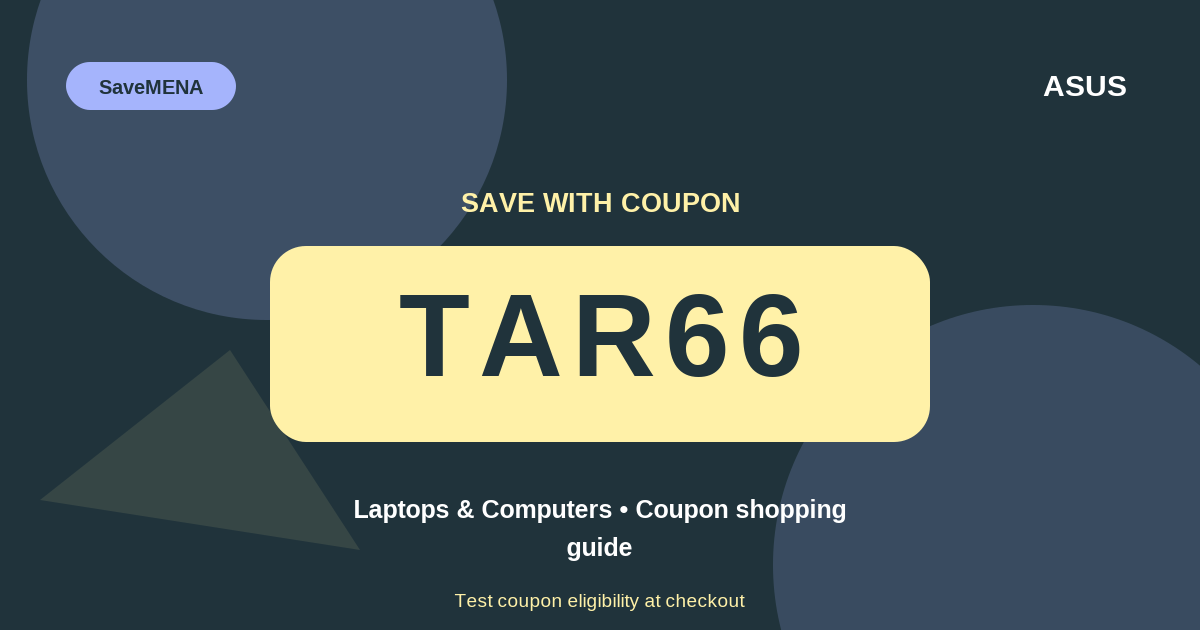
Codes available to try while comparing
These codes are not guaranteed for the article topic or listed brands; test them at checkout and use the live result.
Selecting the Right ASUS Laptop Model for Noon UAE Deals
Begin by browsing Noon UAE’s ASUS range and shortlist models that match your intended usage—be it gaming, productivity, or everyday tasks. Model names such as "ASUS ROG Zephyrus G14" or "ASUS VivoBook S15" encode size, processor type, and GPU details. For UAE shoppers, look for visible localisation in the product description like region‑specific warranty or power adapter information. Note the exact SKU code presented on the product page; this will be crucial when you later apply a coupon, as the shop’s system will cross‑reference it during checkout.
Avoid the temptation to pick the cheapest option without checking specifications. A lower‑priced device might lack a required component, such as an SSD larger than 512 GB, which could affect functionality. Instead, jot down the key specs—CPU, RAM, storage capacity, and screen size—so you can later verify the coupon’s applicability against each device’s technical profile.A coupon is not guaranteed; verify its result at the retailer checkout.
Understanding Specifications That Matter to UAE Buyers
For investors in the UAE market, processor generation and core count are significant, as they determine overall performance and future‑proofing. A quad‑core i5 or an octa‑core i7 will offer different workloads, which should align with your usage patterns. Likewise, RAM size—8 GB versus 16 GB—directly affects multitasking ability. Ensure the specification details—such as DDR4 3200 MHz—are listed on Noon UAE’s product page, as coupon validation often checks these parameters.
Storage type and speed also influence your decision. An NVMe SSD delivers faster boot times and application launches compared to a SATA SSD. Watch for the exact drive model number, as certain coupons may only activate on devices featuring specific storage tiers (e.g., 1 TB NVMe). Documenting every specification detail allows you to confirm compatibility when the TAR66 code is applied.
Preparing Your Noon UAE Cart for Coupon Testing
Add each shortlisted ASUS model to your Noon UAE cart one at a time, keeping separate tabs if possible. This isolation prevents accidental application of the same coupon to multiple items, which could lead to discrepancies at checkout. Verify that each item’s SKU, price, and specification summary remain unchanged after the addition. Clean cart headings will help track which models have been evaluated.
Before attempting to apply the code, double‑check that the cart total reflects the price listed on the product page. Any mismatch could indicate pricing errors or dynamic discounts that might interfere with coupon eligibility. Scroll through the cart details to confirm that the selected model’s specifications—particularly the processor and memory—are accurately represented. This verification step is critical for accurate coupon testing.
Entering the TAR66 Coupon Code: Step‑by‑Step
Navigate to the checkout screen after adding the desired ASUS laptop to your cart. In the “Coupon code” field, type “TAR66” exactly as displayed, preserving case sensitivity. Once entered, click the “Apply” button to trigger Noon UAE’s backend validation. The system will cross‑reference your cart items with the coupon’s eligibility criteria, if any.
At this stage, watch for any on‑screen feedback. Noon UAE typically displays a message like “Coupon applied” or “Invalid coupon.” If the code fails, read the explanation carefully; it may point to a specification mismatch or an issue with the device’s SKU. In such cases, adjust your cart by replacing or removing the problematic model, then reapply the code to the new selection.
Verifying Coupon Eligibility for Each ASUS Model
After the code is applied, review the updated cart total. Noon UAE doesn’t disclose a discount percentage or final savings outright, so compare the displayed amount against the original price. If a reduction appears, the coupon is active. Whenever this happens, confirm that the new price still aligns with your expectations based on the model’s specifications. Discrepancies could signal partial applicability or catalog errors.
Should the cart show no change, note whether the “TAR66” code is excluded for the selected model. Certain ASUS configurations, like those with specialized GPUs or larger displays, may not qualify. If eligibility remains uncertain, record the issue and proceed to test another ASUS model.A coupon is not guaranteed; verify its result at the retailer checkout.
Switching Between Models: Comparing Save Outcomes
Once you’ve tried the code on one model, repeat the steps for the next device in your shortlist. Document how the cart total changes each time you apply the code, noting any difference in savings or lack thereof. Keep a simple log of model identifiers, specifications, and the resulting payable amount after TAR66 application. This data will help you identify which device brings the most value when the coupon is active.
Use the comparison to decide whether the coupon is worth pursuing for that model. If the code provides a substantial reduction for one laptop but none for another, your purchasing decision can be guided by the savings aligned with your technical needs. Avoid overlooking a high‑spec model simply because it wasn’t initially eligible; sometimes a slightly modified configuration can unlock the coupon’s benefit.
Logging and Reviewing Final Checkout Totals
For each successful coupon application, capture the final checkout total displayed on the payment screen. Since Noon UAE treats the checkout page as the definitive reference for eligibility, any deviations from earlier cart totals indicate adjustments or final shipping surcharges. Record these numbers alongside the selected ASUS model and its specifications for a comprehensive record.
If you encounter inconsistencies—such as a lower total on checkout than on the cart—it may be due to dynamic shipping fees or localized taxes. Verify these components by scrolling to the “Fees & totals” section at the bottom of the checkout page.A coupon is not guaranteed; verify its result at the retailer checkout.
Related SaveMENA pages
Related articles
Official sources to check
Frequently asked questions
How do I know if the TAR66 code is actually giving me a discount?
After applying TAR66, examine the updated cart and checkout totals. If the payable amount decreases compared to the original price, the code has activated. Noon UAE’s system reflects the discount directly in the amount shown; no separate percentage is displayed.
Can I use the TAR66 code on multiple ASUS laptops at once?
Yes, but each model’s eligibility must be validated independently. Apply the code to each cart item separately to ensure it applies to each device’s specific SKU and specifications.
What happens if the coupon doesn’t apply to my chosen ASUS model?
Review the specifications of the model; if they conflict with the coupon’s criteria, the code will not activate. In that case, try a different configuration or look for alternative discount options on Noon UAE.
Are there shipping fees added when I use the TAR66 coupon?
Any shipping or handling charges appear on the checkout page under “Fees & totals.” These fees are added after coupon adjustments; the final payable amount displayed is the total you will pay.