Makeup on Noon UAE: model specifications — testing coupons one at a time · TAR64
If you’re looking to try Noon UAE coupon codes for makeup, this guide is built around the model‑and‑specifications lens that your UAE email shoppers trust.
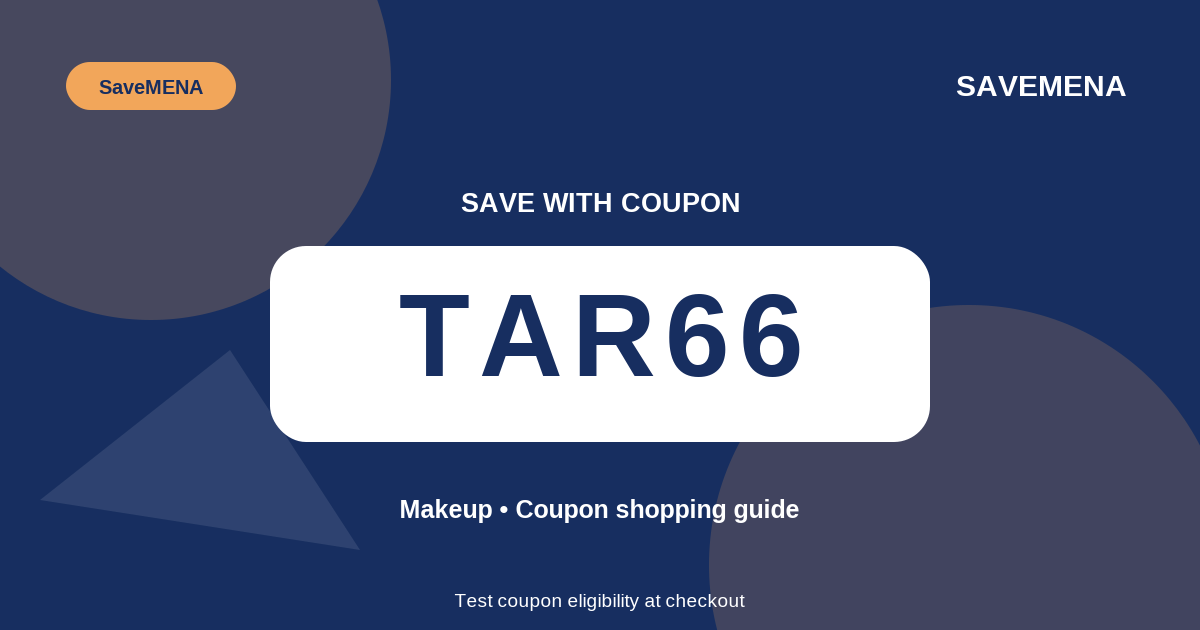
Codes available to try while comparing
These codes are not guaranteed for the article topic or listed brands; test them at checkout and use the live result.
1. Grasping Makeup Model Essentials Before Coupon Testing
When preparing to try a coupon code, start by examining each makeup item's model ID and specification sheet on Noon’s product page. The model field lists the unique identifier—often a six‑digit number or alphanumeric code—that separates variants like “2‑in‑1 Lip & Cheek” from a classic lip gloss. Specifications cover packaging size, concentration, scent profile, and dedicated skin tone ranges. By noting these details, you create a reference list that helps you avoid inadvertently pairing a coupon with a sku that does not support it or has a different pricing tier.
For example, if you’re eyeing a setting powder labeled “Model 2045” with a 8‑cl size and a “soft matte” finish, write down its specifications: weight, texture, and application notes. This data will later be verified during the checkout of your cart, ensuring the coupon (TAR64) is applied to the exact product you intended. With solid specs in hand, you reduce the risk of payment errors and keep the coupon activation process painless.
2. Locating and Adding the Desired Makeup to Your Noon UAE Cart
Begin by logging into your Noon UAE account. Search for the specific makeup model you wish to purchase, using the model number or product name. The search results will display items across Noon’s licensed sellers. Select the variant that matches your recorded specifications—pay attention to size, shade, or finish. Once you’ve confirmed the match, tap “Add to Cart.” It’s essential to double‑check the seller rating and shipping availability before proceeding, as different sellers may price the same model differently.
If the item includes optional extras, such as a brush set or a travel pouch, add those only after confirming they align with your specifications list. This helps maintain a clean cart where each SKU’s model and attributes are clearly identifiable. Once your cart is populated, avoid navigating away from the Noon app; doing so may reset the coupon entry field or alter your cart contents.
3. Navigating to the Coupon Entry Point in Noon UAE Checkout
Proceed to the cart page and tap “Proceed to Pay.” On the payment screen, you’ll see a field labeled “Enter Coupon Code.” This is the designated spot for your code TAR64. Input the code exactly as it appears, respecting capitalization. Avoid using any charge or space after the code, as Noon’s validation requires a precise match.
After entering the code, tap “Apply” to trigger the coupon check. The app will perform a real‑time verification against the item’s model and spec subset. If applicable, you’ll see the discount reflected in the subtotal. No data about discount percentages or expiry is disclosed—only the final payable total appears once the code is validated. Remember, this test runs independently of any other promotional considerations.
4. Verifying Coupon Validity Against the Selected Makeup Model
If the coupon applies successfully, Noon’s interface will display a temporary “Coupon Applied” message near the total. In this case, the discount is credited before shipping and taxes are added. Inspect the cart line items to confirm the model number matches the one recorded earlier. A mismatch here could indicate that the coupon is not applicable to the chosen SKU, and you would need to remove the product or find an alternate.
If the coupon is rejected, the interface will denote “Invalid or ineligible code.” At this point, you should verify that the product’s specifications are indeed correct—check that the product is not a special edition or exclusive variant that might block coupon usage. Also confirm you have the most recent version of the Noon app, as older releases can affect coupon recognition.
5. Comparing Multiple Makeup Models Using the Same Coupon Code
Since your intention is to test the code on several items, you can repeat the steps above for each new model. Remove the previously added item before adding a new one that differs in model or specifications. This prevents overlapping, ensuring the coupon’s applicability is evaluated independently for each SKU. Each test will confirm whether TAR64 works across the brand’s range.
Make a simple spreadsheet that tracks: product name, model number, specifications, and the final payable amount after coupon application. By comparing these records side‑by‑side, you’ll see any discrepancies caused by model‑specific eligibility. This methodical approach aligns with the model‑and‑specifications lens, delivering objective data for your purchasing decisions.
6. Handling Failed Coupon Attempts and Checking Alternative Options
When a makeup model refuses the code, don’t assume there is an app glitch. It may simply be a restriction based on the model’s pricing tier or the seller’s policy. At that point, you can check the product’s detail page for any listed coupon eligibility clauses. Some items might be excluded from discount codes by default.
If you encounter a consistent failure across multiple models, contact Noon’s customer support via the app’s chat feature. Explain that you are testing TAR64 on various makeup models. The support team can confirm whether the code is still active for that category or if there have been any recent changes. Once you receive clarification, resume your testing cycle accordingly.
7. Reviewing the Final Checkout Summary for Accuracy
Upon final approval of the coupon, Noon presents a payment summary that includes: itemized models, specifications, tax, and any applicable shipping fee. Verify that the subtotal reflects the coupon deduction before the app calculates taxes and shipping. The final amount you pay is the genuine indicator of coupon success and applies to the model you intended.
Should you notice an anomaly—such as an unexpected increase after coupon application—it likely relates to a shipping surcharge or a tax that applies only to certain sku types. Keep an eye on the breakdown. Confirm that the selected model remains the one you verified previously to avoid an accidental swap that might alter the payable total.
8. Maintaining Records and Planning Future Purchase Strategies
Save each completed checkout transaction within the Noon app or export your order history for reference. This documentation will serve as evidence of coupon usage for each makeup model. If you discover that TAR64 never applies to your chosen specification, you can use this proof to request a manual adjustment from Noon’s support if the product is of significant value.
Use your collected data to refine future purchasing strategies. For instance, if the coupon reliably applies to a certain shade range or product line, prioritize those models in upcoming orders. Conversely, if some models remain ineligible, you might opt to purchase them during a sale or through a different retailer that accepts the same or a similar discount approach. With meticulous records, your next shopping trip will be the coupon code and efficient.
Related SaveMENA pages
Related articles
Official sources to check
Frequently asked questions
What if Noon UAE says my coupon code TAR64 is invalid?
Check that you entered the code exactly as shown, with no added spaces or punctuation. Confirm the product’s model and specifications match your record. If still rejected, contact Noon support for clarification on the coupon’s eligibility.
Can I apply TAR64 to multiple items in the same order?
Once applied to a cart, the coupon generally covers the entire order total, provided all items meet the eligibility criteria. Verify each model’s specifications; if any item is ineligible, the discount may be reduced or voided.
Will my coupon affect shipping or tax calculations on Noon UAE?
The discount applies to the product subtotal before tax and shipping. Shipping and taxes are calculated afterward and reflected in the final total, ensuring the coupon’s value is clear.
How do I know if my selected makeup model supports the code?
Use the product’s model number and specification list to confirm eligibility. Noon’s checkout will validate the coupon; any mismatch will result in a “code rejected” message at the payment screen.