Apple Mobile Accessories on Noon UAE: model specifications — testing coupons one at a
If you want to test multiple coupon codes on Noon UAE, the best practice is to apply each code one at a time during checkout.
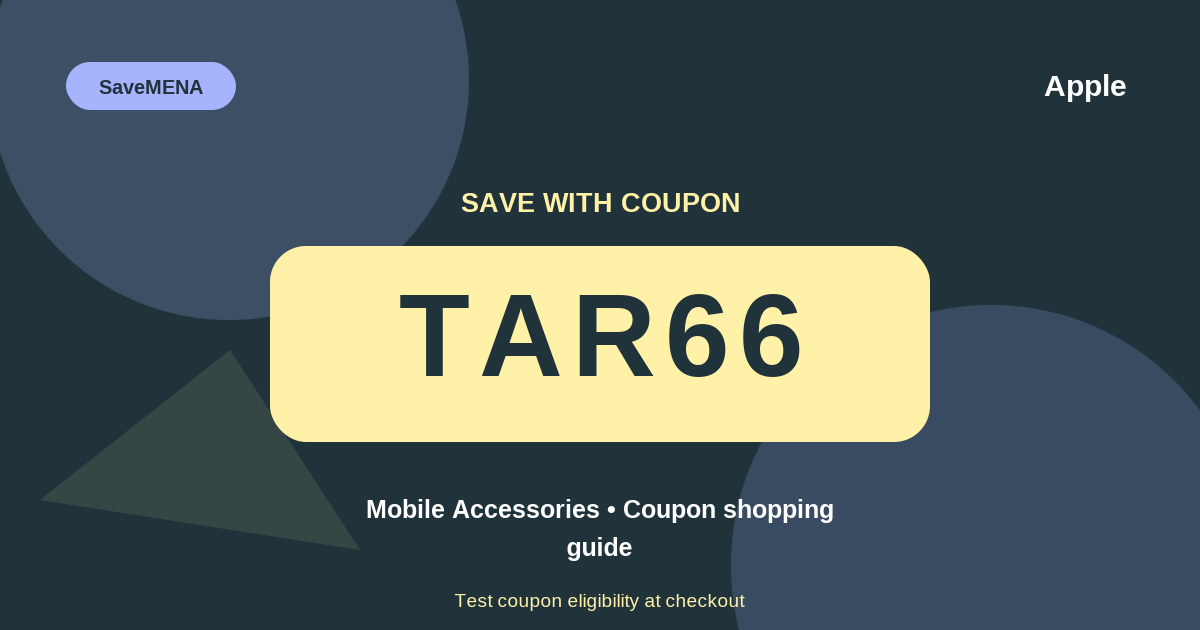
Codes available to try while comparing
These codes are not guaranteed for the article topic or listed brands; test them at checkout and use the live result.
Choosing the Right Apple Phone Model for Accessories
To test multiple coupon codes one at a time on Noon UAE, you’ll need to make sure you know which Apple phone model you’re the coupon code with each accessory. Start by locating your iPhone’s exact model number – iPhone 15 Pro, iPhone 15, iPhone 14 Pro Max, or older variants – and then cross‑refer the model with your chosen accessory’s compatibility list. This alignment guarantees that the accessory’s specifications truly fit your device, preventing returns or incompatibility that would otherwise void the coupon’s potential benefit. Remember, a charger built for an iPhone 12 won’t trigger the same compatibility logic on an iPhone 15, and vice versa.
Once you have the model confirmation, examine the accessory’s key specs: for example, the charger’s output voltage, the case size, or the audio port type. Match these specs against your phone’s port (Lightning or USB‑C), screen dimensions, and camera placement to ensure an exact fit. A mismatch means you might force a charge cable or risk damaging the port, which would compromise your purchase even if the coupon applied. Use Apple’s official support pages or the product description on Noon to confirm that the accessory was specifically engineered for your iPhone model.
Specifying Compatible Mobile Accessories
When shopping for Apple mobile accessories on Noon UAE, always look for product listings that explicitly state compatibility with your device’s model. This is typically displayed in the first few lines of the description or under a “Compatibility” heading. Checking this early saves time and ensures you do not waste the coupon on an item that won’t work with your phone. Pay special attention to variations: a case meant for the iPhone 14 Pro will not unfold properly on the iPhone 15 Pro due to differences in camera housing placement.
Beyond the description text, many sellers include a FAQ section in their listings. Use it to verify detailed questions such as whether the charger supports fast charging for your specific iPhone model or whether the earbuds support the latest spatial audio standard. If any spec remains unclear, reach out via the seller’s contact link on Noon and request confirmation. This step is vital before you apply TAR66, as non‑matching accessories could lead to a coupon rejection at checkout.
Testing Noon UAE Coupon Codes One at a Time
When you add a compatible accessory to your cart, proceed to the checkout page to test your coupon. Enter TAR66 in the coupon field, then click “Apply.” If the code is valid, the total will adjust accordingly; if it is not, a clear notice will appear indicating the failure. This straightforward method allows you to verify each potential coupon separately, ensuring you do not accidentally combine multiple discounts that may not be supported by Noon.
After testing TAR66, you can repeat the process with other coupon codes by clearing or deleting the previous code. Make a simple log of which codes worked and which did not, noting any changes to the total amount after each attempt. This documentation is helpful if you contact Noon’s customer service regarding a coupon issue, as you already have proof of the code’s effectiveness during checkout.
Verifying Model Compatibility Before Applying TAR66
Before you even hit the “Apply” button, double‑check that the accessory is listed for your exact iPhone model. Noon’s product pages often list compatible models in bullet points; match these bullet points against your phone’s model number. Also confirm that the seller’s listed country of manufacture does not affect your warranty or return policy, as some accessories may be region‑specific.
In the event a listing is ambiguous or a seller’s notes mention “works with iPhone SE compatible models,” cross-reference the technical spec sheet. Some accessories may work across multiple older generations, but newer models can introduce hardware differences. If you suspect a mismatch, request a direct clarification from the seller before finalizing the purchase or applying TAR66. This proactive step eliminates the risk of coupon rejection after the final payment is processed.
Ensuring Accurate Checkout with Model‑Specific Details
At checkout, your final payable total is the definitive snapshot of the transaction. The page will show the base price of the accessory, any applicable taxes, shipping fees, and the updated subtotal plus discount once a coupon is successfully applied. Review each line item carefully: the model number of the phone should align with the accessory label, and the applied discount should reflect the correct code usage.
Often, the checkout page notes special conditions like “free shipping after AED 200” or “customer support for 24 hours.” These are not guaranteed to be available post‑coupon apply, so verify them before confirming. If the discount does not appear, search for an error message or blank space where the discount should be displayed; this indicates that the coupon was not accepted, possibly due to incompatibility or expired status.
How to Read Technical Specs for Apple Accessories
Technical specifications such as USB‑C Type‑C x1, 20W fast charging, or 3.5mm audio jack provide essential clues about an accessory’s functionality. For example, if your iPhone 15 is equipped with USB‑C, you should look for chargers that list USB‑C output and support at least 20W to tap into the phone’s fast charging capability. A mismatch in connectors will prevent the accessory from “talking” the right signals to the phone.
When reviewing specs, look for the “Compatibility” segment that often lists supported device models. Many accessories use a comma‑separated list of iPhone versions, from iPhone 8 up to iPhone 15 Pro. The presence or absence of your phone's model in this list is a clear indicator of whether the accessory will work. If your model is missing, consider contacting the seller or looking for an alternative accessory that explicitly states compatibility.
Managing Expectations with Coupon Availability
The TAR66 coupon code is available for testing on Noon UAE, but its validity is not guaranteed. Applying a coupon may result in a successful discount, a partial or no discount, or an invalidation, depending on the seller, product category, or seasonal offers. Make every attempt clear that the coupon’s acceptance is final only at checkout, where the system confirms eligibility against current terms.
If TAR66 is not accepted, you can try other promotional offers that Noon releases regularly, such as site‑wide discounts for loyalty points or limited‑time bundle deals. Keep an eye on the “Deals” section of the app or website for new codes, and consider subscribing to Noon’s newsletter for access to exclusive coupons. This approach increases your chances of securing savings without tight reliance on a single coupon string.
Related SaveMENA pages
Related articles
Official sources to check
Frequently asked questions
Can I use TAR66 on accessories for all Apple phone models?
The coupon can be applied to any accessory listed on Noon, but its acceptance depends on the specific product listing and current promotional rules. Verify compatibility in the product description before applying the code at checkout.
How do I confirm that my iPhone model matches the accessory’s compatibility?
Check the phone model number on the back of your device or in Settings > General > About. Compare this number with the compatibility list in the accessory’s product description on Noon.
What happens if I enter TAR66 and it doesn’t work?
If the coupon isn’t accepted, the checkout page will display a note that the code is invalid or expired. You can then try another code or proceed without a discount.
Are there any hidden fees after applying a coupon?
After applying a coupon, all fees are displayed on the checkout summary. Review the final total, including taxes and shipping, before confirming the order.